 AI Tool
⚡ 30-second me faisla
Stage ek prototype-review tool hai: ek link share karo → team live prototype par exact spot par comments pin kare → AI (Claude) feedback fix karke v2 publish kare → design phir product sign-off kare, har approval ka record version ke saath. 3 makers tak free (reviewers hamesha free), Team $12/maker/month. Agar tum AI tools (Claude/Cursor) se prototypes banate ho aur feedback Slack threads me kho jata hai — ye tumhare liye bana hai. Agar tum Figma-first designer ho — Figma integration abhi “Coming soon” hai, to thoda wait karo.
Ye tool kya hai?
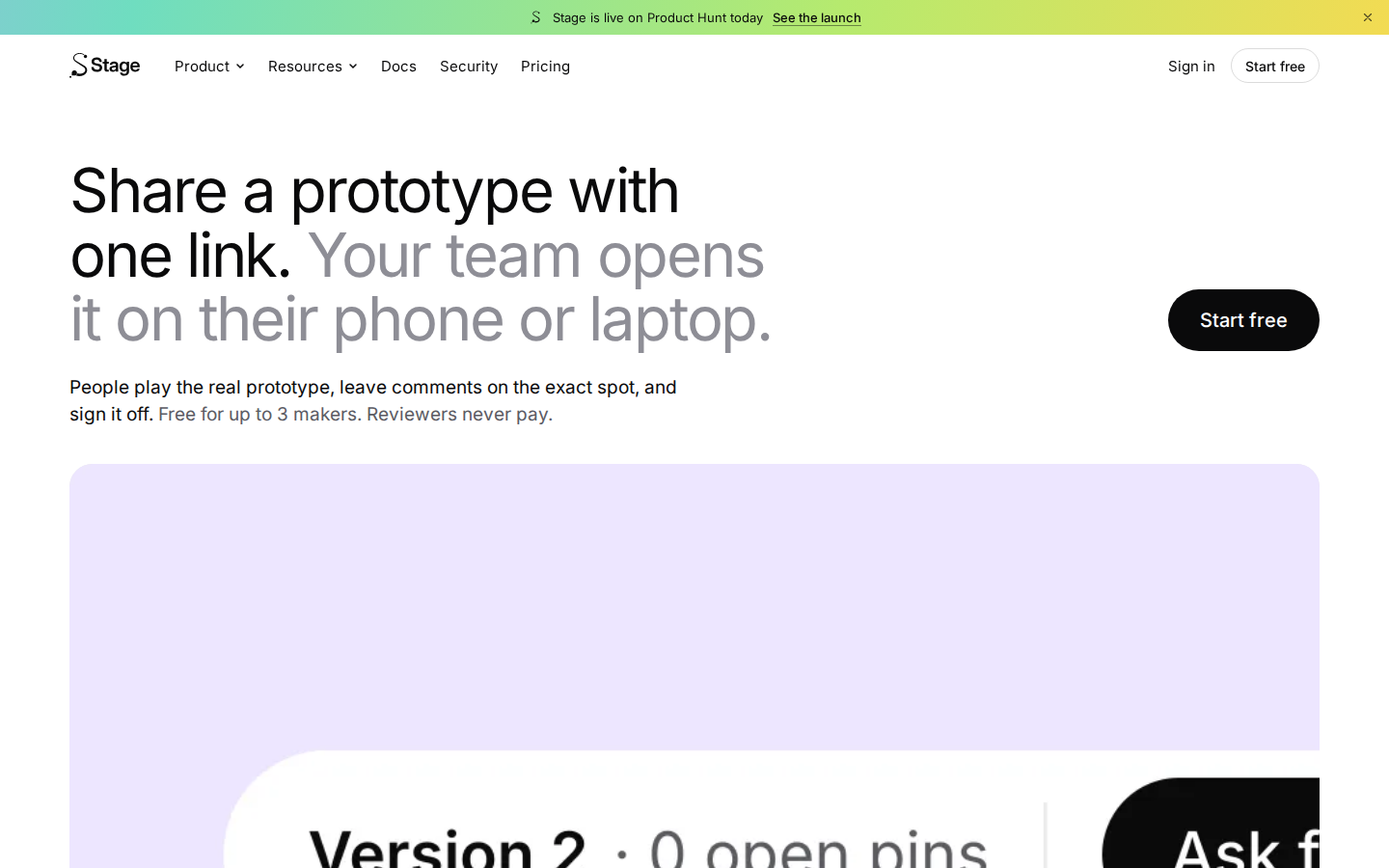
Stage ka pitch ek line me: “Share a prototype with one link.” AI ne prototype banana sasta kar diya — lekin ye faisla karna ki kya ship hoga utna hi mushkil raha. Designer link bhejta hai, PM Slack me reply karta hai, engineer puchta hai “kaun sa version approve hua tha?” — aur jawab kisi aisi thread me hota hai jo koi dhoondh nahi pata.
Stage is poori gadbad ko ek jagah lata hai. Ise banaya hai Utkarsh ne (solo maker), aur ye 19 October 2026 ko Product Hunt par launch hua. Official site: stagedesign.pages.dev.
Khaas features (jo ise alag banate hain)
1. Comments exact spot par pin hote hain
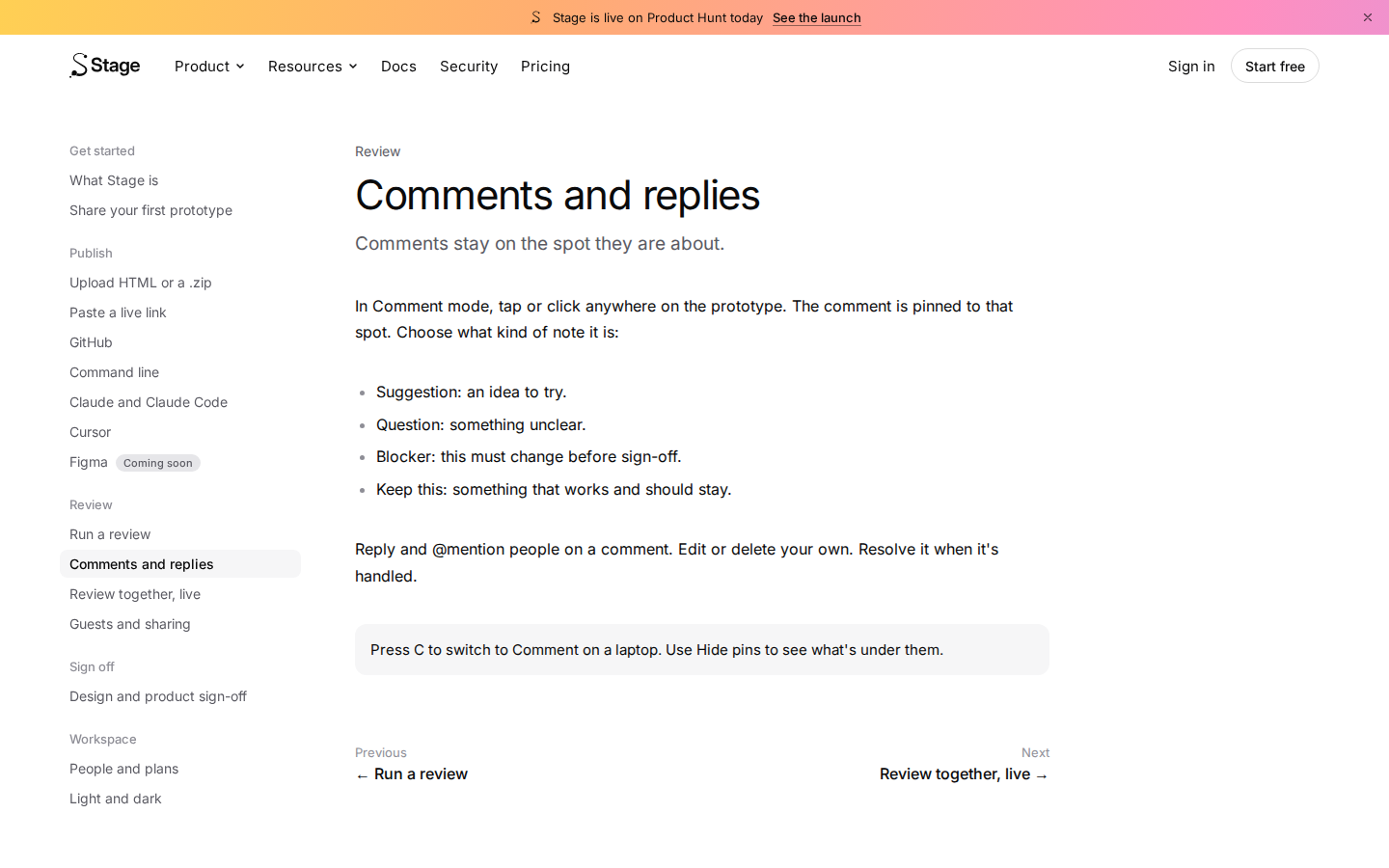
Comment mode me prototype par kahin bhi tap/click karo — comment usi spot par pin ho jata hai. Har note ka type chun sakte ho: Suggestion (idea), Question (unclear cheez), Blocker (sign-off se pehle badalna lazmi), Keep this (jo achha hai, wahi rahe). Reply aur @mention bhi hai, aur fix hone par comment resolve mark hota hai. Laptop par C dabakar Comment mode on hota hai.
2. “Fix with Claude” — AI khud feedback fix kare
Ye Stage ka sabse alag feature hai. Khule comments collect hokar tumhare AI tool ko location ke saath brief milta hai — AI fixes karke v2 publish karta hai, aur har comment “Fixed in v2” mark hokar close ho jata hai. Koi bhi teammate fix utha sakta hai. (Ye Team plan ka feature hai.)
3. Sign-off ka pakka record
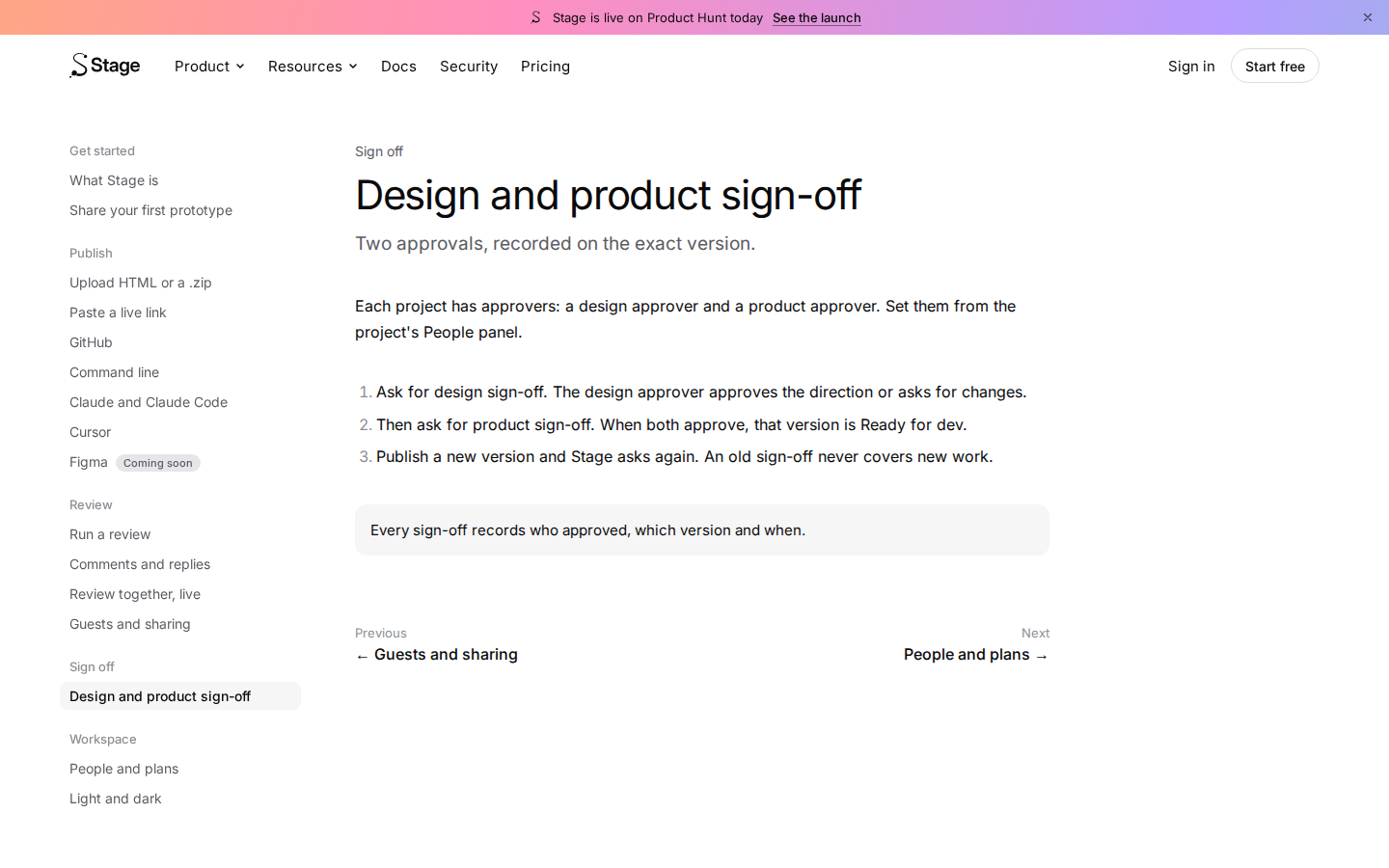
Do step: pehle design approve, phir product. Har sign-off usi exact version par record hota hai — kaun approve kiya, kaun sa version, kab. Naya version publish hote hi Stage dobara sign-off maangta hai — purana approval naye kaam par kabhi lagu nahi hota.
4. Publish ke 5 tareeke + agent support
AI tool se (“deploy this to Stage” bolo — Cursor aur Claude/Claude Code supported), GitHub se, CLI se, HTML/.zip upload se, ya live link paste karke. Figma “Coming soon” hai — ye imaandaari se site par likha hai.
5. Team-friendly details
- Live review: kaun prototype dekh raha hai, dikhta hai; ek tap me unki screen follow karo
- Har version save rehta hai; comments usi version par rehte hain jis par likhe gaye the
- Phone prototypes phone par full-screen khulte hain, desktop wale browser frame me
- Slack: har prototype ke liye thread, dono taraf replies, Slack se hi sign-off
- Private by default, alag prototype domain, har sign-off recorded
Pricing — free me kitna milega?
Pricing seedhi hai, aur philosophy saaf: “You pay only for people who publish.” Design managers, PMs, engineers aur guests kabhi paise nahi dete.
- Free — $0: 3 makers tak hamesha free. Saare review features (koi trial period nahi). Reviewers/approvers unlimited aur free. 3 prototypes. Sign-off exact version par record. Slack integration.
- Team — $12/maker/month (yearly billing; monthly $15): Unlimited prototypes, reviewers, comments. Clients/contractors ke saath share. “Fix with Claude” included. Makers kabhi bhi add karo. No storage limit.
- Studio — $124/month: 15 makers tak ek flat price ($1,490 yearly). Unlimited sab kuch.
- Organization — Talk to us: Online bikta nahi abhi. SAML SSO, SCIM, audit export, data region, SLA — sab “Coming soon” listed hain.
Privacy ka kya scene hai?
Achhi khabar: prototypes private by default hain, har prototype ko alag domain milta hai, aur har sign-off recorded rehta hai. Enterprise-grade cheezein (SAML SSO, SCIM, audit export, data residency, retention rules) Organization tier me “Coming soon” hain — matlab abhi bade IT-department wale clients ke liye ye taiyaar nahi hai. Solo maker ka product hai, isliye security page par bade compliance badges ki ummeed mat rakho.
Kaun use kare, kaun na kare?
- AI se prototype banane wale (Claude/Cursor users): Tumhare liye to ye bana hi hai — “deploy this to Stage” bolo, link share karo, feedback AI se fix karwao.
- Freelancers & agencies: Client ko ek link bhejo — client ko account ya paise ki zaroorat nahi, aur sign-off ka record tumhare paas rahega. Client disputes me ye record sona hai.
- Chhoti product teams: Designer + PM + engineer — teenon free/cheap me aa jate hain (3 makers free, baaki roles free).
- Figma-first designers: Abhi tumhare liye nahi — Figma integration “Coming soon” hai. Wait karo.
- Enterprise IT: SAML/SCIM/audit abhi coming soon hain — abhi Organization tier lene ka matlab nahi.
Comparison: Filestage / Figma comments / ProtoNote
- Filestage: Design-approval ka purana khiladi (10+ saal). Images, PDFs, videos, live websites — creative/marketing teams ke liye best. Lekin AI-se-fix workflow nahi hai, aur pricing Stage ke free tier jitni generous nahi. Live interactive prototypes par Stage ka focus zyada tez hai.
- Figma comments: Figma ke andar comment karna free aur familiar hai — lekin wo design files tak seemit hai, AI-generated working prototypes par nahi chalta, aur sign-off ka version-locked record nahi deta.
- ProtoNote: (PH alternatives me listed) pinned shareable feedback par focus — lekin AI-fix loop aur sign-off workflow Stage jitna poora nahi lagta.
- Slack/WhatsApp threads: Free to hain, lekin feedback kho jata hai, version ka pata nahi chalta, aur “kaun sa version approve hua” ka jawab kisi ko nahi milta. Stage isi dard ki dawa hai.
Log ye bhi search karte hain
- best prototype review tools 2026
- free design feedback tool for teams
- how to get client feedback on website prototype
- stage vs filestage comparison
- ai tool to fix design feedback automatically
- prototype sign off tool with version history
Final verdict
Stage us dard ko pakadta hai jo AI-era me har builder mehsoos karta hai: prototype banana aasaan ho gaya, us par faisla lena nahi. Exact-spot comments, version-locked sign-off, aur “AI khud feedback fix kare” — ye teeno milkar ek poora workflow banate hain, sirf ek feature nahi. Free plan imaandaari se generous hai (saare features, koi trial nahi).
Ek number isliye kata: product sirf 2 din purana hai, Figma integration abhi aayi nahi, aur solo-maker risk hai — kal ko roadmap badal jaye to tumhara workflow atka reh jayega. Ye first-look review hai; hum ise khud use karke hands-on update jodenge.
Humari rating: 4.0/5. Agar tum Claude/Cursor se prototypes banate ho aur feedback ka jhanjhat khatam karna hai — free me try karne me koi nuksaan nahi.
Note: Ye first-look review official site (stagedesign.pages.dev) aur Product Hunt launch information par based hai. Hum ise apne systems par test karke hands-on update jald jodenge.


