AI Tool
⚡ 30-second me faisla
Spellar ek bot-free AI meeting assistant (spellar.ai) hai — call me koi bot nahi judta, recording tumhare device par hoti hai, aur GPT ya Claude se summary, action items aur cross-meeting memory milti hai. 300 free minutes bina card ke; uske baad Pro $20/month (annual par $15/month). Spellar for Chrome 19 November 2026 ko Product Hunt par launch hua. Students, freelancers aur professionals jo roz meetings karte hain aur ‘notetaker joined’ wali awkwardness nahi chahte, unke liye ye try karne layak hai — pehle 300 free minutes me apni 4-5 asli meetings record karke dekho, phir decide karo ki $20/month dena hai ya Fathom/Otter ka free tier kaafi hai.
Ye tool kya hai?
Har hafte kitni meetings hoti hain jinme tum sunne me itne busy ho jate ho ki notes likhna bhool jate ho — aur meeting khatm hote hi yaad nahi rehta ki kya decide hua tha, kaun kya karega. Aaj ke zyada tar AI note takers iska hal ek bot se karte hain: ek teesra participant tumhari call me jud jata hai, sabko dikhta hai, aur kabhi-kabhi client ke saamne awkward lagta hai — “Notetaker has joined the meeting.”
Spellar isi awkwardness ko khatm karne ke liye bana hai. Iska idea seedha hai: bot bhejne ke bajay, tumhare device ki audio se hi record karo.
Kaam seedha hai: record dabao, meeting karo, aur khatm hote hi transcript, structured summary aur action items mil jayein. Beech me Live Copilot se meeting ke dauraan hi AI se sawaal poochh sakte ho. Aur sabse khaas baat — cross-meeting memory: tum apni saari meetings se ek saath sawaal poochh sakte ho, jaise “pichhle hafte client ne budget par kya kaha tha?” — jawab cited milta hai, us moment se linked jahan wo baat kahi gayi thi.
Aasaan bhasha me: Spellar tumhari meetings ka ek private, searchable dimaag hai — jo call me ghusta nahi, tumhare device par rehta hai, aur tumhare sawaalon ka jawab tumhari hi meetings se deta hai.

Khaas features (jo ise alag banate hain)
1. Bilkul bot-free — call me koi nahi ghusta
Ye Spellar ka sabse bada farak hai. Koi bot call me join nahi karta, koi ‘Notetaker has joined’ notification nahi aata, koi IT approval nahi chahiye bot ko meeting me aane ke liye. Spellar tumhare device ki audio se record karta hai — isliye ye Zoom, Google Meet, Teams, Webex, Slack huddles aur iPhone se in-person meetings — har jagah kaam karta hai. Tum khud decide karte ho kab record karna hai.
2. Model tum chuno — GPT, Claude, ya apni key
Zyada tar note takers tumhe apna ek fixed model dete hain. Spellar Pro me GPT aur Claude dono included hain — aur tum har meeting, har template ya har sawaal par switch kar sakte ho: nuance ke liye Claude, reasoning ke liye GPT. Gemini, Perplexity ya OpenRouter apni API key se bhi chala sakte ho — bina extra subscription ke.
3. Cross-meeting memory — ek chat jo sab yaad rakhti hai
Ek meeting ka summary to sab dete hain. Spellar saari meetings ko ek searchable memory bana deta hai: “Q2 launch par kya decide hua?”, “design review kis wajah se atka hai?” — jawab cited milta hai, source moment se linked. Scope bhi set kar sakte ho — ek meeting, ek folder, ek project ya ek vyakti tak.
4. Privacy tumhare haath me — on-device ya opt-in cloud
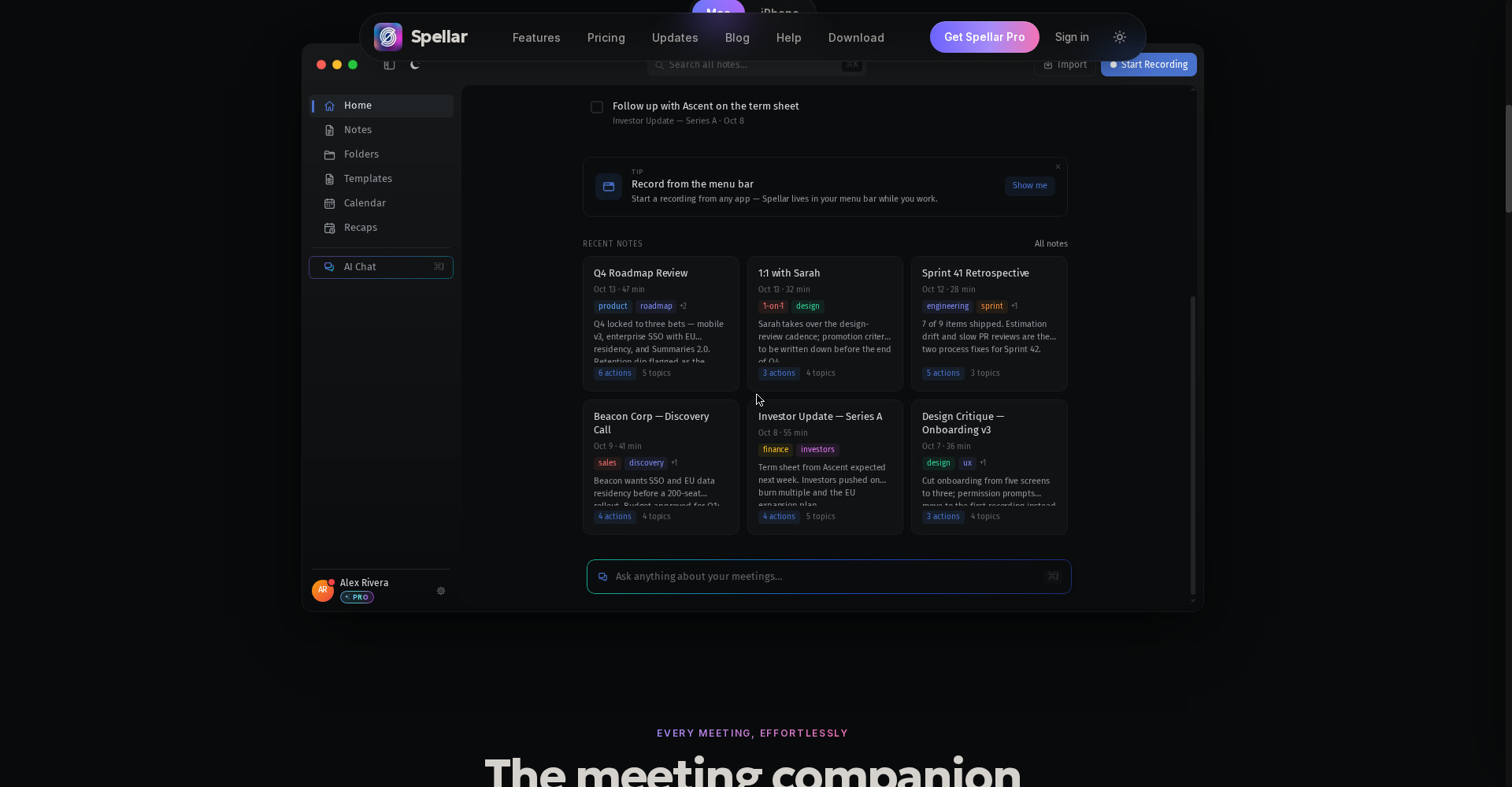
Mac aur iPhone par transcription device par hoti hai — audio ko cloud bhejna zaroori nahi. Server-side AI transcription opt-in hai, kabhi default nahi. Audio encrypted rehta hai aur tum decide karte ho kitne din rakha jaye — 1 din se 90 din tak, ya Mac app me sirf local. Apni OpenAI/Anthropic/Gemini key use karo to data tumhare key se hi jata hai.
5. 30+ templates — har meeting type ka sahi output
Standup, 1:1, retro, sales call, customer interview — har type ka apna template hai jo sahi output deta hai, har baar. Custom template plain language me banao — “mujhe sales call se budget, timeline aur stakeholders chahiye” — aur Spellar sahi template meeting ke hisaab se auto-detect bhi karta hai.
6. Notes wahan pahunche jahan kaam hota hai — 15 native connectors
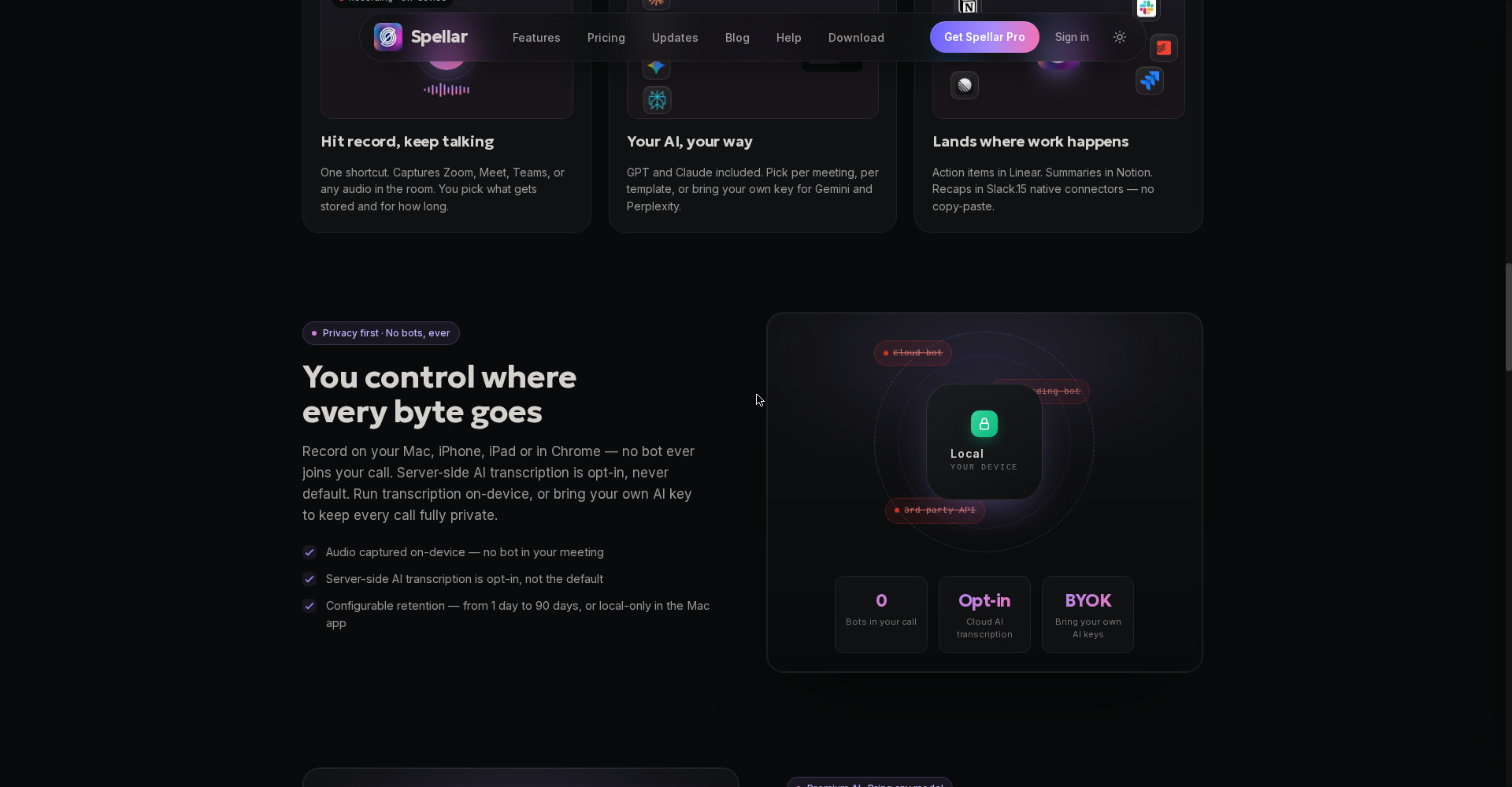
Action items Linear me, summaries Notion me, recaps Slack me — 15 native connectors, koi copy-paste nahi. Linear aur Jira se two-way sync hai — tasks wapas bhi aate hain. Calendar connector se meeting ka context khud aa jata hai, aur weekly/monthly recaps — wins, blockers, commitments — Monday subah inbox me mil jate hain. Developers ke liye MCP server bhi hai, jisse Claude ya ChatGPT tumhari meetings se jawab de sakta hai.
Pricing — free me kitna milega?
- Free trial — $0: 300 free minutes transcription aur AI summaries, bina card ke. Lekin dhyaan rakho: ye ek-baar trial hai, ongoing free plan nahi. Minutes khatm hote hi transcription aur AI ruk jata hai, aur bina subscription 7 din se purane notes lock ho jate hain.
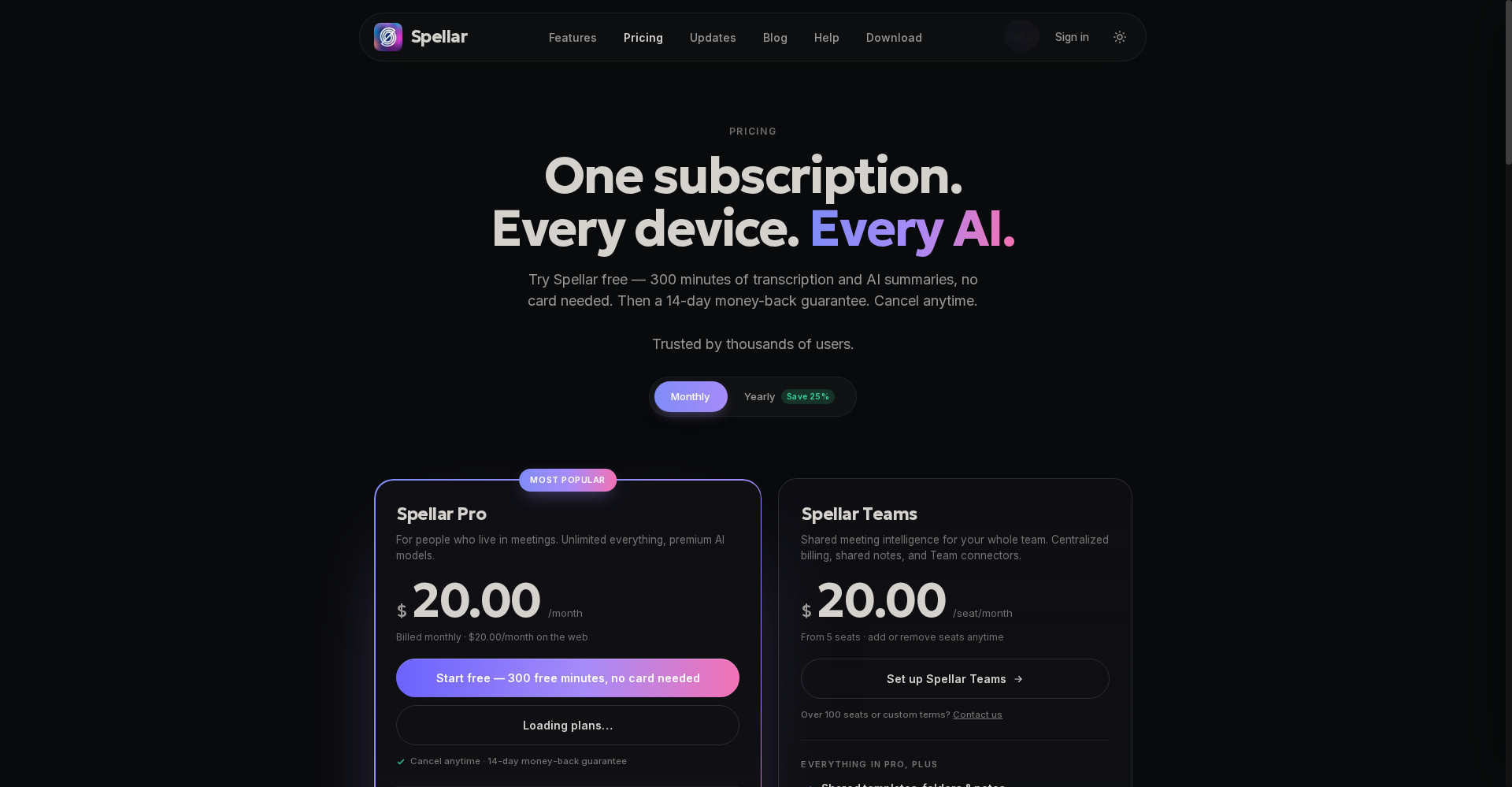
- Pro — $20/month (monthly) ya $15/month (annual billing, $180/year): Unlimited transcription, summaries aur AI chat, Live Copilot, GPT aur Claude included, 30+ tools me export, audio 90 din tak, 45 languages, on-device option, custom templates. 14-day money-back guarantee, cancel kabhi bhi.
- Teams — $20/seat/month (5 seats se): Pro wali saari cheezein + shared templates, folders aur notes, shared AI chats, centralized billing, team connectors (Notion, Google Drive, Google Docs), apna S3-compatible audio storage, priority support.
Imaandaar baat: 300 free minutes lagbhag 5 ghante ki meetings hain — apni 4-5 asli meetings record karke tool ko parkhne ke liye kaafi. Lekin uske baad har mahine $20 dena padega, jabki Fathom free me unlimited recording deta hai aur Otter ka free tier 300 min/month deta hai. Spellar sirf tab lo jab bot-free recording aur model choice tumhare liye $20/month ke layak ho — warna free tier wale tools se kaam chal jayega.
Platforms
- Mac: Native app — on-device transcription, menu bar se recording, Live Copilot
- iPhone aur iPad: Native apps — in-person meetings record karo, notes on the go
- Chrome extension: Windows aur Linux par Spellar ka rasta — browser me meetings record karo (19 November 2026 ko Product Hunt par launch hui)
- Web: Notes, transcripts aur AI chat kisi bhi browser me
- Kaam karta hai: Zoom, Google Meet, Microsoft Teams, Webex, Slack huddles, Discord aur in-person meetings
- Integrations: Notion, Linear, Slack, Jira, Google Docs, ClickUp, Asana, Todoist, Google Calendar + webhooks; MCP server
- Languages: 45 languages me transcription
- Company: Spellar (spellar.ai) — current version v4.2.0
- Launch: Spellar 3.0 (cross-meeting memory) 14 May 2026 ko Product Hunt par #1; Spellar for Chrome 19 November 2026 ko Product Hunt par launch hui
Kaun use kare, kaun na kare?
- Students: Lectures, group discussions aur interview prep — meeting/class record karo, summary se revision karo; 300 free minutes se shuruaat karo. (Dhyaan rakho: record karne se pehle permission lena tumhari zimmedari hai.)
- Freelancers: Client calls, discovery calls aur project meetings — har client ki baat cited summary me; action items seedha Notion ya Linear me.
- Founders / PMs: Investor updates, roadmap reviews, sprint retros — cross-meeting memory se “pichhle mahine kya decide hua tha” ek sawaal me.
- Sales teams: Discovery calls ke notes seedha CRM tools me; 30+ templates se har call ka structured output.
- Na kare: Jinka budget zero hai — Fathom ya Otter ka free tier dekho, Spellar me free plan nahi hai. Jinhe live transcript call ke beech me chahiye — Otter dekho. Jinhe Android app ya native Windows app chahiye — yahan dono nahi hain.
Comparison: Otter / Fathom / Granola
- Otter (Pro $8.33/user/month — Spellar ke comparison table, Q2 2026 ke mutabik; free tier 300 min/month): Bot call me join karta hai aur live transcript dikhata hai — call ke beech me padhne ke liye best. Lekin bot dikhta hai, aur model choice nahi milti. Live transcript chahiye to Otter; bot-free privacy chahiye to Spellar.
- Fathom (Premium $16/month; free tier — unlimited recording): Free tier is category me sabse generous hai, aur summaries call ke turant baad mil jate hain. Lekin notetaker bot bhejta hai. Budget zero ho to Fathom; bot-free + model choice chahiye to Spellar.
- Granola (Business $14/user/month, monthly only; free tier limited history): Spellar jaisa hi bot-free hai — laptop ki audio se record karta hai aur tumhare rough notes ko clean document banata hai. Lekin Granola me model choice aur cross-meeting chat Spellar jaisi nahi hai. Sirf clean notes chahiye to Granola; meetings se sawaal-jawaab chahiye to Spellar.
🔍 Log Ye Bhi Search Karte Hain
- spellar ai
- spellar ai free
- spellar ai pricing
- spellar ai review
- spellar vs otter
- spellar vs fathom
- spellar vs granola
- spellar chrome extension
- spellar download
- spellar login
- ai meeting notes free
- otter ai pricing
- fathom pricing
- granola pricing
- spiik review
- whisperbrain review
- noteworthy review
- loqui review
- openbroca review
Final verdict
Spellar is category ka sabse imaandaar bot-free option hai — koi bot nahi, on-device recording, GPT/Claude ka choice, aur meetings se sawaal poochhne wali memory. 300 free minutes, 30+ templates, 15 connectors aur weekly recaps — ye combination un logon ke liye kaam ka hai jo roz meetings karte hain aur ‘notetaker joined’ wali awkwardness se pareshan hain. Isliye thoda kata: free plan hai hi nahi (sirf 300-minute trial), Pro $20/month Otter aur Fathom se mehenga hai, aur native Windows/Android app nahi hai.
Humari rating: 4/5. Agar tum student, freelancer ya professional ho aur tumhari hafte me 4-5 se zyada meetings hoti hain — to spellar.ai par free account banao aur 300 free minutes me apni asli meetings record karke dekho. Chrome extension Windows/Linux par bhi chalti hai, isliye platform rukawat nahi hai. Jinhe hamesha-free chahiye, wo Fathom dekhein; jinhe live transcript chahiye, wo Otter dekhein — lekin jinhe bot-free recording, privacy aur apna model chunne ki azadi chahiye, unke liye Spellar dekhne layak hai.
Note: Ye first-look review official site (spellar.ai), official pricing page, Spellar ki apni comparison blog (21 October 2026) aur Product Hunt launch (19 November 2026) par based hai. Humne tool ko khud use karke hands-on test nahi kiya hai — hands-on update jald jodenge.