AI Tool
⚡ Decide in 30 seconds
Spellar is a bot-free AI meeting assistant (spellar.ai) — no bot ever joins your call, recording happens on your device, and GPT or Claude turn meetings into summaries, action items and cross-meeting memory. 300 free minutes, no card required; after that Pro is $20/month ($15/month on annual billing). Spellar for Chrome launched on Product Hunt on 19 November 2026. For students, freelancers and professionals who live in meetings and hate the awkward ‘notetaker joined’ moment, it is worth trying — record 4–5 real meetings on the 300 free minutes first, then decide whether $20/month is worth it or whether Fathom’s or Otter’s free tier is enough.
What is this tool?
Every week there are meetings where you are so busy listening that you forget to take notes — and by the time the call ends, nobody quite remembers what was decided or who owns what. Most AI note takers solve this with a bot: a third participant joins your call, everyone can see it, and on a client call it can feel awkward — “Notetaker has joined the meeting.”
Spellar exists to kill that awkwardness. The idea is simple: instead of sending a bot, record from your own device’s audio.
It works simply: hit record, take the meeting, and when it ends you get a transcript, a structured summary and action items. During the call, Live Copilot answers questions from the AI. And the standout part — cross-meeting memory: you can ask questions across all your meetings, like “what did the client say about the budget last week?” — and the answer comes back cited, linked to the moment it was said.
In plain words: Spellar is a private, searchable brain for your meetings — one that never barges into the call, lives on your device, and answers your questions from your own meetings.

Key features (what makes it different)
1. Completely bot-free — nobody barges into your call
This is Spellar’s biggest difference. No bot joins the call, no ‘Notetaker has joined’ notification, no IT approval needed to let a bot into your meetings. Spellar records from your device’s audio — so it works with Zoom, Google Meet, Teams, Webex, Slack huddles and in-person meetings on your iPhone. You decide when to record.
2. You pick the model — GPT, Claude, or your own key
Most note takers hand you one fixed model. Spellar Pro includes both GPT and Claude — and you can switch per meeting, per template or per question: Claude for nuance, GPT for reasoning. Gemini, Perplexity or OpenRouter run on your own API key — no extra subscription.
3. Cross-meeting memory — one chat that remembers everything
Everyone gives you a summary of one meeting. Spellar turns all your meetings into one searchable memory: “What did we decide about the Q2 launch?”, “What is blocking the design review?” — answers come back cited, linked to the source moment. You can scope the search too — one meeting, one folder, one project or one person.
4. Privacy is in your hands — on-device or opt-in cloud
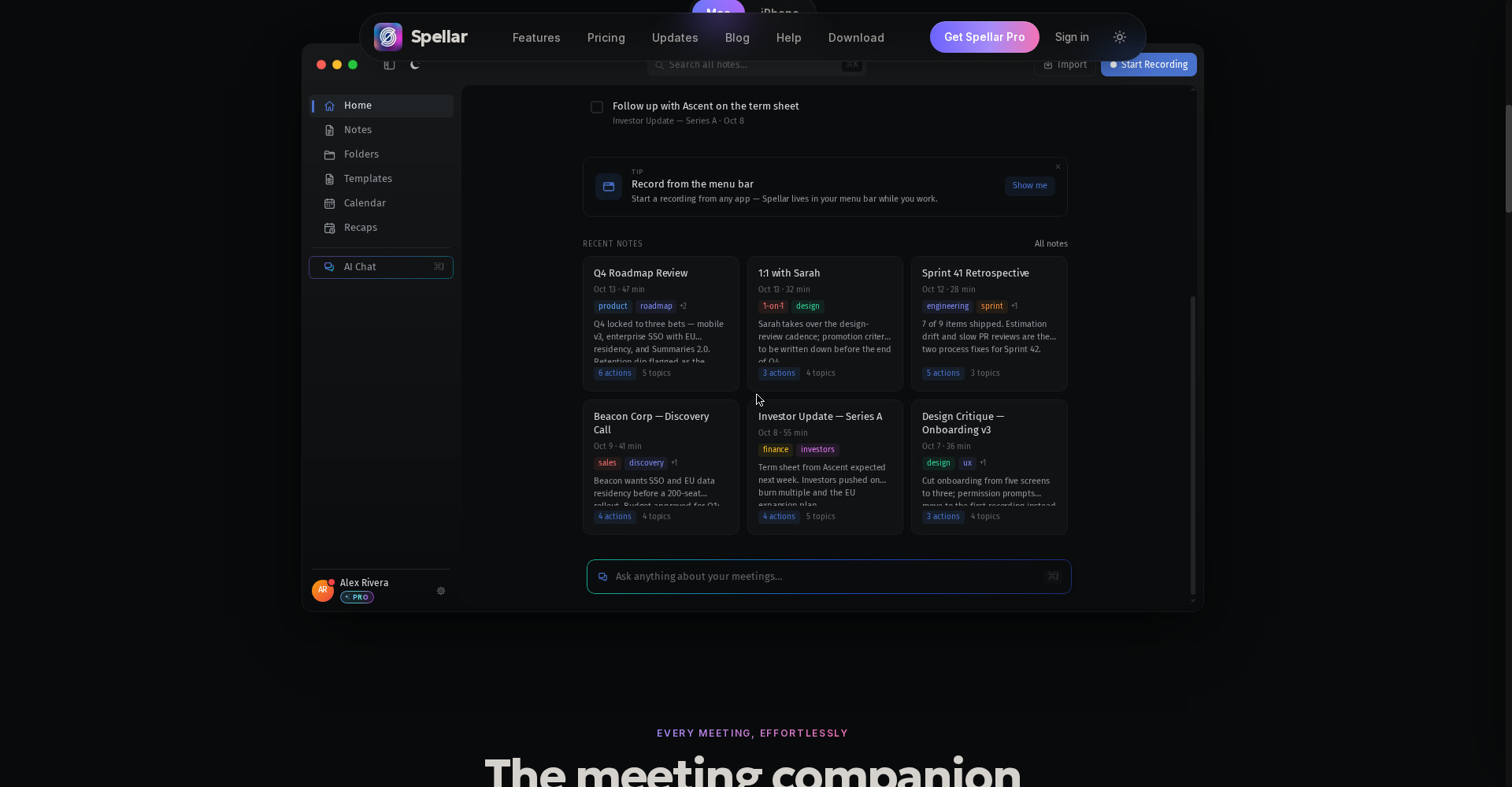
On Mac and iPhone, transcription runs on-device — the audio never has to go to the cloud. Server-side AI transcription is opt-in, never the default. Audio is encrypted, and you choose how long it is kept — from 1 day to 90 days, or local-only in the Mac app. Bring your own OpenAI, Anthropic or Gemini key and the data travels on your key.
5. 30+ templates — the right output for every meeting type
Standups, 1:1s, retros, sales calls, customer interviews — each type has its own template that returns the right output, every time. Build a custom template in plain language — “from sales calls I want the budget, timeline and stakeholders” — and Spellar also auto-detects the right template for each meeting.
6. Notes land where work happens — 15 native connectors
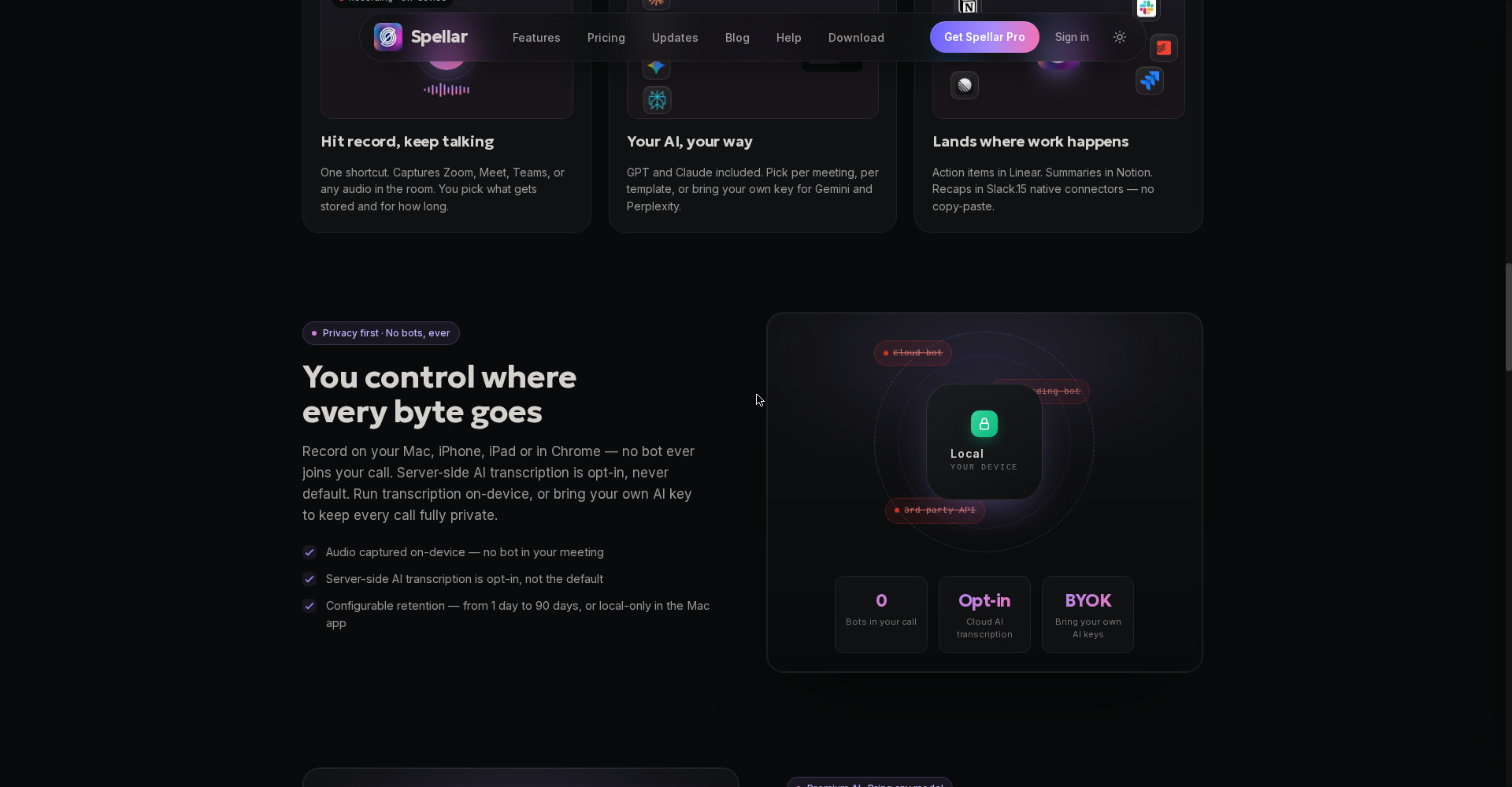
Action items in Linear, summaries in Notion, recaps in Slack — 15 native connectors, no copy-paste. Two-way sync with Linear and Jira brings tasks back. The calendar connector adds meeting context automatically, and weekly and monthly recaps — wins, blockers, commitments — land in your inbox on Monday morning. For developers there is an MCP server, so Claude or ChatGPT can answer from your meetings.
Pricing — how much is free?
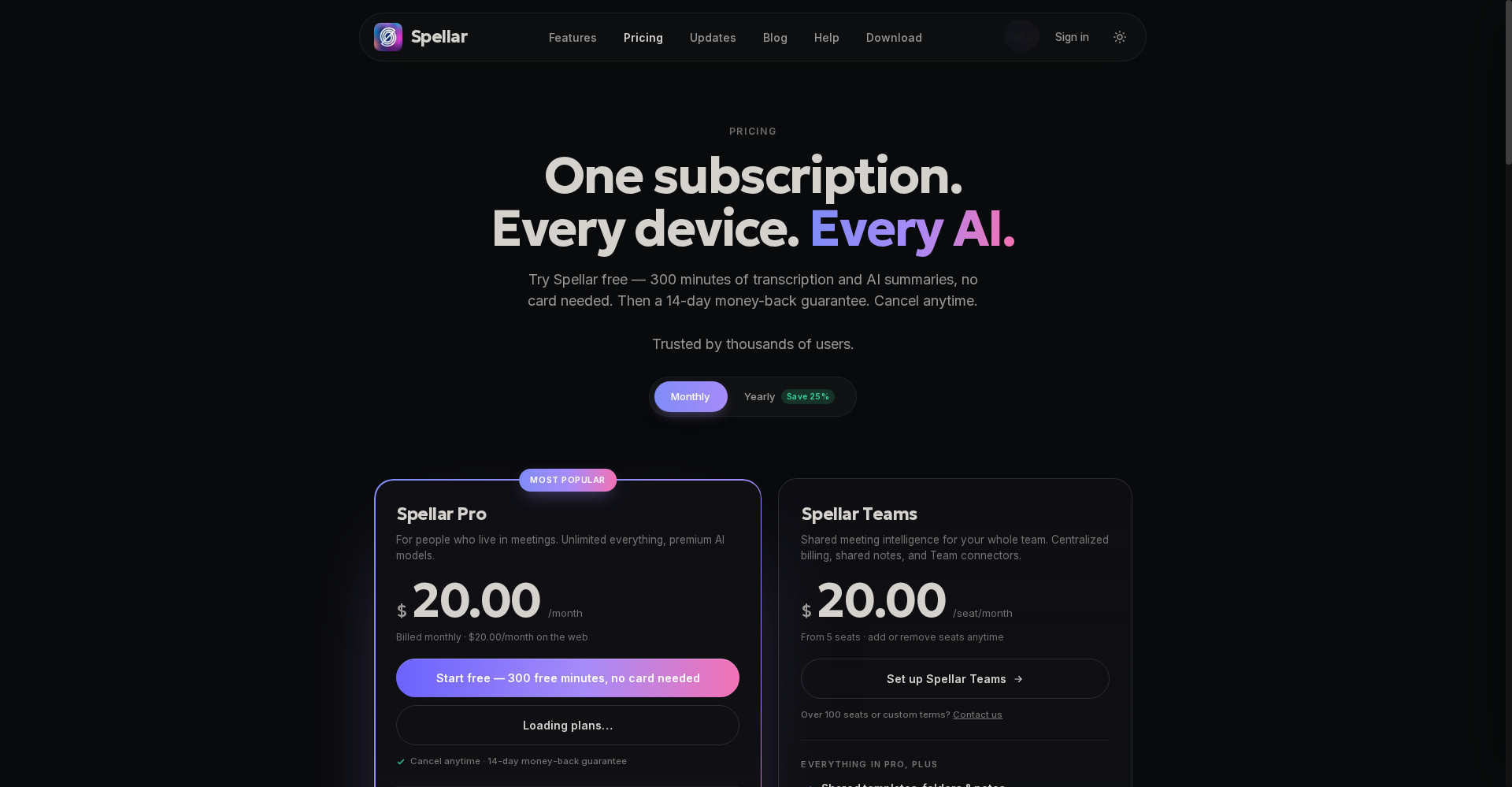
- Free trial — $0: 300 free minutes of transcription and AI summaries, no card needed. But note: this is a one-time trial, not an ongoing free plan. When the minutes run out, transcription and AI stop, and notes older than 7 days are locked without a subscription.
- Pro — $20/month (monthly) or $15/month (annual billing, $180/year): Unlimited transcription, summaries and AI chat, Live Copilot, GPT and Claude included, export to 30+ tools, audio kept up to 90 days, transcription in 45 languages, on-device option, custom templates. 14-day money-back guarantee, cancel anytime.
- Teams — $20/seat/month (from 5 seats): Everything in Pro + shared templates, folders and notes, shared AI chats, centralized billing, team connectors (Notion, Google Drive, Google Docs), bring-your-own S3-compatible audio storage, priority support.
The honest maths: 300 free minutes is roughly 5 hours of meetings — enough to test the tool on 4–5 real calls. But after that you pay $20 every month, while Fathom gives unlimited recording free and Otter’s free tier gives 300 min/month. Buy Spellar only if bot-free recording and model choice are worth $20/month to you — otherwise the free tiers will do the job.
Platforms
- Mac: Native app — on-device transcription, record from the menu bar, Live Copilot
- iPhone and iPad: Native apps — record in-person meetings, notes on the go
- Chrome extension: Spellar’s route onto Windows and Linux — record meetings in the browser (launched on Product Hunt on 19 November 2026)
- Web: Notes, transcripts and AI chat in any browser
- Works with: Zoom, Google Meet, Microsoft Teams, Webex, Slack huddles, Discord and in-person meetings
- Integrations: Notion, Linear, Slack, Jira, Google Docs, ClickUp, Asana, Todoist, Google Calendar, plus webhooks; MCP server
- Languages: Transcription in 45 languages
- Company: Spellar (spellar.ai) — current version v4.2.0
- Launch: Spellar 3.0 (cross-meeting memory) hit #1 on Product Hunt on 14 May 2026; Spellar for Chrome launched on Product Hunt on 19 November 2026
Who should use it, and who should not?
- Students: Lectures, group discussions and interview prep — record, then revise from the summary; start with the 300 free minutes. (Note: getting permission before recording is your responsibility.)
- Freelancers: Client calls, discovery calls and project meetings — every client’s words in a cited summary; action items straight into Notion or Linear.
- Founders / PMs: Investor updates, roadmap reviews, sprint retros — cross-meeting memory answers “what did we decide last month?” in one question.
- Sales teams: Discovery-call notes straight into your CRM tools; 30+ templates give every call a structured output.
- Should not: Anyone on a zero budget — Fathom’s or Otter’s free tier is the answer, Spellar has no free plan. Anyone who needs a live transcript during the call — look at Otter. Anyone who needs an Android app or a native Windows app — neither exists here.
Comparison: Otter / Fathom / Granola
- Otter (Pro $8.33/user/month — per Spellar’s own comparison table, Q2 2026; free tier 300 min/month): A bot joins the call and shows a live transcript — best for reading along during the call. But the bot is visible, and there is no model choice. Want a live transcript? Otter. Want bot-free privacy? Spellar.
- Fathom (Premium $16/month; free tier — unlimited recording): The most generous free tier in the category, with summaries moments after the call. But the notetaker is a bot. On a zero budget? Fathom. Bot-free plus model choice? Spellar.
- Granola (Business $14/user/month, monthly only; free tier with limited history): Bot-free like Spellar — it records your laptop’s audio and turns your rough notes into a clean document. But Granola lacks Spellar’s model choice and cross-meeting chat. Just want clean notes? Granola. Want to ask questions across meetings? Spellar.
🔍 People also search for
- spellar ai
- spellar ai free
- spellar ai pricing
- spellar ai review
- spellar vs otter
- spellar vs fathom
- spellar vs granola
- spellar chrome extension
- spellar download
- spellar login
- ai meeting notes free
- otter ai pricing
- fathom pricing
- granola pricing
- spiik review
- whisperbrain review
- noteworthy review
- loqui review
- openbroca review
Final verdict
Spellar is the most honest bot-free option in this category — no bot, on-device recording, your choice of GPT or Claude, and a memory you can question across meetings. 300 free minutes, 30+ templates, 15 connectors and weekly recaps — that combination works for anyone who lives in meetings and is tired of the ‘notetaker joined’ awkwardness. The honest cuts: there is no free plan (only the 300-minute trial), Pro at $20/month costs more than Otter and Fathom, and there is no native Windows or Android app.
Our rating: 4/5. If you are a student, freelancer or professional with more than 4–5 meetings a week — create a free account at spellar.ai and test it on your real meetings across the 300 free minutes. The Chrome extension runs on Windows and Linux too, so the platform is no blocker. If you need free forever, look at Fathom; if you need a live transcript, look at Otter — but if you want bot-free recording, privacy and the freedom to pick your model, Spellar is worth a look.
Note: This first-look review is based on the official site (spellar.ai), the official pricing page, Spellar’s own comparison blog (21 October 2026) and the Product Hunt launch (19 November 2026). We have not hands-on tested the tool ourselves yet — a hands-on update will follow.