 AI Tool
What is it?
WhisperBrain is an AI meeting-memory app — but not in the Otter/Fireflies sense. Those tools stop at a transcript or a one-off summary. WhisperBrain’s pitch is bolder: “Your second brain for meetings.” It keeps the transcript, yes — but it also remembers the reasoning behind every decision, and saves everything into your own Obsidian vault as plain markdown files.
It’s built by Sandeep Singh and launched this week on Product Hunt (in the Knowledge base software and AI notetakers categories).

Key features (what sets it apart)
1. It listens without joining — no bot, ever
Standard AI notetakers send a bot into your meeting: it shows up in the attendee list, and everyone hears the “recording in progress” announcement. Awkward. WhisperBrain runs on your Mac and listens to the audio your machine is already playing from Zoom, Google Meet or Teams. No bot. No announcement.
2. The dynamic notch — live transcription around your MacBook notch
When a meeting is detected, WhisperBrain expands around your MacBook notch with live transcription and one clear stop control. Small, quiet, gone when you’re done.
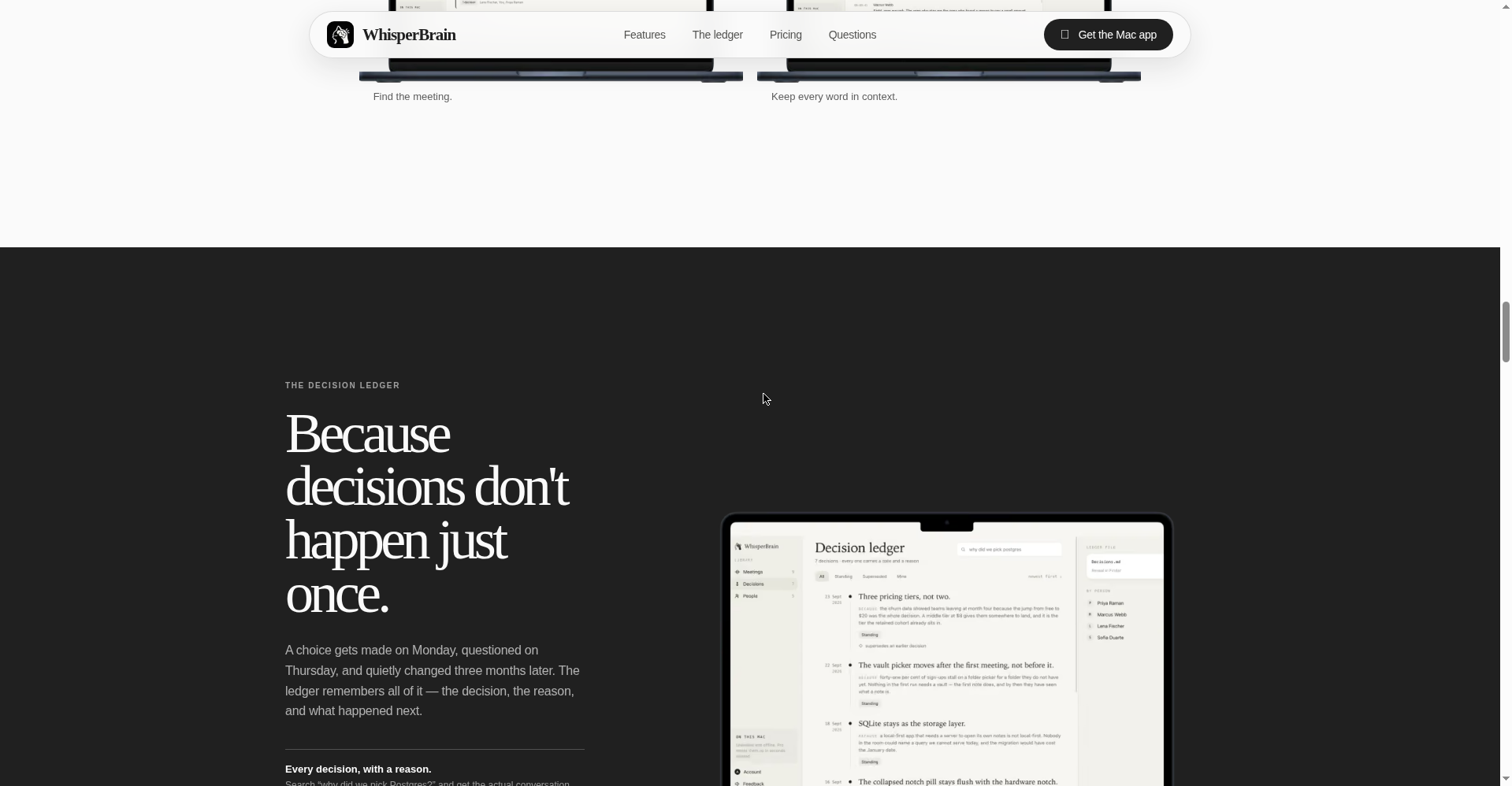
3. The decision ledger — the “why”, not just the “what”
This is its most distinctive idea. Every decision is filed with its date and the reasoning that produced it — searchable months later. And when a new decision conflicts with a standing one, a contradiction alert flags it: you find out before shipping, not after. Decisions get a history: made on Monday, questioned on Thursday, changed three months later — all of it remembered.
4. It writes into your Obsidian vault — plain markdown
Notes land in the Obsidian vault you already keep, following your folders and linking conventions. If WhisperBrain disappeared tomorrow, your meetings, decisions and links would still be ordinary markdown files on your disk. No vendor lock-in, by design.
5. 40+ languages — mixed conversations included
The Cloud tier supports 40+ languages, including mixed-language conversations. The site calls out specifically that Hindi, Tamil, Bengali, Urdu and Marathi live in the same vocabulary as English — so a Hinglish meeting transcribes as one coherent sentence.
Pricing — what do you get for free?
Per the official site:
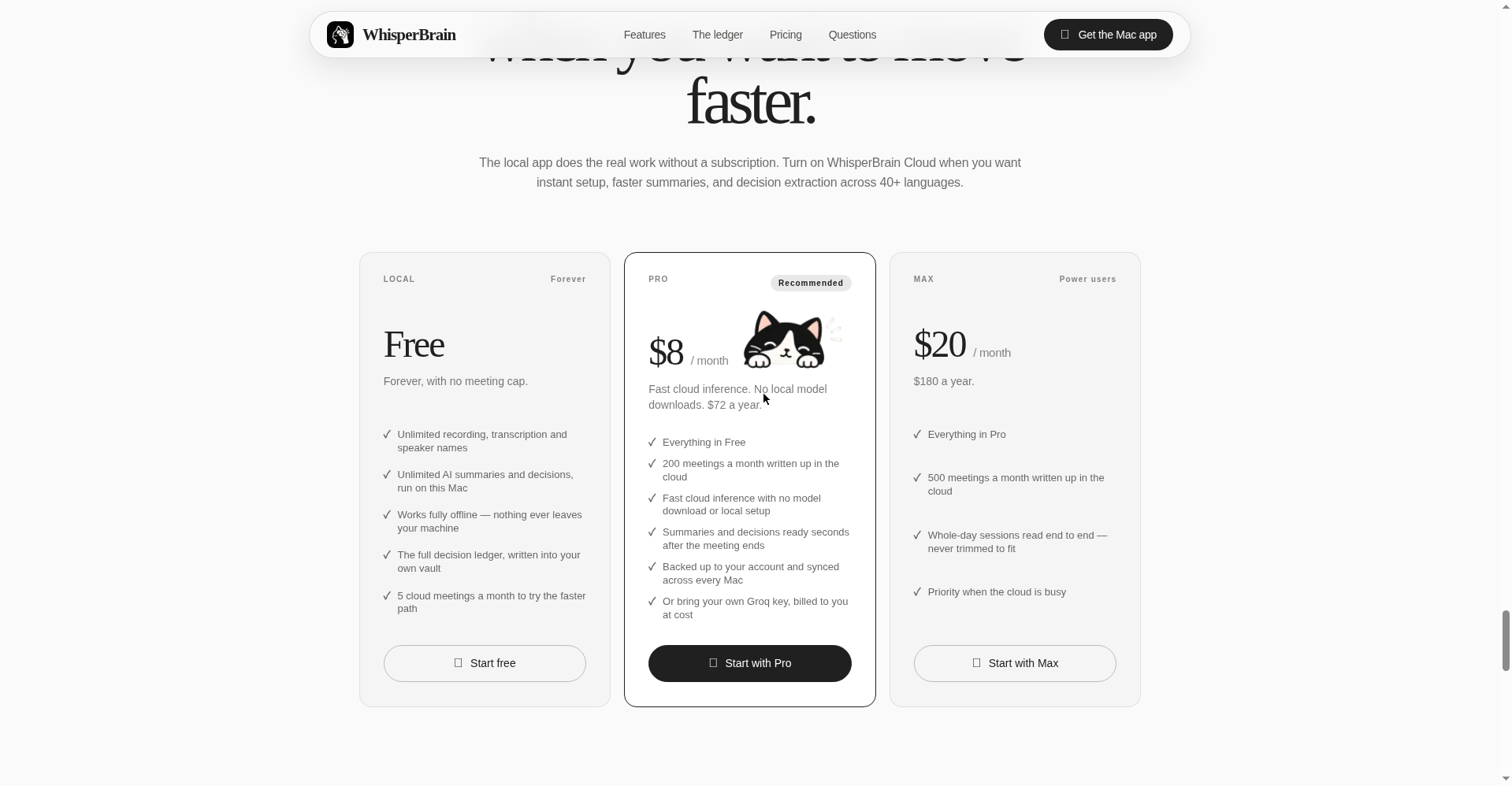
- Local (Free, forever): Unlimited recording, transcription, speaker names. Unlimited AI summaries and decisions — running on your Mac. Fully offline. No card, no meeting cap.
- Pro ($8/month, or $72/year): 200 cloud meetings/month, fast cloud inference (no model download), summaries ready seconds after the meeting ends, account backup + sync across Macs. Or bring your own Groq key, billed at cost.
- Max ($20/month, or $180/year): 500 cloud meetings/month, whole-day sessions read end to end (never trimmed to fit), priority when the cloud is busy.
What about privacy?
This is arguably its strongest suit — and the site is unusually explicit about it:
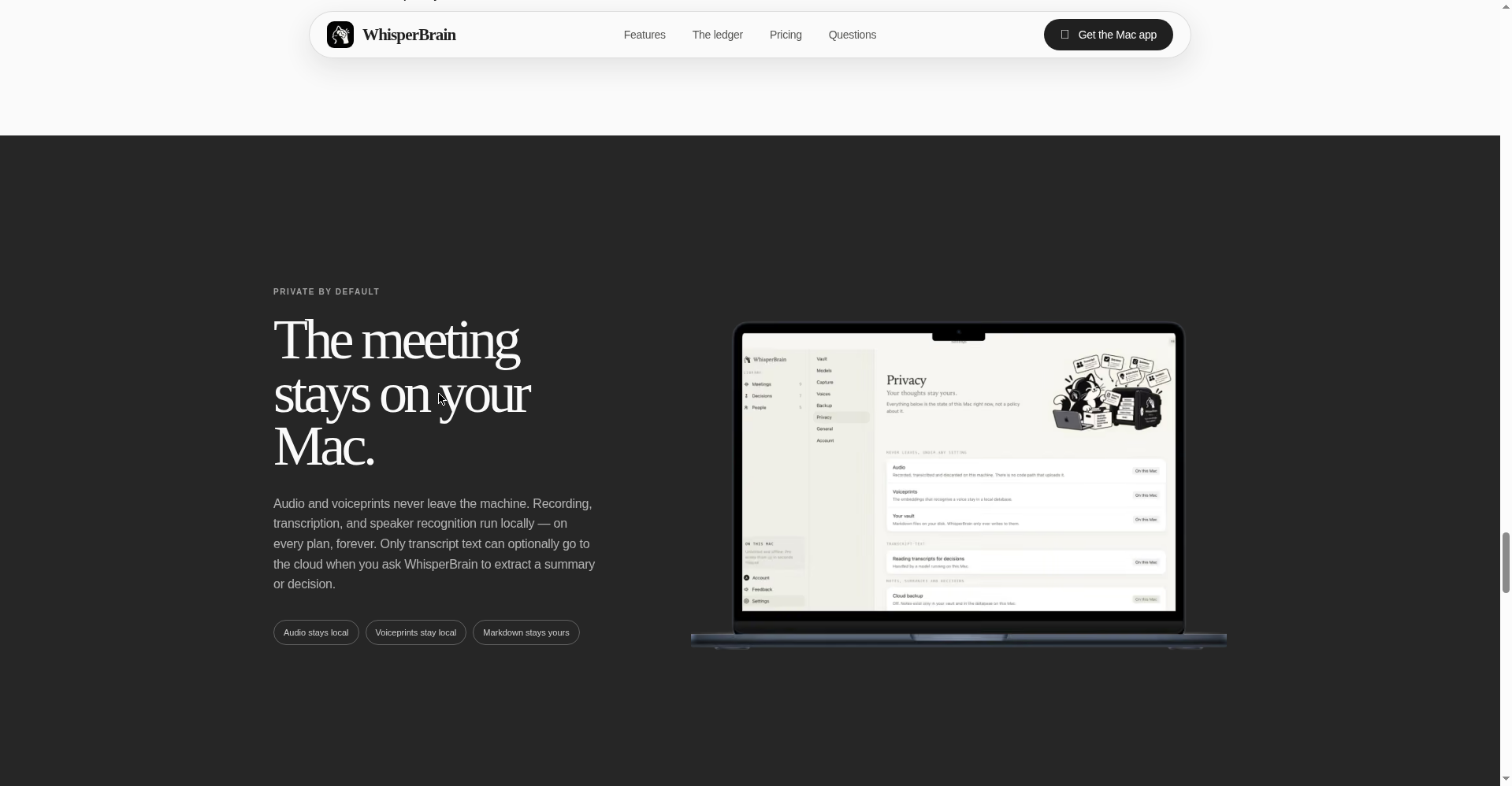
- Audio and voiceprints never leave the machine — on every plan, forever.
- Only transcript text optionally goes to the cloud, and only when you ask for a summary or decision extraction.
- Local recording, transcription and speaker recognition work offline.
- Voiceprints stay local too — name a voice once, and the app recognizes it again without sending anything to the cloud.
Platforms
- macOS — it’s a Mac app (“On this Mac, forever”)
- Windows, Linux and mobile versions are not mentioned on the official site
Who should use it — and who should skip it?
- Freelancers & consultants: Track client-call decisions — end the “but we agreed on X last time” arguments.
- Students: Online classes and group project discussions, auto-noted.
- Teams & founders: Decision history gives new joiners inherited context — “the reasoning, not just a folder full of summaries.”
- Obsidian users: If your second brain already lives in Obsidian, WhisperBrain writes straight into it — no new app to check.
- Windows users: Skip for now — it’s Mac-only.
Final verdict
WhisperBrain feels like the most thoughtfully designed attempt in the “AI notetaker” category — it doesn’t build a transcript archive, it builds decision memory. The free plan is genuinely generous (unlimited, offline, no card), the privacy stance is among the strongest in the industry, and the Obsidian-first approach means your data stays yours no matter what. Half a point off because it’s Mac-only and the product is brand new.
Our rating: 4.5/5. If you’re a Mac user who’s tired of re-making forgotten decisions — there’s no downside to trying it free.
Note: This is a first-look review based on the official site (whisperbrain.app) and Product Hunt launch information. We’ll update it after hands-on testing.


