AI Tool
⚡ The 30-second verdict
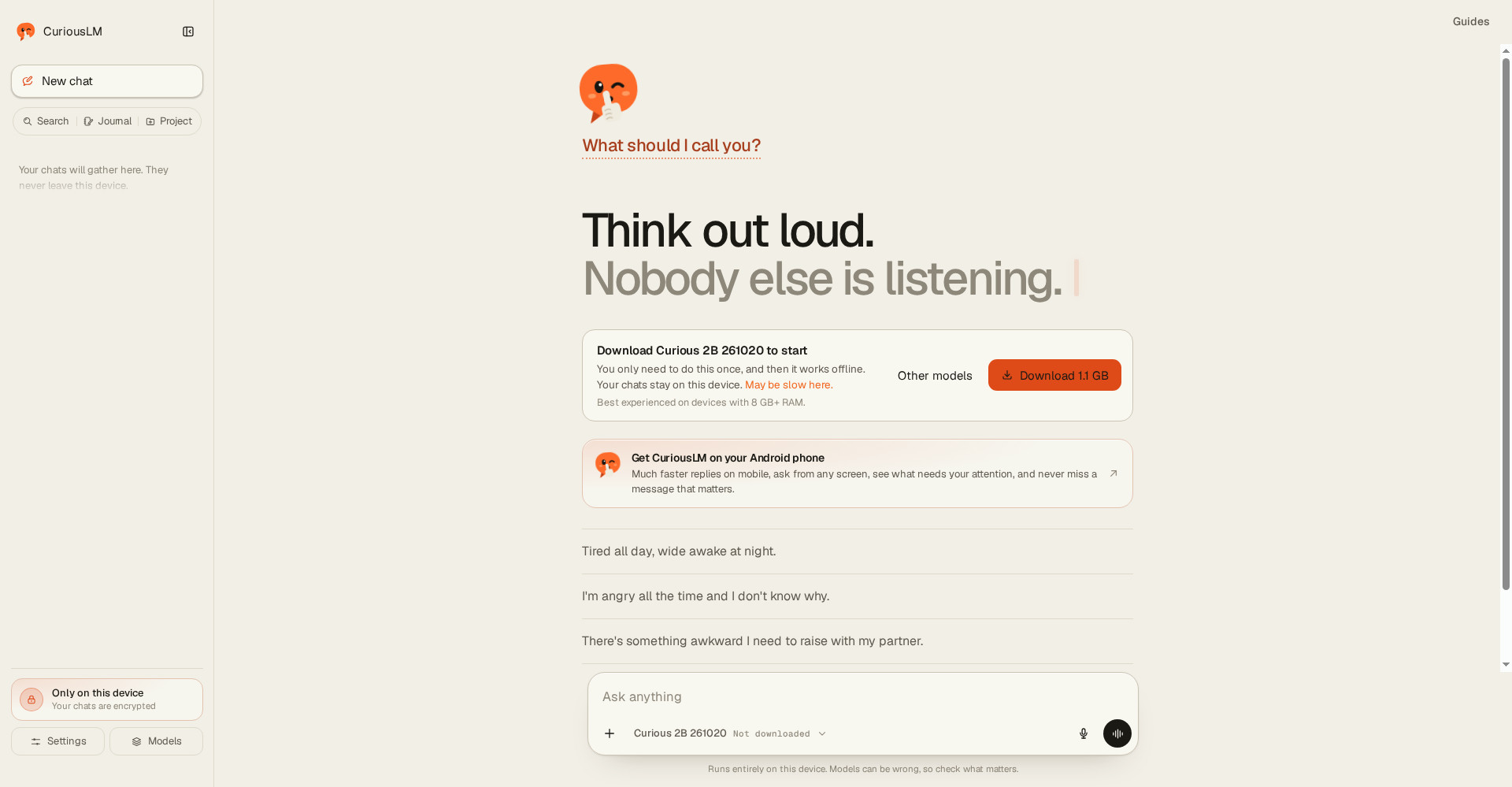
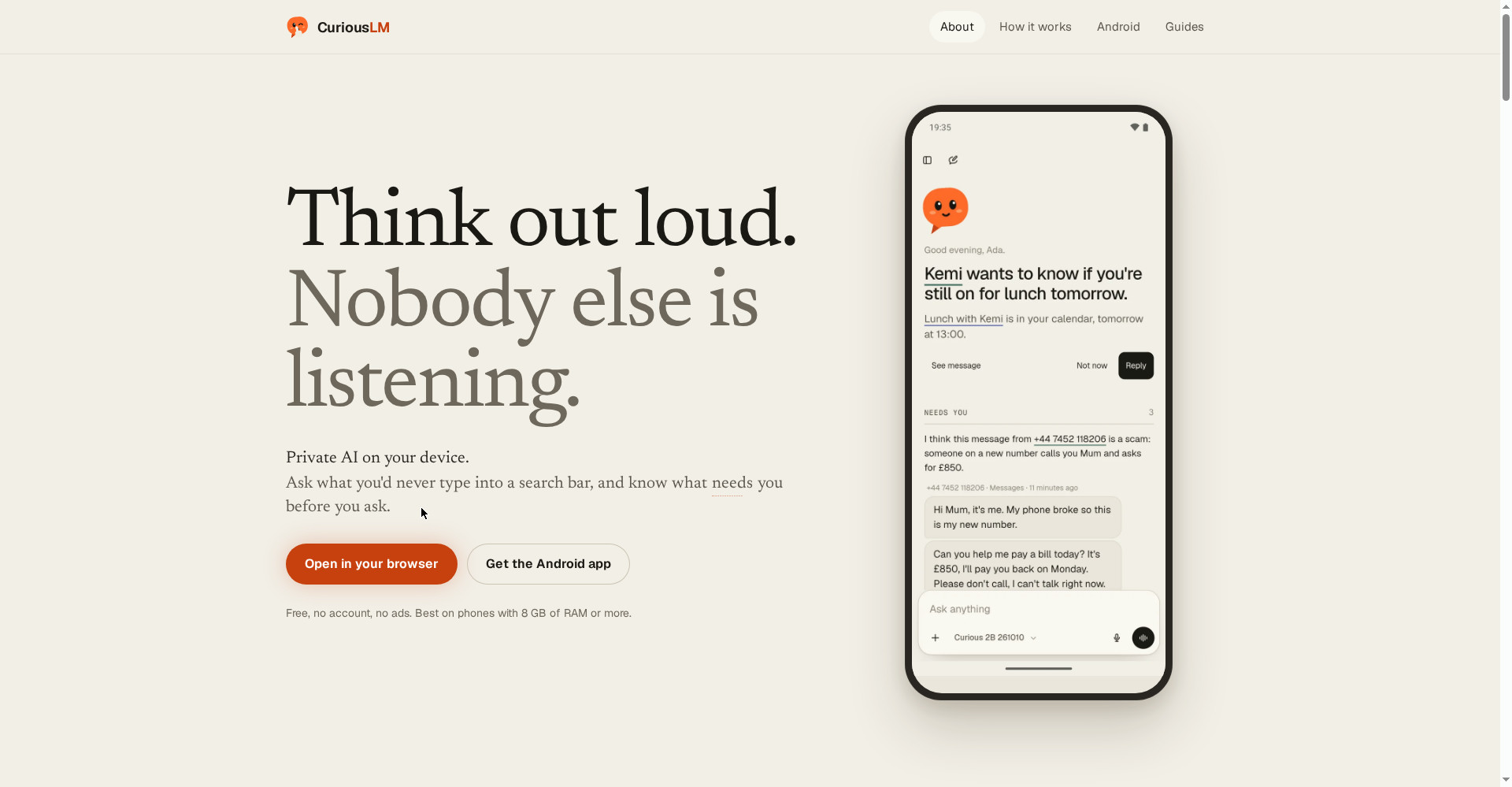
CuriousLM is a free AI app that runs its model on your own phone or laptop — your chats stay encrypted on your device, with no account, no signup and no server. After setup it works in airplane mode — chat, voice, Pocket Wikipedia and the journal, all offline. It launched on Product Hunt on 2 November 2026, built by Ebenezer as the AI he wanted for himself. But a small on-device model is slower and less clever than the big cloud models, the best experience needs 8 GB+ of RAM, and the model download can run to several gigabytes. If there are things you’d never want on someone else’s server — a personal journal, a private decision, a sensitive draft — this is worth trying today; for heavy research or up-to-date information, you still need a cloud chatbot.
What is this tool?
The things you’d most want to ask an AI are the things you’d never want on someone else’s server — your insecurities, a message to a family member, your calendar, your diary. CuriousLM is the answer to that fear.
The maker’s line says it plainly: “The things you’d most want to ask an AI are the things you’d never want on someone else’s server. So I built one that doesn’t have a server.” CuriousLM runs the model on your phone or laptop. What you type is written on your device, stays there, encrypted. No account, nothing to sign up for, and it keeps working in airplane mode.
Key features (what makes it different)
1. No server, no account — a clear privacy boundary
With most AI apps, your message travels to a company’s servers, the model answers there, and the reply travels back. With CuriousLM, the model file is downloaded to your device once, and after that the thinking happens locally. Local storage and local inference are different claims — an app can keep chat history in your browser while still sending every prompt to a hosted model. CuriousLM does both locally: the model runs on your device and your chats are stored there too.
2. Fully working in airplane mode
After setup, normal chat, voice, Pocket Wikipedia and the journal work in airplane mode. That’s a test you can run yourself: switch on airplane mode, ask a question — the answer still comes. No cloud chatbot can do that.
3. Heat — doubt shown, not hidden
As answers arrive, words come in hot and cool to ink. The ones the model was unsure of stay underlined — tap one to see what else it nearly said, and take the answer that way instead. Seeing where a model hesitated, rather than reading confident-sounding text that hides it, is a genuinely honest feature.
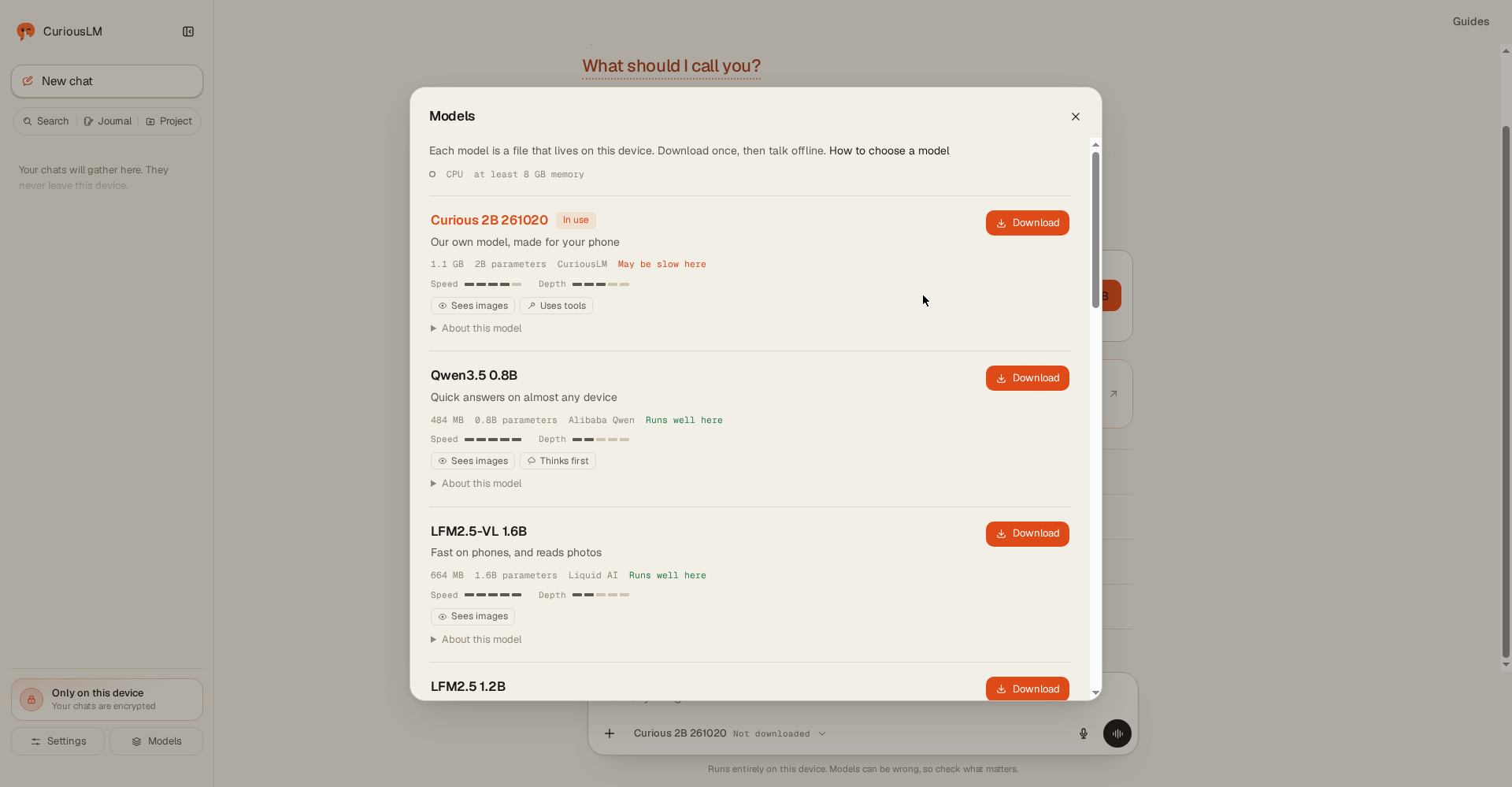
4. Pocket Wikipedia — 121,797 articles in 60 MB
Wikipedia’s 121,797 most-read articles fit into just 60 MB on your device, and answers can cite them. That means factual questions can still get sourced answers offline — rare for a fully local app.
5. It speaks first (Android) — permission by permission
On Android, CuriousLM can speak first: with your permission, source by source, it reads your notifications and calendar, then tells you who is waiting on a reply and what’s due. Everything happens on your device; nothing ever leaves it or goes to a server. Think carefully before enabling it — one source at a time, and watch what it tells you for a few days. You can also skip it entirely; chat, voice and the journal work perfectly without it.
6. Journal, projects, memories — a personal thinking partner
The journal is the quiet star: write daily entries and ask the AI to reflect on them — without your journal ever leaving your phone. Projects keep related chats together (work, study, personal writing), memories store small facts you choose to save (your writing style, your business name), and imported files are indexed locally so you can query your own documents without uploading them anywhere.
Pricing — what do you get free?
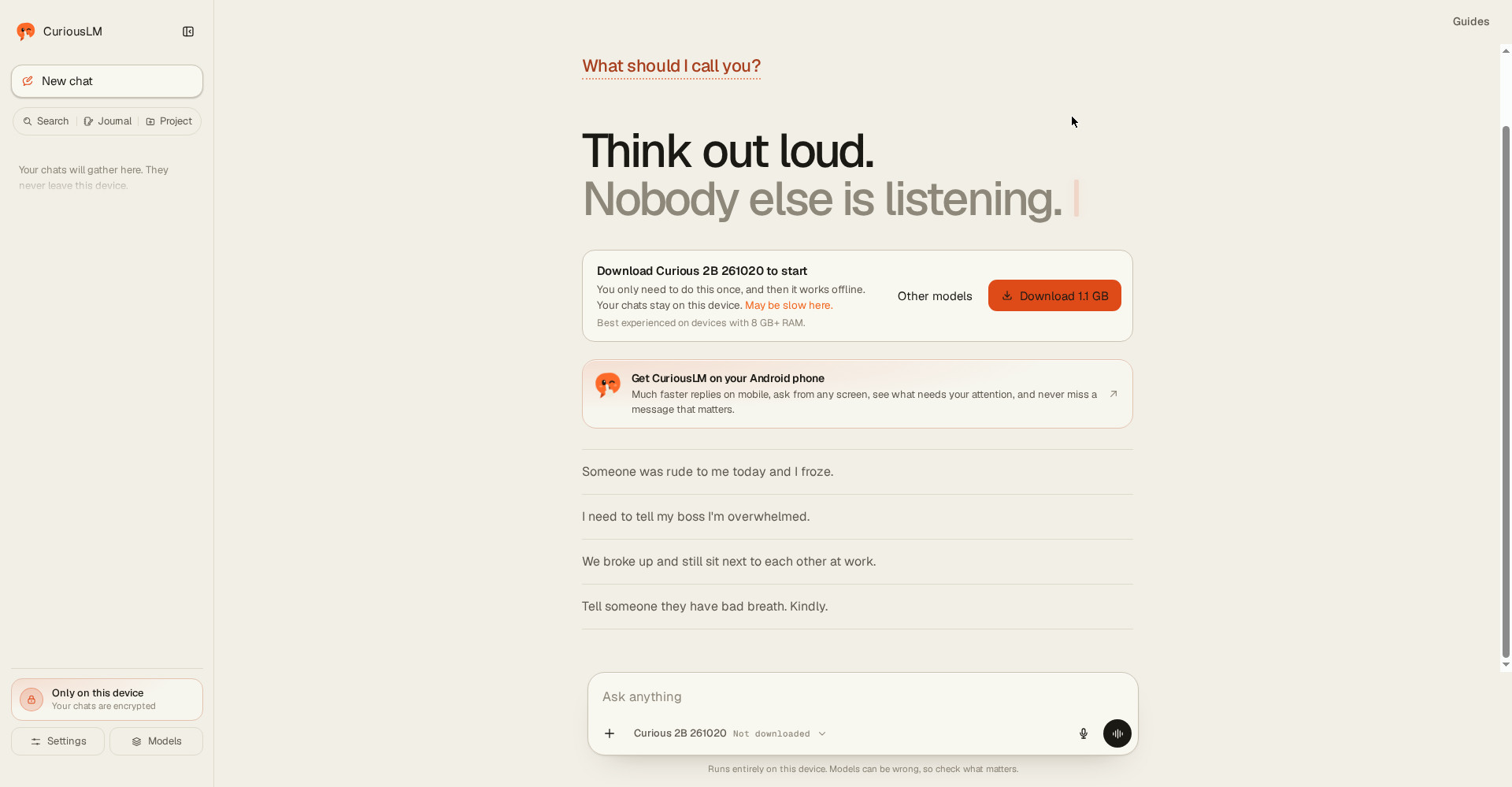
- Free — $0: On-device chat, voice, Pocket Wikipedia, journal, projects, memories, imported files — no account, no card. Product Hunt lists the price as $0, and no paid plan is listed on the official site or Product Hunt.
- No paid plan: Right now there’s no Pro or subscription tier clearly mentioned — everything there is, is free.
- Choice of model: The Models panel also lists lighter options beside Curious 2B (1.1 GB) — Qwen3.5 0.8B (484 MB) and LFM2.5-VL 1.6B (664 MB) — so a weaker device can run a smaller model. Curious 2B itself “sees images” and “uses tools”.
The honest take: “Free” here doesn’t mean a demo — the whole app is free, because it has no server bill to pay. But the real price is your device: 8 GB+ of RAM and several gigabytes of storage. If your phone is old, try it free first and see whether the speed works for you.
Platforms
- Web: Download from the official site, curiouslm.com — “Download Curious 2B 261020 to start”, once, then it works offline
- Android phone: The full app, including the “speaks first” feature (notifications + calendar, with permission)
- Laptop/desktop: Phone or laptop — Windows, macOS or Linux with 8 GB+ of RAM for the best experience
- iPhone: The official site doesn’t clearly state iOS app availability — check the official site before downloading
Who should use it — and who shouldn’t
- Students: Summarise notes, understand a hard topic, keep a journal — without wondering where your data goes.
- Freelancers: Ask AI about sensitive client material, drafts and personal notes while everything stays on the device — no upload risk.
- Journal writers: An AI thinking partner for a diary and personal decisions — CuriousLM’s most distinctive use case.
- Privacy-conscious users: If you hesitate to paste personal things into a cloud chatbot, this is built for you.
- Offline workers: Travel, poor networks, or just airplane-mode working — after setup, no internet is needed.
- Not for heavy research or latest news: A small model can’t give you up-to-date information, and it will make more factual mistakes — use a cloud model there.
- Not yet for old or budget phones: Under 8 GB of RAM, answers will be slow — try it before deciding.
Comparison: ChatGPT (cloud) / Ollama (local)
- ChatGPT (cloud): The most powerful, with up-to-date information — but every prompt goes to OpenAI’s servers, an account is required, and it doesn’t work offline. Still king for heavy work.
- Ollama (local): The standard local-model option for technical users — free and open source, but it needs a terminal, a model choice and server setup. Hard for non-technical users.
- CuriousLM: The middle path — Ollama-like local privacy with ChatGPT-like simplicity. The model is smaller so the power is lower, but installing and chatting is easy enough to hand to a non-technical friend.
🔍 People also search for
- curiouslm free or paid
- curiouslm vs ChatGPT comparison
- curiouslm vs Ollama local AI
- curiouslm app download how to
- curiouslm offline AI app review
- curiouslm no account private AI
- curiouslm alternatives
- curiouslm airplane mode how it works
- private AI app without a server
- tabbit browser review
Final verdict
CuriousLM is not the most powerful AI app you’ll use this year — and it doesn’t try to be. Its promise is narrower and, for many people, more valuable: your most personal conversations will never reach a server. $0, no account, airplane-mode working, Heat showing doubt, Pocket Wikipedia in 60 MB, speaks-first on Android — no other free app gives you that combination this easily. That’s why it loses a little more than half a point: the small model is slower and less clever, 8 GB+ of RAM is recommended, the model download runs to gigabytes, and the product is only a day old.
Our rating: 4.2/5. If you want to ask an AI personal things but dread sending them to a server — go to curiouslm.com and start free. No account, no card, no risk — and run the airplane-mode test yourself to see whether the promise holds.
Note: This first-look review is based on the official site (curiouslm.com) and its Product Hunt launch post (2 November 2026, maker Ebenezer). We’ll add a hands-on update after using it ourselves.