 AI Tool
⚡ 30-second me faisla
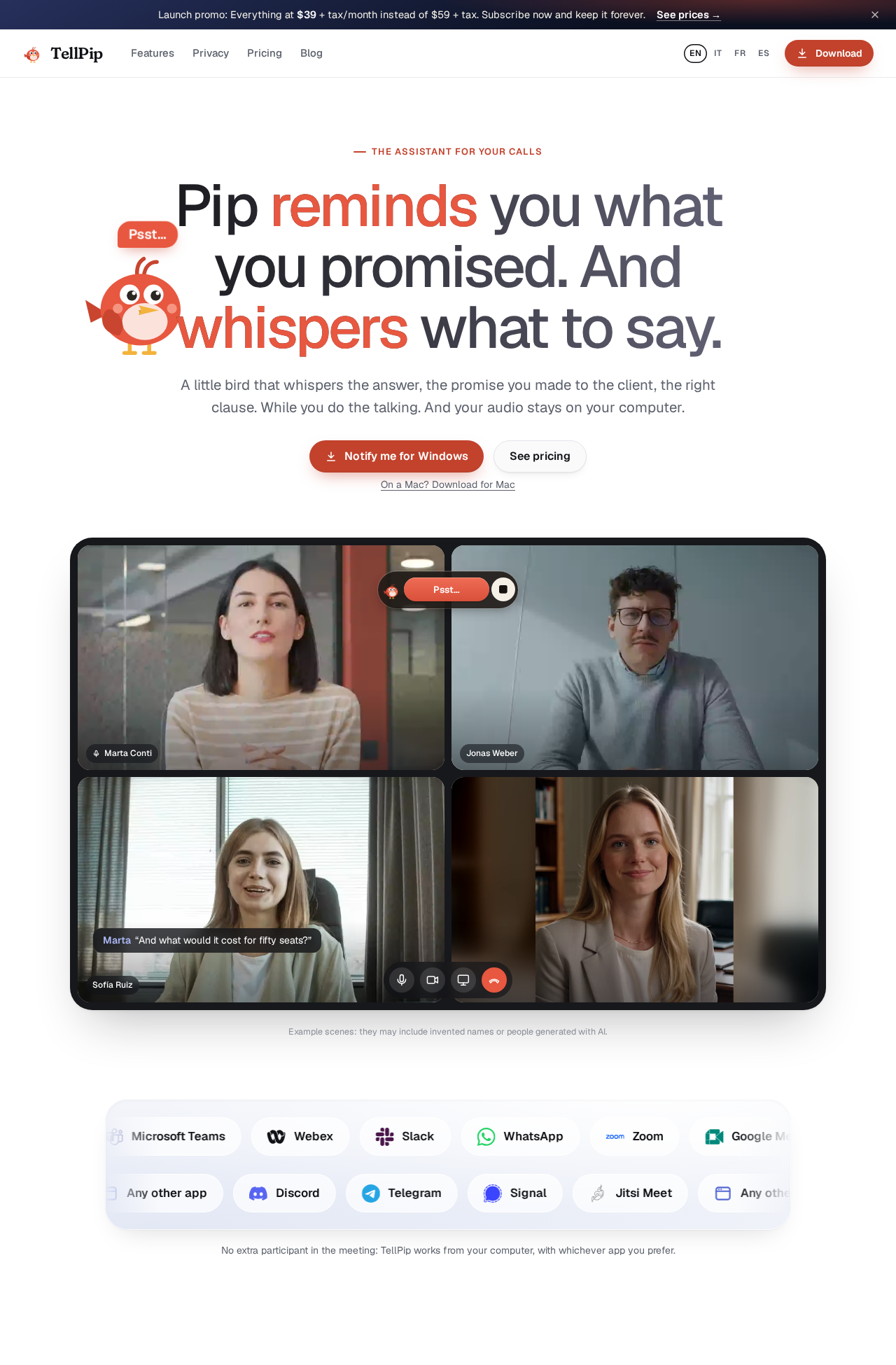
TellPip ek Mac AI call assistant hai jo meeting me bot bankar nahi ghusta — tumhare Mac se hi call sunta hai, on-device transcribe karta hai, aur jab client puche “60 seats par kya price doge?” to tumhare price list ya pichhli call se sahi jawab whisper kar deta hai. Call ke baad notes aur follow-up email moments me taiyaar, aur agle call par wahi promise yaad jo tumne pichhli baar kiya tha. Product Hunt par 3 November 2026 ko launch hua, maker Edoardo (Italy, solo founder) hai. Lekin sirf Mac (Apple Silicon) par hai, koi free plan nahi (sirf 5×10-min trial), aur 25 languages me Hindi nahi hai. Mac wale freelancers, lawyers, accountants aur sales logon ke liye trial par try karne layak hai; Windows ya Hindi-call users ke liye abhi ye nahi hai.
Ye tool kya hai?
Har client-facing professional ki ek hi pareshani hai: call par tumne kaha “revised quote Friday tak bhej dunga” ya “3 mahine ka bola tha, sahi?” — aur do hafte baad agle call par tum hi bhool gaye ki kya promise kiya tha.
TellPip isi problem ke liye bana hai. Maker Edoardo ki line seedhi hai: usne ye tool isliye banaya kyunki wo khud calls par kiye chhote wade bhool jata tha. Aur jo tools market me the, wo ya to job interview me chhupkar jawab dene ke liye bane the, ya tumhari awaaz cloud service par bhejte the.
TellPip ka daava: “Pip reminds you what you promised. And whispers what to say.”
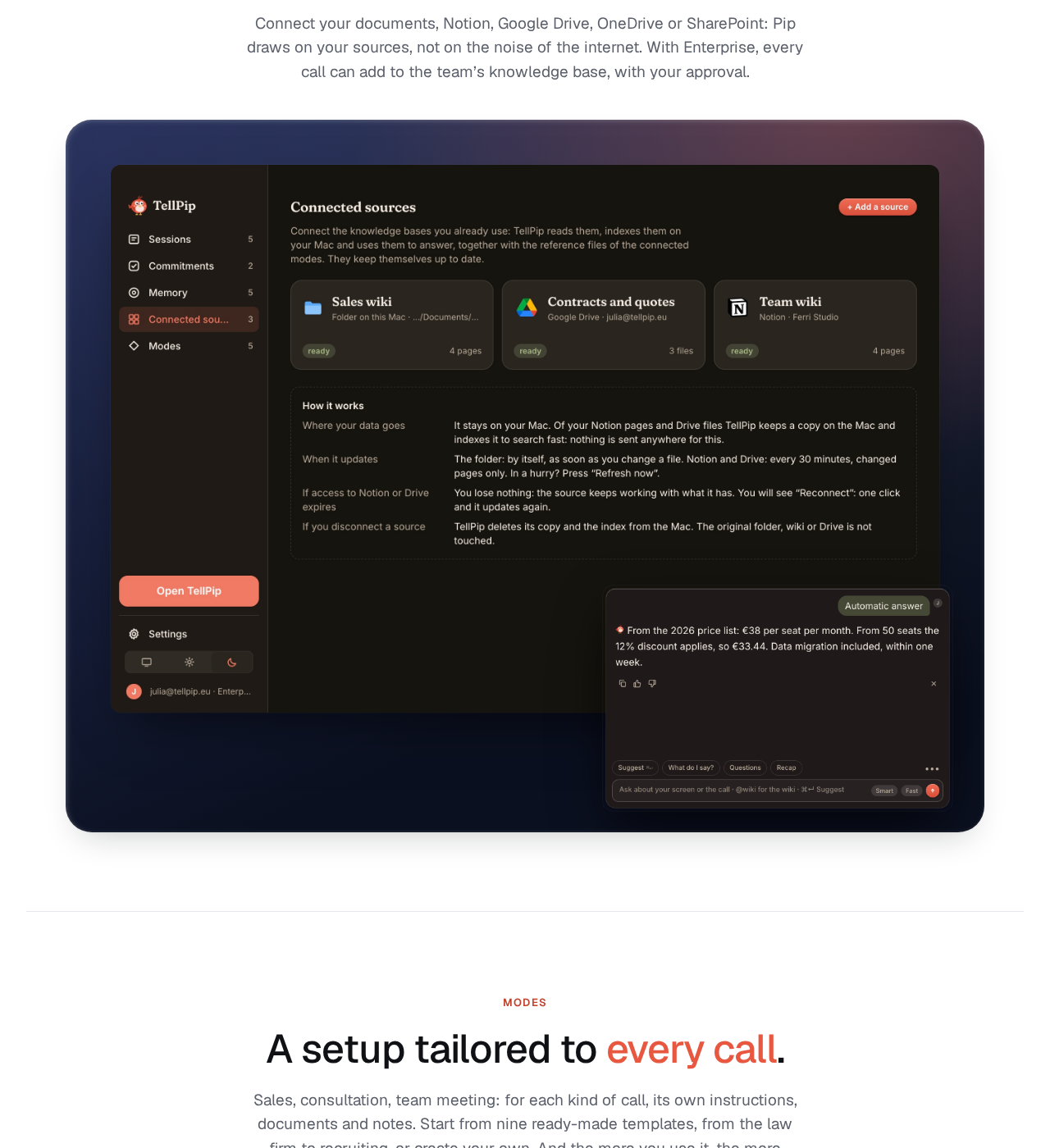
Aasaan bhasha me: call shuru hone se pehle mode chuno aur documents jodo — Pip us client ke baare me jo yaad hai, wo dekh lega. Call ke beech me koi sawal aaye to ek key dabao, Pip tumhare documents aur pichhli calls se jawab de dega. Call khatam hote hi decisions, action items aur follow-up email taiyaar. Aur agle call par Pip wahi wada yaad dila dega.
Khaas features (jo ise alag banate hain)
1. Koi bot meeting me nahi ghusta
Otter ya Fireflies jaise tools meeting me ek extra participant bankar join hote hain — sabko dikhta hai ki recording ho rahi hai. TellPip aisa nahi karta: ye tumhare Mac se hi call ki audio sunta hai, chahe app Zoom ho, Google Meet, Teams, Webex, Slack, WhatsApp, Discord, Telegram, Signal ya Jitsi. Koi invite nahi, koi “bot joined” message nahi.
2. Client memory — promise yaad rakhne wala colleague
Har call ke baad Pip har shakhs ka chhota profile banata hai: commitments, requests, open questions. Agle call par wahi cheezein waqt par wapas aati hain. Tum 👍 ya 👎 dekar use ye bhi sikha sakte ho ki tumhe kis tarah ke jawab pasand hain — jawab dheere-dheere tumhare style ke hote jate hain.
3. Jawab tumhare documents se, internet se nahi
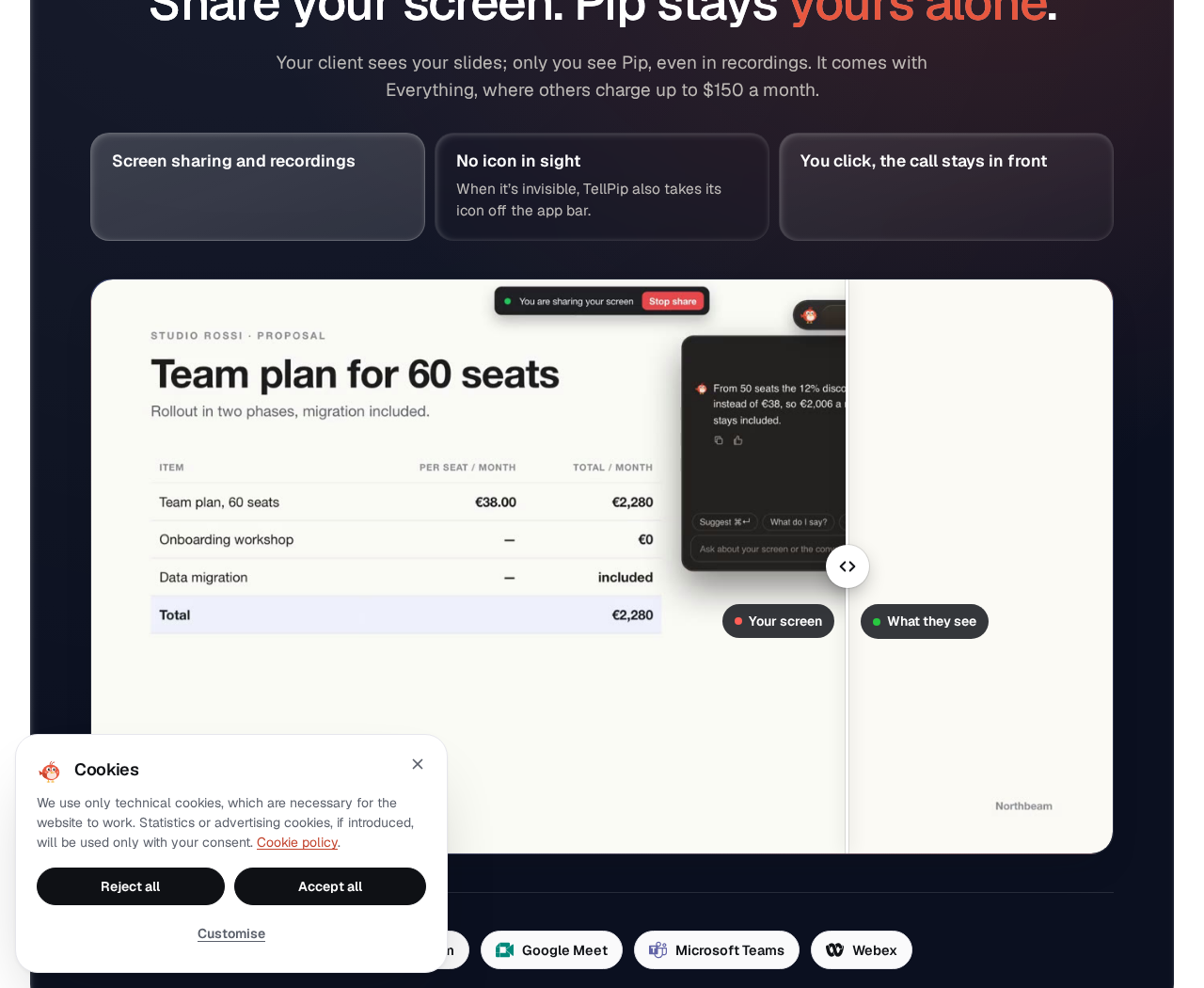
Price list, contract, slides, Notion, Google Drive, OneDrive, SharePoint — Pip inhi sources se jawab banata hai, internet ke shor se nahi. Solo plan me 15 documents tak, Enterprise me unlimited. Site ka example seedha hai: client puche “60 seats par kya price?” to Pip price list se batata hai — 50 se upar 12% discount, aur ye bhi yaad dilata hai ki pichhli baar client ne CRM integration pucha tha.
4. Before / During / After — poora call workflow
- Before: Mode chuno aur documents jodo — Pip client ke baare me jo yaad hai, wo dekh lega.
- During: Sawal aaye to jawab chat me hi aa jata hai — ya ek key dabakar mango. Chhota “Psst…” widget hamesha upar rehta hai, bina screen dhake.
- After: Decisions, commitments aur follow-up email moments me taiyaar, tumhare pasandeeda format me. Aur har call ek sawal ki doori par rehti hai — “Luca ne kya promise kiya tha?” pucho, Pip call dhoondh dega.
5. Invisibility — screen share me bhi nahi dikhta
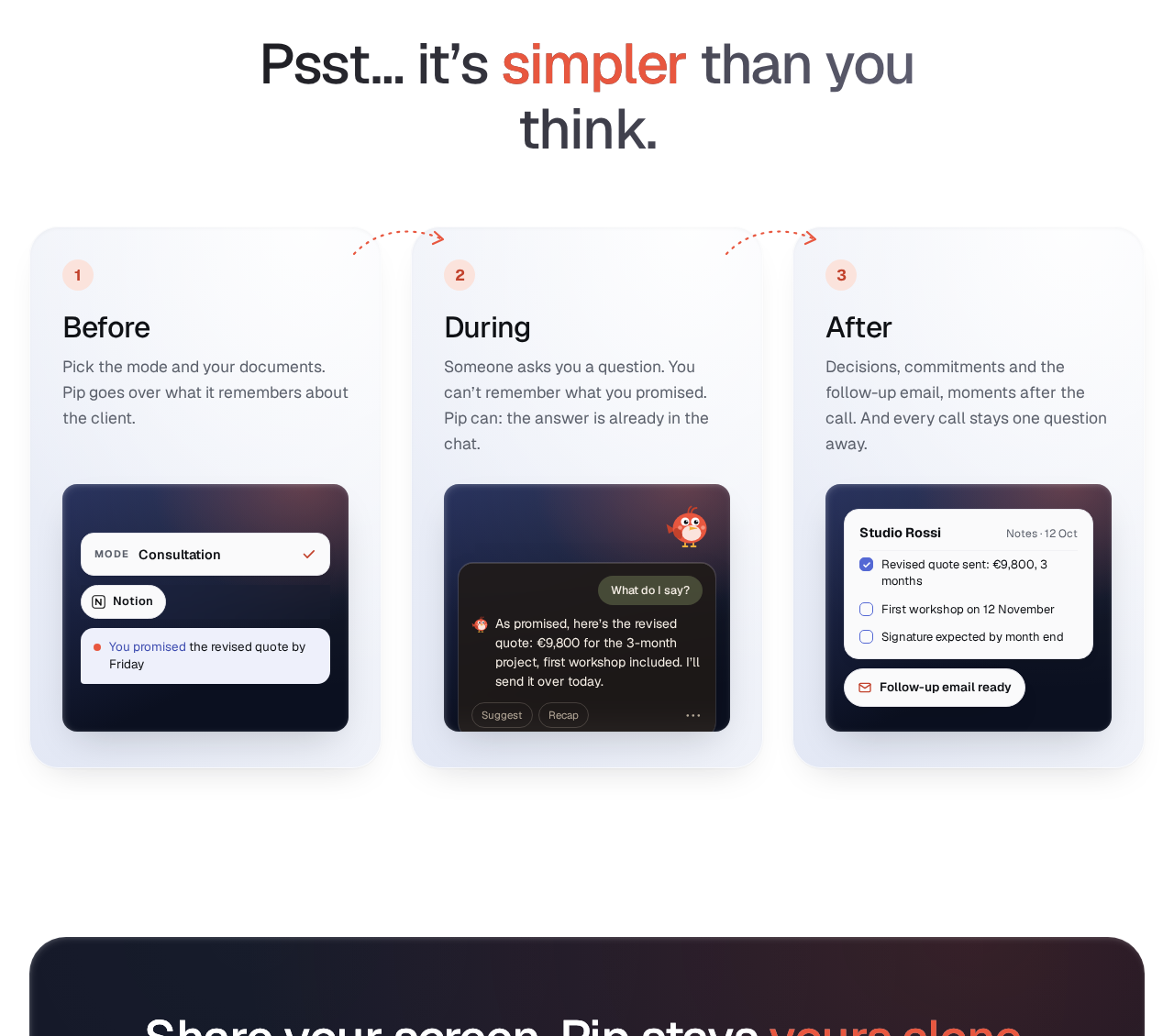
Client ko tumhari slides dikhengi, lekin Pip sirf tumhe dikhega — screen share ya recording me bhi nahi. Ye feature Everything plan me included hai (dusre tools iske liye $150/mo tak lete hain, site ke mutabik), aur Solo me +€19/mo ka add-on hai. Saath me “Don’t remember this call” switch bhi hai — koi call yaad nahi rakhni to ek switch se Pip kuch save nahi karega.
6. Privacy: audio computer se bahar nahi
Ye TellPip ki sabse badi baat hai: transcription local model se hoti hai, offline bhi chalti hai. Archive tumhare Mac par organize aur index hota hai. Jawab ke liye AI ko sirf zaroori text milta hai — sawal, mode ki instructions, relevant context. Site saaf kehti hai: “Others promise to delete your voice. We never receive it.”
Pricing — free me kitna milega?
Yahan imaandaari zaroori hai: free plan nahi hai, sirf trial hai.
- Free trial: 5 sessions × 10 minute, bina card ke, sab kuch included. Ek account aur ek computer par ek baar. PRODUCTHUNT code se 7 sessions milte hain (maker ne Product Hunt par bataya hai).
- Solo (€25/mo, yearly €250/saal): 1 shakhs, 1 computer. Call me answers, client memory, notes + follow-up email, past calls, 9 modes, 15 documents tak. Real-time answers aur Invisibility alag se +€19/mo ke add-on hain.
- Everything (€39/mo launch price, regular €59/mo; yearly €390 vs €590): Solo ka sab kuch + dono add-on included. Launch promo me subscribe karo to ye daam hamesha locked rehta hai.
- 5-hour pack (€39 one-off, regular €49): Bina subscription, 5 ghante calls, 90 din valid. Solo features + dono add-on included. Kabhi-kabhi use karne walon ke liye.
- Enterprise (€150/person/mo + VAT, yani €183 incl. VAT): Teams ke liye — company knowledge base, unlimited documents, seats + ek invoice, priority support.
- Refund: 14 din ke andar withdraw karo to jo hissa use nahi hua, wo refund hota hai. Payment Paddle ke through hota hai.
Imaandaar baat: Daam euro me hain. India se kharidne par currency conversion aur bank charges upar se lagenge — checkout par final rupee amount zaroor check karo.
Platforms aur system requirements
- Mac (Apple Silicon M1 ya naya) + macOS 14.2 ya naya — Intel Mac nahi chalega
- 16 GB memory (bade archives ke liye 32 GB recommended), 10 GB free disk space, microphone (built-in bhi chalega)
- Pehle launch par transcription aur search models install hote hain; transcription offline bhi chalti hai, internet sirf sawal puchne ya app update ke liye chahiye
- Windows abhi nahi — site par sirf “Notify me for Windows” waitlist hai
Kaun use kare, kaun na kare?
- Lawyers: Client puche “cancel karne par kitna notice?” to Pip contract ki clause 12.3 se jawab de dega.
- Accountants / tax advisors: “Accounts kab bhej rahe ho?” par Pip yaad dila dega ki draft ka wada March invoices milne par tha, jo abhi missing hain.
- Financial advisors: Policy surrender par charge aur sahi waqt — policy terms se jawab.
- Sales teams: 60-seat renewal par price list se discount + pichhli baat-cheet ka context.
- Freelancers / consultants: Scope badhne par Pip yaad dila dega ki March quote sirf 40 ghante, web-only tha — app alag extension hai.
- Na kare: Windows users (waitlist par hain), Intel Mac wale, Hindi-only calls wale (Hindi transcription supported nahi), aur jinko free plan chahiye (sirf trial hai).
Comparison: Otter.ai / Fireflies / PiriPiri
- Otter.ai / Fireflies: Meeting me bot bankar join hote hain, record + transcribe + summarize karte hain. Teams ke liye achhe hain, lekin sabko dikhta hai ki bot aaya hai, aur audio cloud par jata hai. Client ke promises ko agle call par yaad dilana inka kaam nahi.
- PiriPiri AI: Live call me jawab suggest karta hai — lekin ye job interviews ke liye bana hai, Mac + Windows par chalta hai, aur 3 free sessions (10 min) deta hai. Interview ki taiyaari ke liye ye, client-work ke liye TellPip.
- TellPip: Na recording bot, na interview cheat-tool — ye client-memory wala colleague hai. Privacy aur memory iski taakat hai; platform aur language coverage iski kamzori.
🔍 Log Ye Bhi Search Karte Hain
- tellpip free trial kaise le
- tellpip pricing plans
- tellpip vs otter ai
- tellpip vs fireflies
- tellpip mac download kaise kare
- tellpip review 2026
- tellpip alternatives
- tellpip login aur signup kaise kare
- tellpip windows kab aayega
- ai call assistant for freelancers
- sponkly live voice translator review
Final verdict
TellPip “ek aur meeting bot” nahi banne ki koshish kar raha — ye wo colleague banne ki koshish kar raha hai jo har client ka har wada yaad rakhta hai, aur wahi iski sabse badi taakat hai. Koi bot nahi, audio Mac par hi, documents se jawab, Invisibility, aur call ke baad taiyaar notes — ye combination aaj ke tools me aasani se nahi milta. Isliye thoda kata: sirf Mac par hai, free plan nahi hai, Hindi supported nahi hai, Solo me do best features add-on hain, aur solo founder ka 2-din purana product lambi race me abhi prove nahi hua.
Humari rating: 4.2/5. Agar tum Mac user ho aur client calls English ya European language me karte ho — tellpip.eu par free trial se shuru karo (PRODUCTHUNT code se 7 sessions), ek asli client call par test karo, aur tabhi paid plan lo. Windows ya Hindi-call users ke liye abhi wait karo.
Note: Ye first-look review official site (tellpip.eu) aur uski Product Hunt launch post (3 November 2026, maker Edoardo) par based hai. Hum ise khud use karke hands-on update jald jodenge.


