 AI Tool
⚡ The 30-second verdict
TellPip is a Mac AI call assistant that never joins your meeting as a bot — it listens from your Mac, transcribes on-device, and when a client asks “what price can you do for 60 seats?” it whispers the answer from your price list or your last call. Notes and a follow-up email are ready moments after the call, and the next call brings back the promise you made last time. It launched on Product Hunt on 3 November 2026, from solo founder Edoardo in Italy. But it is Mac-only (Apple Silicon), has no free plan (just a 5×10-minute trial), and Hindi is not among its 25 languages. For Mac-based freelancers, lawyers, accountants and salespeople, it is worth the trial; for Windows or Hindi-call users, not yet.
What is it?
Every client-facing professional knows this problem: on a call you said “I’ll send the revised quote by Friday” or “we agreed three months, right?” — and two weeks later, on the next call, you are the one scrambling to remember what you promised.
TellPip is built for exactly that. Its maker, Edoardo, says he built it because he kept losing track of the small promises on calls. And the tools on the market did not fit him: most are built to get through job interviews unnoticed, and they send your voice to a cloud service.
TellPip’s promise: “Pip reminds you what you promised. And whispers what to say.”
In plain terms: before a call, pick a mode and connect your documents — Pip reviews what it remembers about the client. During the call, when a question comes up, press one key and Pip answers from your documents and past calls. After the call, decisions, action items and a follow-up email are ready. And at the next call, Pip reminds you of the promise.

Key features
1. No bot in the meeting
Tools like Otter or Fireflies join the meeting as an extra participant — everyone sees the recording bot. TellPip does not: it listens from your Mac, whatever app the call runs on — Zoom, Google Meet, Teams, Webex, Slack, WhatsApp, Discord, Telegram, Signal or Jitsi. No invite, no “bot joined” message.
2. Client memory — the colleague who remembers
After every call, Pip writes a short profile for each person: commitments, requests, open questions. At the next meeting, those come back right on time. With a 👍 or 👎 you can also teach it what kinds of answers you like, so its suggestions fit you better over time.
3. Answers from your documents, not the internet
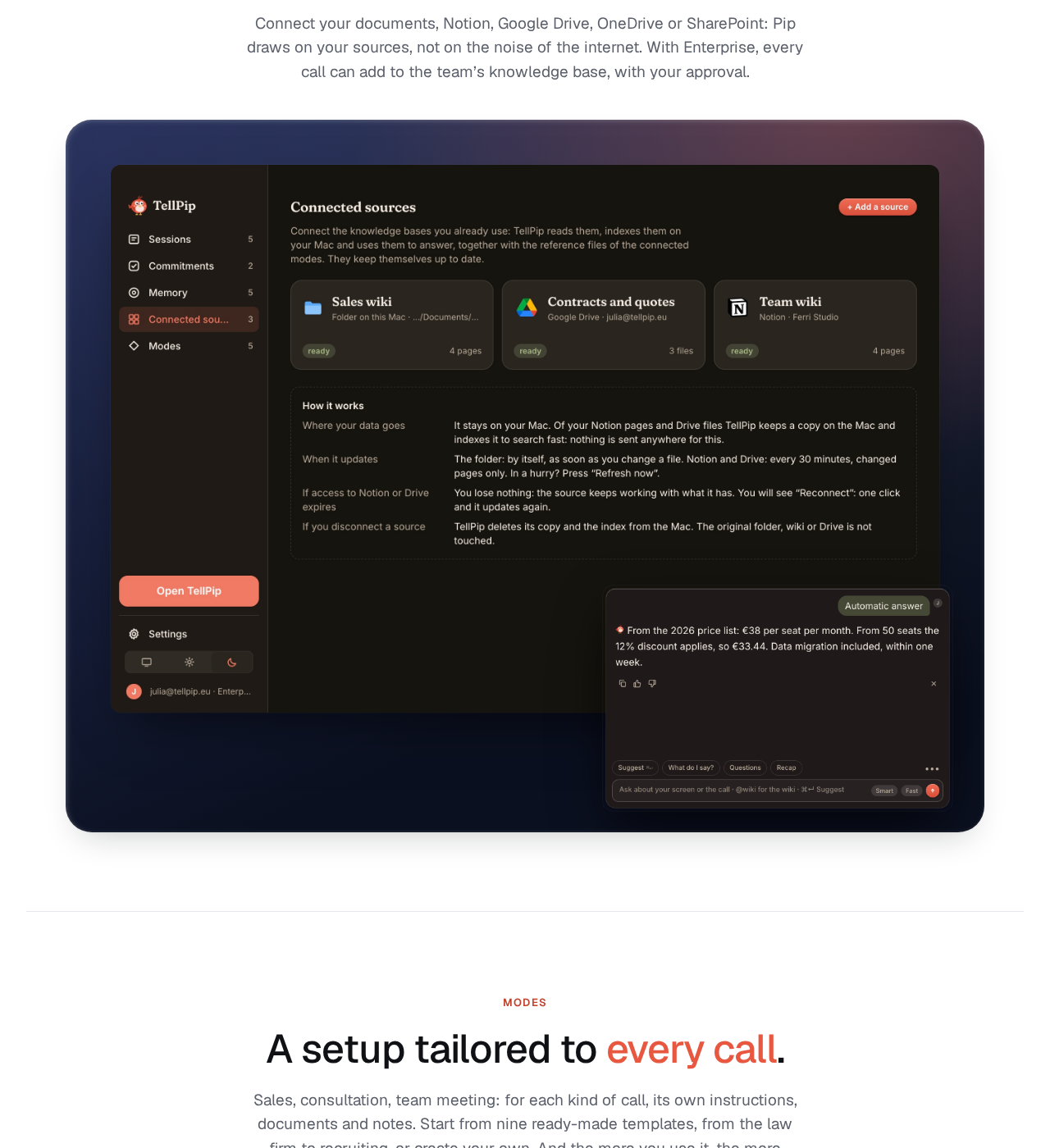
Price lists, contracts, slides, Notion, Google Drive, OneDrive, SharePoint — Pip answers from these sources, not from the noise of the internet. Solo covers up to 15 documents; Enterprise is unlimited. The site’s own example is direct: a client asks about a 60-seat price, and Pip answers from the price list — 12% off above 50 seats — and reminds you the client previously asked about the CRM integration.
4. Before / During / After — the whole call workflow
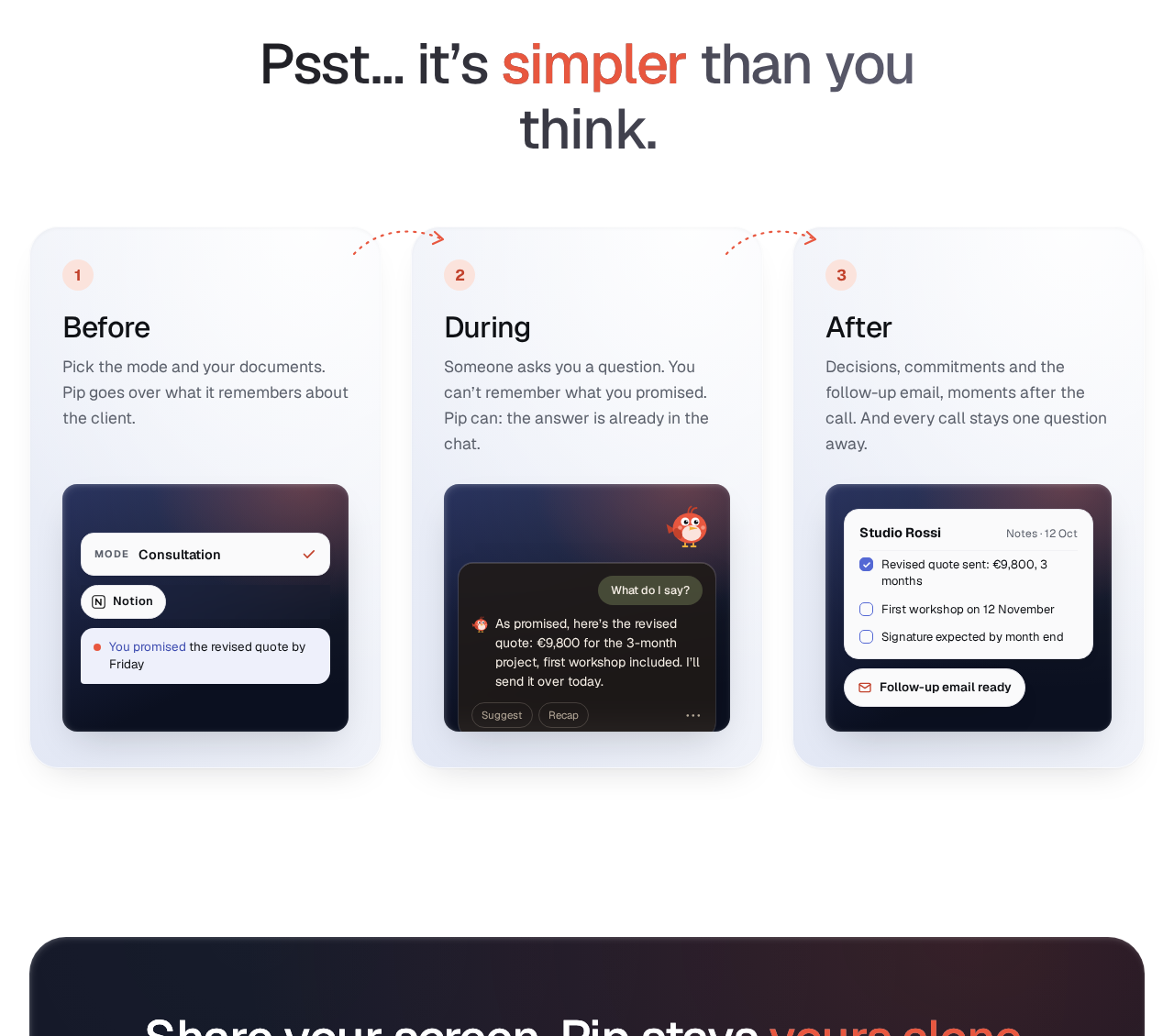
- Before: pick the mode and your documents — Pip goes over what it remembers about the client.
- During: when someone asks a question, the answer is already in the chat — or one key away. A small always-on-top “Psst…” widget stays above your windows without covering anything.
- After: decisions, commitments and the follow-up email, in the format you prefer, moments after the call ends. And every past call stays one question away — ask “what did Luca promise?” and Pip finds the call it came from.
5. Invisibility — not even in screen sharing
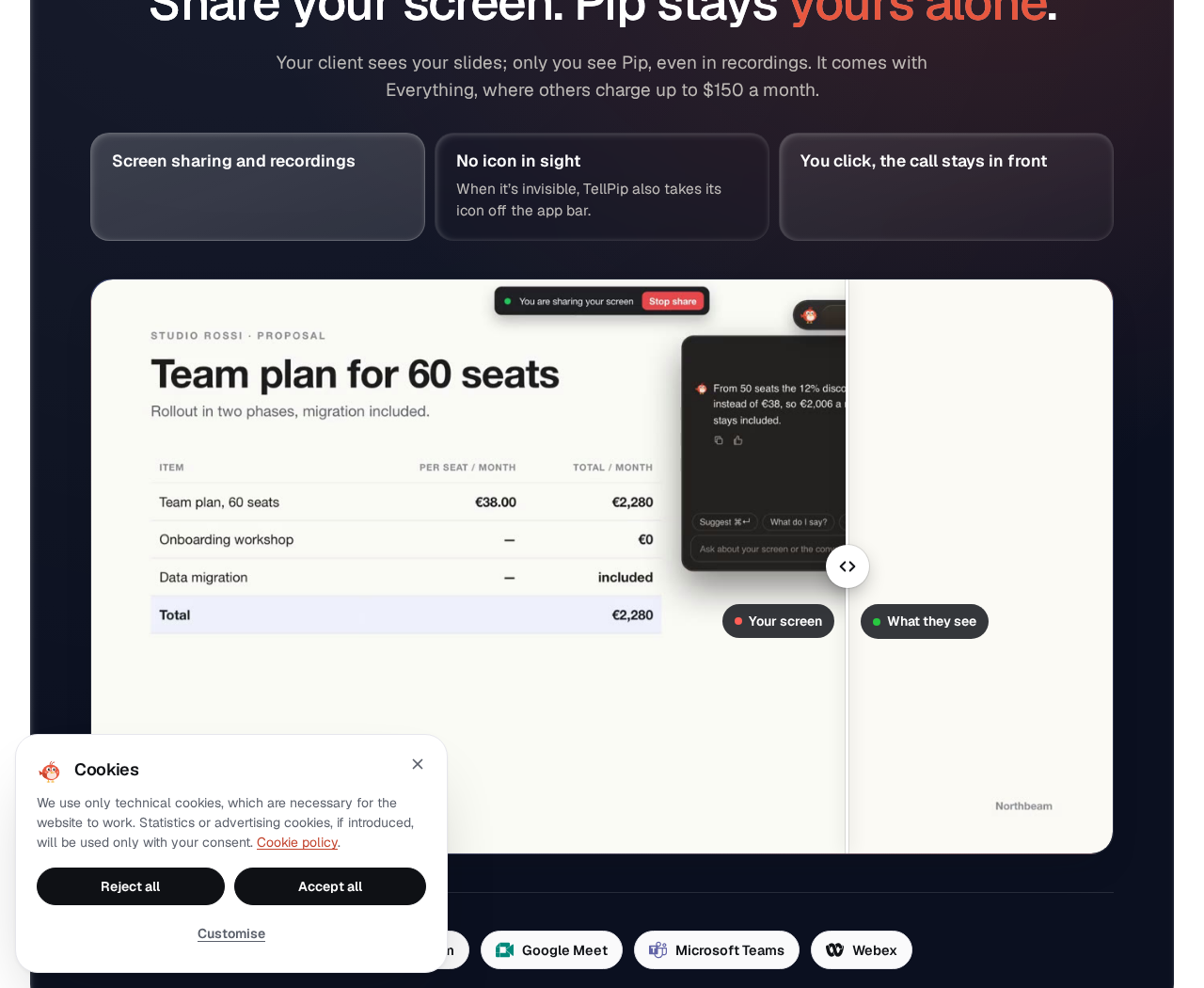
Your client sees your slides; only you see Pip — even in recordings. This feature is included in Everything (where others charge up to $150 a month, per the site) and is a +€19/mo add-on on Solo. There is also a “Don’t remember this call” switch — if a call should not be remembered, Pip keeps nothing: not in memory, not in commitments, not in what it learns from you.
6. Privacy: audio never leaves your computer
This is TellPip’s strongest claim: transcription runs on a local model, even offline. Your archive is organised and indexed on your computer. For each answer, the AI receives only the text it needs — the question, the mode’s instructions, the useful context and, if you wish, a screenshot. The site’s line: “Others promise to delete your voice. We never receive it.”
Pricing — what do you get free?
Honesty matters here: there is no free plan, only a trial.
- Free trial: 5 sessions × 10 minutes, no card, everything included. Once per account and per computer. The PRODUCTHUNT code gives 7 sessions (announced by the maker on Product Hunt).
- Solo (€25/mo, €250/year): one person, one computer. In-call answers, client memory, notes + follow-up email, past calls, 9 modes, up to 15 documents. Real-time answers and Invisibility are +€19/mo add-ons each.
- Everything (€39/mo launch price, regular €59/mo; €390/year vs €590): everything in Solo plus both add-ons included. Subscribe during the launch promo and the price stays locked in forever.
- 5-hour pack (€39 one-off, regular €49): no subscription, 5 hours of calls valid 90 days. Solo features plus both add-ons included. For occasional use.
- Enterprise (€150/person/mo + VAT, i.e. €183 incl. VAT): for teams — company knowledge base, unlimited documents, seats + one invoice, priority support.
- Refund: withdraw within 14 days and the unused part is refunded. Payments are handled by Paddle.
The honest note: prices are in euros. Buyers in India pay currency conversion and bank charges on top — check the final amount at checkout.
Platforms and system requirements
- Mac with Apple Silicon (M1 or later) + macOS 14.2 or later — Intel Macs are not supported
- 16 GB of memory (32 GB recommended for large archives), 10 GB of free disk space, a microphone (internal is fine)
- Transcription and search models install on first launch; transcription works offline, and internet is needed only when asking a question or updating the app
- Windows is not yet available — the site only offers a “Notify me for Windows” waitlist
Who should use it — and who should skip it
- Lawyers: a client asks about cancelling a supply contract, and Pip answers from clause 12.3.
- Accountants / tax advisors: “when are you sending the accounts?” gets the reminder that the draft was promised once March’s invoices arrive — which are still missing.
- Financial advisors: surrender charges and the right timing, from the policy terms.
- Sales teams: renewal pricing from the price list, plus context from the last conversation.
- Freelancers / consultants: when scope creeps mid-call, Pip reminds you the March quote covered 40 hours, web only — the app is a separate extension.
- Skip it if: you are on Windows (waitlist), on an Intel Mac, on Hindi-only calls (Hindi is not supported), or you need a free plan (there is only a trial).
Comparison: Otter.ai / Fireflies / PiriPiri
- Otter.ai / Fireflies: join meetings as bots, record, transcribe and summarise. Good for teams, but everyone sees the bot, audio goes to the cloud, and remembering a client’s promises for the next call is not their job.
- PiriPiri AI: suggests answers live on calls — but it is built for job interviews, runs on Mac and Windows, and gives 3 free sessions of 10 minutes. For interviews, PiriPiri; for client work, TellPip.
- TellPip: neither a recording bot nor an interview cheat tool — a client-memory colleague. Privacy and memory are its strengths; platform and language coverage are its weaknesses.
🔍 People also search for
- tellpip free trial
- tellpip pricing plans
- tellpip vs otter ai
- tellpip vs fireflies
- tellpip mac download
- tellpip review 2026
- tellpip alternatives
- tellpip login and signup
- tellpip windows release date
- ai call assistant for freelancers
- sponkly live voice translator review
Final verdict
TellPip is not trying to be one more meeting bot — it is trying to be the colleague who remembers every client’s every promise, and that is its biggest strength. No bot, audio on your Mac, answers from your documents, Invisibility, and notes ready after the call — that combination is hard to find elsewhere today. So a point off for this: Mac-only, no free plan, no Hindi, two of the best features paywalled as add-ons on Solo, and a two-day-old product from a solo founder that has yet to prove itself over the long run.
Our rating: 4.2/5. If you are on a Mac and take client calls in English or a European language — start with the free trial on tellpip.eu (7 sessions with the PRODUCTHUNT code), test it on one real client call, and only then pay. Windows and Hindi-call users should wait.
Note: This first-look review is based on the official site (tellpip.eu) and its Product Hunt launch post (3 November 2026, maker Edoardo). We will add a hands-on update after testing it ourselves.


