 AI Tool
 ⚡ 30-second me faisla
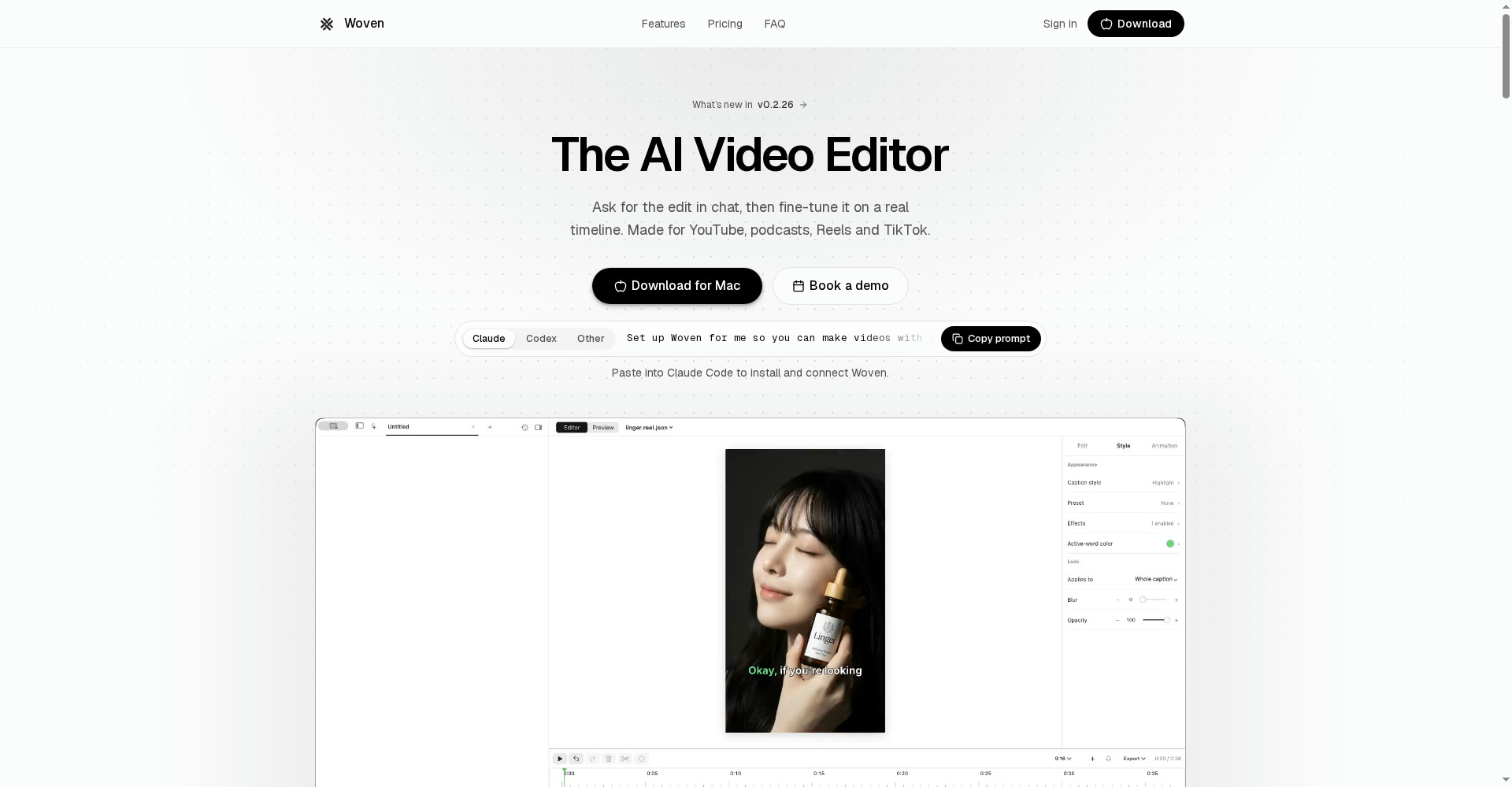
Woven Video ek native Mac AI video editor hai: footage import karo, chat me edit batao — “intro tight karo, captions lagao, product shots voiceover par rakho” — aur agent wo edit asli multi-track timeline par karke dega, jise tum haath se fine-tune kar sakte ho. Na black-box output, na sirf template. Captions, transitions, text animation, 35 sound effects built-in, aur missing shot ke liye AI image/video/music generation bhi. Price: 3 din ka free trial ($5 credits ke saath, card required), phir $25/mahina saalana ya $39/mahina, har mahine $10 AI credits included. Imaandaar chetavni: ye 20 October 2026 ko launch hua brand-new product hai, Mac-only (macOS 15+) hai, free plan nahi hai, aur AI credits metered hain — bhaari AI use par top-up lagega. YouTubers, podcasters aur Reels/Shorts creators ke liye jo Mac par hain aur timeline par control bhi chahte hain — trial se shuru karne layak.
Ye tool kya hai?
Video editing ki sabse badi pareshani ye hai: ya to tum ghanton timeline par clips khisakte ho, ya chat-only AI tool se ek aisa video milta hai jise theek hi nahi sakte. Woven isi gap me bana hai. Iske maker ka kehna hai ki editing ab bhi ghanton ki dragging hai, aur chat-only tools aisa video dete hain jise tum theek nahi kar sakte.
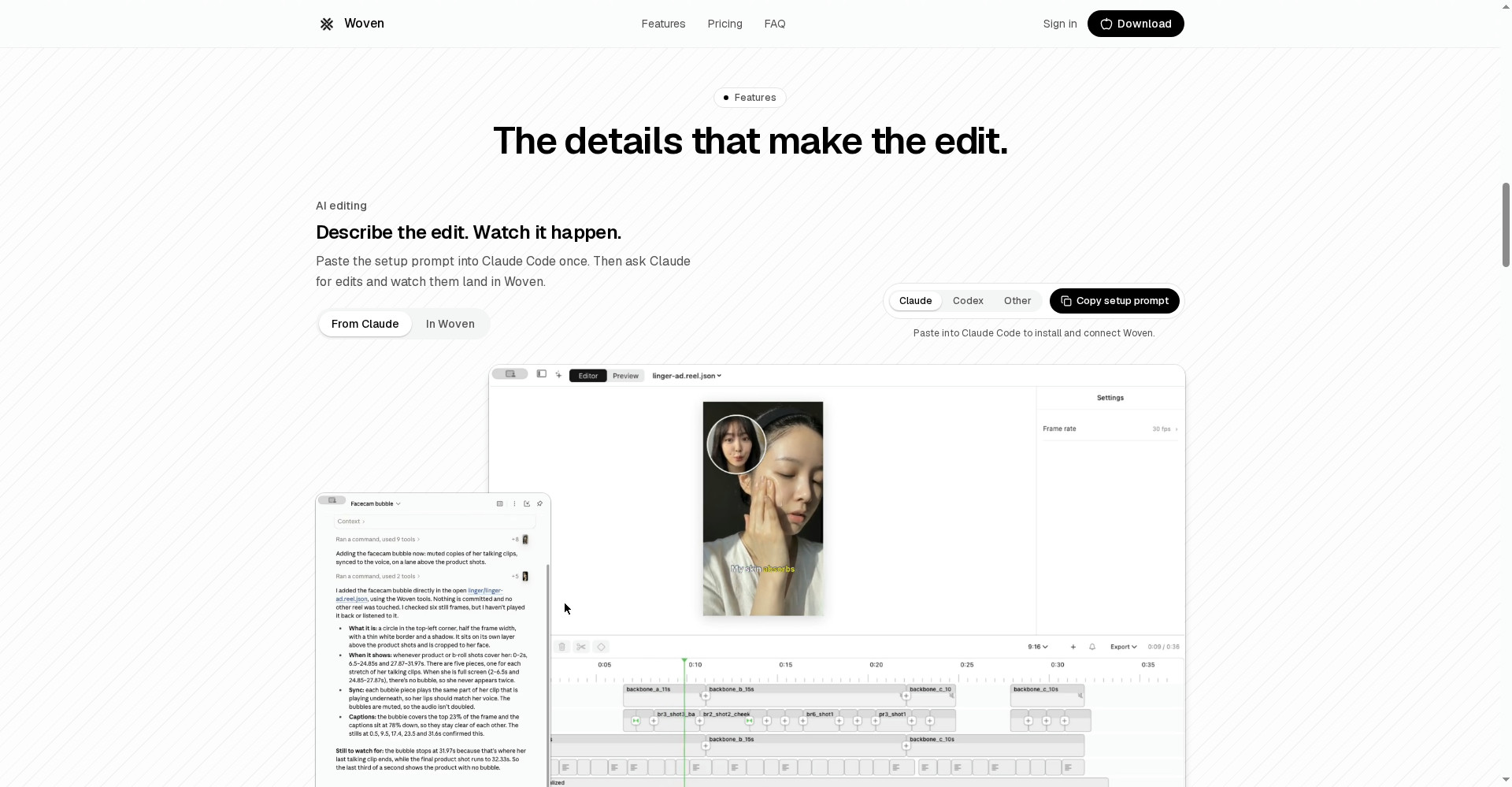
Woven me flow ye hai: footage import karo → chat me edit batao → agent timeline par edit kare → tum haath se fine-tune karo. Har change timeline par dikhta hai — trim, caption, transition, sound — sab kuch adjust kar sakte ho.
Khaas features (jo ise alag banate hain)
1. Chat se edit — lekin result asli timeline par
Ye Woven ka sabse bada farak hai. “Tighten the intro, add captions, put the product shots over the voiceover” — itna bolo, agent edit karke dega, aur har change timeline par land karega. Agar agent ne intro zyada tight kar diya, to tum khud use wapas khol sakte ho. Chat-only AI tools me ye control nahi milta — jo mila, wahi final.
2. Captions — tumhare words, tumhari style
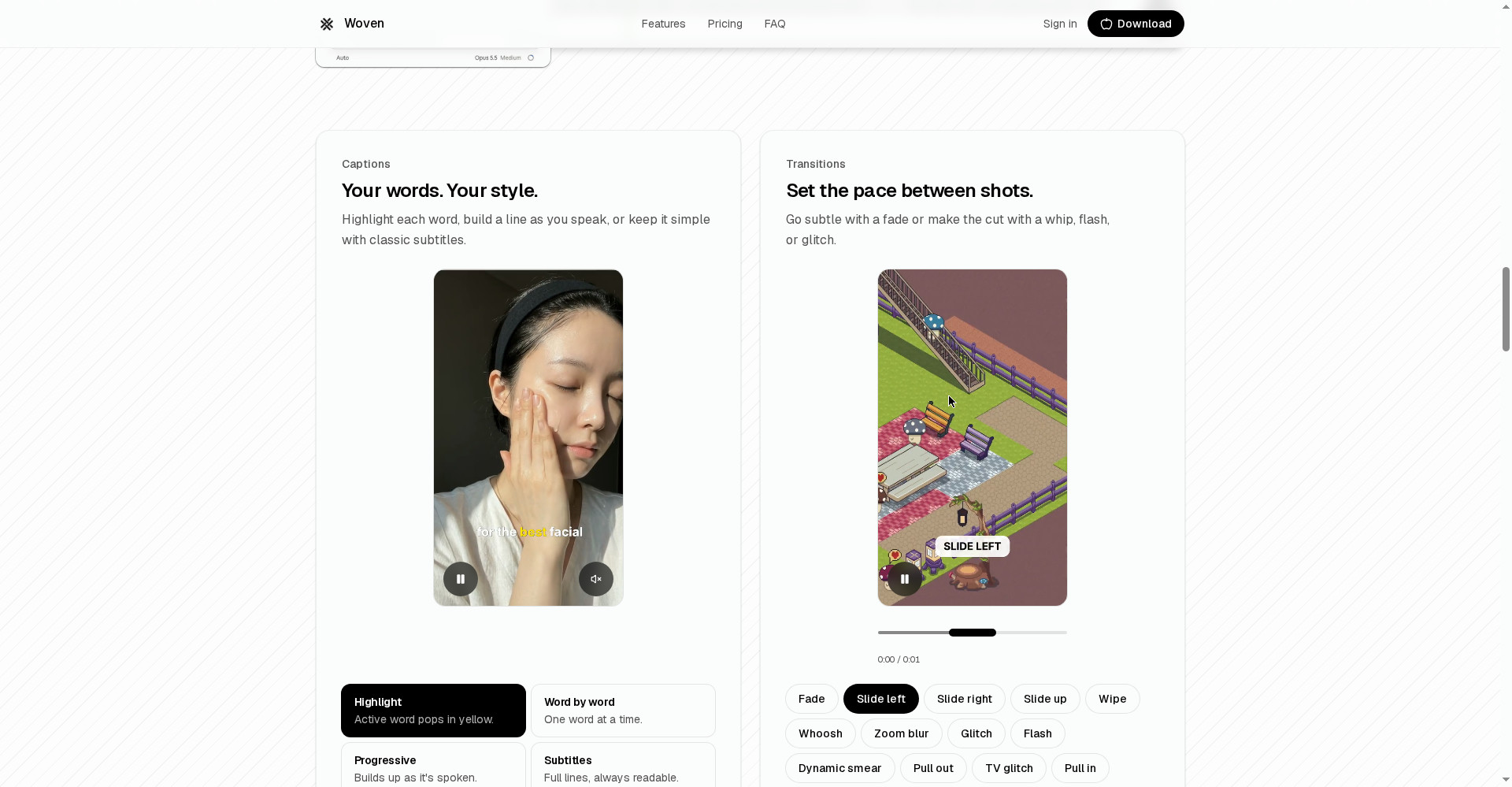
Captions ke teen tareeke: har word highlight karo, line bolte waqt banti jaye, ya classic subtitles rakh lo. Ye wahi caption style hai jo aaj Reels aur Shorts par chalti hai — word-by-word highlight wali. Alag se caption app kholne ki zaroorat nahi.
3. Transitions aur text animation — pace tumhare haath me
Shots ke beech pace set karo: subtle fade se lekar whip, flash ya glitch tak. Text ko entrance do — pop-in, word-by-word reveal, ya loop me chalta hua. Ye chhoti cheezein hi video ko “edited” feel deti hain, aur ye sab editor ke andar hi hai.
4. Sound effects — moment ko land karao
35 sounds built-in hain — transition par whoosh, reveal par pop, punchline par impact. Tap karke preview suno, phir timeline par lagao. Alag se SFX library dhoondhne ki zaroorat nahi.
5. Generate bhi karo — jab shot missing ho
Koi shot shoot hi nahi hua? Woven AI image, video ya music generate kar deta hai. AI voiceover bhi — ElevenLabs v3 text-to-speech se, tumhare Woven credits se. Ya video models (jaise Veo 3.1 ya Kling v3) ke native audio se voice/dialogue bhi aa sakta hai. Apni recording import karna bhi option hai.
6. Claude Code / Codex se video banao — developer wala tareeka
Ye feature kisi aur mainstream editor me nahi hai. Setup prompt ek baar paste karo (woven.video se ya app ke Settings → AI apps se), phir Claude Code ya Codex se hi Woven me video banwao — Woven editing aur rendering tumhare account aur credits se karega. Shart ye hai ki wo app tumhare Mac par commands chala sake — isliye ye chat apps ya cloud/web sessions me nahi chalta.
Pricing — free me kitna milega?
Seedha hisaab:
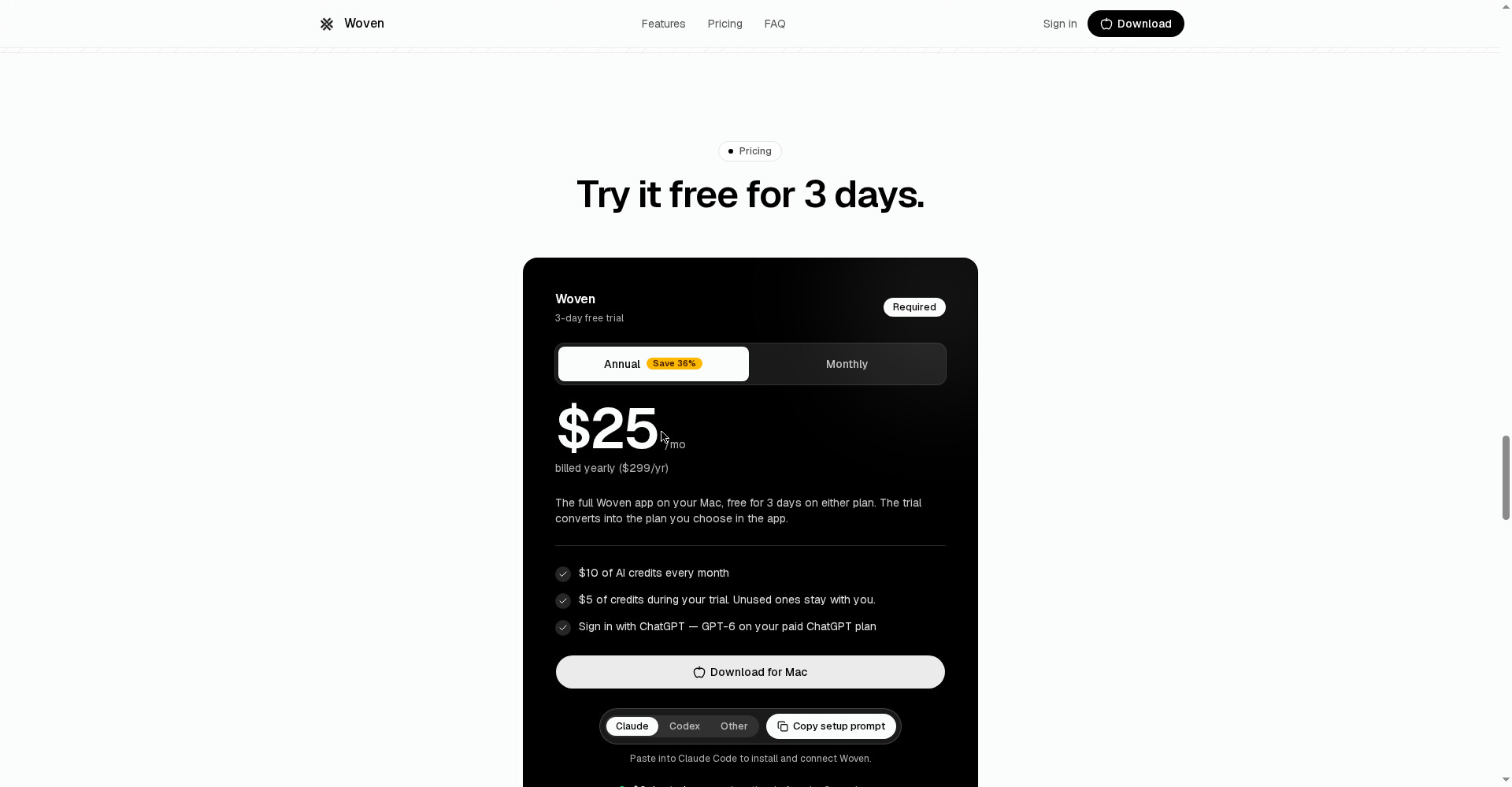
- Trial — $0 due today, card required: Poora app 3 din ke liye + $5 Woven-hosted credits. Day 3 se pehle cancel karo to kuch nahi lagega; nahi to tumhare chune hue plan me convert ho jayega. Bache hue trial credits tumhare paas rehte hain.
- Yearly — $25/mahina ($299/saal): Monthly plan se 36% sasta. Har mahine $10 AI credits included.
- Monthly — $39/mahina: Commitment nahi chahiye to ye lo — saalana se $14/mahina mehnga padega.
- Top-ups — $5 se, kabhi expire nahi: Monthly credits khatam hon to top-up karo, koi key management nahi.
Credits ka asal hisaab: $10/mahine se site ke mutabik lagbhag 30-200 images ya 2-8 AI video clips (model par depend). Chat per-token bill hoti hai. Auto captions $1.00 per hour audio. Matlab: normal editing (captions, transitions, cuts) credits par halka padega; har shot AI se generate karoge to $10 jaldi khatam hoga — tab top-up ya ChatGPT sign-in (paid plan par GPT-6) kaam aayega.
Platforms
- macOS 15 ya usse upar (native Mac app; website sirf sign-in, billing aur download ke liye)
- Windows/Linux: abhi nahi — official FAQ ke mutabik “not yet supported”
- 16:9, 9:16, 1:1 aur custom canvases — YouTube, Shorts, podcasts, gaming videos, Reels, TikTok sab cover
Kaun use kare, kaun na kare?
- YouTubers (Mac wale): Lambe video ka edit chat se batao, timeline par theek karo — dono ka fayda ek jagah.
- Podcasters: Audio-heavy content ke liye captions + cuts + AI voiceover ek hi editor me; bas captions ka $1/hr audio hisaab me rakho.
- Reels/Shorts creators: Word-highlight captions, transitions, SFX — short-form ka poora toolkit built-in hai.
- Freelancers/agencies: Client ke videos jaldi niptane ke liye chat-edit + Claude Code se automation — lekin har client ke liye credits ka hisaab alag rakho.
- Windows users: Tumhare liye nahi — bilkul mat lo, Windows version announce hi nahi hua.
- Sirf free tool chahiye to: OpenVids jaisa free, open-source AI editor dekh lo — Woven ka trial khatam hote hi bill shuru ho jayega.
Comparison: Descript / CapCut / OpenVids
- Descript: Transcript se edit karne ka raja — text badlo, video badal jayega; podcast aur talking-head content ke liye best. Lekin uska editing surface text hai, timeline nahi; Woven me tumhe asli timeline milti hai.
- CapCut: Short-form, templates aur trending effects me sabse tez; free plan bhi generous hai aur har platform par chalta hai. Lekin uska kaam template-driven hai — Woven jaisa chat-agent + timeline control nahi deta.
- OpenVids: Free aur open-source AI editor (4 agents ke saath chat se edit) — budget zero ho to yahi sahi jawab hai. Lekin Woven jaisa polished native Mac experience, 35 SFX aur Claude Code connection nahi milta.
🔍 Log Ye Bhi Search Karte Hain
- Woven Video pricing and free trial details
- is Woven Video free to use
- Woven Video vs Descript comparison
- Woven Video vs CapCut for creators
- Woven Video Mac requirements and macOS 15 support
- Woven Video credits explained
- Woven Video Windows version and alternatives
- openvids free AI video editor review
Final verdict
Woven Video “chat se edit” category ka ab tak ka sabse imaandaar attempt lagta hai — kyunki ye black-box nahi hai. Agent jo karta hai, wo timeline par dikhta hai aur theek ho sakta hai — aur ye ek line ka farak nahi, poori editing philosophy ka farak hai. Local folders, ChatGPT sign-in, Claude Code connection aur 3 din ka full trial — ye combo koi aur editor nahi deta.
Aadha number se zyada isliye kata: Mac-only hai, free plan nahi (trial ke liye bhi card chahiye), credits metered hain (bhaari AI use mehnga padega), aur ye 6 din purana launch hai — lambi race me update aur support kaisa rahega, waqt batayega.
Humari rating: 4.0/5. Agar tum Mac user ho, roz video edit karte ho, aur chat ki speed ke saath timeline ka control bhi chahte ho — 3 din ka trial lo, ek asal video us par edit karke dekho, aur day 3 se pehle faisla karo. Windows user ho ya free tool chahiye to ye tumhare liye nahi.
Note: Ye first-look review official site (woven.video) aur Product Hunt launch page (20 October 2026) par based hai. Hum ise khud Mac par test karke hands-on update jald jodenge.