 AI Tool
 ⚡ The 30-second verdict
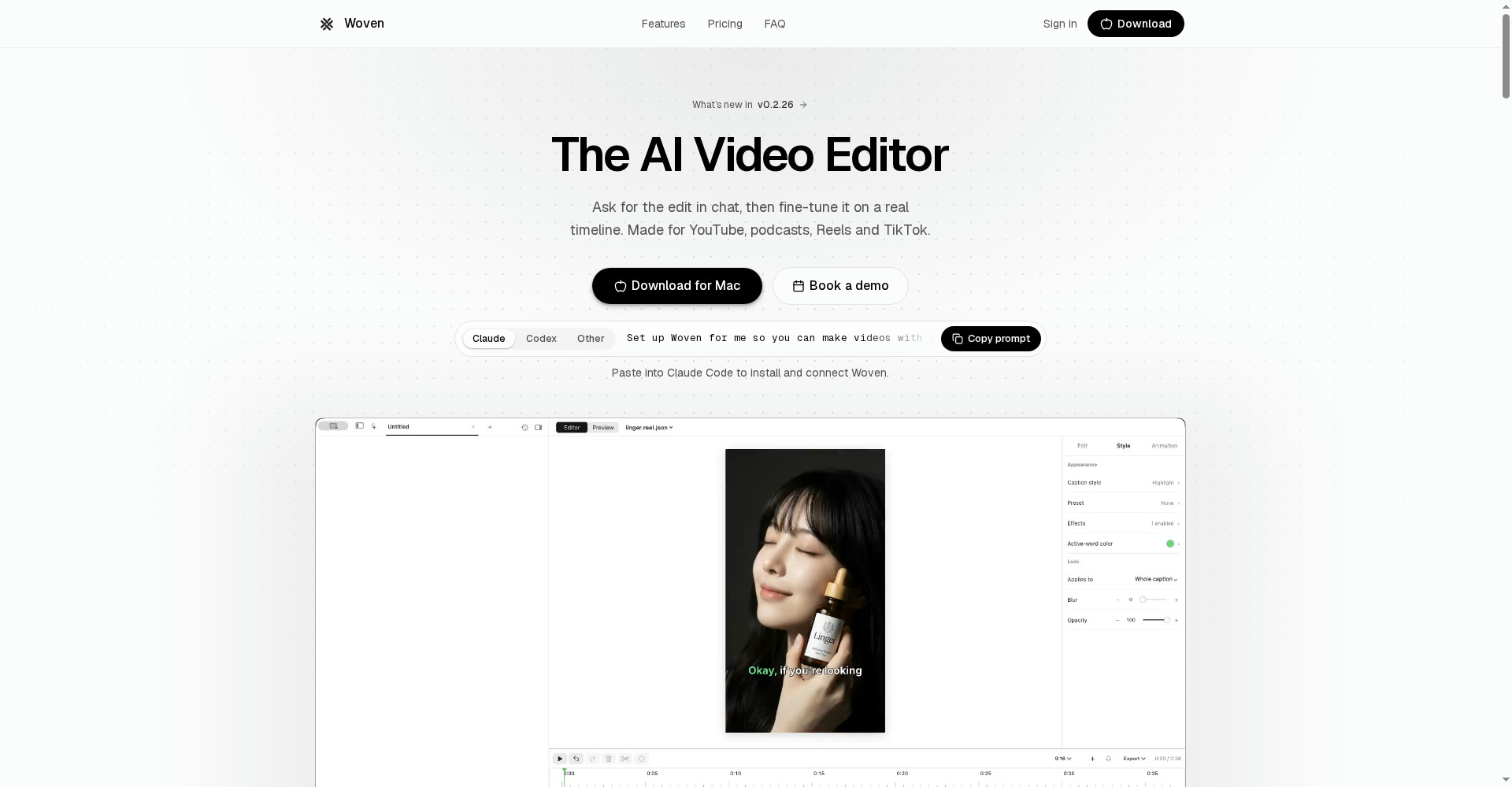
Woven Video is a native Mac AI video editor: import footage, describe the edit in chat — “tighten the intro, add captions, put the product shots over the voiceover” — and the agent makes it on a real multi-track timeline you can fine-tune by hand. No black-box output, no template-only editing. Captions, transitions, text animation and 35 sound effects are built in, and it can generate AI images, video or music when a shot is missing. Price: a 3-day free trial ($5 in credits, card required), then $25/month yearly or $39/month, with $10 of AI credits every month. The honest warnings: it launched 20 October 2026 (brand new), it is Mac-only (macOS 15+), there is no free plan, and AI credits are metered — heavy AI use will need top-ups. For YouTubers, podcasters and Reels/Shorts creators on a Mac who want chat speed plus timeline control, it is well worth starting with the trial.
What is this tool?
Video editing has a stubborn problem: either you spend hours dragging clips around a timeline, or a chat-only AI tool hands you a video you cannot fix. Woven was built for the gap in between. Its maker’s point is simple: editing still means hours of dragging, and chat-only tools hand you a video you cannot really fix.
Woven’s flow is: import footage → describe the edit in chat → the agent edits on the timeline → you fine-tune by hand. Every change — trim, caption, transition, sound — lands on the timeline, where you can adjust it.
Key features (what sets it apart)
1. Chat edits — with the result on a real timeline
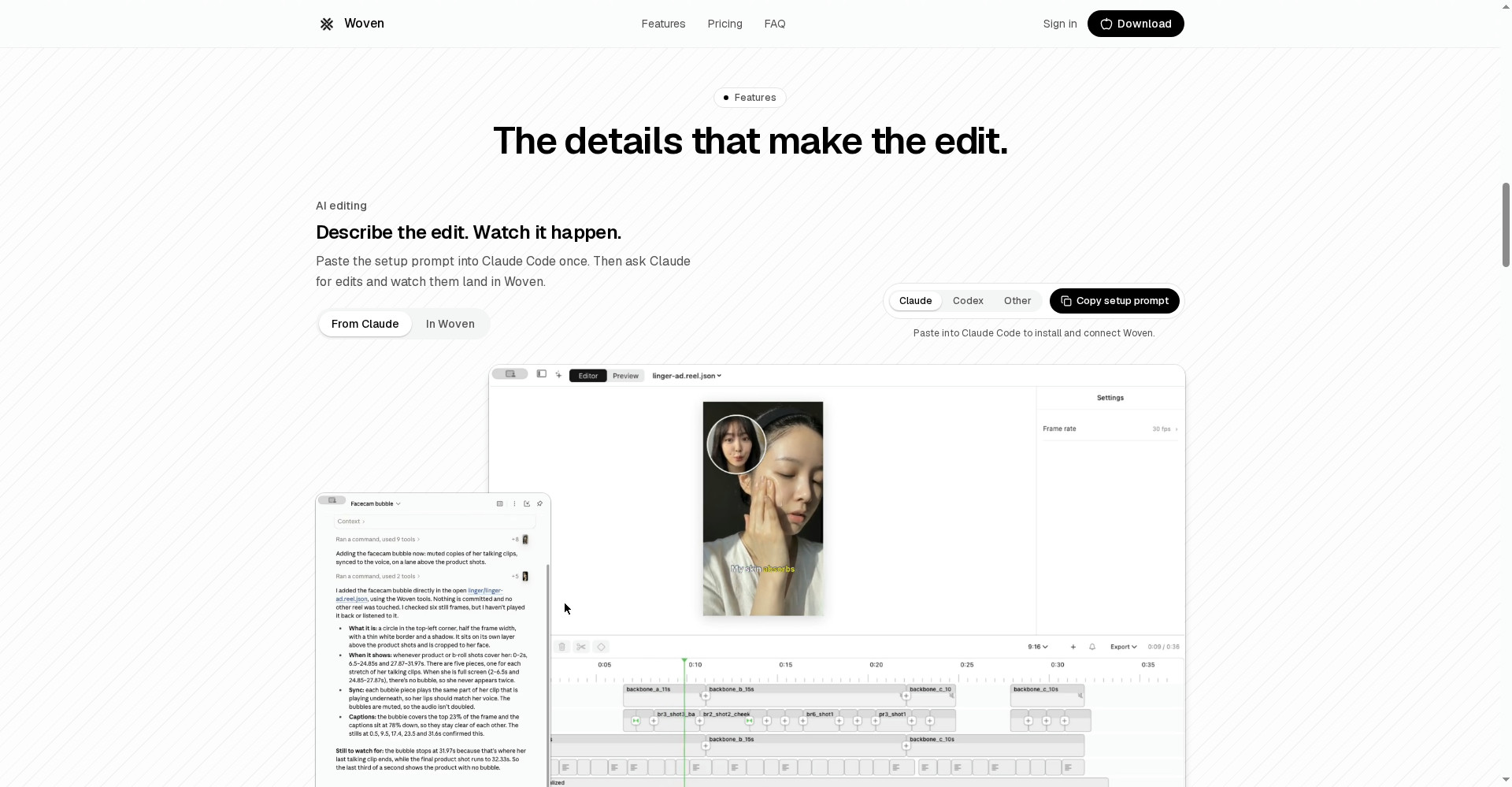
This is Woven’s biggest difference. Say “tighten the intro, add captions, put the product shots over the voiceover” and the agent does the edit — and every change lands on the timeline. If the agent tightened the intro too much, you can open it back up yourself. Chat-only AI tools do not give you that control — what you get is final.
2. Captions — your words, your style
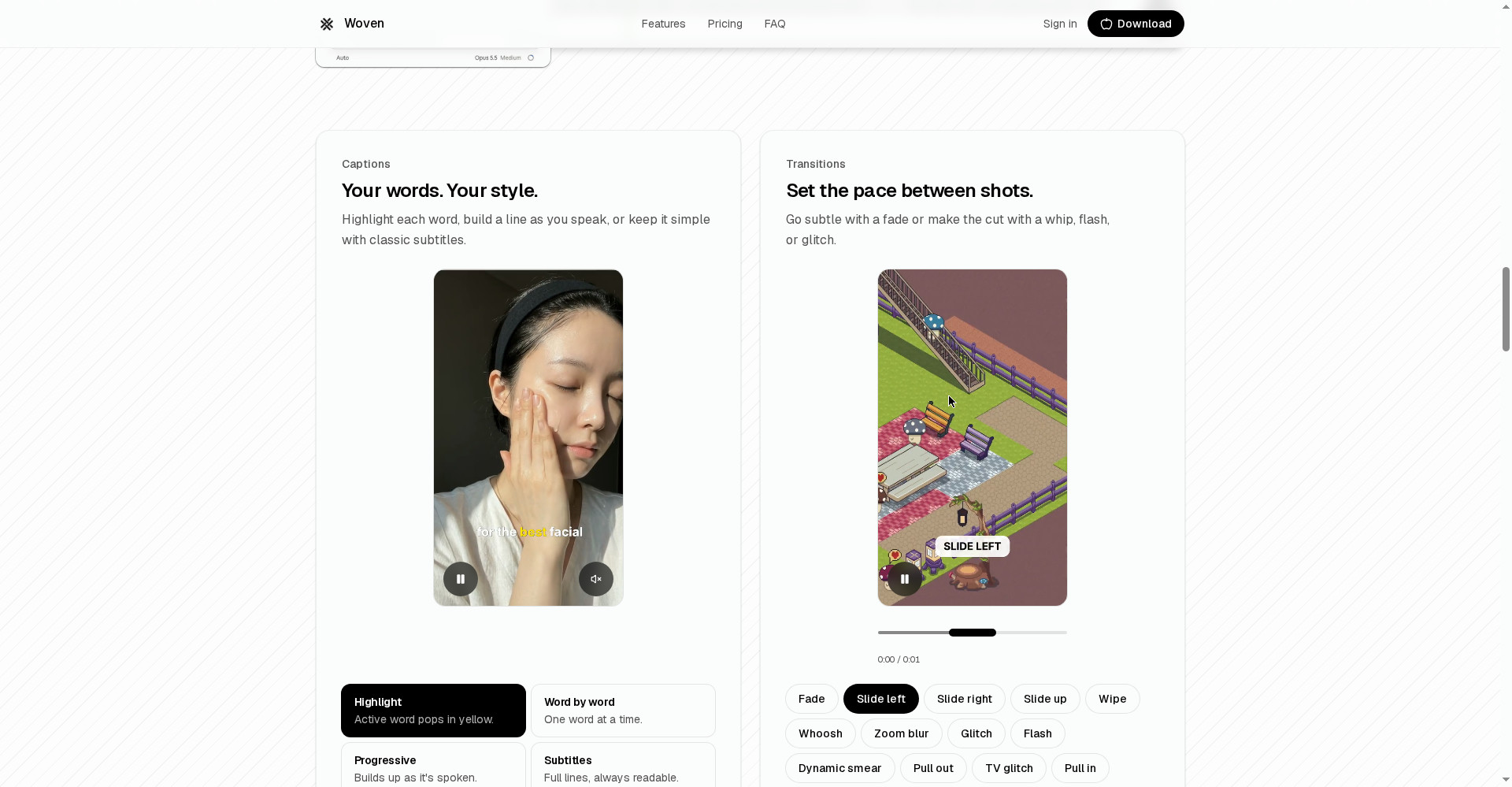
Three caption styles: highlight each word, build a line as you speak, or keep it simple with classic subtitles. That is the caption style dominating Reels and Shorts today — word-by-word highlight — with no separate caption app needed.
3. Transitions and text animation — pace in your hands
Set the pace between shots: a subtle fade or a whip, flash or glitch cut. Give text an entrance — pop it in, reveal it word by word, or keep it moving in a loop. These small touches are what make a video feel edited, and they are all inside the editor.
4. Sound effects — make the moment land
35 sounds are built in — a whoosh for a transition, a pop for a reveal, an impact for a punchline. Tap to preview, then drop it on the timeline. No separate sound-effects library hunt needed.
5. Generate, too — when the shot was never filmed
No shot for a moment? Woven generates an AI image, video or music to fill it. AI voiceover is also available — ElevenLabs v3 text-to-speech, paid from your Woven credits — or voice and dialogue from video models with native audio, such as Veo 3.1 or Kling v3. Importing your own recording works too.
6. Make videos from Claude Code or Codex — the developer way
No other mainstream editor offers this. Paste the setup prompt once (from woven.video or from Settings, AI apps in Woven), then ask Claude Code or Codex to make videos in Woven — Woven does the editing and rendering with your account and credits. The catch: that app must be able to run commands on your Mac, so it does not work in chat apps or cloud and web sessions.
Pricing — how much is free?
The straight math:
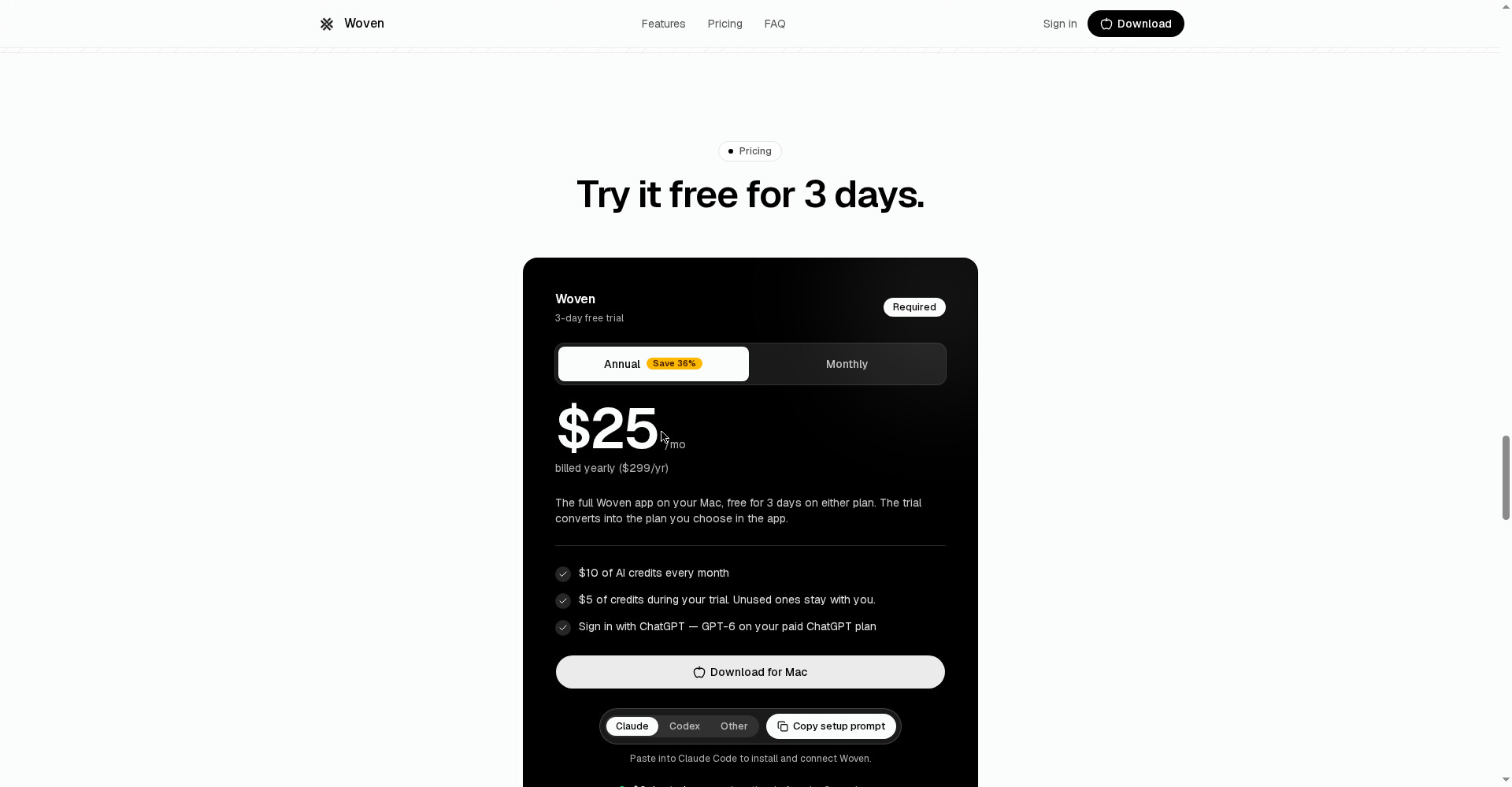
- Trial — $0 due today, card required: The full app for 3 days plus $5 in Woven-hosted credits. Cancel before day 3 and nothing is charged; otherwise it converts into the plan you chose in the app. Unused trial credits stay with you.
- Yearly — $25/month ($299/year): 36% cheaper than monthly. $10 of AI credits every month included.
- Monthly — $39/month: For zero commitment — $14/month more than yearly.
- Top-ups — from $5, never expire: For when the monthly credits run out, with no key management.
The real credit math: $10 a month buys, per the site, roughly 30-200 images or 2-8 AI video clips (model-dependent). Chat is billed per token. Auto captions cost $1.00 per hour of audio. So: normal editing (captions, transitions, cuts) is light on credits; generating every shot with AI will burn through $10 fast — that is when top-ups, or signing in with ChatGPT (GPT-6 on a paid plan), earn their keep.
Platforms
- macOS 15 or later (native Mac app; the website only handles sign-in, billing and downloads)
- Windows/Linux: not yet — the official FAQ says “not yet supported”
- 16:9, 9:16, 1:1 and custom canvases — YouTube, Shorts, podcasts, gaming videos, Reels and TikTok all covered
Who should use it — and who should not
- YouTubers on a Mac: Describe a long video’s edit in chat, fix it on the timeline — both advantages in one place.
- Podcasters: Captions, cuts and AI voiceover in one editor for audio-heavy content — just budget the $1/hour caption cost.
- Reels/Shorts creators: Word-highlight captions, transitions and sound effects — the full short-form toolkit is built in.
- Freelancers and agencies: Chat edits plus Claude Code automation to turn client videos around fast — but track credits per client.
- Windows users: Not for you — no Windows version has even been announced.
- If you only want a free tool: Look at a free, open-source AI editor like OpenVids — Woven starts billing the moment its trial ends.
Comparison: Descript / CapCut / OpenVids
- Descript: The king of transcript editing — change the text, change the video; best for podcasts and talking-head content. But its editing surface is text, not a timeline; Woven gives you the real timeline.
- CapCut: Fastest for short-form, templates and trending effects, with a generous free plan on every platform. But its work is template-driven — it does not offer Woven’s chat-agent-plus-timeline control.
- OpenVids: A free, open-source AI editor (chat editing with 4 agents) — the right answer when the budget is zero. But it lacks Woven’s polished native Mac experience, its 35 sound effects and its Claude Code connection.
🔍 People also search for
- Woven Video pricing and free trial details
- is Woven Video free to use
- Woven Video vs Descript comparison
- Woven Video vs CapCut for creators
- Woven Video Mac requirements and macOS 15 support
- Woven Video credits explained
- Woven Video Windows version and alternatives
- openvids free AI video editor review
Final verdict
Woven Video is the most honest attempt yet in the “edit by chat” category — because it is not a black box. What the agent does shows up on the timeline and can be fixed — and that is not a one-line difference, it is a difference in editing philosophy. Local folders, ChatGPT sign-in, a Claude Code connection and a full 3-day trial — no other editor offers that combination.
More than half a mark comes off for this: it is Mac-only, there is no free plan (the trial needs a card), credits are metered (heavy AI use gets expensive), and it is a 6-day-old launch — how updates and support hold up over a long race is still to be seen.
Our rating: 4.0/5. If you are a Mac user who edits video daily and wants chat speed with timeline control, take the 3-day trial, cut one real video on it, and decide before day 3. If you are on Windows or need a free tool, this one is not for you.
Note: This first-look review is based on the official site (woven.video) and the Product Hunt launch page (20 October 2026). We will add a hands-on update once we have tested it on a Mac ourselves.