 AI Tool
 What is this tool?
OpenVids is an agent-first AI video editor — instead of dragging clips on a timeline, you chat with AI agents to make your video. It launched on Product Hunt on October 10, 2026, with the tagline: “Press REC. Describe the film.”
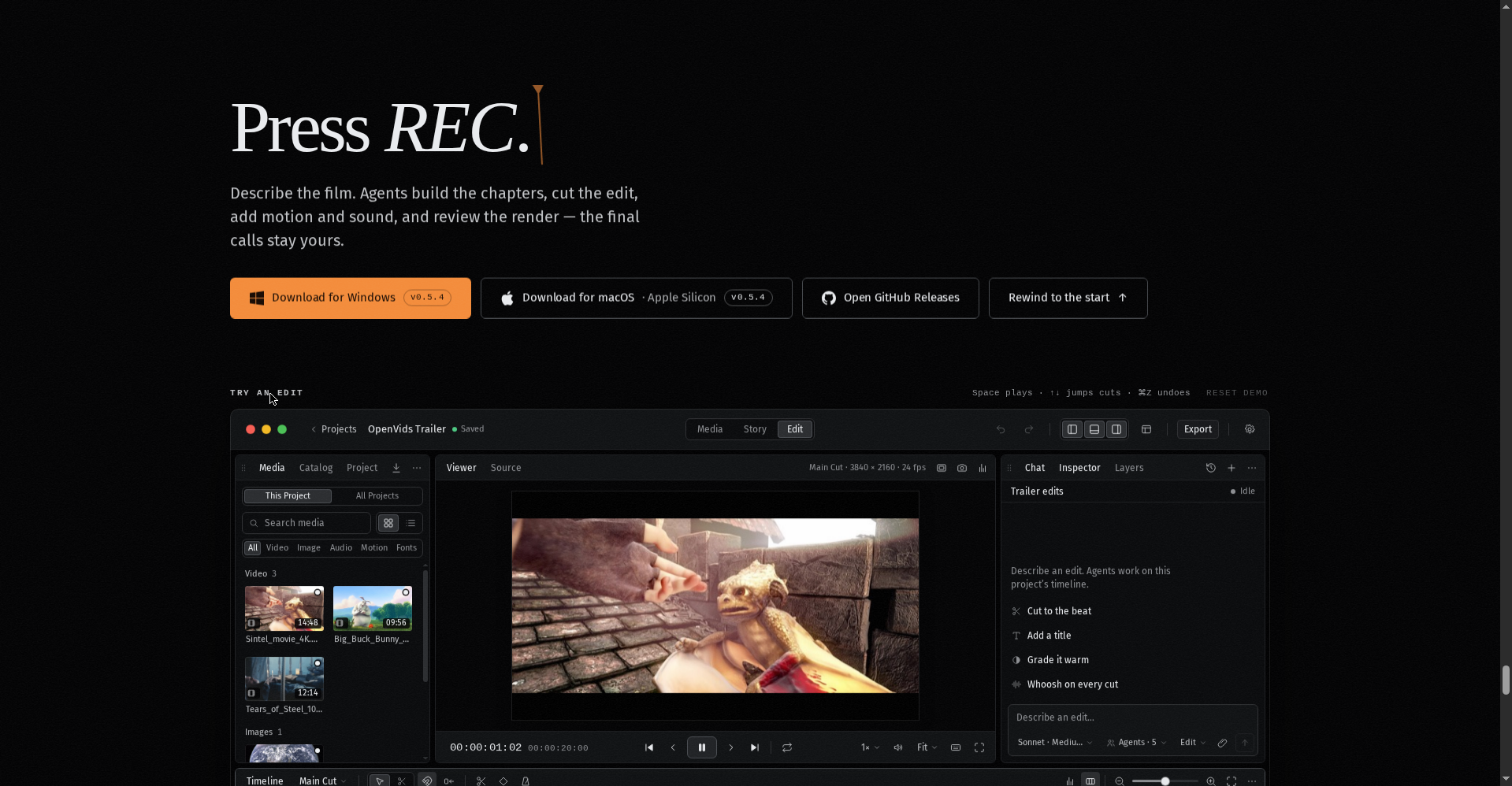
The concept is simple: you describe the film you want — the agents build the chapters, cut the edit, add motion and sound, and review the render. Every change lands on a real timeline that you can review and take over at any point.
And the biggest deal: it’s 100% free and open-source (Apache-2.0 license). No subscription, no paid tier.

Key features (what makes it different)
1. Four specialized agents — each with its own job
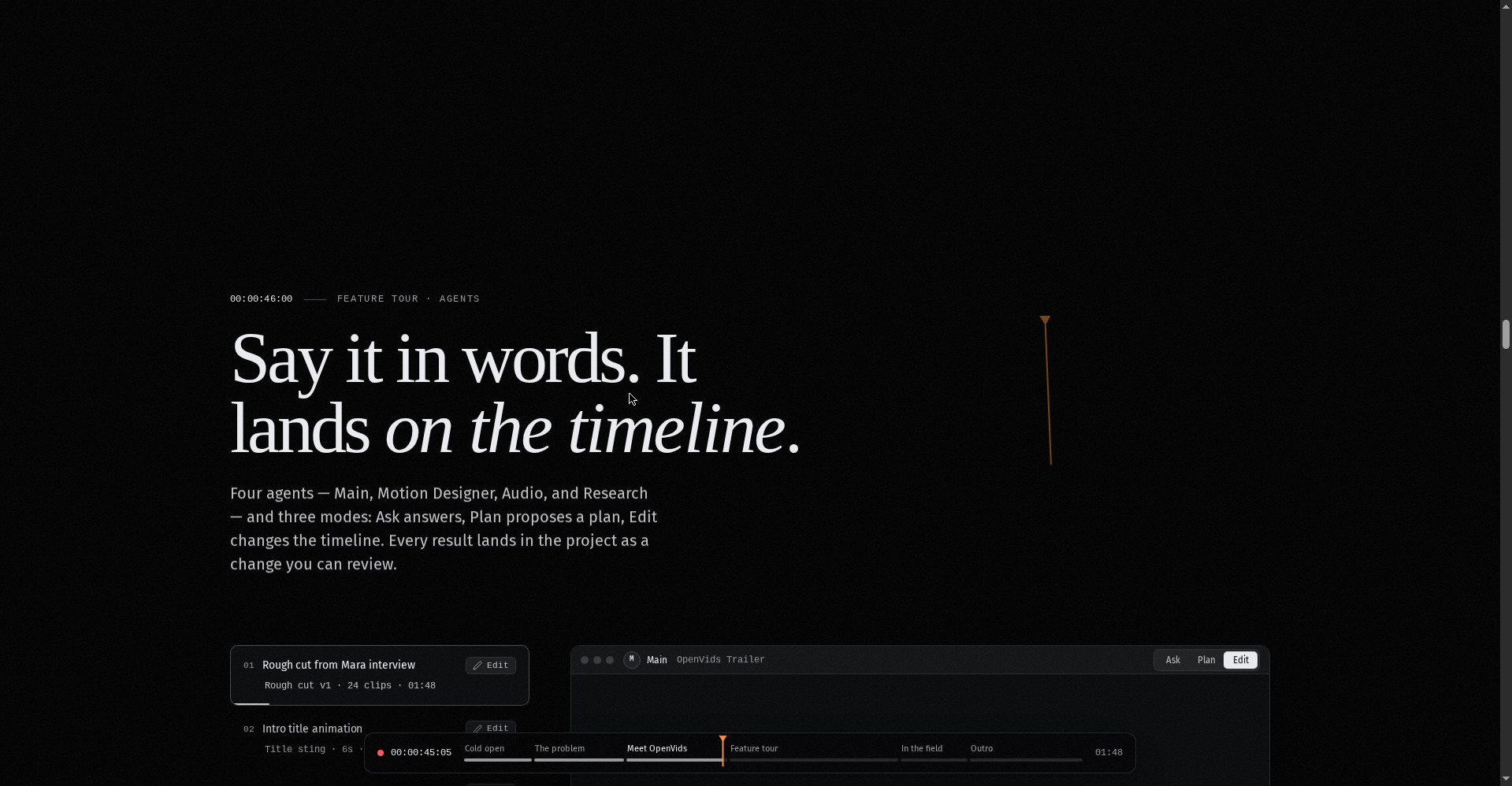
OpenVids doesn’t have one generic chatbot. It has four distinct agents:
- Main — the boss of the overall edit; builds the film’s structure and chapters
- Motion Designer — motion graphics, transitions, and visual movement
- Audio — sound design and music
- Research — finds footage and tracks its licenses and credits
2. Three modes: Ask, Plan, Edit
Each agent works in three ways: Ask (just answers questions), Plan (proposes a plan of action for you to approve), and Edit (makes direct changes to the timeline). You choose how much free rein the AI gets.
3. A real timeline — not a black box
This is OpenVids’ most important difference. Many AI video tools hand you a finished render you can’t change. In OpenVids, every change happens on a real timeline — non-destructive editing, every frame exactly where you left it. You review the render QA, and the editorial calls stay yours.
4. The Research agent — no more license headaches
Stock footage licensing is a genuine pain for creators. OpenVids’ Research agent finds open-licensed footage, flags disputed licenses, and keeps credit lines ready to copy. Exporting isn’t blocked by license issues.
What about privacy?
The official FAQ is explicit: “Your media stays on your disk.” Your footage is never uploaded anywhere. Unlike cloud-based AI editors, this is a desktop app that runs on your own computer — a big deal for privacy-conscious creators.
Pricing — what do you get for free?
Simple: everything is free. The official site mentions no paid plans or premium tiers. The Apache-2.0 open-source license means the code is yours too.
One honest caveat: the agents must run on some AI model under the hood — whether you’ll need to plug in your own API key isn’t clearly stated on the official site. Worth checking before you dive in.
Platforms
- macOS (desktop app)
- Windows (desktop app)
No Linux, web, or mobile versions are mentioned on the official site. The design is keyboard-native — shortcuts give you frame-by-frame control (arrow keys step one frame, Shift steps one second).
Who should use it — and who shouldn’t?
- YouTubers & content creators: let AI draft rough cuts, chapters, captions, and motion — then polish it yourself
- Freelance video editors: AI first cuts for client projects will save real time
- Students: free plus open-source means zero budget pressure; a new way to learn editing
- Privacy-conscious users: footage stays on your disk, no cloud upload
- Linux/mobile users: wait for now — it’s Mac and Windows only
Final verdict
OpenVids takes a genuinely different approach to the “AI video editor” category — it’s not a text-to-video generator that spits out an unchangeable clip. It’s an AI co-pilot for real editing: an actual timeline, non-destructive, under your control. The free + open-source + privacy-first combination is very attractive for creators.
Half a point off: the product launched today (reliability unknown), it’s only on two platforms, and the AI backend setup (do you need your own API key?) is unclear. And as an indie project, don’t expect the polish and support of big commercial tools.
Our rating: 4/5. If you’re a creator who wants to hand the boring parts of video editing to AI — it’s free, so there’s nothing to lose by trying it.
Note: This is a first-look review based on the official site (openvids.ai), the GitHub repo, and the Product Hunt launch. We’ll update it after hands-on testing.