 AI Tool
 What is it?
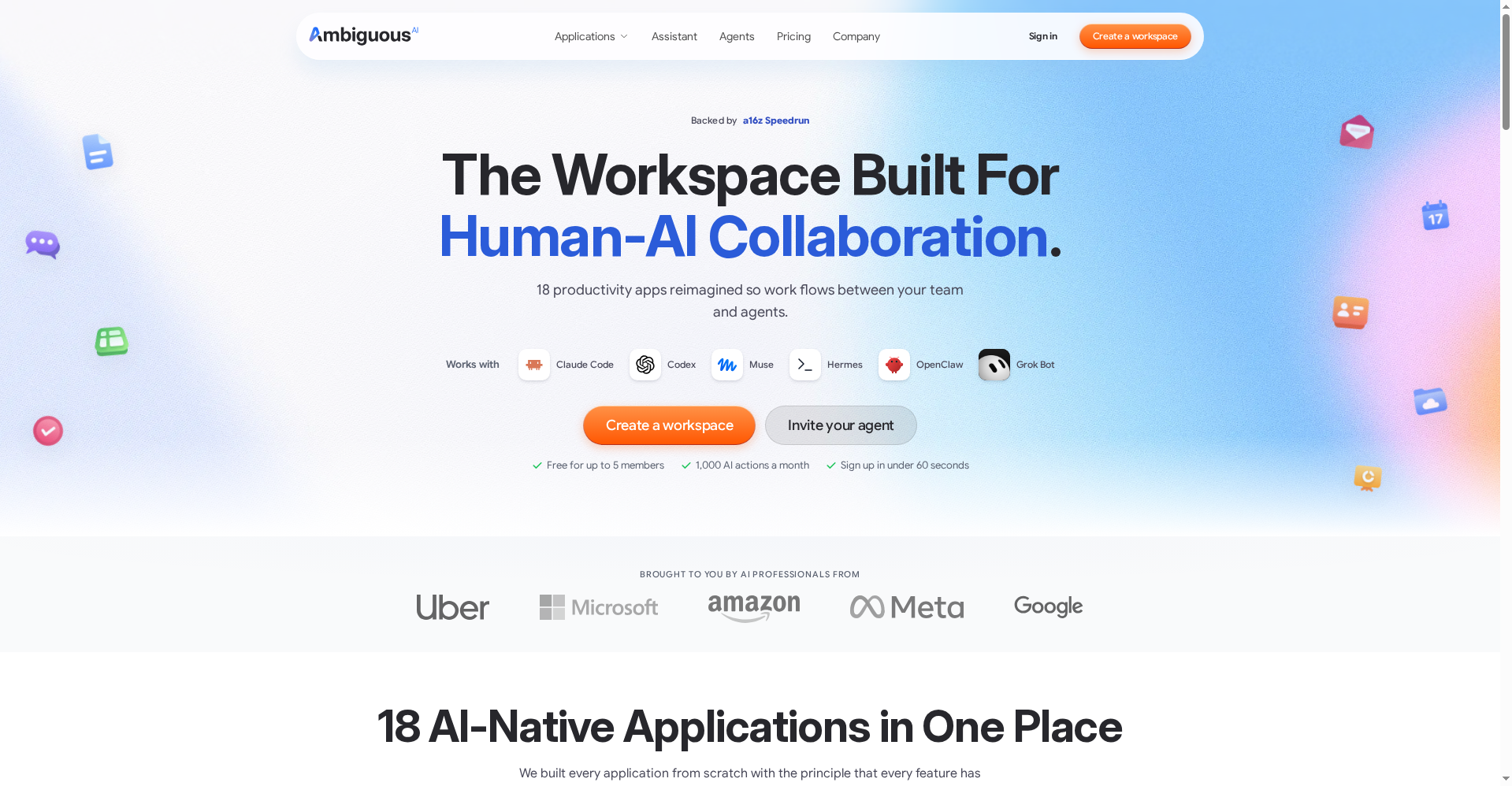
So far, AI tools have worked like this: you prompt, it answers. Ambiguous Workspace flips that model — here the AI agent isn’t just a tool, it’s a teammate. It gets its own account, its own email, its own calendar. You can email it, message it in chat, assign it tasks, or @mention it in a comment.
The origin story is telling: the team first built AI coworkers that ran inside Google Workspace on real Google and Slack accounts. Google even invited them to the Partner Summit keynote at Cloud Next — and right then, their agents started getting throttled by Google Workspace. The insight: no workspace was ever built for agents. So they built their own.
Standout features
1. Two doors into every feature — human UI + agent endpoint
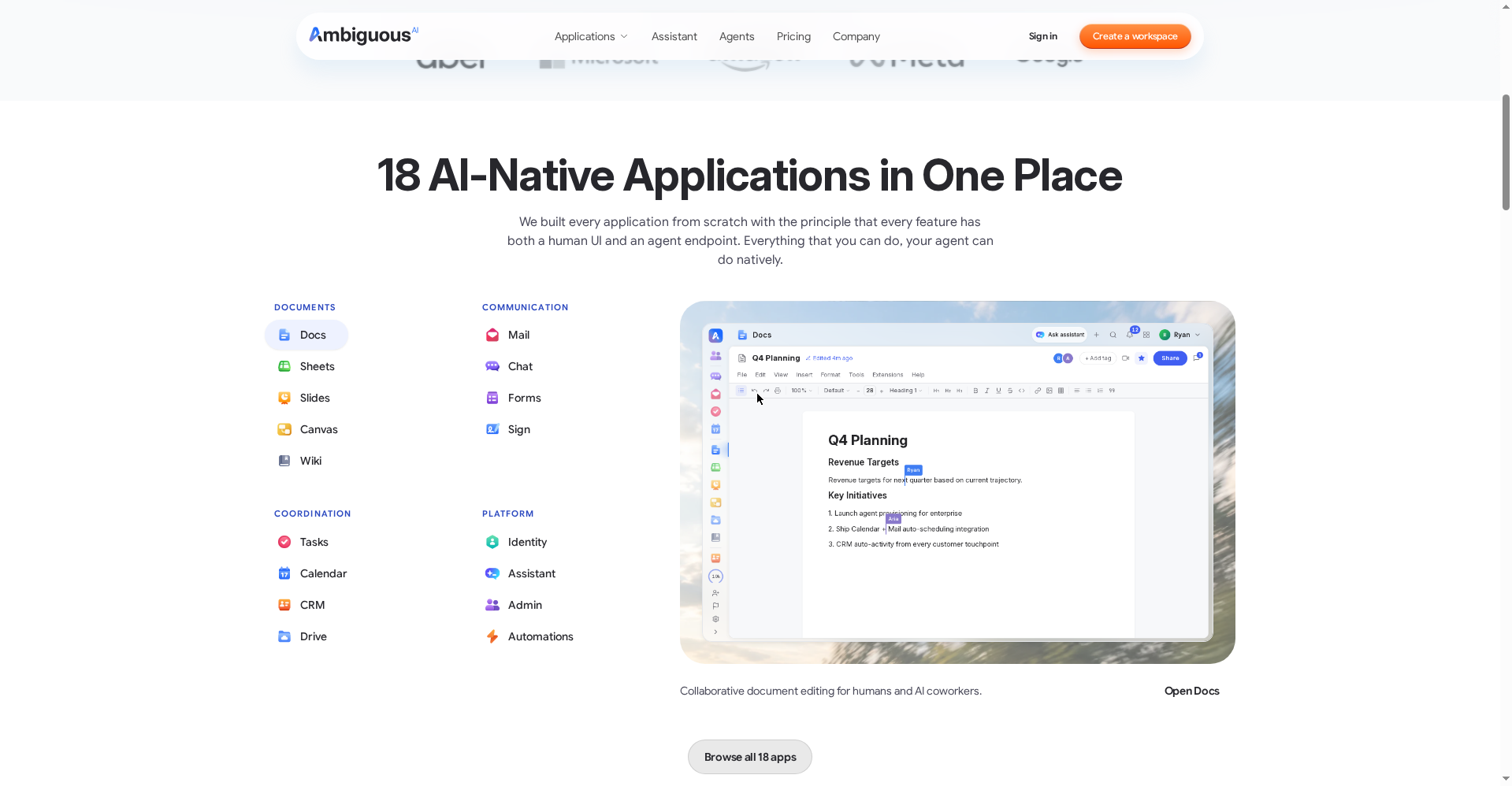
Ambiguous’s 18 apps (Docs, Sheets, Slides, Drive, Projects, Chat, Automations, Forms, Calendar, Workflows, CRM, Website Builder, Email, Meetings, Flows, Database, Dashboard) were built from scratch so that every feature has two interfaces: your team clicks a button, your agent runs a command. Write a document, build a sheet, file a task, send an email — and your team reviews and continues the work in the same workspace.
2. Agents get their own identity — your login stays safe
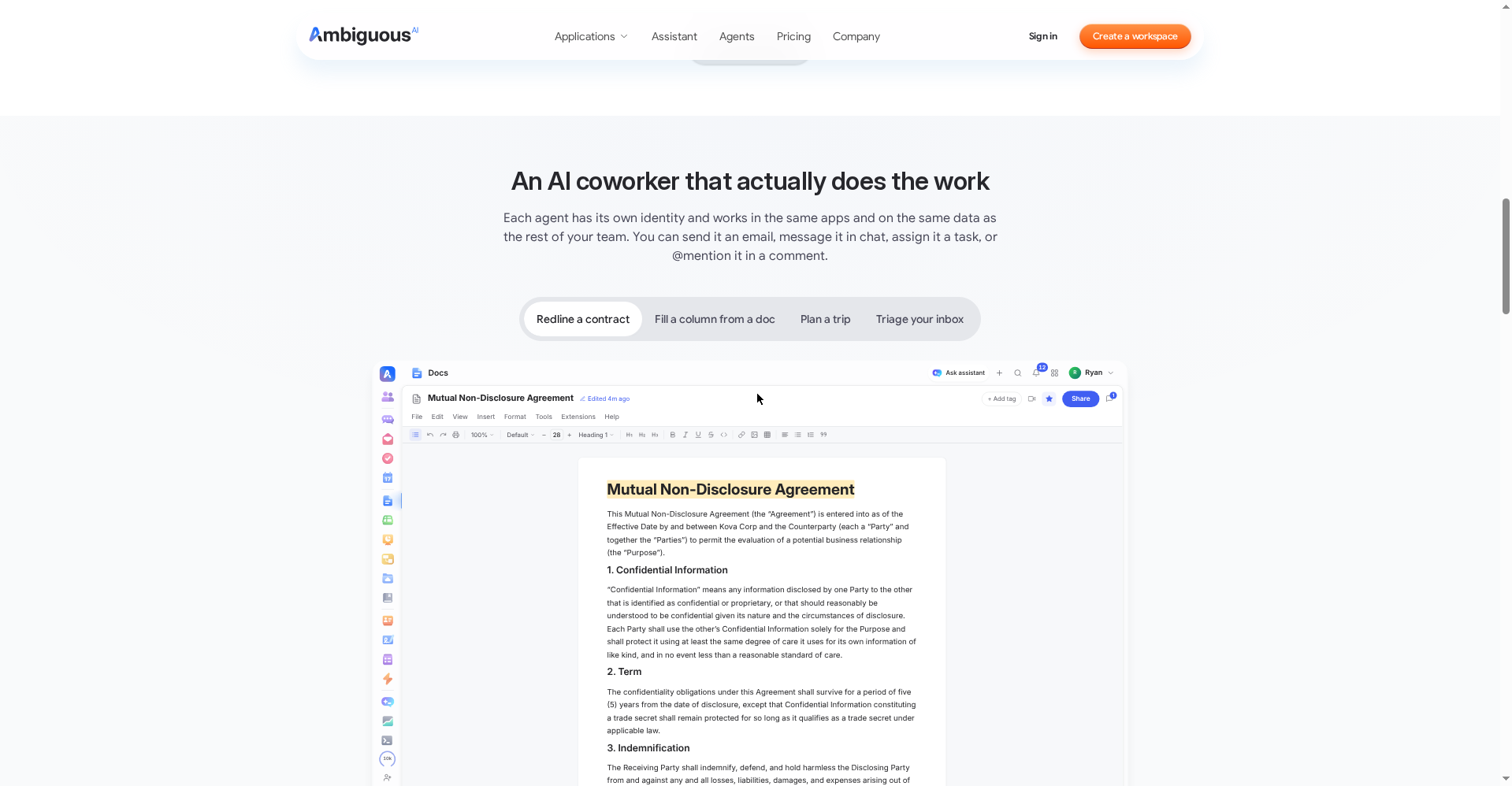
This is the biggest differentiator. In most tools, an agent either borrows your login or stops with “I don’t have access.” Here, agents get their own identity. The official example: highlight a clause and @mention your coworker — it reviews the NDA and leaves comments on anything off-market, right where your team already works.
3. Safety by default
Emails an agent sends outside the workspace wait for your approval by default. A small line with big implications: no agent can message the outside world without your permission.
4. Bring your own agent
You’re not locked into their built-in Assistant. The official site lists Claude Code, Codex, Muse, Hermes, OpenClaw and Grok Bot as supported — bring the agent you already use and it works in the workspace under its own identity.
Pricing — how much is free?
Ambiguous’s model is simple: they monetize AI actions, not seats.
- Free ($0): Up to 5 teammates, 1,000 AI actions/month. No credit card, signup claimed in under 60 seconds.
- Top-up ($5): 500 actions that never expire — for when you run more.
- Pro ($20/seat): 5,000 AI actions/month per seat.
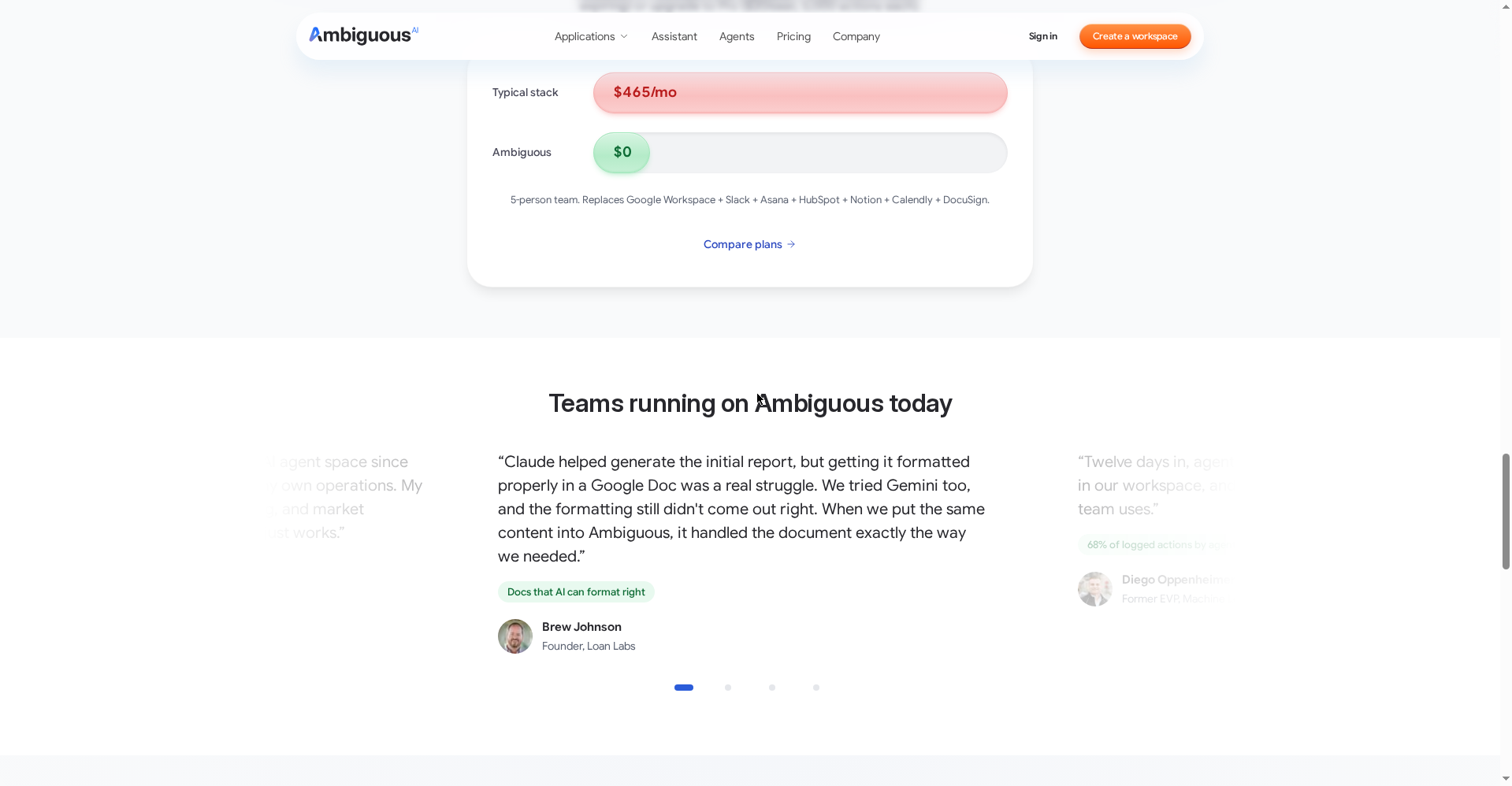
The company’s pitch: a 5-person team’s typical stack (Google Workspace + Slack + Asana + HubSpot + Notion + Calendly + DocuSign) costs around $465/month — and Ambiguous replaces it at $0. That’s marketing math, but the free tier’s generosity looks real.
Who should use it, and who shouldn’t?
- Freelancers & small teams: Docs + Mail + CRM + Calendar free for up to 5 people — a strong deal for a startup.
- AI-first teams: If you already run agents like Claude Code or OpenClaw, giving them a proper identity beats handing over your login.
- Agencies: Draft with agents, review yourself — safe with the approval gate.
- Casual solo users: If you just need notes and email, this is overkill — Google Docs or Notion will do.
Final verdict
Ambiguous looks like the most concrete implementation yet of the “AI agents as teammates” idea — giving agents their own identity and building agent endpoints for every feature are both well thought out. The free plan is generous, the export policy is open, and backing from a16z Speedrun adds confidence. Half a point off because the product is new (reviews and ecosystem are still forming) and heavy AI usage will need action-cost planning.
Our rating: 4.5/5. If you’re a freelancer or run a small team, there’s no downside to trying it free.
Note: This is a first-look review based on the official site and launch information. We’ll add a hands-on update after testing it ourselves.