 AI Tool
 ⚡ Decide in 30 seconds
Spacesheep turns an AI agent’s long text output into a visual space — document, mockup, live dashboard, app or art — that your team can read at a glance, comment on the exact line, and fix live by writing @spacesheep. It is not tied to one AI: Claude Code, Codex, Cursor, ChatGPT, Grok all publish to it, and every space and every version syncs to your own Google Drive or GitHub. Price: starts free, but the Team plan’s price and the free plan’s exact limits are not clearly stated on the site — that is the honest warning. It launched 22 October 2026, a brand-new product from a 2-person team. Teams, freelancers and creators who already work with AI agents and are tired of long chat answers — worth trying on the free plan; if you only chat with AI, you don’t need it yet.
What is this tool?
The problem with AI agents is not that they write too little — it is that they write far too much. Ask an agent for a report and you get a wall of text that takes as long to read as writing it yourself would. Founder Michael Makarov put it directly in his “why” note: agents keep getting more productive, but our ability to read stays the same.
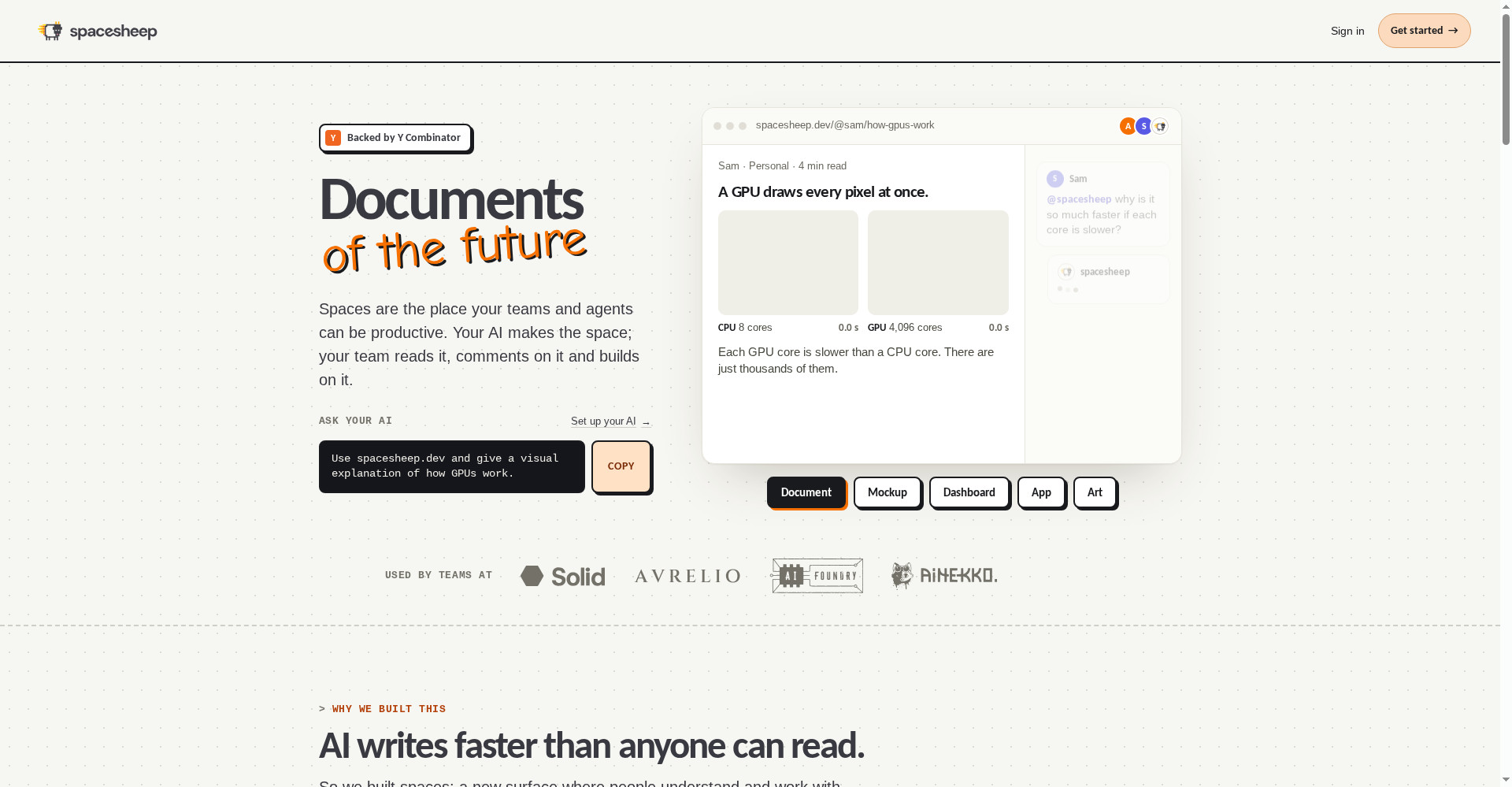
Spacesheep works on exactly that bottleneck. You give your AI one line — “Use spacesheep.dev and give a visual explanation of how GPUs work” — and the answer comes back as a space: the answer first, the number big, the trend as a chart. The same facts, in a shape people can read.
Key features (what sets it apart)
1. Every output gets its own shape — not a page, a space
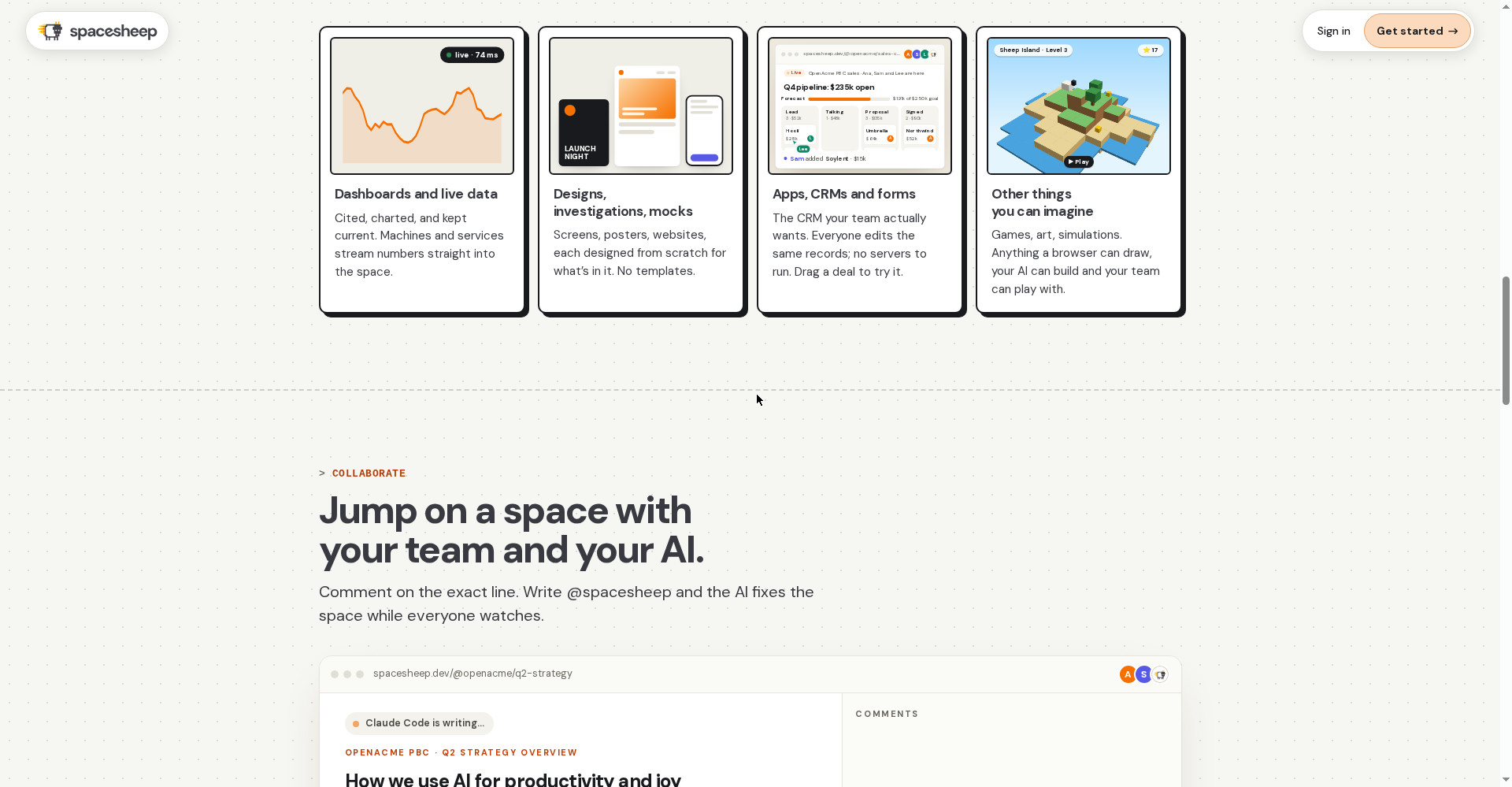
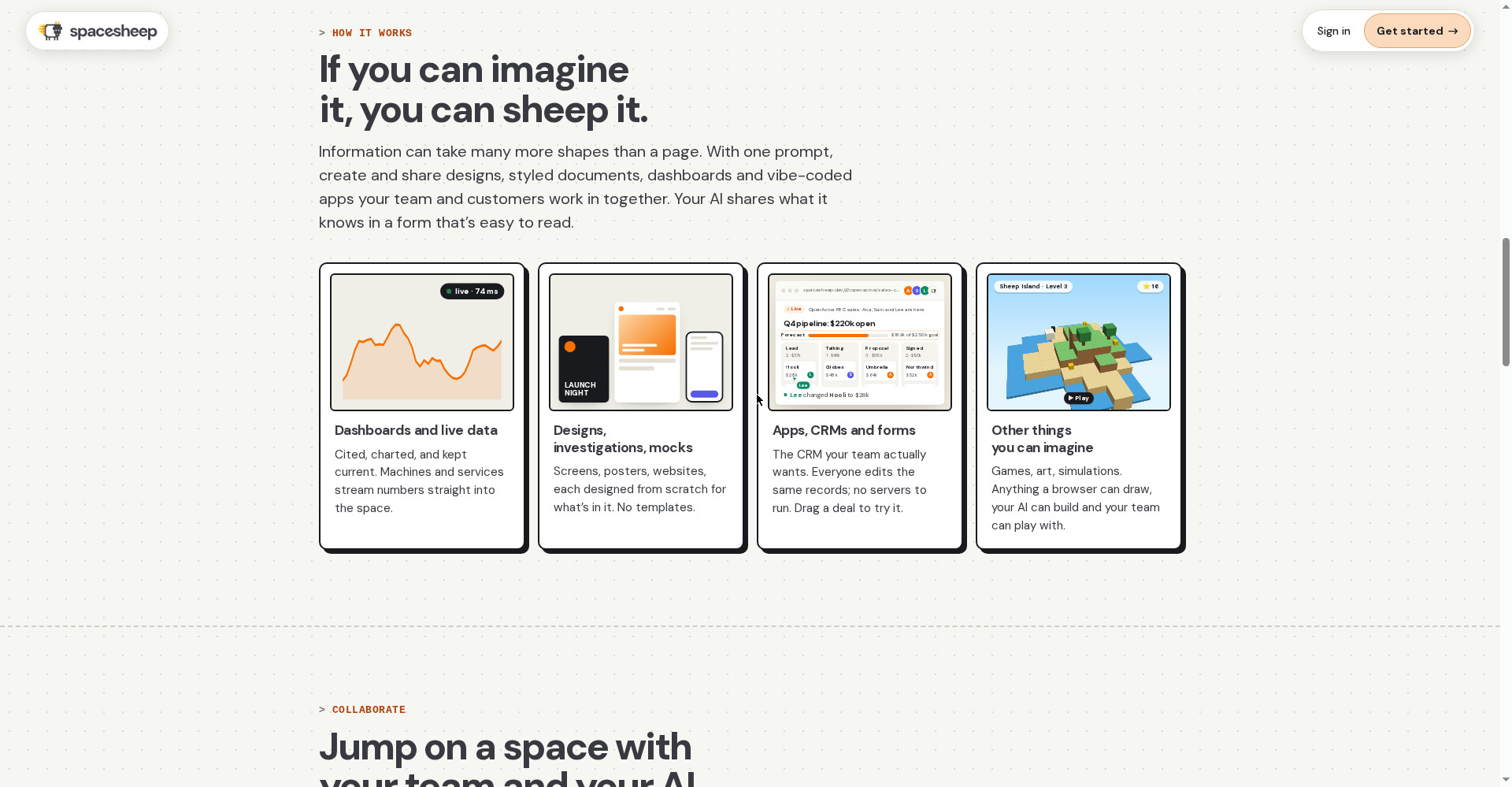
Information takes more shapes than a page. With one prompt, Spacesheep can make: a styled document, a design or mockup, a live dashboard, a vibe-coded app, a CRM, a form, a game or art. Each space is designed from scratch for what is in it — no templates. Example: pointing an agent at YC’s public directory turned 6,305 startups over 21 years into one story in six eras; an interactive map of the ET-SoC-1 chip lets you click from the whole chip down to a single vector unit.
2. Live collaboration with your team — comment, @spacesheep, fix
Share a space — with specific people, your team, or publicly. The team comments on the exact line, and writing @spacesheep in a comment makes the AI fix the space live on everyone’s screen while they watch. Every version is kept, so a bad fix costs nothing — go back to the earlier version.
3. Publish from any AI — no vendor lock-in
This is Spacesheep’s smartest decision: it does not ask you to change your AI. Claude Code, Codex, Cursor, ChatGPT, Grok, Grok Build and open-source harnesses like opencode all publish to it. And if you don’t want to run your own AI, Spacesheep’s own AI runs on the dashboard, in Slack and Telegram.
4. Live data — a dashboard that updates itself
A space is not a static page. Machines and services can stream numbers straight into it — like a thermal camera’s live feed at 25 frames a second while GPU experiments run, or an AI Foundry lab dashboard. Your dashboard never goes stale; the space updates as the data arrives.
5. Your data is yours — synced to Google Drive or GitHub
Every space and every version syncs to your own Google Drive or GitHub. That is not just a feature, it is a trust answer: the first question before putting work into a new tool is “what if this shuts down?” Spacesheep’s answer is — your work stays with you either way.
6. The extension — any file, a link in one click
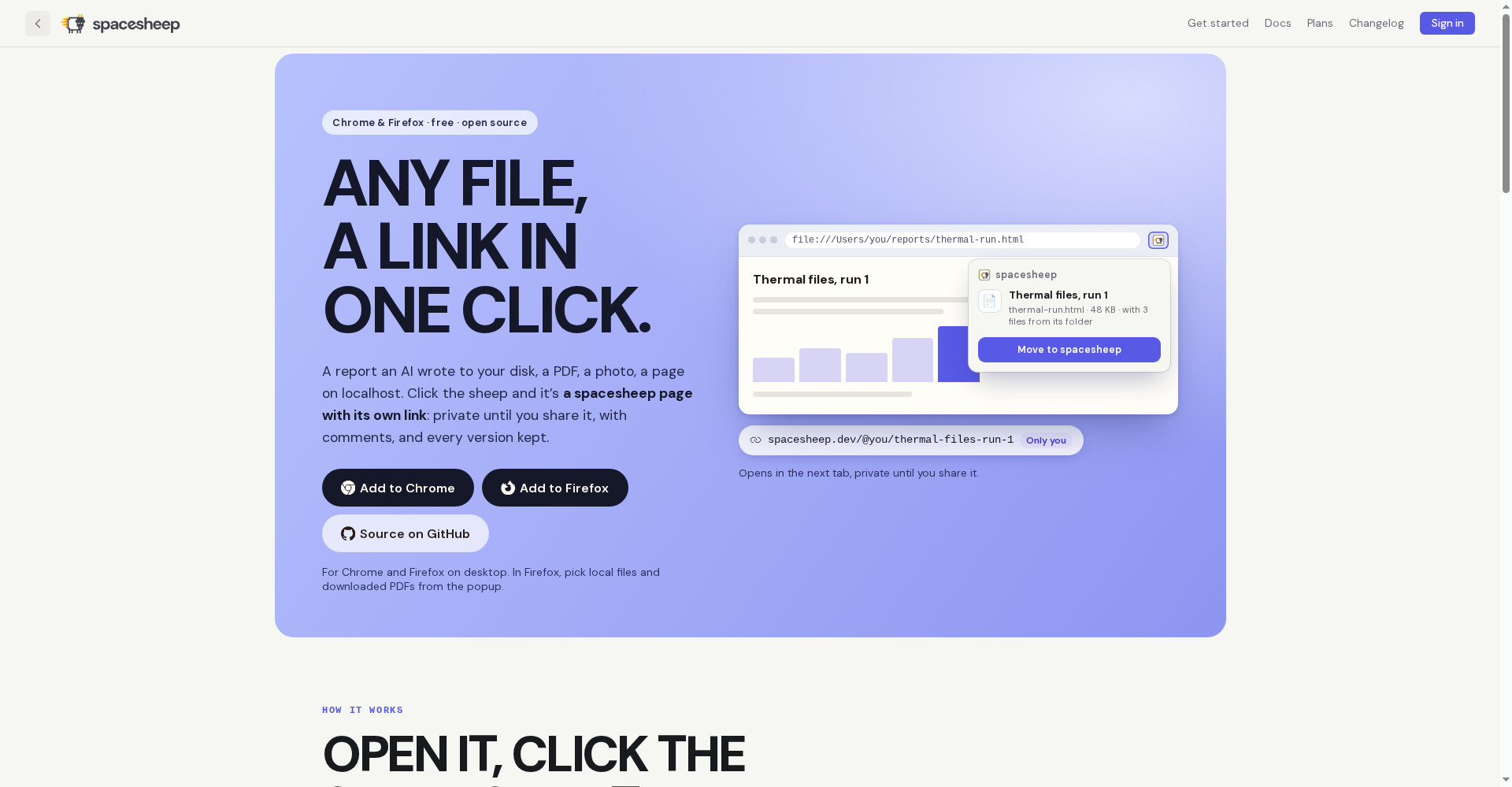
A free, open-source (MIT) extension for Chrome and Firefox (desktop). Open an AI-written report, a PDF, a photo or a localhost page, click the sheep icon — and it becomes its own private linked page. A PDF shows as its pages, a CSV as a table. Only the tab or file you click goes across, and the extension has no analytics. Whole folders can be moved too.
7. Search that understands meaning
A year in, a team will have a thousand spaces — nobody has time to file them. So Spacesheep’s search was built by former Pinecone engineers: ask in your own words and the space is there, with no folder-filing required.
Pricing — how much do you get free?
The straightforward math, including what is not known:
- Free — free to start: Create spaces, publish from your own AI, share with your team, use comments and versions. Moving files through the extension is also inside the free plan, but its exact limits (how many spaces, what file sizes) are not clearly stated on the site.
- Team — price not listed on the site: A Team plan exists — the proof is that YC founders get 1 year of the Team plan free for up to 15 members via Bookface. But for regular users, no public price is published — so check the official site or support for the price before budgeting. No guessed price is given here.
The honest take: starting free is absolutely right, but if you plan to move a whole team onto it, confirm the Team price and the free plan’s limits yourself first — those two things are not clear on the site.
Platforms
- Web/browser — for creating, reading and sharing spaces
- Slack and Telegram — Spacesheep’s own AI runs there too
- Chrome and Firefox extension (desktop) — Firefox 140 or later; other Chromium browsers (Edge, Brave, Arc) load the Chrome extension, but official testing is on Chrome and Firefox
- Google Drive and GitHub sync — for every space and every version
- Mobile app: not mentioned on the site
Who should use it, and who should skip it?
- Teams working with AI agents: Agent output reaches the team as a readable space instead of a wall of text — this is its real user.
- Freelancers and creators: Send a client a report, proposal or dashboard as one visual, commented, versioned link — better than the PDF-email loop.
- Developers: Have Claude Code/Cursor turn a code explainer, review or plan into a space for the team — James Briggs uses it this way with Claude Code.
- Students: Turn an agent’s research or project output into a visual story or dashboard for a presentation — start on the free plan.
- Small teams already on Drive/GitHub: Sync lowers the adoption risk.
- Not for chat-only users: If you only ask AI questions and have no agent workflow, Spacesheep will feel like just another docs tool.
- Not for buyers who need a public price: The Team price is not on the site — confirm it before committing.
Comparison: Claude Artifacts / Notion / Google Docs
- Claude Artifacts: Only inside Claude, for one person, and the output stays tied to Claude’s chat. Spacesheep comes from any agent and is built for teams.
- Notion: Best for writing yourself, wikis and databases — but it was not built to make AI output readable. Spacesheep wins where the AI writes.
- Google Docs: The typewriter page in digital form — good collaboration, but the AI output’s shape stays a page. Spacesheep changes the shape itself.
- Ambiguous Workspace: Another workspace where the AI agent works like a coworker — compare it to see whether you want an agent colleague or a readable form for agent output.
🔍 People also search for
- Spacesheep pricing and free plan details
- is Spacesheep free to use
- Spacesheep vs Claude Artifacts comparison
- Spacesheep vs Notion for teams
- Spacesheep Chrome extension download
- how to use Spacesheep with Claude Code
- Spacesheep Y Combinator Fall 2026
- Spacesheep review 2026
- ambiguous workspace AI agent coworker review
Final verdict
Spacesheep is working on a real problem — the more AI writes, the harder it is to read, and the answer is not “a better chat” but “a better shape”. Publish from any agent, fix live with your team, every version kept, and Drive/GitHub sync — no big tool offers that combination right now, and the founder’s Anthropic/Pinecone background gives the idea weight.
More than half a point came off for this: the Team price is not on the site, the free plan’s exact limits are unclear, this is a 6-day-old launch (22 October 2026), the team is just 2 people, and there is no mobile app mentioned. Those are its biggest weaknesses right now — and they cannot be hidden.
Our rating: 4.0/5. If your team — or you — already get reports, dashboards or proposals from AI agents, make one space on the free plan today, send your team the link, and try one @spacesheep fix. Only then decide whether it earns a place in your workflow. For chat-only users, it is not essential yet.
Note: This first-look review is based on the official site (spacesheep.dev), its extension page, the Product Hunt launch page (22 October 2026) and the Y Combinator listing. We will add a hands-on update after testing it on our own agent workflow.