 AI Tool
The 30-second verdict
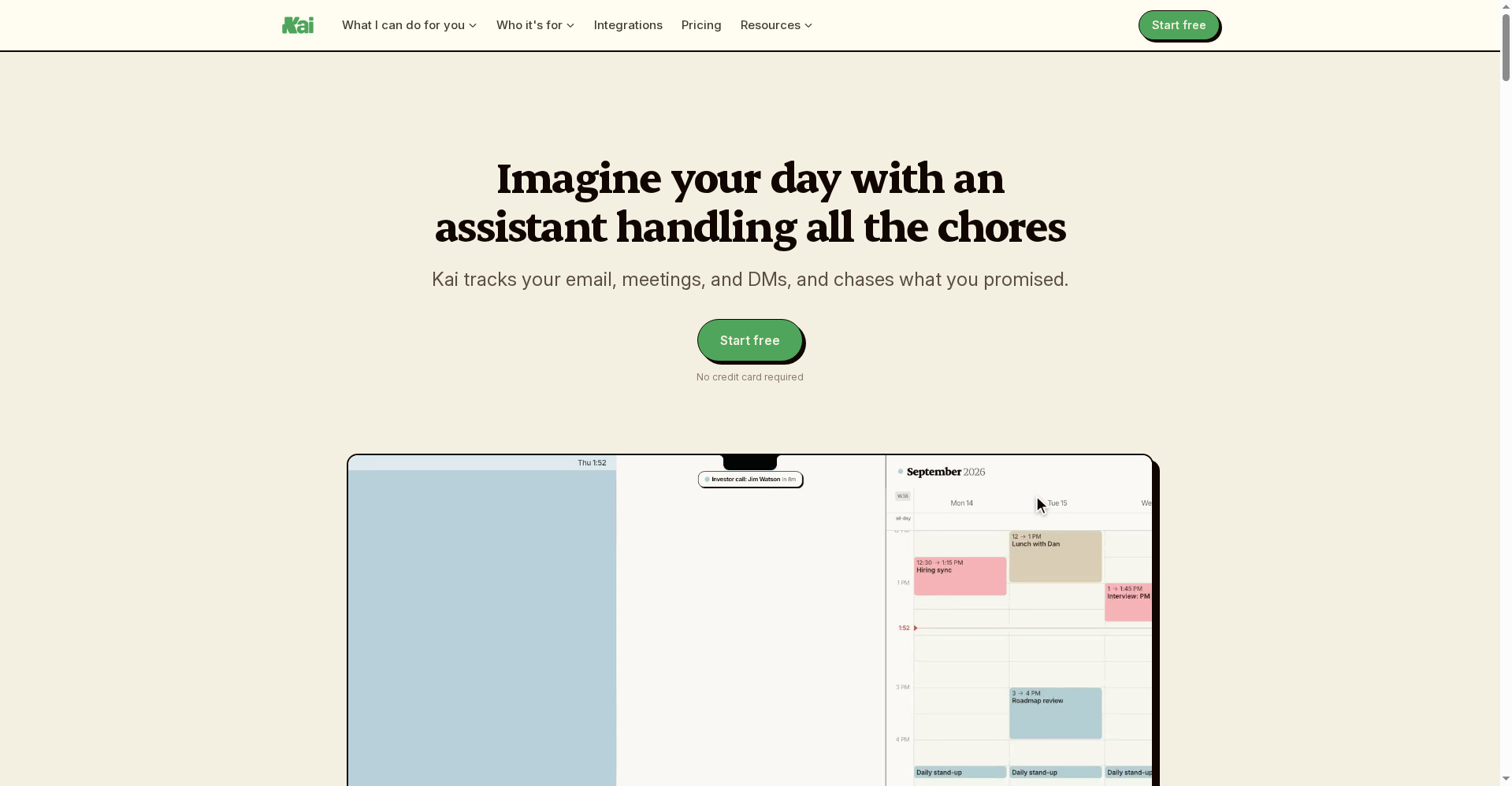
Kai (hirekai.ai) is an AI executive assistant that runs your email, meetings, tasks and calendar from one place. It’s built by the team behind Morgen (a calendar app they say 248,000 people trust) and launched on Product Hunt on October 13, 2026.
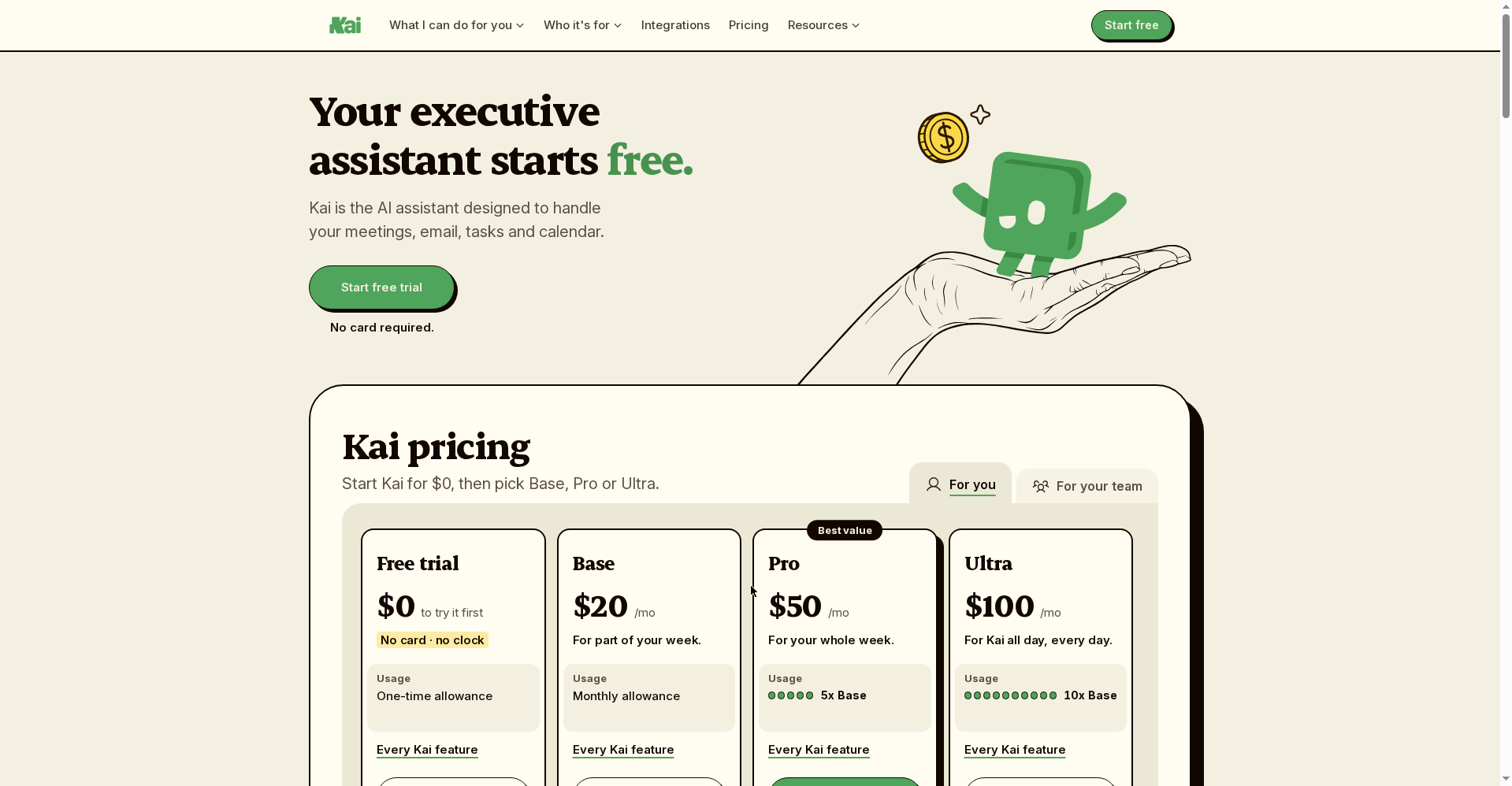
Free: a trial with no credit card — 14 days on the full Pro product. After that you drop to a free plan (no charge). Paid plans start at $20/user/month (Base, annual billing).
Try it if: you’re a freelancer, founder or consultant drowning in email, meetings and follow-ups. Skip it if: you’re Windows-only (no native app), or your whole workflow lives in Todoist/Notion (Kai doesn’t sync with external task tools yet).
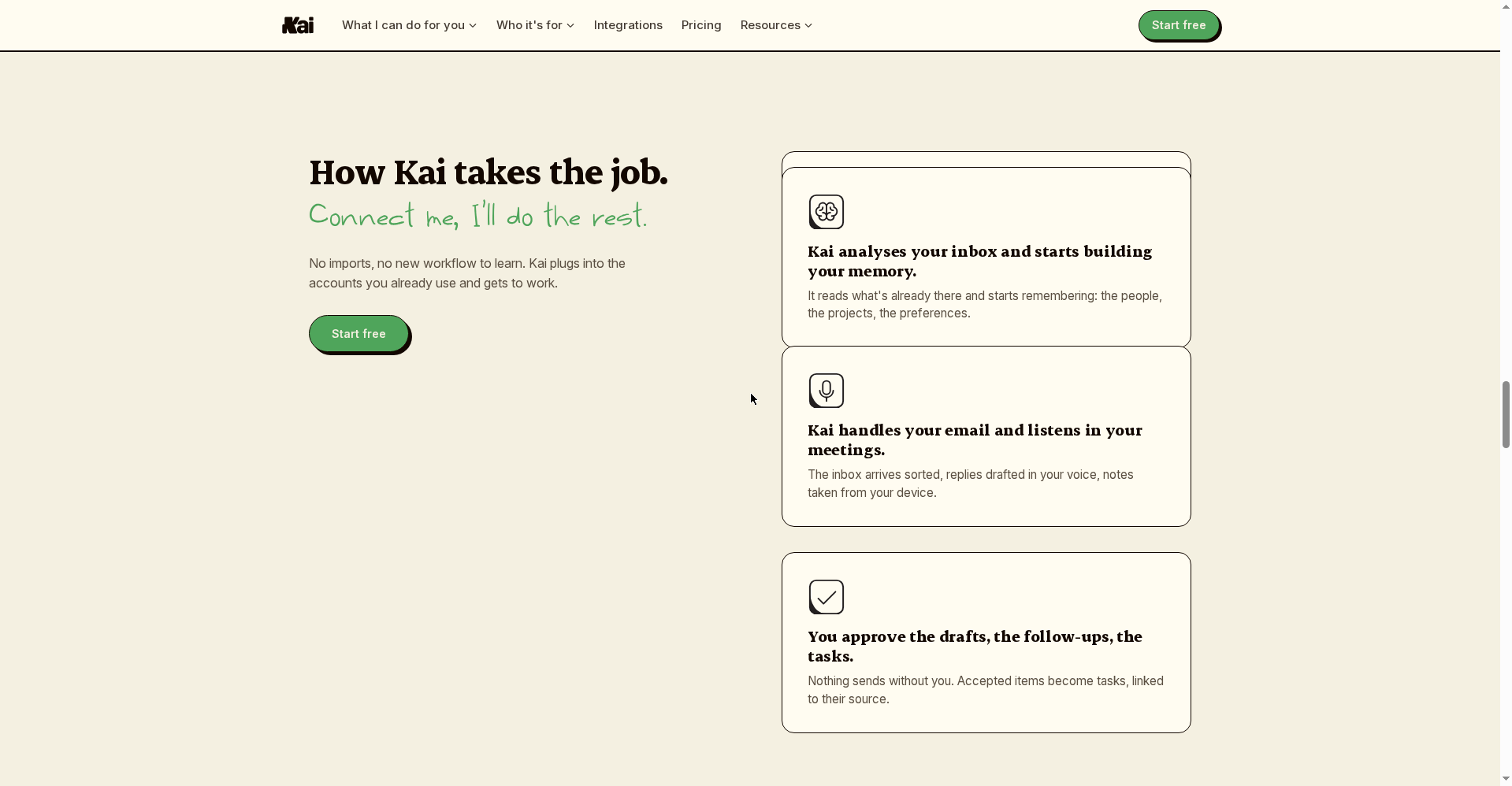
⚠️ Privacy note: Kai reads your inbox, listens to your meetings and watches your calendar — that’s what makes it an assistant. The official claim is that nothing sends or syncs without your approval, and you connect via Google/Microsoft sign-in (nothing gets migrated) and can revoke access anytime.
What is it?
Every founder and freelancer has two jobs: the work they’re paid for, and the coordination work — clearing the inbox, writing meeting notes, remembering follow-ups, stitching the calendar together. Kai exists to kill the second job.
Most AI tools are “ask and I’ll answer”. Kai is proactive — it doesn’t wait for you to ask. An email lands at 1am; by morning it’s sorted, the task is filed, and a reply drafted in your writing style is waiting. You just approve and hit Send.
Standout features
1. Meeting notes — without a bot
Kai’s biggest selling point: no AI bot joins your calls. Tools like Otter or Read AI show up as “AI Notetaker has joined” — awkward on client calls. Kai captures audio from your device (Mac app or Chrome extension):
- Before: a brief is ready ahead of the meeting, built from the last thread and transcript
- During: a live transcript, with no visible participant
- After: a summary plus action items that land directly in your task list
Recordings are capped at 2 hours each (longer than Otter’s 30/90-minute caps, but short of full-day workshops).
2. Inbox triage — “Send stays yours”
Kai sorts Gmail and Outlook (multiple accounts at once — one beta tester connected eleven) into Needs Reply, FYI, Waiting Reply, Done. For threads that need you, it drafts replies in your voice — and the site stresses: “Send stays yours.” The draft is ready; sending is your call.
3. Tasks that create themselves from meetings
This is what separates Kai from Granola and Otter. Someone says “send that by Friday” in a meeting — Kai catches it and creates a task (owner + date attached), linked back to that meeting. If it goes overdue, Kai resurfaces it and offers to draft the follow-up. One step further: tasks can be handed to Claude or ChatGPT over MCP with full context — no pasting your day into a prompt.
Honest caveat: Kai doesn’t sync with external task tools (stated clearly on the official site). Your commitments live inside Kai, not in Todoist or Notion.
4. Calendar + built-in booking page
All your Google and Outlook calendars in one grid; when Kai spots a clash, it proposes moving the meeting. Plus a booking page: share one link and people pick a time from your real availability — Calendly-style, built in.
5. Routines and proactive alerts
Tell it once — “brief my day every morning”, “report where my time went every Friday” — and Kai runs on schedule and sends you the result. Double-bookings, reply-pending threads, tasks about to slip: alerts reach you on desktop or in the browser. Triggers like “create a follow-up task X days after a client meeting” are built in.
6. Kai for Chrome — the free entry point
Back in June 2026 the team launched a free Chrome extension: hit a shortcut on any Meet/Zoom/Teams tab, the call gets transcribed, and when it ends you get a summary plus action items. 100% on-device (Whisper Base runs in the browser via WebGPU) — no account, no upload, no bot. The full Kai assistant is the bigger sibling of that idea.
Pricing — what does free get you?
Verified from the official pricing page (hirekai.ai/pricing) — the prices below are on annual billing:
- Free trial — $0: no card. 14 days on the full Pro product — meetings noted, inbox drafted, first tasks from mail & meetings, priority calendar, mobile app. When the trial ends you move to the free plan — nothing charges, nothing to cancel.
- Base — $20/user/month: meetings recorded & summarized, email triage & drafted replies, calendar planning your day, tasks captured from agreements, chat.
- Pro — $50/user/month (“Popular”): everything in Base + proactive self-running workflows (20 scheduled), 3,000 action credits/month, shared team context.
- Ultra — $100/user/month: everything in Pro + 40 scheduled workflows, 7,500 action credits/month, deep-dive business reviews — for teams that fully delegate.
Switch plans or cancel anytime. Product Hunt launch-day sign-ups got 2x trial credits.
Who should use it, who shouldn’t?
- Freelancers & consultants: client emails, meeting follow-ups, proposal deadlines — Kai picks up your “second job”. The booking page is a bonus.
- Founders & team leads: the morning brief, overdue-task alerts, clash handling — the day is sorted before it starts.
- AI power users: connecting Claude/ChatGPT to Kai over MCP — giving your existing assistant your “live day” — is a genuinely new workflow.
- Students: overkill if your life isn’t meeting-heavy — a free notetaker will do.
- Skip it if: you’re Windows-only (no native app), or Todoist/Notion sync is a dealbreaker (not supported yet).
Final verdict
Kai is the most complete attempt at an “AI assistant” we’ve seen — not a note-taker, but a combined email + meeting + task + calendar workflow. Botless capture is genuinely useful, the “nothing sends without you” guardrail builds trust, and pricing is transparent ($20 entry, under Motion’s $29). Half a point off: no Windows app, no external task-tool sync, a 2-hour recording cap, and the product is two days old.
Our rating: 4.0/5. If you’re a freelancer or founder buried in email and meetings, the free trial (no card, 14 days of full Pro) costs you nothing to try.
Note: This first-look review is based on the official site (hirekai.ai) and the Product Hunt launch (Oct 13, 2026). We’ll update it after hands-on testing.


