 AI Tool
⚡ The 30-second verdict
magpie pulls your saves from Instagram, X, TikTok, Reddit, Pinterest, Cosmos, Are.na, GitHub and browser bookmarks into one visual library. AI titles, tags and describes every save — so you can search by what’s actually in the picture or video, or just pick a colour. Even if the original post is deleted, your copy survives. The free plan is free for good — 500 saves, no card — and past 500, saves are never deleted or locked away. It launched on Product Hunt on 26 October 2026. But the iPhone app is waitlist-only, Android is still in development, Safari/Firefox extensions haven’t arrived, and pricing is in euros. If you save things every day and can never find them again, try the free plan today; if all your saves live in one app, this is overkill for you.
What is this tool?
You saved a design on Instagram, bookmarked a thread on X, pinned a board on Pinterest, saved a post on Reddit — and when you needed it, you couldn’t remember where any of it was. That’s the everyday problem magpie solves.
Its tagline says it plainly: “Everything you’ve saved, in one visual library.” Wherever you save, it all lands in one library — and AI tags it so you can search by what’s in it, not by remembering which app it came from.
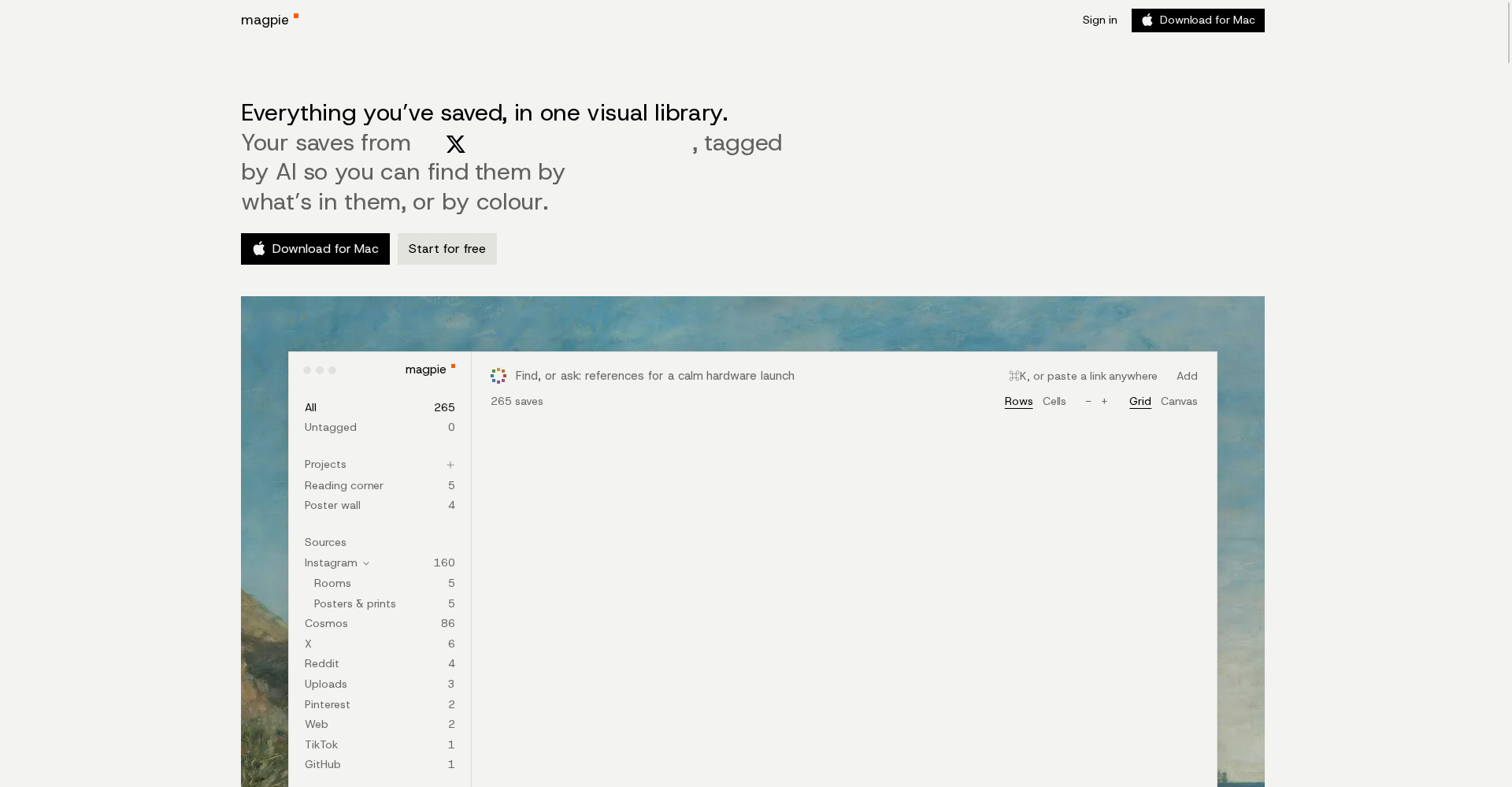
Key features (what makes it different)
1. Caught as you save — don’t change how you save
Keep saving on Instagram, X, TikTok or Reddit exactly as you do now — the browser extension copies each save into magpie automatically, pictures and video included. Pinterest, Cosmos, Are.na, GitHub stars and bookmarks arrive on the next sync. There’s no new habit to build.
2. Still there when the post is gone
Posts get deleted, accounts go private, links stop working. magpie keeps a real copy of every image and video, so your save doesn’t depend on a post that might vanish. This is the feature that separates it from just another bookmark manager.
3. AI search — find it by what’s in it
AI looks at every picture and watches every video, then titles, tags and describes each save. The site’s example: search “somewhere by the sea” and the seaside photo turns up — without knowing when or where you saved it. You never typed those tags, yet search works.
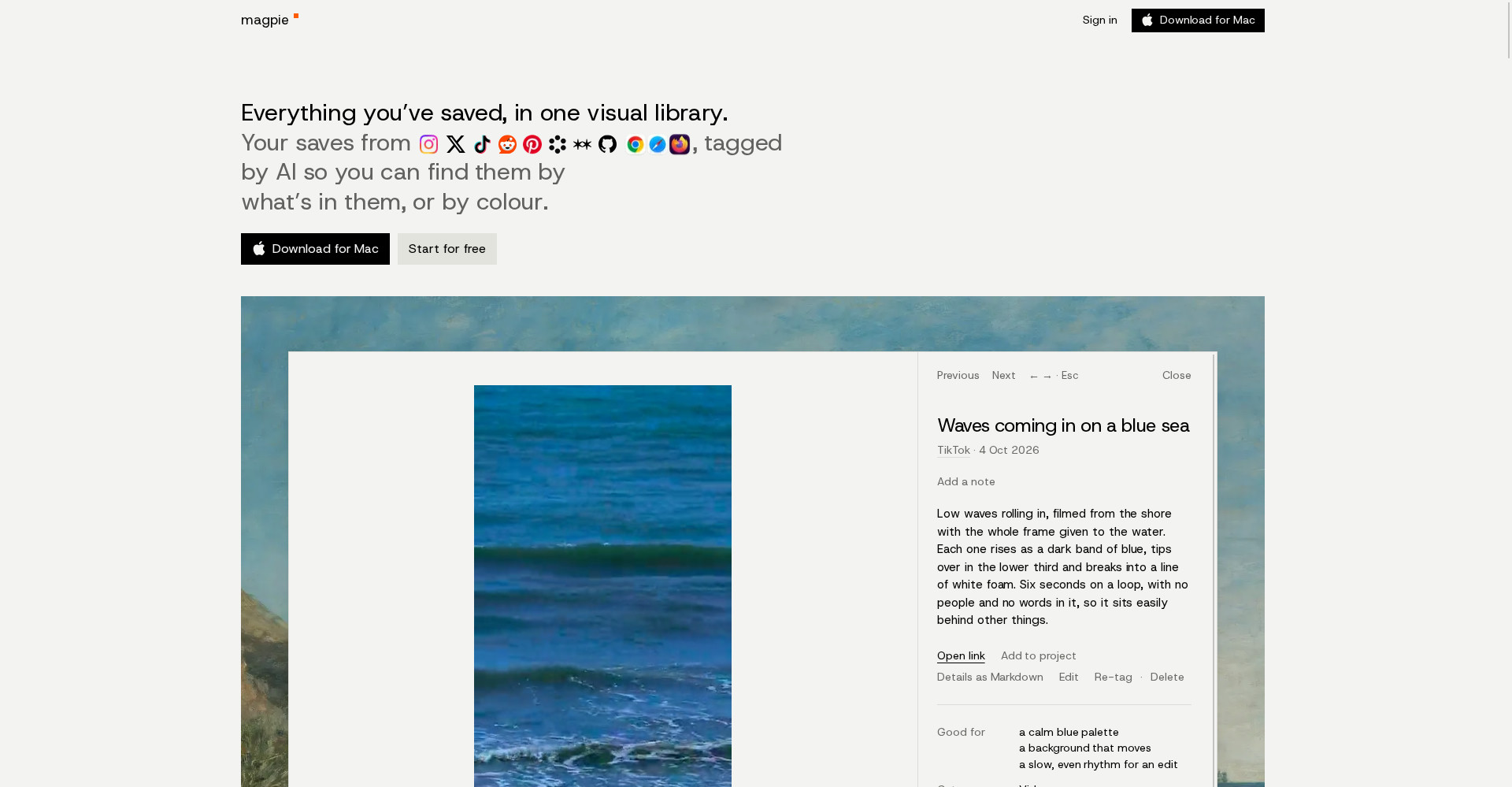
4. Search by colour — a gift for designers
Pick a colour and see the saves that are mostly it, most-first. The site’s sample: 23 of a 259-picture library are the most blue, shown bluest first. For mood boards and palettes, this is a genuinely different way to search.
5. Projects — describe the brief, get the references
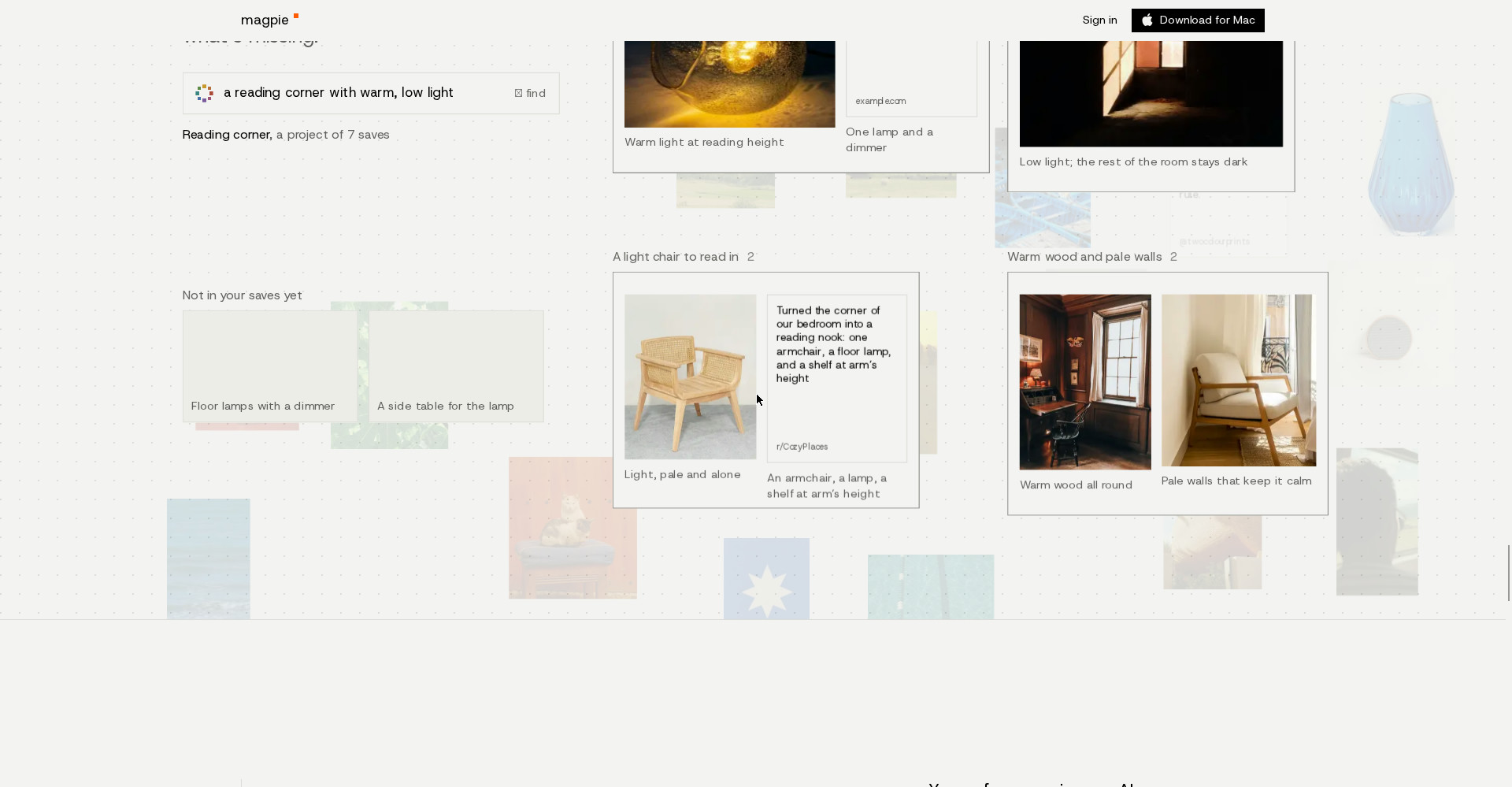
Describe what you’re making — like “a reading corner with warm, low light” — and magpie assembles a project from your saves, with a line on why each one fits. The site’s demo shows “Reading corner, a project of 7 saves”, and things missing from your saves appear separately under “Not in your saves yet”.
6. Your references, inside your AI tools
On Pro, magpie works inside your AI tools — the site names Claude, Claude Code, Cursor, Codex and OpenCode (via MCP). So when you design or build, your AI works from the references you actually picked, not from thin air.
Pricing — what do you get free?
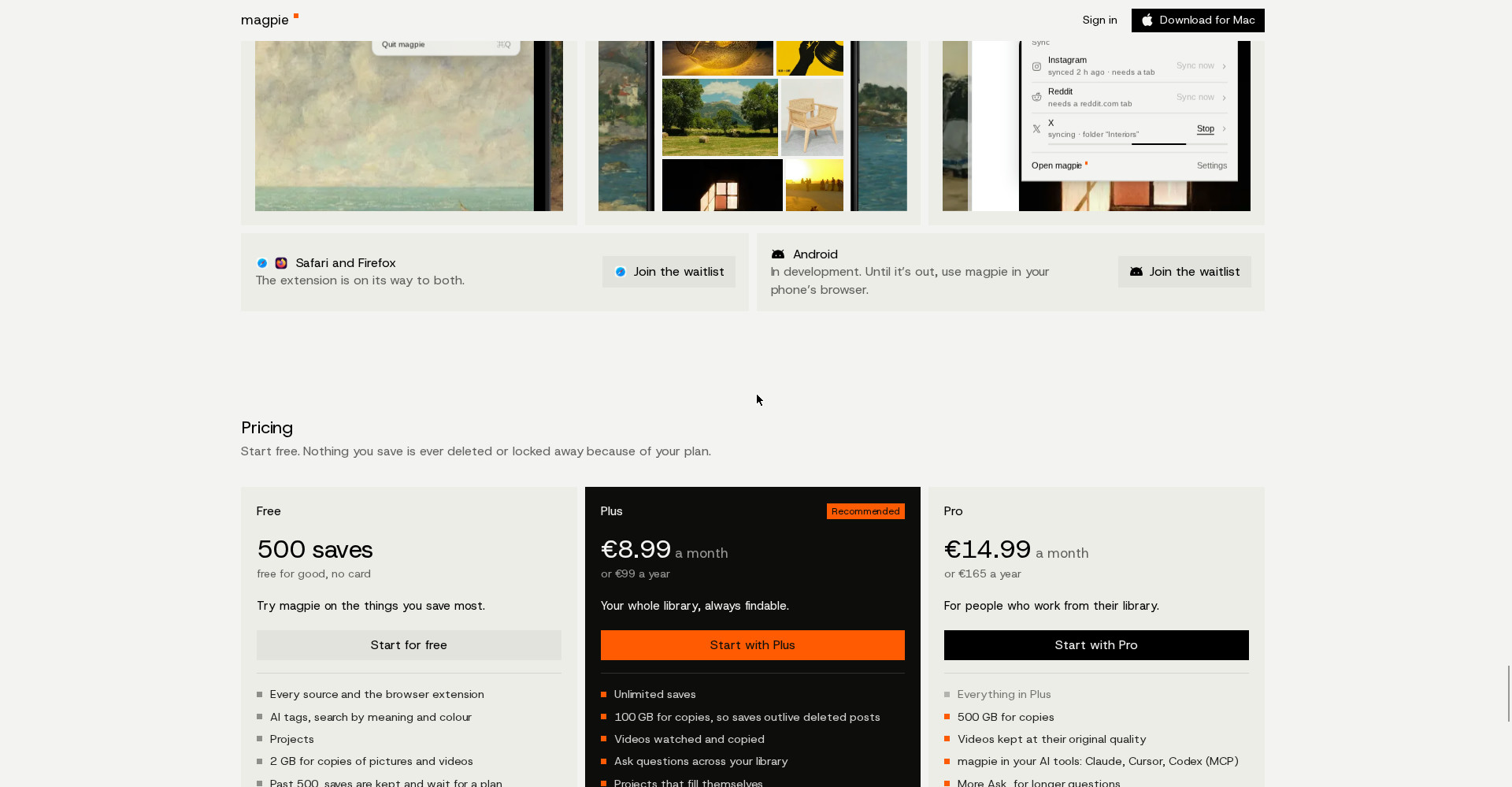
- Free — $0, free for good, no card: 500 saves, every source and the browser extension, AI tags, search by meaning and colour, Projects, 2 GB for copies of pictures and videos. Past 500, saves are kept and wait for a plan — never deleted or locked away.
- Plus — €8.99/month or €99/year (US: $9.99/month): Unlimited saves, 100 GB for copies, videos watched and copied, ask questions across your library, self-filling Projects, import up to 15,000 saves at once. Early members can keep the €99/year price, held for two years.
- Pro — €14.99/month or €165/year (US: $16.99/month): Everything in Plus, 500 GB for copies, videos kept at original quality, magpie in your AI tools: Claude, Cursor, Codex (MCP), more Ask for longer questions, invite 3 people to your projects, import up to 50,000 saves at once.
The honest take: the free plan isn’t a demo — 500 saves with full AI search is genuinely useful, and the “never deleted or locked away” promise builds trust. Just note the pricing is in euros, so buyers outside the eurozone should check conversion and tax.
Platforms
- Web app: Straight in the browser — “Start for free” (sign up with Google, Apple or email)
- Mac app: Lives in the menu bar, ⌃⌥Space quick-saves any link, imports bookmarks from Chrome, Dia, Arc, Safari and Firefox
- Browser extension: Chrome, Dia, Arc and other Chromium browsers; Safari and Firefox extensions are on the way
- iPhone app: Waitlist-only for now — share-sheet saving and camera-roll photos are planned
- Android: In development — until it’s out, use magpie in your phone’s browser
Who should use it — and who shouldn’t
- Designers & creators: References are their work — mood boards, colour search, Projects. This tool is built for them.
- Students & researchers: Articles, posts and references scattered across apps become one searchable library.
- Freelancers: Build Projects around a client brief, complete with a “why this fits” note per reference.
- Content curators: If you save daily and lose things constantly, this is the direct fix.
- Not for single-app savers: If everything you save is already on Pinterest, Pinterest alone is enough — magpie earns its keep when saves are scattered across apps.
- Not yet for mobile-first users: With mobile apps on waitlist/in development, desktop and web users get the best experience today.
Comparison: Pinterest boards / Cosmos / Are.na
- Pinterest boards: Best for discovery — finding new things and browsing others’ boards. But your saves live only inside Pinterest, and a deleted pin can take your save with it. magpie can pull your Pinterest pins into its own library.
- Cosmos: A Pinterest-style visual discovery and saving tool — keeps saves in one place, but not as cross-app as magpie (Instagram + X + TikTok + Reddit + GitHub).
- Are.na: A minimal tool for connecting research and references in channels — magpie can pull Are.na channels in as a source, then adds AI search and colour search on top.
🔍 People also search for
- magpie app free or paid
- magpie app 500 saves free plan
- magpie vs Pinterest comparison
- magpie app pricing Plus Pro price
- magpie app review 2026
- magpie app how to use login signup
- magpie app alternatives
- magpie Mac app download
- magpie browser extension Chrome
- tabbit browser review
Final verdict
magpie solves the real problem of scattered saves — and goes further by making them searchable by AI and safe from deletion. 500 saves free, no card, saves never deleted or locked away, colour search, self-filling Projects — no other save manager gives you that combination free. That’s why it loses a little more than half a point: mobile apps are still waitlist/in development, Safari/Firefox extensions haven’t arrived, pricing is in euros, and the product is only days old.
Our rating: 4.3/5. If you save things daily on Instagram, X, Pinterest or Reddit and can never find them again — go to getmagpie.me and start on the free plan. No card up to 500 saves, no risk — and your saves stay yours, whether the original post survives or not.
Note: This first-look review is based on the official site (getmagpie.me) and its Product Hunt launch post (26 October 2026, maker Amir). We’ll add a hands-on update after using it ourselves.


