 AI Tool
The 30-second verdict
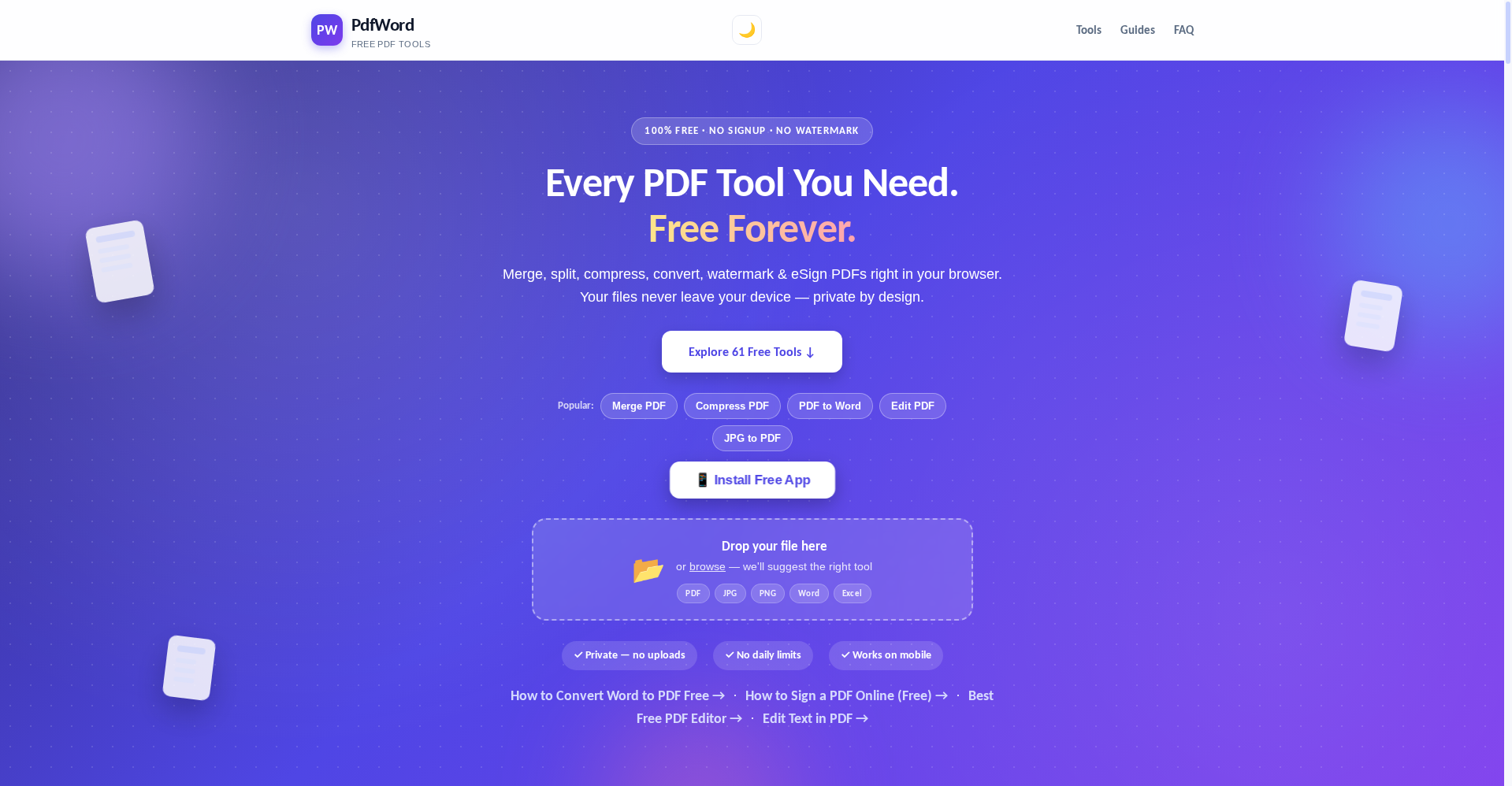
PdfWord (pdfwordtools.pages.dev) is a free PDF + AI tools suite — 61 tools in one place: merge, split, compress, PDF to/from Word, Excel and PowerPoint, eSign, OCR, image tools, plus 20+ AI tools (PDF summarizer, chat-with-PDF, MCQ generator, exam paper generator, contract risk detector, AI paraphraser, translator…). It launched on Product Hunt in October 2026, built by an indie developer.
Free tier: everything — 61 tools, no signup, no daily limits, no watermarks. There isn’t even a paid plan.
Try it if: you’re a student (notes, assignments, exam prep), a freelancer (contracts, invoices, client PDFs), or anyone juggling PDFs at work daily. Skip it if: you need enterprise-grade compliance or support — this is a new indie product, not an iLovePDF/Smallpdf-style incumbent.
⚠️ The privacy nuance: non-AI tools run locally in your browser — files never leave your device. But the AI tools (summarizer, chat-with-PDF, MCQ generator) call Google AI through a serverless worker, so your document does travel to a server for those features. Understand this distinction before running confidential files through AI features.
What is it?
The PDF-tool world has a familiar pain: you need to merge a PDF, so you open a site — it demands signup, then caps you at “2 tasks/day free,” then stamps a watermark on your download. PdfWord exists to end that loop.
Its pitch is blunt: “Every PDF tool you need. Free forever.” — standing on three claims:
- No signup — open, drop a file, download. No email, no account.
- No daily limits — the official claim is unlimited use, while typical free tools stop you at 2–3 tasks a day.
- Private by design — non-AI tools run fully in your browser. Nothing uploads to a server.
It launched on Product Hunt in October 2026 with 47 tools; the site now lists 61 — new tools are being added since launch.
Standout features
1. The full classic PDF toolkit — all free
Merge, Split, Compress (for WhatsApp/email), JPG↔PDF, Word/Excel/PowerPoint conversion (both directions), eSign (draw your signature), Rotate, Crop, Watermark, Page Numbers, Fill PDF Form, Edit PDF (edit existing text in place), Organize PDF (visual reorder), Scan to PDF (via phone camera), N-up printing (2 or 4 pages per sheet), HEIC to PDF (iPhone photos), Split by Size (10/25/50/100 MB email chunks), Grayscale (save ink), Compare PDFs (red diff highlights), Listen to PDF (free text-to-speech), Extract Images, HTML to PDF, PDF to Markdown (clean format for ChatGPT/Claude) — the list is long, and all of it without limits.
2. AI tools — a jackpot for students
This is what lifts it above “another PDF site.” Per the official site, powered by Google AI:
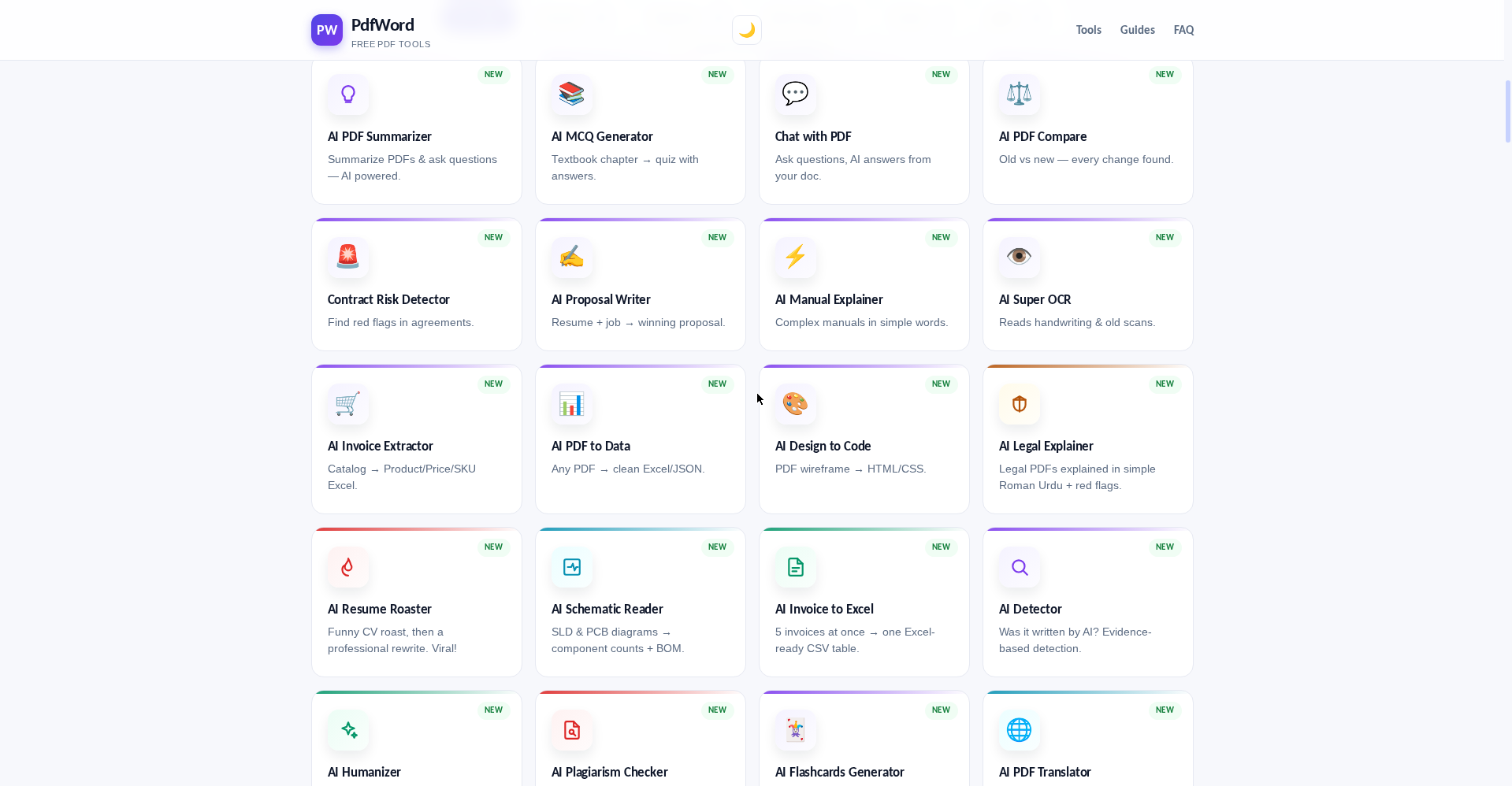
- AI PDF Summarizer — long PDF, instant summary plus answers to your questions
- Chat with PDF — ask a 100-page document anything, AI answers from that document
- AI MCQ Generator — textbook chapter → quiz with answers
- AI Exam Paper Generator — chapter → full paper plus answer key (useful for teachers too)
- AI Flashcards Generator — PDF/notes → Q&A flashcards, Anki-ready CSV
- AI Contract Risk Detector — spot red flags in agreements before you sign
- AI Legal Explainer — legal PDFs explained in simple Roman Urdu, with red flags
- AI Proposal Writer — resume + job → winning proposal (freelancers!)
- AI Resume Roaster — a funny CV roast, then a professional rewrite
- AI Invoice Extractor / Invoice to Excel — 5 invoices at once → one Excel-ready table
- AI Design to Code — PDF wireframe → HTML/CSS
- AI Super OCR — reads handwriting and old scans
- AI Paraphraser — rewrites in 6 styles with a diff view
- AI Plagiarism Checker, AI Detector, AI Humanizer
3. Privacy: files stay on your device (non-AI tools)
Most online PDF tools upload your file to their servers. PdfWord’s core claim: everything processes in the browser. That’s a genuinely good design choice for privacy — with the AI-tools exception covered in the cons. For confidential documents, the distinction matters.
4. Phones + PWA — no Play Store needed
It opens in any mobile browser and installs as a PWA in one tap — working offline. JPG to PDF and Scan to PDF work straight from the phone camera. That’s a real plus for students: no laptop, no problem — merge and compress worksheets from your phone.
Pricing — how much is free?
Verified from the official site (pdfwordtools.pages.dev) — and the twist is there’s no paid plan at all:
- Free — $0: all 61 tools — merge, split, compress, every conversion, eSign, OCR, image tools, plus every AI tool. No signup, no daily limits, no watermarks.
The “free forever” claim is repeated across the site. Honest note: no revenue model is stated — ads, donations, or a future paid tier, we don’t know. Everything is free right now, but a new indie tool’s sustainability is a fair question.
Who should use it, who shouldn’t
- Students: merging notes, chapter → MCQs/exam papers/flashcards, turning scanned assignments into Word — this feels built for you. Everything runs on your phone.
- Freelancers: client contracts (run the risk detector), invoices (invoice extractor), proposals (AI proposal writer), eSign — daily workflow tools.
- Teachers: merging worksheets, exam paper generator, MCQs — at zero cost.
- HR and office staff: compressing and merging CVs, filling forms, adding page numbers — batch work without limits.
- Skip if: you need enterprise compliance (SOC 2 and the like), dedicated support, or a desktop app — this is a young indie web product.
Final verdict
PdfWord is that rare combination: genuinely useful and genuinely free. The AI-tool bundle (MCQ generator, chat-with-PDF, contract risk detector) elevates it beyond “yet another merge-PDF site,” and browser-local processing is a thoughtful privacy design. Half a point off because the “files never leave your device” claim doesn’t cover AI features (serverless worker → Google AI), the product is very new, and the “free forever” business model is still unclear.
Our rating: 4.0/5. If you’re a student, freelancer, or teacher, it’s worth a bookmark — there’s no downside to starting, since there isn’t even a paid plan to upsell you into.
Note: This is a first-look review based on the official site (pdfwordtools.pages.dev) and Product Hunt launch information. We’ll update it after hands-on testing.


