 AI Tool
 What is this tool?
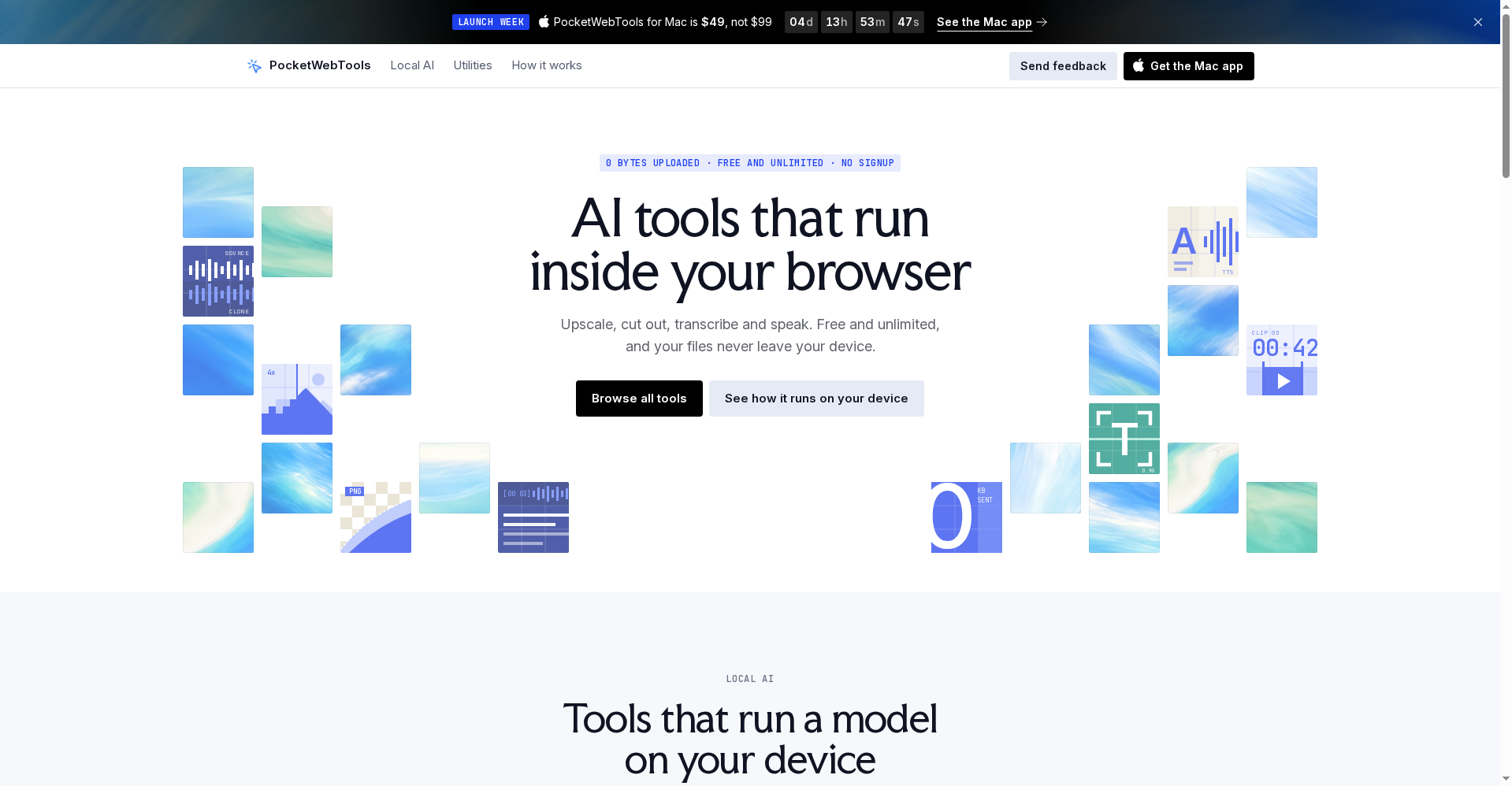
PocketWebTools flips the usual AI-tool model. Instead of pulling your files up to a server, it brings the model down to your device. It comes in two forms:
- Browser tools (pocketweb.tools) — a free website where the AI runs inside the tab itself.
- PocketWebTools for Mac — a new paid desktop app that launched on Product Hunt on 10 October 2026, built because a browser tab tops out around 4 GB of memory and bigger models need a native home.
The promise running through both is straightforward: your files and chats never leave your machine.
Key features that set it apart
1. Local AI in the browser — nothing to upload
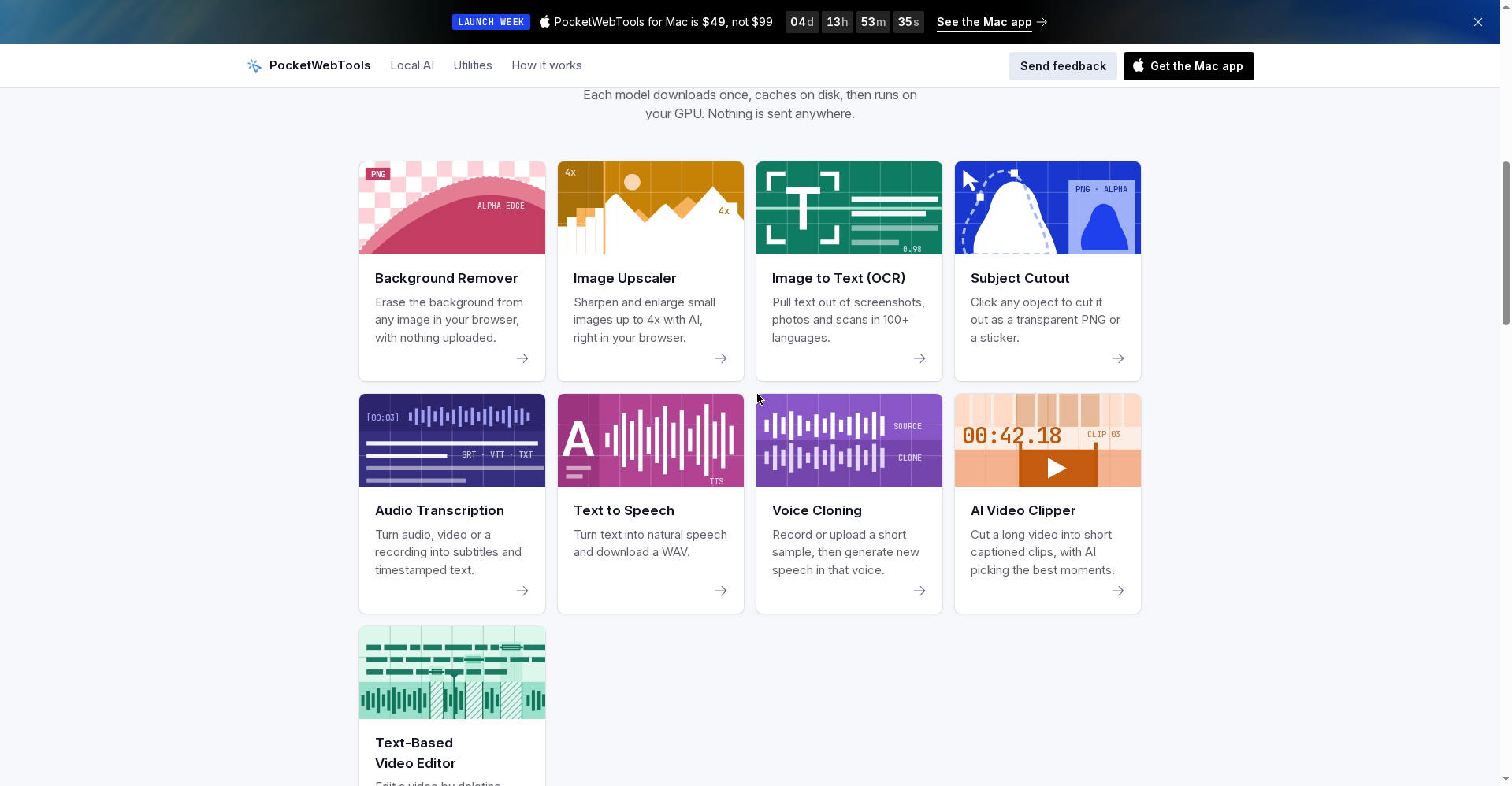
Per the official site, each model downloads once, caches on disk, and then runs on your GPU. The line-up covers voice cloning, text-to-speech, transcription, video clips, image upscaling and background removal. There is no account and no usage meter, because there is no per-run server cost behind it.
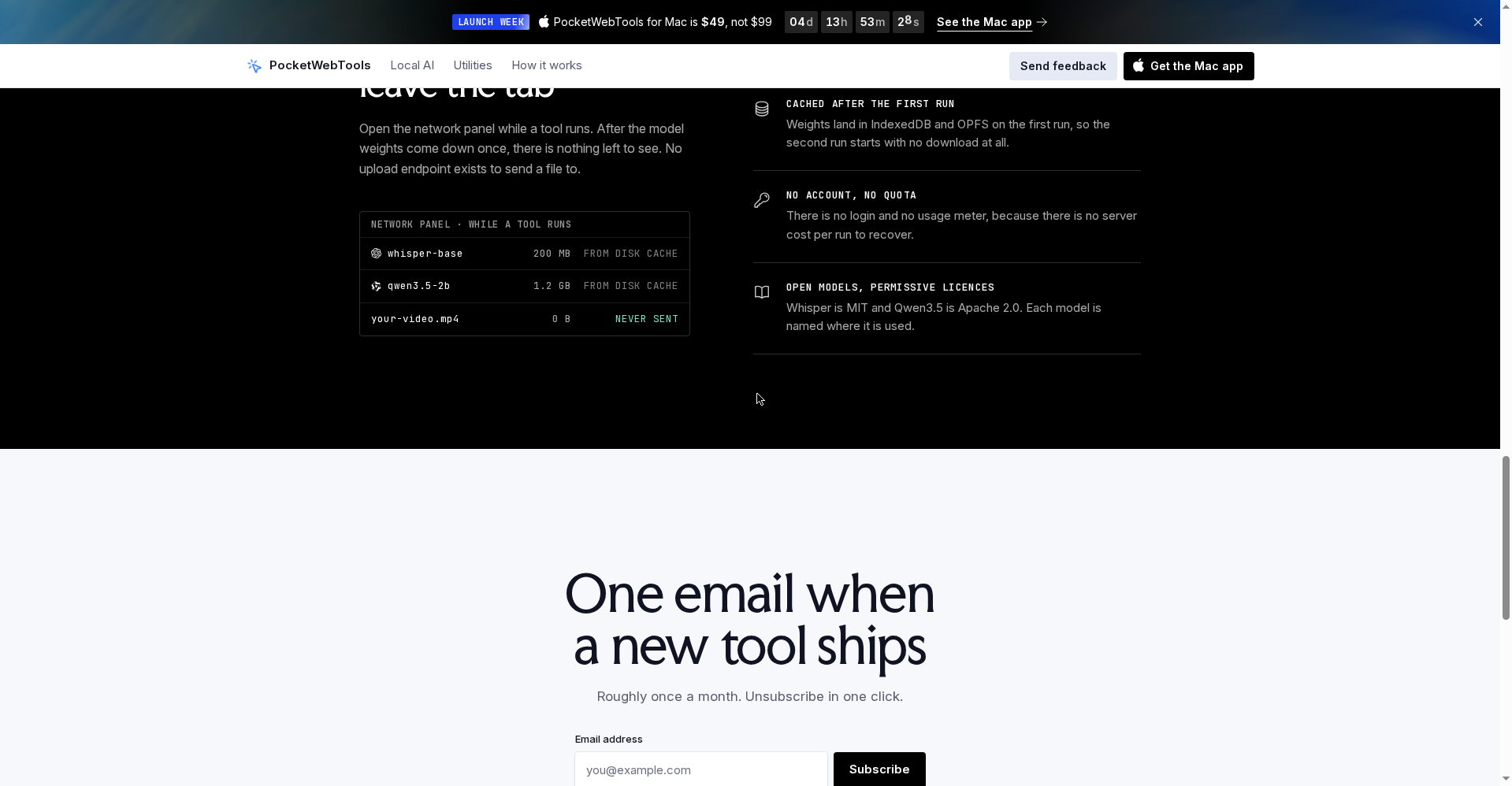
The site even suggests a neat trust check: open your browser’s network panel while a tool runs — after the one-time model download, there is nothing left being sent anywhere.
2. The Mac app: open models up to 35B, even with Wi-Fi off
The Mac app runs open models locally at up to 35B parameters, with chat and summarization that keep working with Wi-Fi off. For students and freelancers, that is a genuinely useful offline setup for planes, trains and patchy connections.
3. A full video and transcription toolkit
- Cut long videos into captioned vertical clips for Reels and Shorts
- Edit video by deleting words from its transcript
- Transcribe files, your microphone or a live call with speaker labels
- Upscale photos at full resolution, turn PDFs and scans into text, and read any text aloud — in your own voice, if you like
4. Open models, named on the tin
The site says it builds on permissively licensed open models — Whisper (MIT) and Qwen3.5 (Apache 2.0) among them — and names the model on each tool’s page. You know exactly what is doing the work; there is no black box.
Pricing — what does free get you?
- Browser tools: entirely free. No signup, no limits, and they work offline once the model has cached.
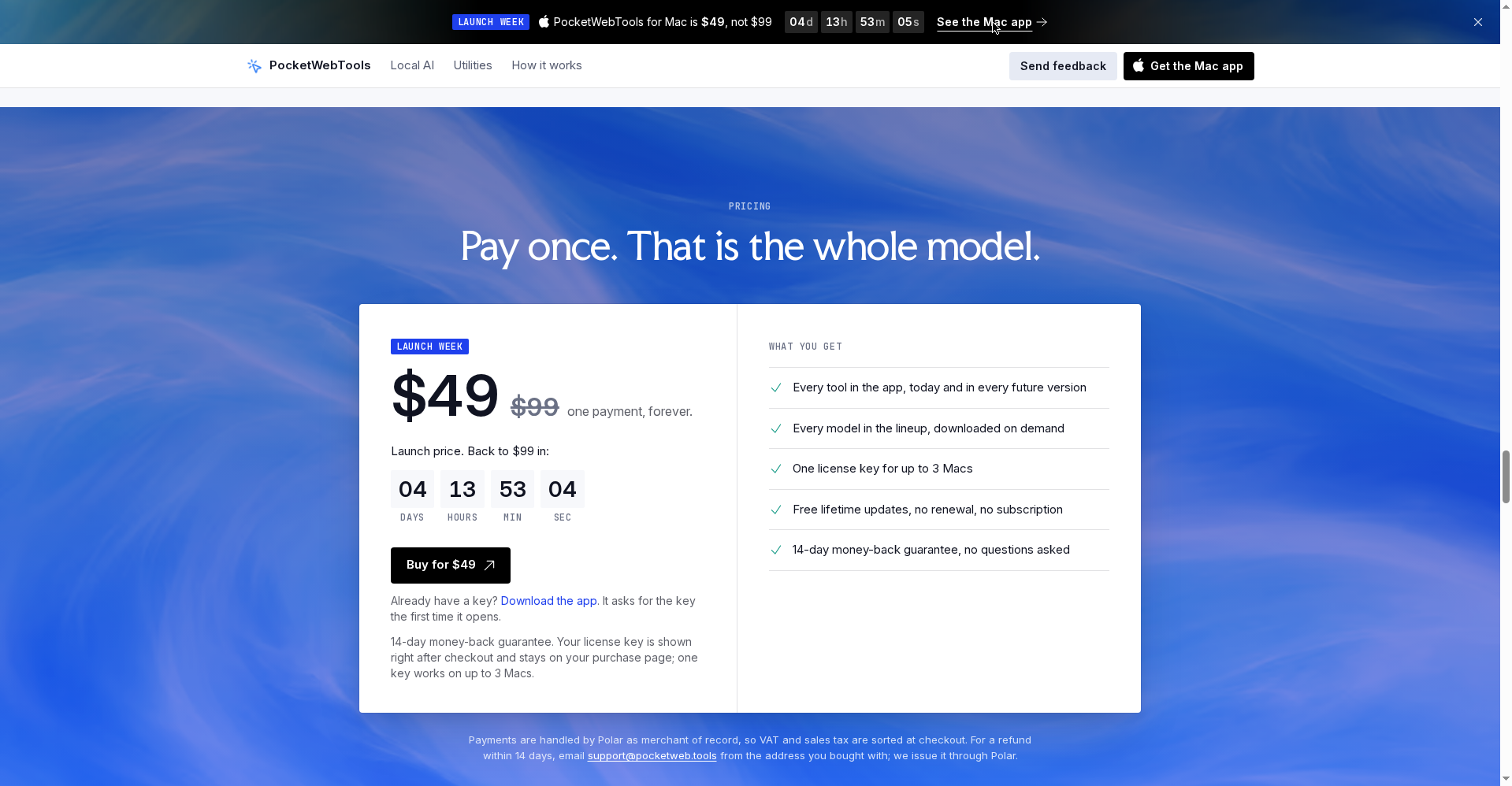
- Mac app: one-time pricing. The Mac page lists two tiers — Starter at $99 and Complete at $149 regular — with lifetime updates and one key covering up to 3 Macs.
- Launch week: Starter drops to $49 and Complete to $79, auto-applied at checkout until 15 October 2026 at 11:30 am Pacific.
- The catch: there is no free trial. Trying it means relying on the 14-day money-back guarantee — a full refund by email, no questions asked, per the launch post.
What about privacy?
This is the product’s strongest suit. On the browser side, the architecture leaves nowhere for an upload to go. On the Mac side, files and chats stay on the Mac, and the makers note in their launch post that the app makes only six network calls, all listed on the product page — one of them is anonymous usage data, on by default but switchable in Settings. That level of candour is rare in new AI apps.
Platforms
- Browser: any modern browser (WebGPU, with a WebAssembly fallback) — the browser tools run on Windows, Mac and Linux alike
- Mac app: Apple Silicon only, macOS 14+ (14.6+ to capture system audio)
- RAM: 8 GB for the smallest models, 16 GB as the sweet spot, up to 32 GB for the largest
Who should use it — and who shouldn’t
- Creators: Captioned clips, transcription and text-to-speech without handing footage to a cloud editor.
- Students & researchers: Offline chat and summarization, plus PDF-to-text, with privacy intact.
- Privacy-conscious professionals: Client recordings and sensitive files never take an upload risk.
- Windows-only users: You get the browser tools, but the full native experience is not for you.
Final verdict
PocketWebTools points in a refreshing direction: the AI comes to you; your data does not go to the AI. The browser tools are an easy recommendation — free, no signup, zero risk to try. The Mac app makes sense for anyone doing regular local-model chat, video clipping and transcription who is tired of subscriptions. Half a point off because the app is Apple Silicon-only, there is no free trial, and the biggest models are hungry for RAM.
Our rating: 4.5/5. Start with the free browser tools — and if you want the same idea at full power, the launch-week $49 Starter price is the moment to buy.
Note: This is a first-look review based on the official site (pocketweb.tools) and Product Hunt launch information. We’ll update it after hands-on testing.