 AI Tool
⚡ The 30-second verdict
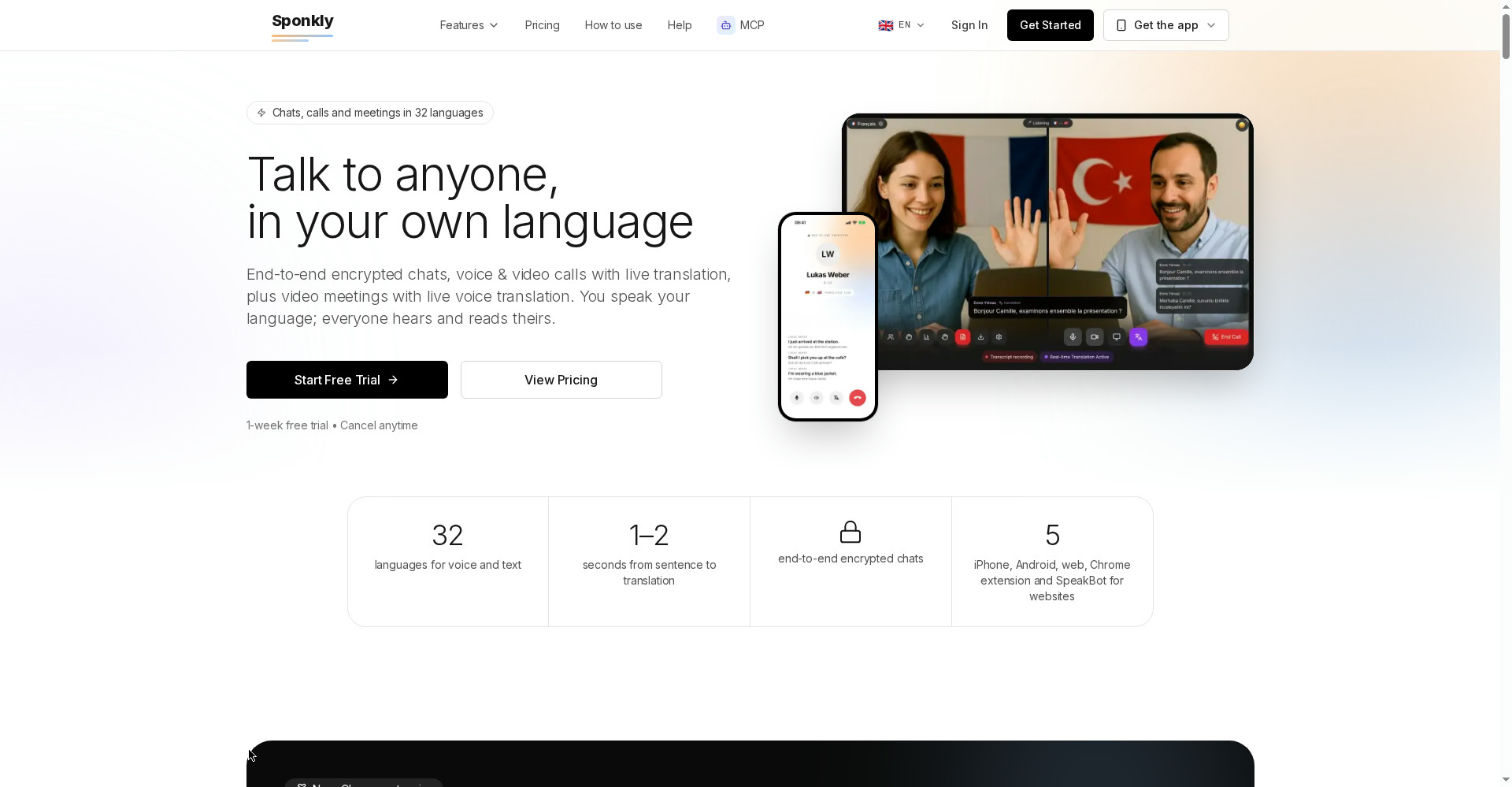
Sponkly is a live voice-translation app: you speak your language, the other person hears theirs — live subtitles plus a natural AI voice, arriving about 1–2 seconds after each sentence. 32 languages (Hindi included), and a Chrome extension translates YouTube videos, online courses and Google Meet/Teams/Zoom calls — the other side installs nothing. Chats are end-to-end encrypted (translation happens on your phone). Price: a genuinely usable free plan ($0) plus a 1-week free trial on every account; paid plans run $12–$299/month. One honest caveat: this is a brand-new product launched 21 October 2026, built by a solo maker over a year — the track record is still being written. Students (English courses in Hindi), freelancers (foreign clients) and creators (video dubbing) — worth a try.
What is this tool?
Sponkly’s tagline is “Talk to anyone, in your own language.” It was built by SULEYMAN KASIKCI — a solo developer who spent a year building this live voice translator on his own. It launched on Product Hunt on 21 October 2026.
The concept is straightforward: language is still the biggest wall between people — at work, on calls with family abroad, or watching a great video in a language you don’t speak. Sponkly translates every conversation live — chats, voice and video calls, video meetings, YouTube videos — so everyone simply talks in their own language.
Key features (what sets it apart)
1. Chrome extension — YouTube and Meet/Zoom, nothing to install on the other side
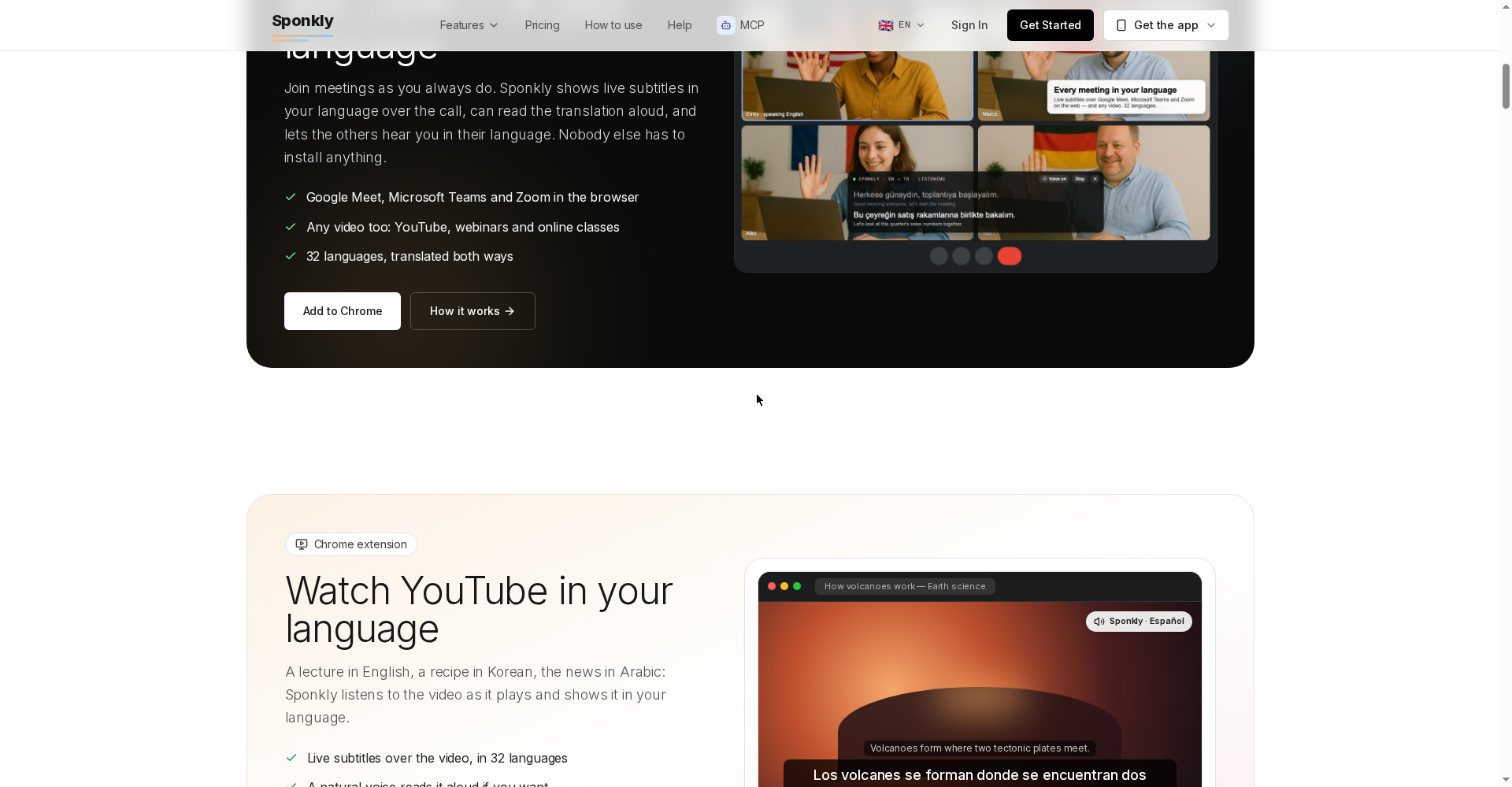
This is Sponkly’s most practical feature. The Chrome extension puts live subtitles over Google Meet, Microsoft Teams and Zoom (in the browser) and can read the translation aloud while the original audio steps back. And it’s not just meetings: any video — YouTube, webinars, online classes — in your language. Best of all: the other side installs nothing. For students, that means an English paid course with Hindi subtitles and a Hindi voice.
2. Live voice translation — in 1–2 seconds, across 32 languages
In calls and meetings, each finished sentence arrives as a subtitle and is spoken by a natural AI voice (female, male or neutral) about 1–2 seconds later. 13 major languages get realtime streaming; the rest run on a chunked pipeline. With “Translate my voice too”, the other participants hear you in their language — you speak Hindi, your client hears English.
3. End-to-end encrypted chats — translated on your phone
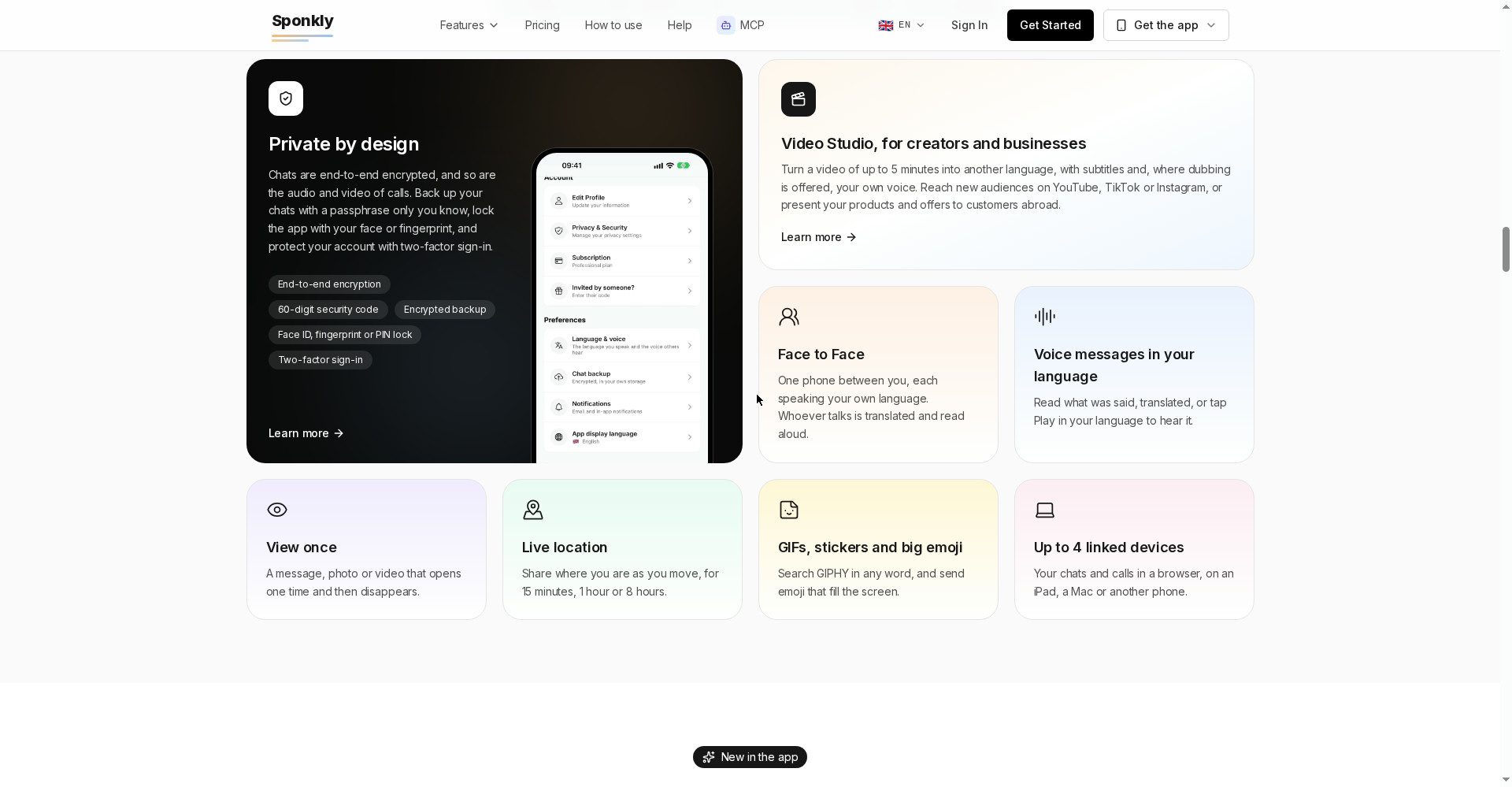
Here’s where Sponkly’s engineering shines. Chats are end-to-end encrypted — but translation requires reading the message, so Sponkly removed the trade-off entirely: translation happens on the reader’s phone, not on a server. Encrypted messages pass through servers that can’t read them. On top of that, the full messenger set: group chats, photos and files, GIFs, stickers, live location, view-once messages, app lock (face/fingerprint), encrypted backup and 4 linked devices.
4. Video meetings — up to 8 people, with transcripts
Sponkly’s own video meetings: up to 8 people in HD (720p), screen sharing, polls, raise hand, waiting room, a password on every meeting. From the Business plan up, the host can record a written transcript — who said what, in which language, with every translation — downloadable as Word or TXT, auto-deleted after 30 days. Plenty for small teams and client calls; not for webinars (8-person cap, no host-mute, no breakout rooms).
5. Video Studio — dubbing for creators
The killer feature for creators: take a video of up to 5 minutes and get it back in another language — subtitles in both languages, and where dubbing is offered, dubbing in your own voice. Reach new audiences on YouTube, TikTok or Instagram without re-shooting. Compared with AI dubbing tools (like YouTube’s auto-dubbing): this is part of Sponkly’s ecosystem, not a separate tool.
6. Face to Face, SpeakBot and MCP
- Face to Face: one phone between you, each speaking your own language — it detects who’s talking and reads the translation aloud to the other side. Genuinely useful for travel, landlords and doctors in a new country.
- SpeakBot: one line of code on your website — visitors write, call or video-call in their language, your team answers in theirs. An AI receptionist for after-hours.
- MCP: connect Claude, ChatGPT, Cursor or VS Code to Sponkly — translate in 32 languages, or let your AI assistant answer SpeakBot visitors.
Pricing — what do you get free?
Every new account starts with a 1-week free trial (all paid features, cancel anytime). After that:
- Free — $0: meetings with up to 2 people (10 minutes, 2 per month), 20 translation minutes/month, 300 translated messages/month. Same-language calls and plain messages don’t touch your minutes — everyday chatting stays free.
- Starter — $12/month: 3 people, meetings up to 1 hour, 30 meetings/month, 150 minutes, 3,000 messages.
- Professional — $29/month: 5 people, meetings up to 4 hours, 100 meetings/month, 400 minutes, 10,000 messages.
- Business — $99/month: 8 people, meetings up to 8 hours, 500 meetings/month, 1,500 minutes, 30,000 messages, transcripts.
- Enterprise — $299/month: 8 people, no meeting-length limit, 2,000 meetings/month, 5,000 minutes, unlimited messages, transcripts.
Understand the minutes: translated calls and meetings draw from the pool of whoever started the call. One minute of speech translated into one language is one minute; heard in two languages, it counts twice. When minutes run out, translation pauses but video and audio continue — the call doesn’t drop. Freelancers: budget your client calls in advance.
What’s the privacy story?
The picture has two halves — and Sponkly is honest about both:
- Chats: top-class. End-to-end encrypted, keys on your devices, translation on the phone. Sponkly can’t read your messages. Encrypted passphrase backups, app lock, two-factor sign-in.
- Calls/meetings: a practical compromise. Speech is processed on Sponkly’s servers for translation — never stored — and calls travel encrypted. But server-side processing is required so browser participants can join, which means meetings are not end-to-end encrypted. Transcripts exist only if the host records one, auto-deleted after 30 days.
Bottom line: use chats for sensitive conversations; calls and meetings match the privacy level of Zoom or Teams — no worse.
Who should use it, who shouldn’t?
- Students: English courses and webinars in Hindi — the Chrome extension translates YouTube and online classes live. The free plan may be enough to start.
- Freelancers: calls with foreign clients — speak your language, they hear theirs. That’s exactly what “Translate my voice too” is for.
- Creators/YouTubers: Video Studio dubs your videos into other languages — new-country audiences without re-shooting.
- Travellers and relocators: Face to Face mode — landlords, doctors, everyday conversations in a new country.
- The privacy-conscious: end-to-end encrypted chats where the server can’t see your text at all.
- Webinar hosts (100+ people): not for you — 8-person cap, no breakout rooms.
- “I just need captions sometimes”: free tools cover occasional YouTube subtitles; Sponkly’s real power is live two-way conversation.
Comparison: Google Translate / Zoom / YouTube auto-dubbing
- Google Translate (conversation mode): free and mature, but not integrated into calls, meetings or YouTube — you’re holding a phone between you. Sponkly stays inside the conversation.
- Zoom/Teams built-in translation: limited to their own meetings; Sponkly works on any browser tab (YouTube, webinars) plus chats, calls and face-to-face in one app.
- YouTube auto-dubbing: automatic for creators, but less control — no “dubbed in your own voice” plus dual-language subtitles combo like Video Studio.
- Skype Translator: ageing and locked to the Skype ecosystem; Sponkly is on a modern stack (MCP, SpeakBot, Chrome extension).
Sponkly’s unique combo: live two-way voice + end-to-end encrypted chats + browser-tab translation + creator dubbing — nobody else ships all four together.
🔍 People also search for
- sponkly pricing plans and free trial details
- sponkly vs google translate comparison
- sponkly app download for android
- is sponkly really free to start
- sponkly chrome extension for youtube translation
- live voice translator app for video calls
- sponkly alternatives for meeting translation
- how to translate youtube videos to hindi live
Final verdict
Sponkly tackles a problem that’s still real in 2026: the language wall in everyday work — courses, client calls, family abroad. The Chrome extension (nothing for the other side to install), end-to-end encrypted chats with on-device translation, and Video Studio for creators add up to a well-thought-out package. And the maker is a solo developer who spent a year on it — this is a shipped product, not a marketing deck.
One mark off: it’s a brand-new launch (zero track record), the minutes system can get expensive for heavy users, and the 8-person cap plus missing webinar features keeps the scope narrow. This is a first-look review; we’ll add a hands-on update after testing it ourselves.
Our rating: 4.0/5. If you’re a student (English content in Hindi), a freelancer (foreign clients), or a creator (dubbing) — there’s no downside to trying the free plan plus the 1-week trial.
Note: this first-look review is based on the official site (sponkly.com), the Product Hunt launch page (21 October 2026) and the maker’s official guides. We’ll add a hands-on update after testing it on our own systems.


