 AI Tool
⚡ The 30-second verdict
Stitch.ai is an AI workspace that brings mail, calendar, tasks, notes, contacts, files, sheets and slides — eight apps — into one place, with the Stitchy AI assistant working across the whole workspace from a single chat. Drag-and-drop Stitching, automatic Tags and Knots, and the Knowledge Hub are genuinely strong ideas — work stops getting scattered. It launched on Product Hunt on 6 November 2026 and ranked #1 that day. But there is no free plan, the trial lasts only 7 days and excludes Stitchy, paid plans start at $49/mo, and there is no mobile app yet. Freelancers and small teams drowning in mail, calendar and tasks can test the concept on the trial; for students and budget users, it is too expensive right now.
What is it?
Every freelancer and small team knows this story: mail in Gmail, calendar in another app, tasks in a third, notes in a fourth — and when you need a client’s work, you search all four. Context is lost at every switch.
Stitch.ai is built for exactly that problem. Its promise: “Stitch together a workspace that works with you.”
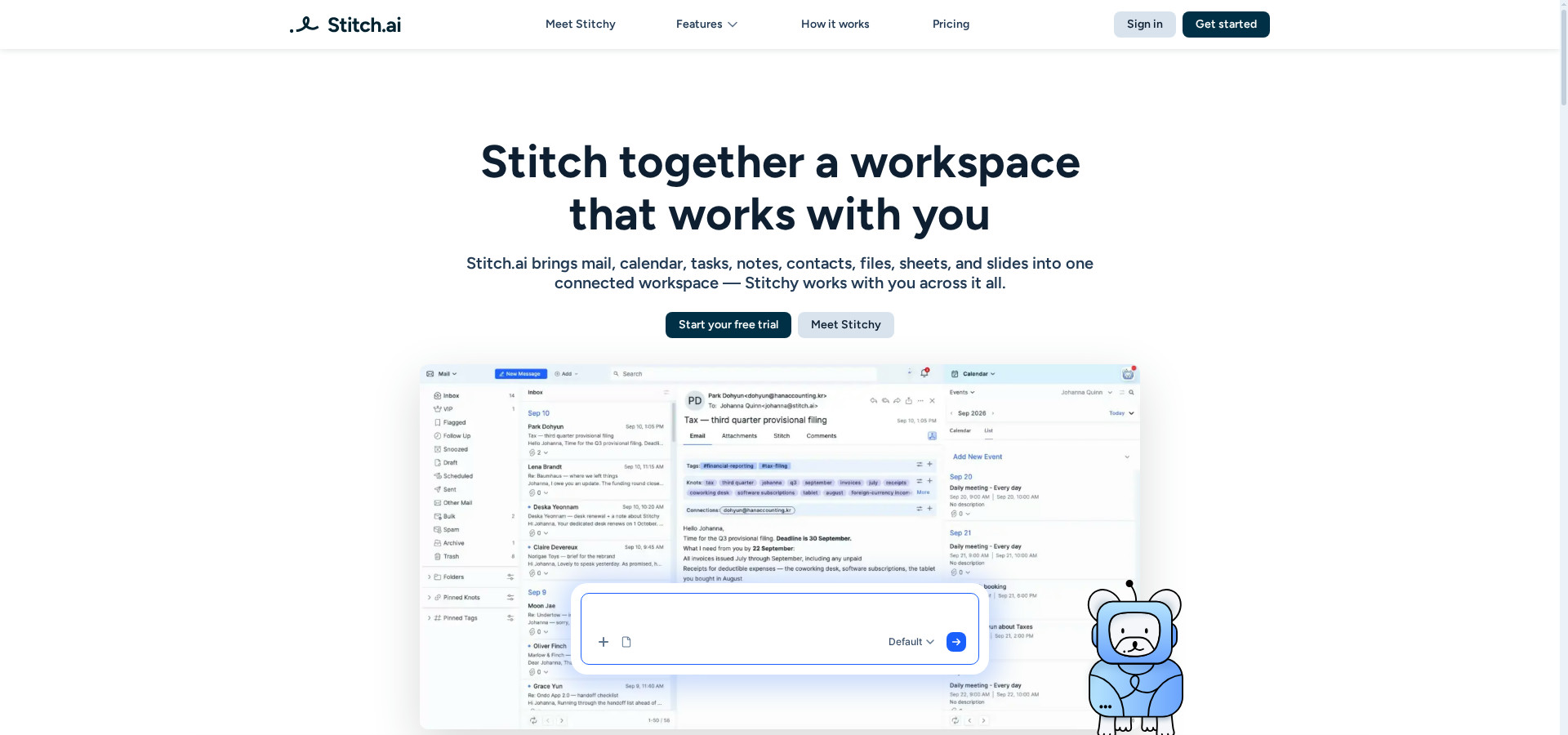
In plain terms: your mail, calendar, tasks, notes, contacts, files, sheets and slides all live in one workspace. Stitchy, the AI assistant, knows all of it, so it needs no long explanations — it automates repetitive work and brings what matters to your attention. Nothing to install or integrate — everything is built in, not even a separate email client.
Key features
1. Stitching — drag, drop, connect
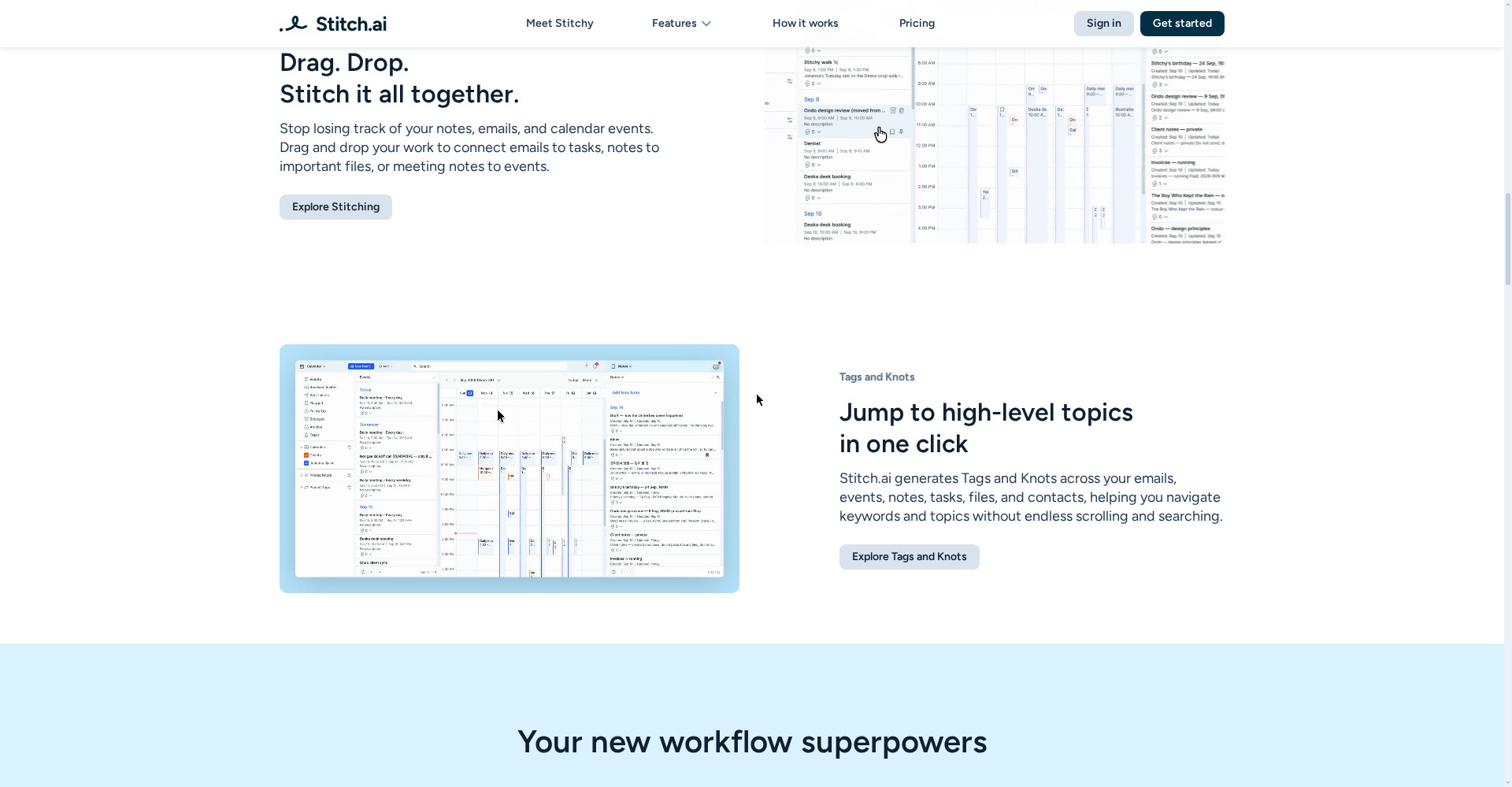
Stitch.ai’s most distinctive feature is Stitching: drag and drop to connect anything to everything — an email to a task, a note to an important file, meeting notes to an event. Work stops sitting in scattered pieces across apps; one thread ties it together.
2. Stitchy AI Assistant — the whole workflow in one chat
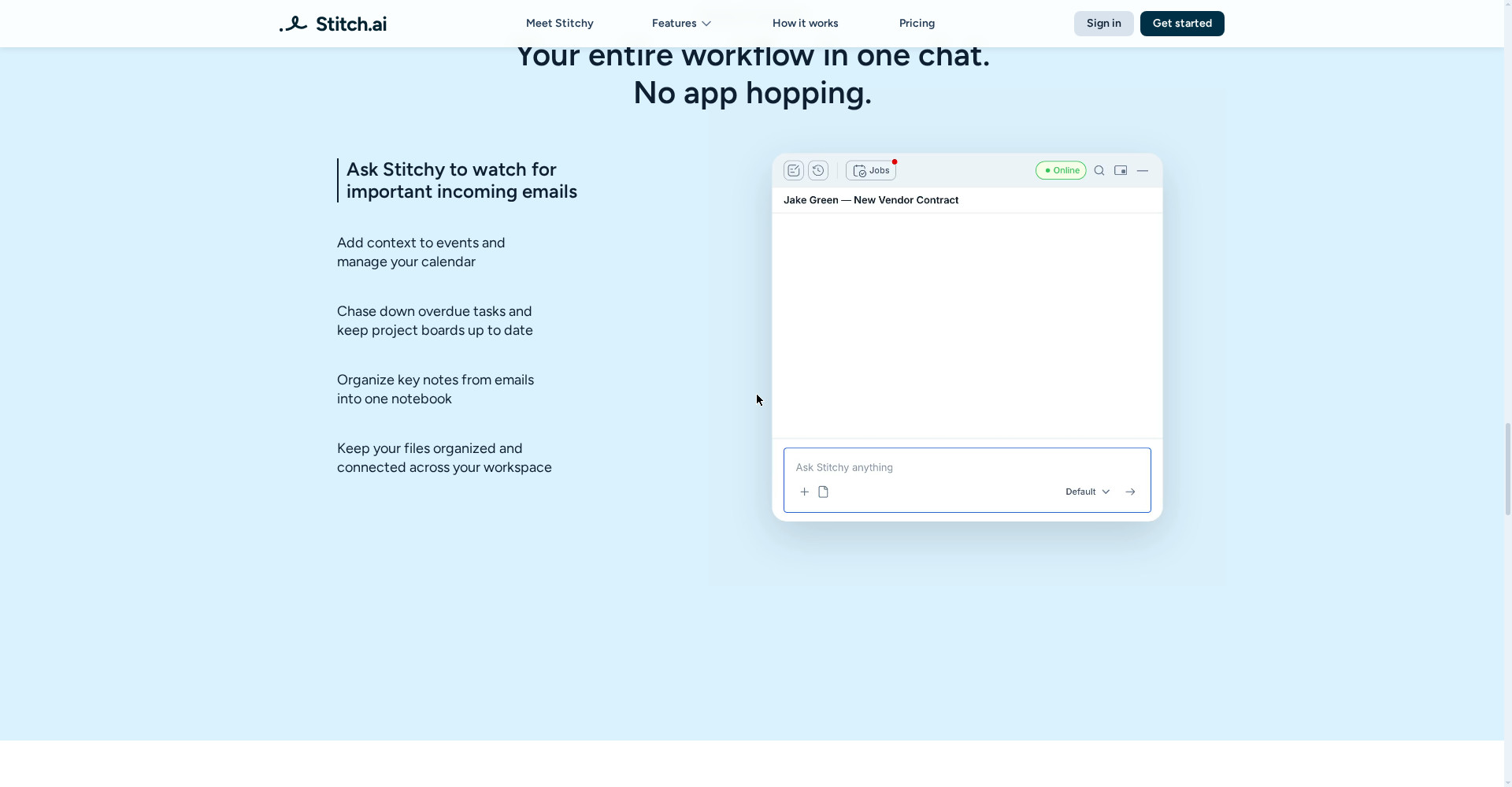
Stitchy is not just a chatbot — it is an assistant sitting on top of all eight apps, aware of your workspace with full context. According to the site, it can:
- Watch for important incoming emails
- Add context to events and manage your calendar
- Chase down overdue tasks and keep project boards up to date
- Organise key notes from emails into one notebook
- Keep your files organised and connected across your workspace
It also runs scheduled jobs — so some work happens without you asking. But remember: Stitchy is not included in the free trial — so you cannot even test its biggest feature before paying.
3. Tags and Knots — no searching needed
Stitch.ai automatically creates Tags and Knots across your emails, events, notes, tasks, files and contacts:
- Tags: auto-generated labels for broader themes — like “Software Engineering” or “Finance”.
- Knots: AI-extracted keywords from every message, event and file.
The result: one click on a topic or keyword surfaces everything connected to it — no endless scrolling and searching.
4. Knowledge Panel and Knowledge Hub — context in one place
- Knowledge Panel: browse your workspace by topic, keyword or person — instead of searching across apps.
- Knowledge Hub: everything connected to a single person — every email, event, note, task and file — in one place, with instant summaries extracted from complex notes and files.
5. Everything built in — no integration hassle
The Product Hunt post says it plainly: “Everything is built in: no integrations or extra email clients to set up.” No Gmail/Outlook clients, no Zapier-style glue — the eight apps are already inside. That is both its strength and an open question: the official site does not clearly explain how much effort it takes to move your existing mail and calendar into Stitch’s apps.
Pricing — what do you get free?
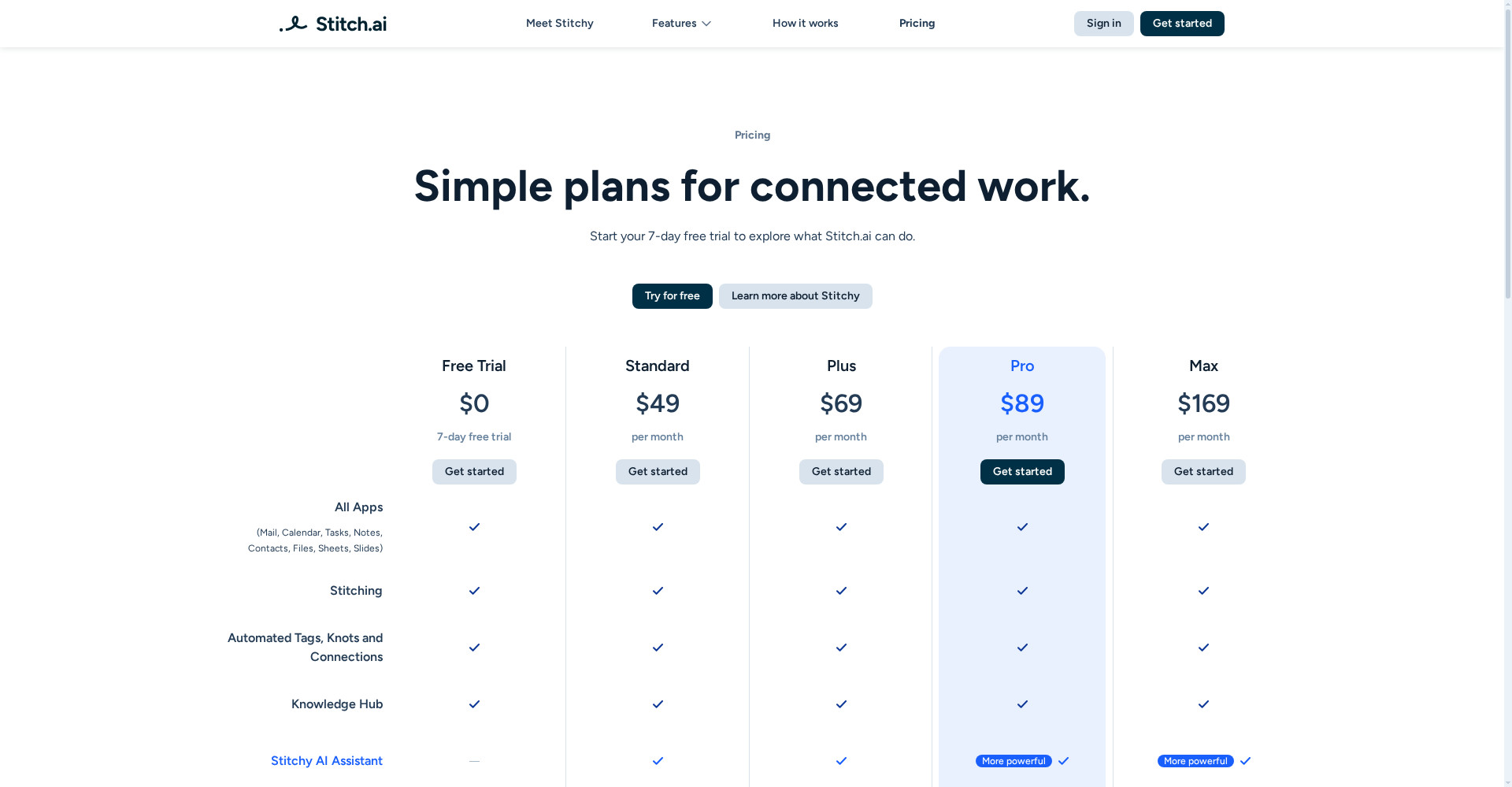
Honesty matters here: there is no free plan, only a 7-day trial — and the trial excludes Stitchy.
- Free trial ($0, 7 days): every feature except the Stitchy AI Assistant; 1,000 AI credits, 250 MB AI context space.
- Standard ($49/mo): all 8 apps + Stitching + Tags/Knots + Knowledge Hub + Stitchy included; 5,000 AI credits, 10 GB context space.
- Plus ($69/mo): everything in Standard; 10,000 AI credits, 15 GB context space.
- Pro ($89/mo): everything in Plus plus a more powerful Stitchy; 20,000 AI credits, 30 GB context space.
- Max ($169/mo): everything in Pro plus the most powerful Stitchy; 40,000 AI credits, 50 GB context space.
The honest note: $49/mo to start is a lot for Indian students and freelancers — Notion Plus at $12/mo and ClickUp’s free plan look cheap next to it. And the trial excluding Stitchy is odd: you cannot try the very feature you would be paying for. Go into the trial knowing that.
Platforms
- Web: runs at app.stitch.ai — use it from the browser
- iPhone and Android apps: listed as “coming soon” on the official site — not out yet, no date announced
- No desktop app mentioned — the site lists only the web app and the coming-soon mobile apps
Who should use it — and who should skip it
- Freelancers / consultants: client mail, meeting notes and tasks stitched into one thread makes follow-ups and billing easier.
- Small teams / founders: whose day is scattered across mail, calendar and tasks and who want it all in one workspace.
- Students: the concept is good but $49/mo is steep — use the trial to see the concept, then compare with the free plans of Notion or ClickUp before paying.
- Skip it if: you need a mobile app (there isn’t one yet), you need a free plan (there isn’t one), or you do not want to leave your existing Gmail/Calendar setup (the migration effort is unclear).
Comparison: Notion / ClickUp
- Notion: a mature tool for notes, docs and databases; Plus from $12/mo, with a free version. Mail and calendar are newer additions, and the AI assistant is separate. Cheaper and proven — but not built for a mail-centred workflow.
- ClickUp: tasks, docs and goals in one place, with a free plan. It has AI features, but no assistant that knows the whole workspace like Stitchy.
- Stitch.ai: built around mail, calendar and tasks, with the most integrated concept of the three — eight apps plus Stitchy — but it is a launch-day product, starts at $49/mo, and has no mobile app yet.
🔍 People also search for
- stitch.ai pricing plans
- stitch.ai free trial
- stitch.ai vs notion
- stitch.ai review 2026
- stitch.ai login and signup
- stitch.ai alternatives
- stitchy ai assistant
- stitch.ai app download release date
- stitch.ai vs google stitch
- ai workspace for freelancers
- scape ai email inbox review
- basetab ai review
Final verdict
Stitch.ai is built on a strong concept — bringing mail, calendar, tasks and notes into one AI workspace where Stitchy knows everything. Stitching, automatic Tags and Knots, and the Knowledge Hub are genuinely useful ideas, and ranking #1 on Product Hunt on launch day shows people feel this problem. So a point off for this: no free plan, no Stitchy in the trial, $49/mo to start, no mobile app yet, and a launch-day product whose long-term reliability is unproven.
Our rating: 3.8/5. If you are a freelancer or a small team tired of work scattered across mail, calendar and tasks — start with the 7-day free trial on stitch.ai, get a feel for the workspace, and then decide whether $49/mo is worth it or whether Notion or ClickUp’s cheaper route fits better. For students and budget users, waiting is the sensible call for now.
Note: This first-look review is based on the official site (stitch.ai), its pricing page and its Product Hunt launch post (6 November 2026). We will add a hands-on update after testing it ourselves.


