 AI Tool
⚡ The 30-second verdict
Scape is a Mac email app that organizes your inbox itself and drafts replies in your tone — using context from your emails, meetings and calendar. The free plan is $0/month, forever, with no credit card: unlimited inboxes, automatic organization, suggested replies, local meeting recording and a chat assistant. Paid plans: Plus $20/month, Max $100/month. The catches: it is Mac-only, the free plan’s AI limits are not published, and it only went public on 30 October 2026. For Mac users on Gmail — students, freelancers and professionals drowning in email — the free plan is worth trying today; for Windows or mobile-first users, this tool does not exist yet.
What is this tool?
Email work is still manual — that was founder Melvin Hagberg’s complaint. In 2024 he was spending hours in Gmail, copying emails into ChatGPT to get help. After 18 months building with a small team in Stockholm, and a two-month invite-only preview that attracted thousands of users, Scape went public on 30 October 2026 with a free plan.
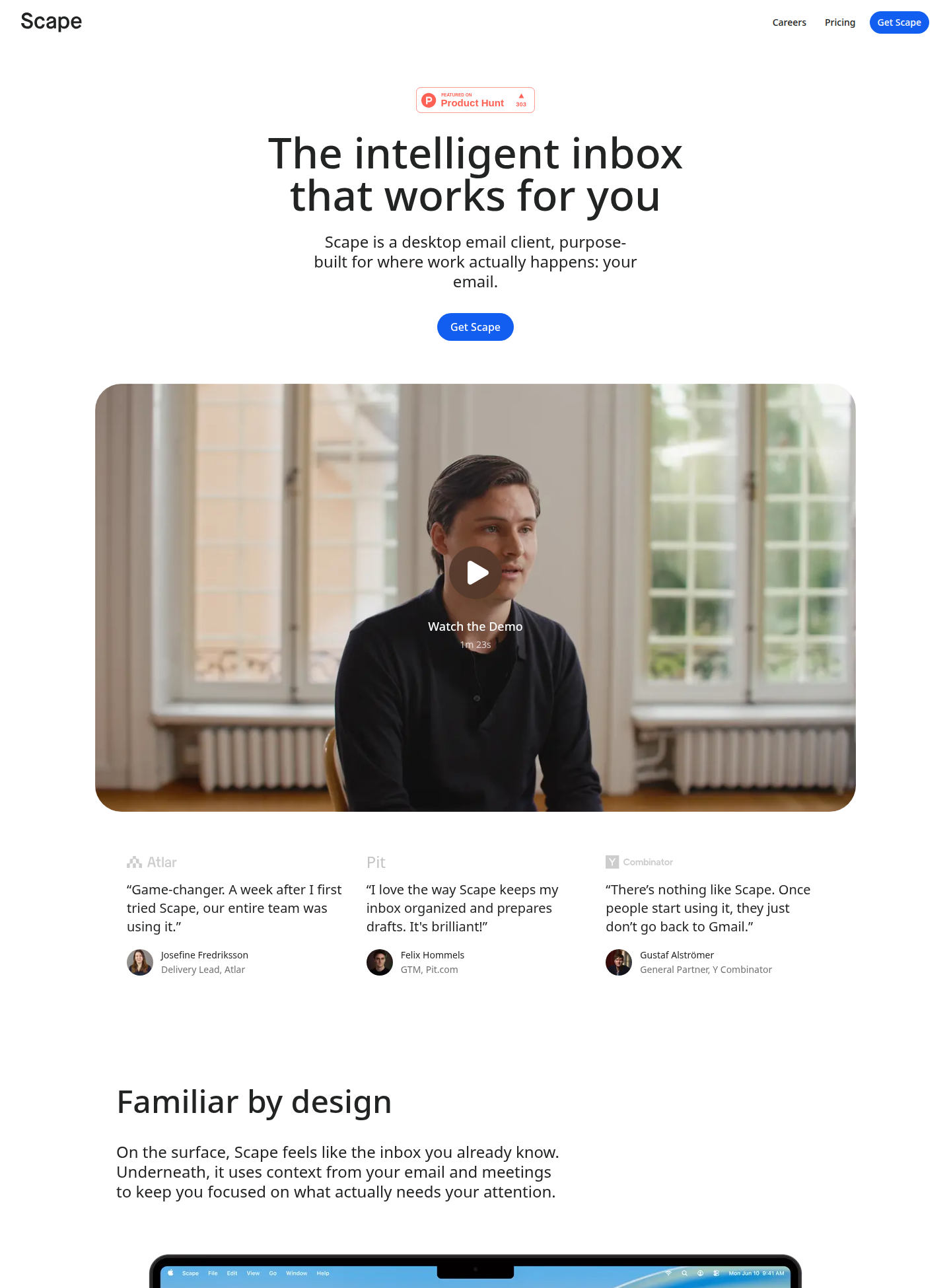
The idea is simple: open your inbox and half the work is already done. The emails that matter sit on top, the rest is sorted into labels, and every important email already has a reply drafted in your tone — you just review and send. This is not a skin over Gmail; it is a full desktop client that syncs with Gmail.
Key features that set it apart
1. Your inbox, in order — only what matters surfaces
Scape surfaces only the emails that need your attention. The rest is organized with labels built around how you prioritize work — and custom labels sync to Gmail, so your Gmail stays tidy too. Reaching inbox zero no longer means sorting every email by hand.
2. Replies in your tone, with real context
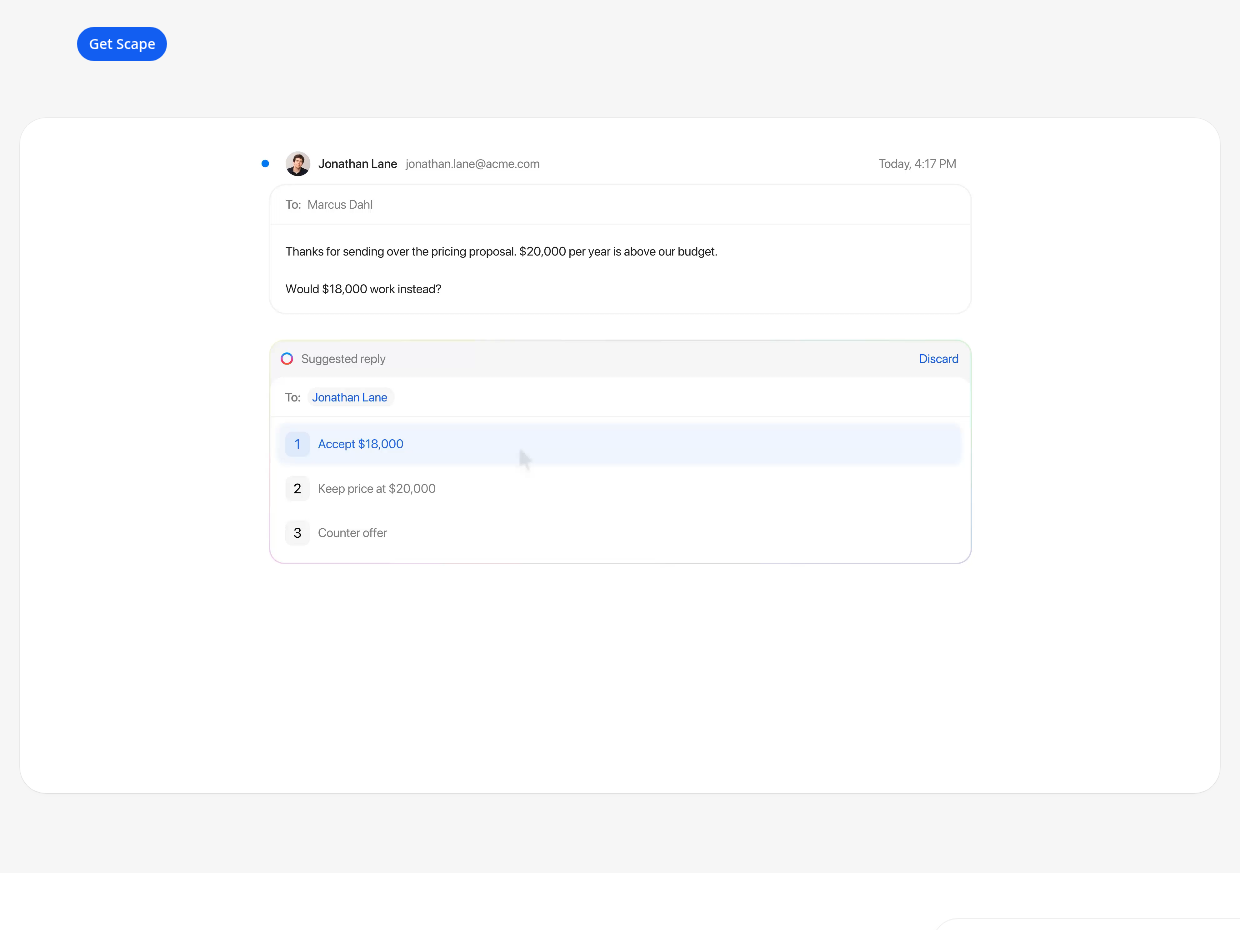
This is Scape’s biggest claim. A suggested reply does not just read the email — it uses meeting transcripts, calendar and attachments as context. In the site’s demo, a pricing-negotiation email gets three options: accept the price, hold the price, or counter-offer. You do not write the draft from scratch; you pick the right option — and you still review before anything is sent, so nothing goes out on its own.
3. Meeting recording without a bot, in 99 languages
Most meeting tools drop a bot into your call, which everyone finds awkward. Scape has no bot — recordings stay local on your Mac. Its transcription engine works in 99 languages, and after the meeting, follow-ups are prepared automatically for you to review and send. For freelancers, this is real time saved: the post-call follow-up email is half-written already.
4. A chat assistant that edits files too
Inside the inbox sits a chat assistant that drafts emails, finds things, and edits files. Without leaving your inbox you can ask: find that client’s email, or summarize this thread.
5. Fast, familiar, and connected to Gmail
- Search in under 100ms across all your emails — the official claim, and search speed is where email apps save the most time
- Keyboard shortcuts across the whole client, so you depend less on the mouse
- Multiple accounts in one unified inbox — personal and work Gmail in one place
- Customer relationships organized through email — customer conversations, service requests and next steps in one view, which works like a mini-CRM for small business owners
Pricing — how much is free?
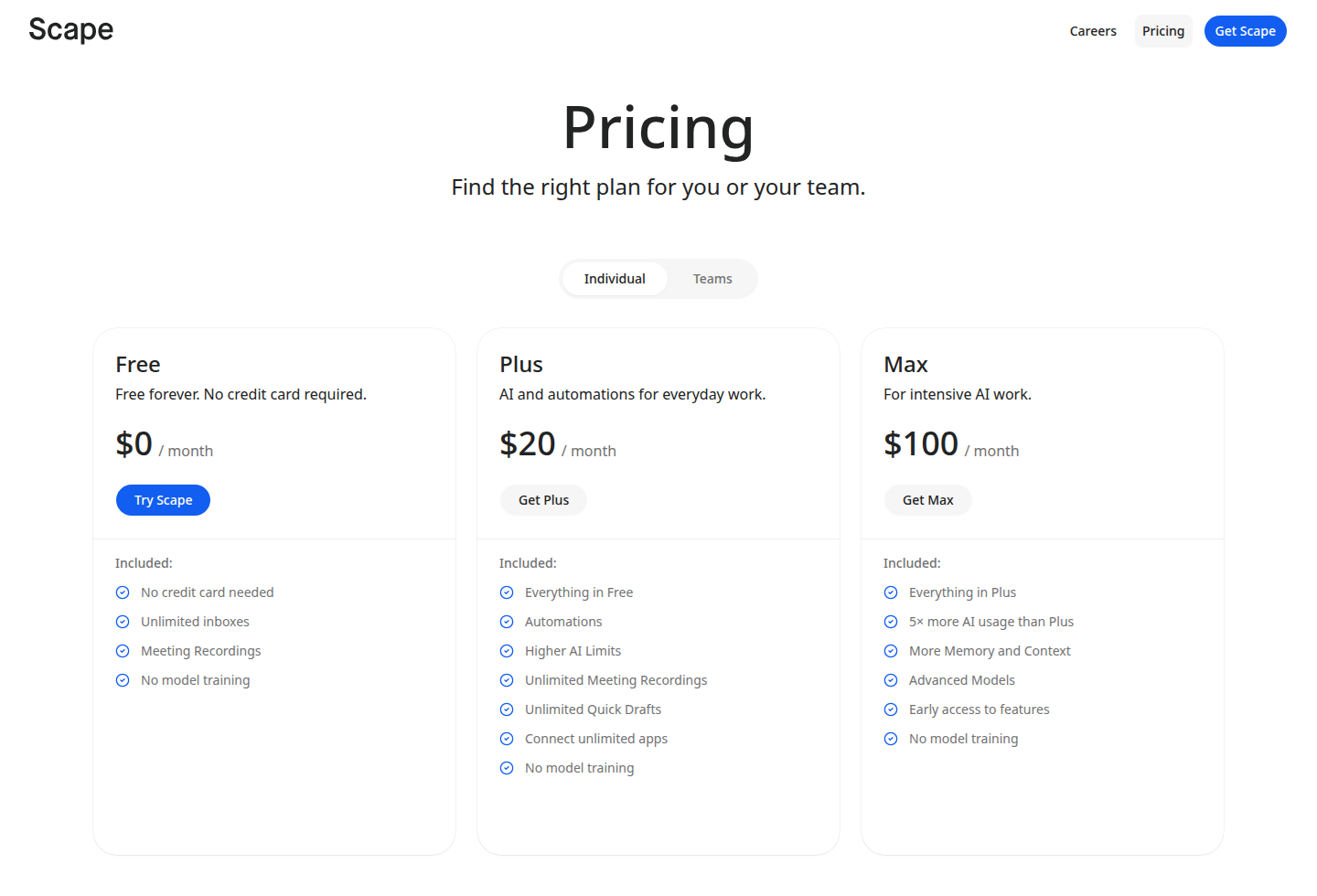
The pricing page lists three plans, and the gap between them is clear:
- Free — $0/month, forever: No credit card. Unlimited inboxes, meeting recordings, automatic organization, suggested replies, chat assistant, follow-ups — and no model training. This plan is the headline of today’s launch, and it is a permanent free plan, not a trial.
- Plus — $20/month: Everything in Free, plus automations, higher AI limits, unlimited meeting recordings, unlimited quick drafts, and unlimited connected apps.
- Max — $100/month: Everything in Plus, plus 5x more AI usage than Plus, more memory and context, advanced models, and early access to new features.
The honest version: the free plan is genuinely generous. But note one thing: Plus advertises “higher AI limits”, which means the free plan has some AI cap — its number is just not published on the site. If you are a heavy user, test your own limit on the free plan before paying for Plus. The Product Hunt launch also offered 30 days free on a paid plan with code PH26.
System requirements — check this first
- Platform: Mac desktop app (the launch post says “Mac app” — no Windows, iOS, Android or web version is mentioned)
- Email: Starts by connecting Gmail accounts; multiple accounts merge into a unified inbox
- Internet: Needed for email sync and AI features; meeting recordings stay local
- Security: SOC 2, ISO 27001 and GDPR compliant; emails encrypted; no model training
Who should use it — and who should not
- Freelancers buried in client email: Drafted replies and automatic meeting follow-ups save time directly.
- Students and job seekers: Internship, professor and recruiter emails answered faster and in the right tone — for free.
- Small business owners: Customer conversations and service requests organized through email act as a mini-CRM, with no extra tool to buy.
- Meeting-heavy professionals: Local recording and automatic follow-ups, without a bot joining the call.
- Not for Windows or Android users: This is Mac-only for now — for you, this review ends here.
- Not for Outlook-only users: The launch focuses on Gmail; confirm your provider before switching.
- Possibly not enough for heavy AI users: The free plan’s AI cap is unpublished — test it first.
Comparison: Gmail / Superhuman / Spark
- Gmail (web): Free and everywhere, but you still sort the inbox yourself and write every reply yourself. Scape is a smarter client on top of Gmail — but only on Mac.
- Superhuman: The premium standard for speed and keyboard workflow, about $30/month, with no free plan. Scape starts the same idea for free, plus meeting context. Zero budget means Scape; $30/month for pure speed still means Superhuman.
- Spark: Cross-platform (Mac, Windows, iOS, Android) with a free tier — the safe choice. Scape’s edge is meetings and customer organization; Spark’s edge is running everywhere.
- Kai: An AI executive assistant that runs your inbox, meetings and calendar — worth a look if you want full inbox-and-schedule management rather than just an email client; Scape is the more focused email tool.
- MePersona: Every fan message in one inbox, answered in your own voice — an inbox tool for creators; Scape is built for professional work email.
🔍 People also search for
- Scape email app free plan
- Scape vs Superhuman comparison
- Scape vs Spark email app
- Scape Mac download
- Scape pricing Plus Max
- Scape meeting recording 99 languages
- Scape review 2026
- Scape app for freelancers and students
- kai AI executive assistant review
- mepersona AI inbox review
Final verdict
Scape attacks email’s most boring problem head-on — sorting the inbox and writing replies. A permanent free plan, a speed promise, replies with meeting and calendar context, bot-free local recordings, and a straight privacy promise (no model training, SOC 2, ISO 27001, GDPR) make it a serious launch. Y Combinator’s Summer 2024 batch and a $3.2 million seed round give the idea weight.
We docked a full point because: Mac-only is the biggest filter, the free plan’s AI cap number is unpublished, Plus at $20/month looks expensive next to free-tier competitors, providers beyond Gmail are unclear, and it went public only today — long-term reliability is unproven.
Our rating: 4.0/5. If you use Gmail on a Mac and your inbox eats your time — download the free plan today from scape.app, connect your Gmail, and spend a week trusting its suggested replies and auto-organization. Only then decide whether you need Plus or whether free is enough. If you are on Windows, bookmark this review and check back when a Windows version arrives.
Note: This first-look review is based on the official site (scape.app), its pricing page, the Product Hunt launch post (30 October 2026) and Y Combinator/company coverage. We will add a hands-on update after testing it on a Mac ourselves.


