AI Tool
⚡ 30-second me faisla
YouArt ek AI creative studio hai — tum chat me idea likho, aur iska agent poora video workflow bana deta hai: script, images, video clips, voiceover, edit — 20+ AI models (Sora 2, Veo 3.1, Nano Banana, Seedance, Kling, Midjourney) ek hi membership me. Iska naya Desktop App (12 November 2026 ko Product Hunt par launch, #2 Product of the Day) tumhare computer par After Effects, CapCut aur Blender khud chalata hai — launch film se lekar rough cut tak. Free me 125 trial credits milte hain; paid plans $9.99/month se shuru. Lekin dhyaan rakho: video credits jaldi khatm hote hain, free outputs par watermark ho sakta hai, aur Desktop App abhi bilkul naya hai. Creators, marketers aur product teams jo idea se finished video tak ka pipeline ek jagah chahte hain, unke liye ye try karne layak hai — pehle free credits se ek chhota video banao, phir decide karo.
Ye tool kya hai?
Tumhare paas ek product hai, ek feature launch hai, ya ek video idea — aur use video me badalne ke liye aam taur par 4-5 tools, ek editor aur kayi ghante chahiye hote hain. YouArt is pure process ko ek chat me sametne ki koshish karta hai.
Kaam aasan hai: tum prompt likho — “15-second launch film banao, black aur cream theme, slow movement” — aur agent khud workflow banata hai: kaun sa model kis shot ke liye, image kahan se aayegi, voiceover kya hoga. Tum node-based editor me har step dekh aur badal sakte ho — agent black box nahi hai.
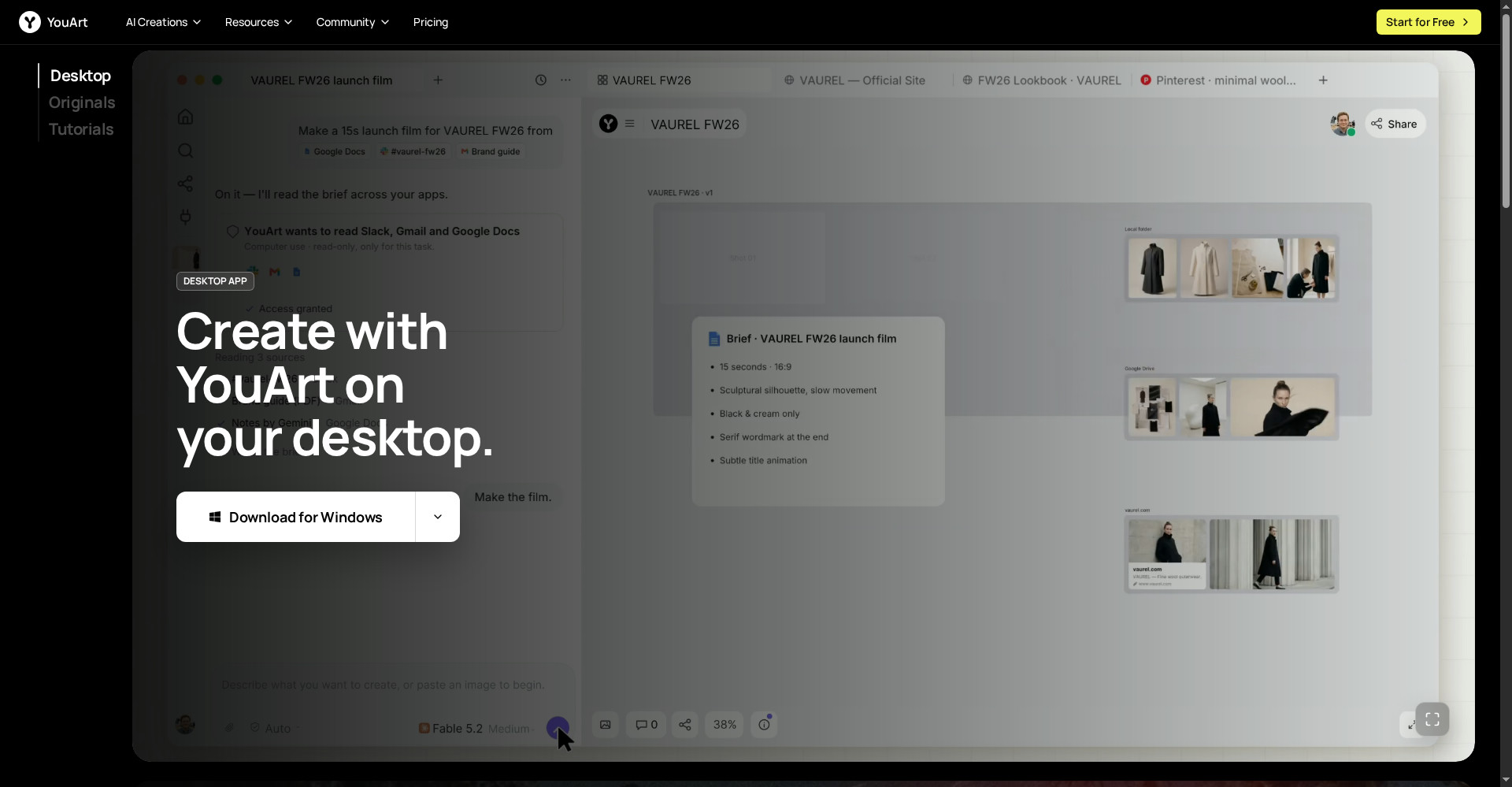
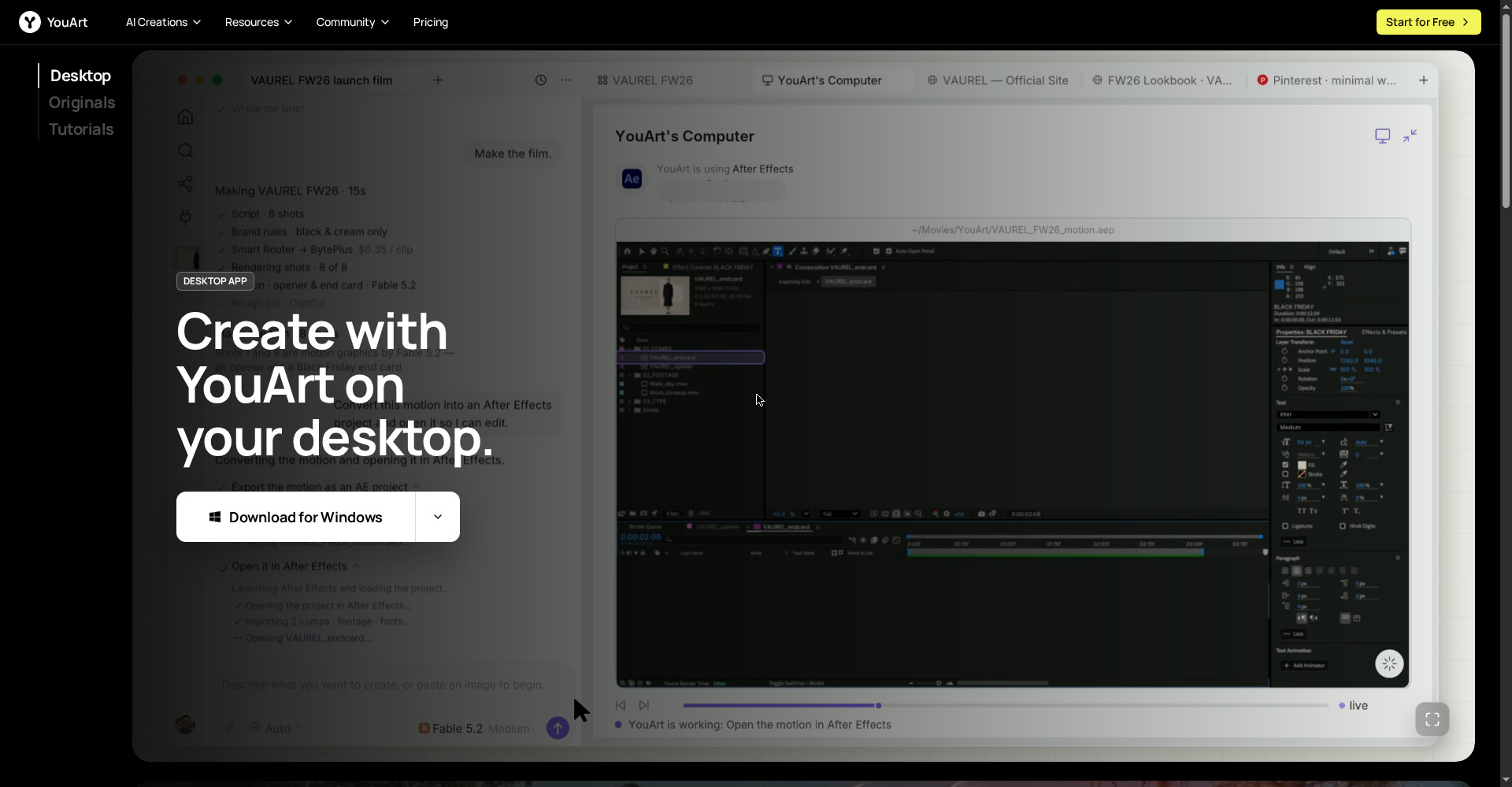
Aur ab iska Desktop App isse ek kadam aage le jata hai: wo tumhare local files, Slack, Gmail aur GitHub se context leta hai, aur tumhare computer par After Effects, CapCut aur Blender ko seedha operate karta hai. Homepage ke demo me wo ek fashion brand ki 15-second launch film banata hai — brief padhta hai, shots render karta hai, motion ko After Effects project me convert karke khud khol deta hai.
Aasaan bhasha me: YouArt tumhare idea ko video banane ka poora pipeline hai — chat se shuru, finished video par khatm — aur Desktop App us pipeline ko tumhare asli editing tools tak pahuncha deta hai.
Khaas features (jo ise alag banate hain)
1. Chat-to-workflow agent — likho, workflow ban gaya
Ye YouArt ka hero feature hai. Tumhe nodes jodne ya pipeline design karne ki zaroorat nahi — agent tumhari description se poora multi-step workflow bana deta hai: prompt → image → video → voiceover → edit. Phir tum follow-up chat se refine karo — “is shot ko thoda slow karo” — aur agent workflow update kar deta hai.
2. 20+ AI models, ek hi membership
Alag-alag tools ke alag subscriptions lene ki zaroorat nahi. YouArt ek hi membership me Sora 2, Veo 3.1, Nano Banana, Seedance 2.0 aur 2.5, Wan 3.0, Kling 4.0, Vidu Q4, Grok Imagine 2, GPT Image 2.5, MiniMax H3, Midjourney v8.2, LTX-2.5 aur aur models deta hai. Har shot ke liye sahi model — ek hi project ke andar.
3. Desktop App — After Effects, CapCut, Blender khud chalata hai
Ye 12 November 2026 wali sabse badi khabar hai. Desktop App computer use se tumhare asli editing tools operate karta hai: After Effects me motion graphics kholta hai, CapCut me rough cut banata hai, Blender bhi chala sakta hai. Demo me wo “YouArt’s Computer” ke roop me After Effects project khud load karta hai aur “Export the motion as an AE project” tak karta hai — matlab final file tumhare haath me, edit karne layak.
4. Smart routing + apni API keys — sasta provider, tumhari marzi
Desktop App me tum apni API keys lagate ho, aur smart routing har shot ko sabse saste provider ko bhejta hai. Homepage ke demo me Smart Router ne BytePlus ko $0.35/clip par chuna tha. Matlab cost tumhare control me — koi ek provider par lock-in nahi.
5. Text-to-video aur image-to-video dono
Text se shuru karo ya reference image se — product photo, character, brand colours — video ko wahi look milega. Official site khud kehti hai: prompts action batate hain, images design ko anchor dete hain. Dono milakar brief zyada specific banta hai.
6. Free Mode — select image models zero credits par
Paise kharch kiye bina try karna ho to Nano Banana aur Nano Banana Pro Free Mode me zero credits par chalte hain — bas slower queue me. Images ke liye ye asli free trial hai; video ke liye 125 trial credits use hote hain.
7. Ready-made workflows — launch, tutorial, product, UGC
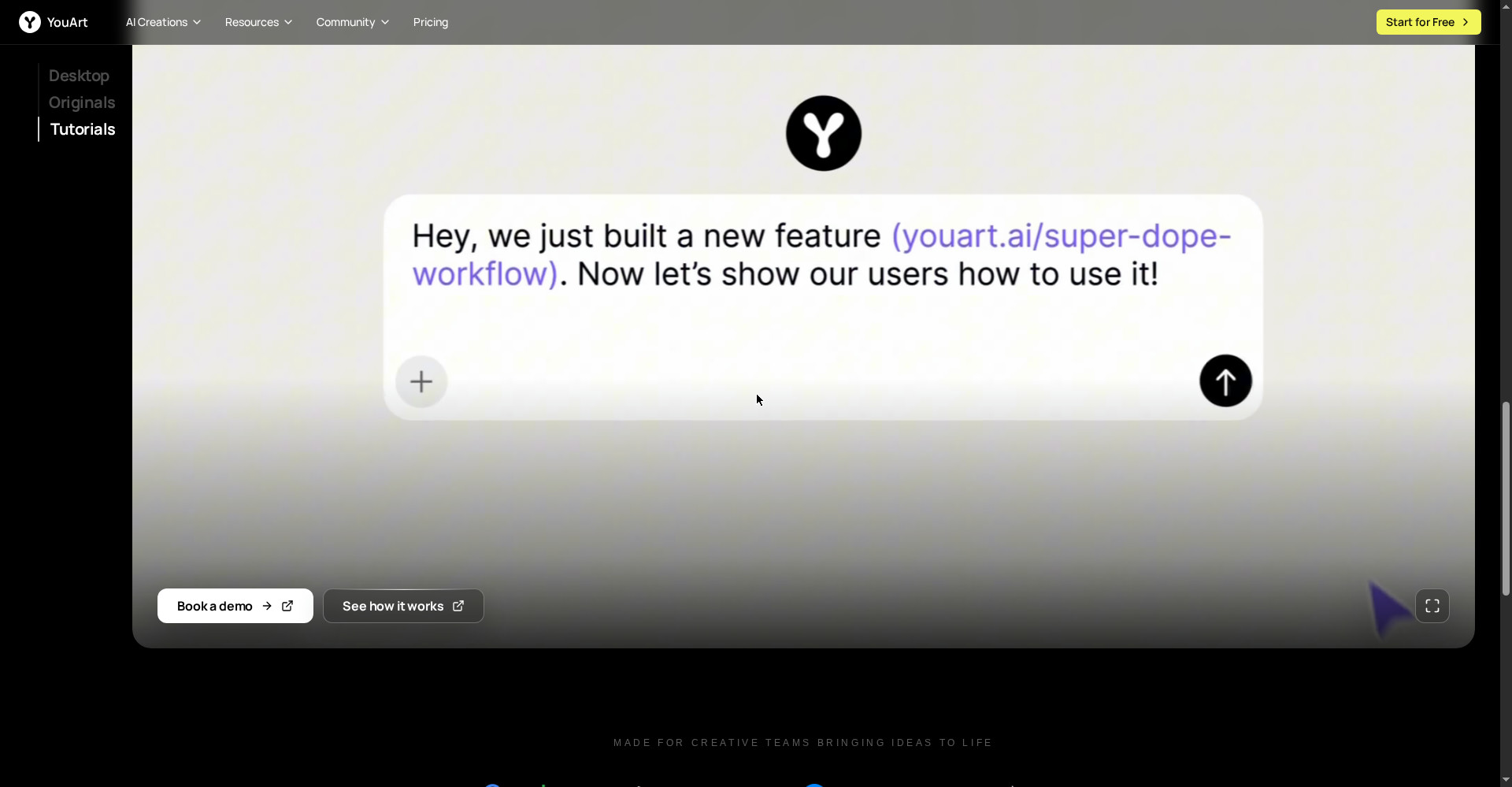
Har baar shunya se shuru karne ki zaroorat nahi. YouArt me tayyar workflows hain: feature launch video (release notes + UI screenshots se cinematic announcement), product video, AI tutorial videos, UGC ad video, logo animation, e-commerce workflows aur Twitter video tool. Product teams ke liye feature launch workflow khaas taur par kaam ka hai — screenshots animate hote hain, ElevenLabs v3 se voiceover banta hai.
8. Node editor + templates — agent par bharosa, control tumhare paas
Agent workflow banata hai, lekin tum visual node editor me har step dekh, badal ya hata sakte ho. Free templates se seekhna bhi aasan hai — kisi professional workflow ko kholkar dekho, phir apna banao. Ye “prompt likho aur jo mile use karo” wale tools se alag hai.
Pricing — free me kitna milega?
- Free ($0): 125 one-time trial credits; select image models (Nano Banana, Nano Banana Pro) Free Mode me zero credits (slower queue); workflow editor aur creative agent access. Free outputs par chhota watermark ho sakta hai.
- Basic ($9.99/month, yearly billing par $7.99/month): 1,000 monthly credits; saare models; no watermark; immediate generation.
- Pro ($29.99/month): 4,000 monthly credits; saare models; no watermark; full support.
- Max ($49.99/month): 8,000 monthly credits; saare models; no watermark; team use.
Imaandaar baat: Free plan asli hai lekin chhota hai — video generation credits tez kharch hote hain, isliye 125 credits se sirf kuch test clips banenge. Basic plan $9.99/month par 1,000 credits deta hai — ek chhota campaign ya kayi short videos ke liye kaafi ho sakta hai, lekin lambi ya high-resolution videos par credits ka hisaab pehle se kar lena. Prices badal sakte hain — sign up se pehle official pricing page par dobara check kar lena.
Platforms
- Web: Web-based studio — koi install nahi, browser se chalta hai
- Desktop App: Homepage par Download for Windows button dikhta hai; Mac version ke baare me official site par clearly mentioned nahi
- Models: Seedance 2.0/2.5, Wan 3.0, Kling 4.0, Vidu Q4, Grok Imagine 2, GPT Image 2.5, MiniMax H3/H3 Max, Midjourney v8.2, LTX-2.5, Sora 2, Veo 3.1, Nano Banana, Seedream
- Integrations: Slack, Gmail, Google Docs, GitHub (Desktop App context ke liye); MCP Server bhi listed hai
- Company: Formative Intelligence Inc., founded 2025, Y Combinator-listed
Kaun use kare, kaun na kare?
- Creators / YouTubers: Short videos, series, channel content — idea se video tak jaldi pahuncho, phir apni editing se polish karo.
- Marketers / product teams: Feature launch videos, product announcements, campaign concepts — release notes aur screenshots se seedha video.
- Freelancers / agencies: Clients ke liye launch films, UGC ads, logo animations — ek hi membership me 20+ models.
- E-commerce sellers: Product videos aur e-commerce workflows — product photo se motion video.
- Students / beginners: Free credits aur Free Mode se AI video generation seekho bina paise lagaye.
- Na kare: Jinko ek hi model ki best quality chahiye aur workflow automation se matlab nahi (wo Runway ya Kling seedha dekhein), jinke paas Mac hai aur Desktop App chahiye (availability confirm kiye bina mat lo), ya jo lambi cinematic films banana chahte hain — YouArt short-form aur launch content ke liye bana hai.
Comparison: Runway / Kling / Pollo AI / ClipsPal
- Runway: Dedicated AI video platform — video generation ki quality aur control par focus. Single-model depth chahiye to Runway; poora pipeline (script se edit tak) ek jagah chahiye to YouArt.
- Kling: Strong video model (Kling 4.0 YouArt ke andar bhi milta hai) — lekin Kling akele model hai, YouArt uske saath 20+ models aur agent workflows deta hai.
- Pollo AI: Multi-model video generator — YouArt ke kareeb hai, lekin YouArt ka agent workflows aur Desktop App (real editors chalana) usse aage hai. YouArt ke apne blog ke hisaab se Pollo ke mukable me YouArt ka Basic plan $9.99/month hai.
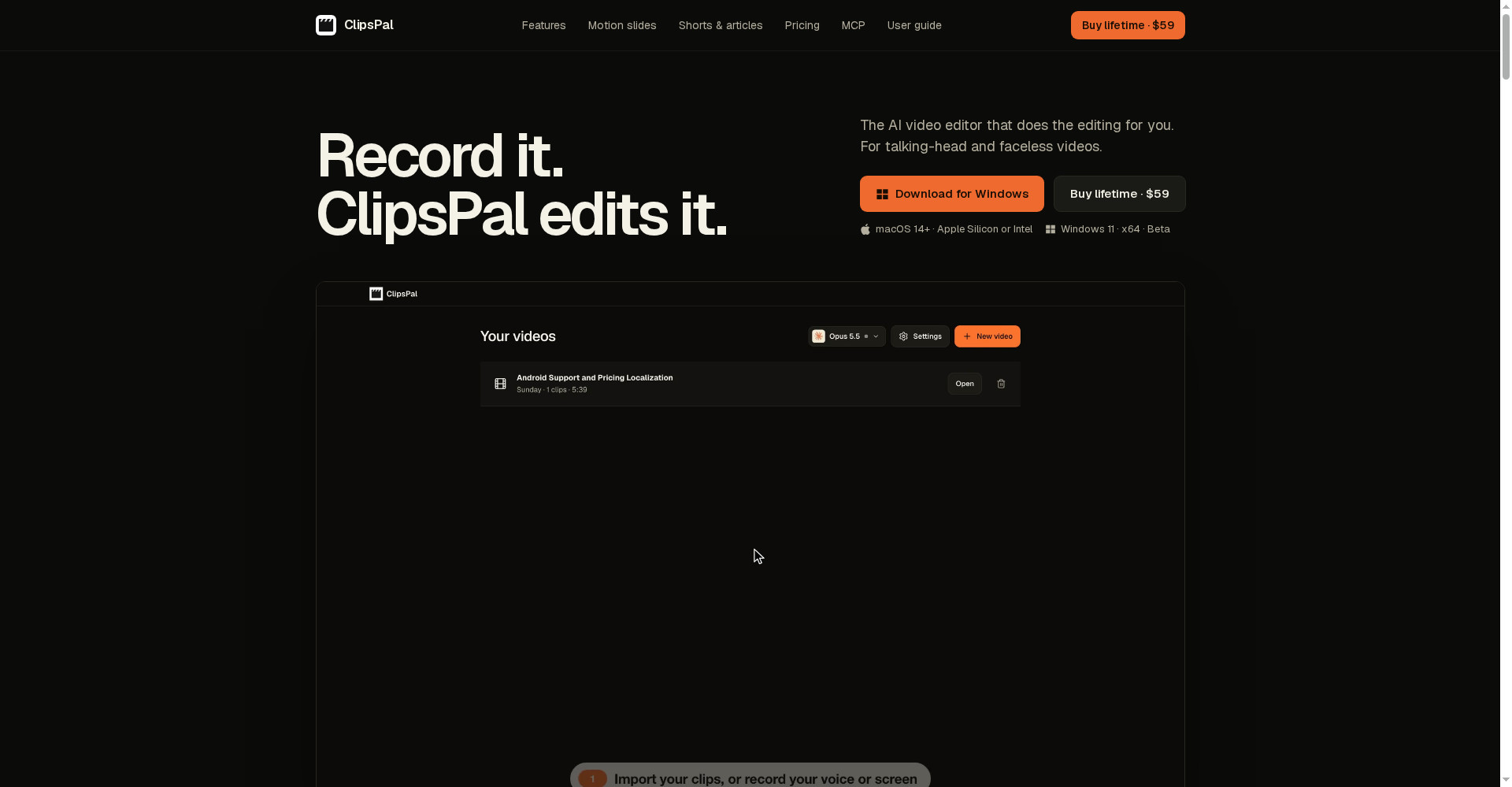
- ClipsPal: Talking-head videos ki one-click editing — $59 one-time, no subscription. Wo editing tool hai, generation nahi; YouArt generation + workflow ka tool hai. Dono saath bhi chal sakte hain.
- YouArt: Chat-to-workflow + 20+ models + Desktop App jo After Effects/CapCut chalata hai — ek hi jagah idea se finished video tak, lekin credits par chalta hai aur Desktop App abhi naya hai.
🔍 Log Ye Bhi Search Karte Hain
- youart ai
- youart ai free
- youart ai video generator
- youart ai download
- youart ai pricing
- youart ai login
- youart ai review
- youart vs runway
- youart vs kling
- youart ai alternatives
- youart desktop app
- youart ai credits
- ai video generator free
- text to video ai free
- sora 2 alternative
- clipspal review
- videco review
- woven video review
- lottie ai review
Final verdict
YouArt ek genuinely useful idea hai — chat se poora video workflow, 20+ models ek hi jagah, aur ab Desktop App jo tumhare asli editing tools khud chalata hai. Free entry, no-watermark paid plans, aur smart routing se cost control — ye combination aaj kisi aur AI video studio me nahi milta. Isliye thoda kata: credits jaldi khatm hote hain, free outputs par watermark ho sakta hai, aur Desktop App abhi ek din purana hai.
Humari rating: 4/5. Agar tum creator, marketer ya freelancer ho aur idea se finished video tak ka pipeline ek jagah chahte ho — to youart.ai par jao aur free credits se ek chhota video banao. Pehle ek feature launch ya product clip try karo — dekho agent ka workflow tumhare kaam ka hai ya nahi — uske baad hi Basic plan lo. Jinko sirf ek model ki best quality chahiye, wo Runway dekhein; jinko talking-head editing chahiye, wo ClipsPal try karein.
Note: Ye first-look review official site (youart.ai) aur uski Product Hunt launch post (12 November 2026) par based hai. Hum ise khud use karke hands-on update jald jodenge.