AI Tool
⚡ 30-second me faisla
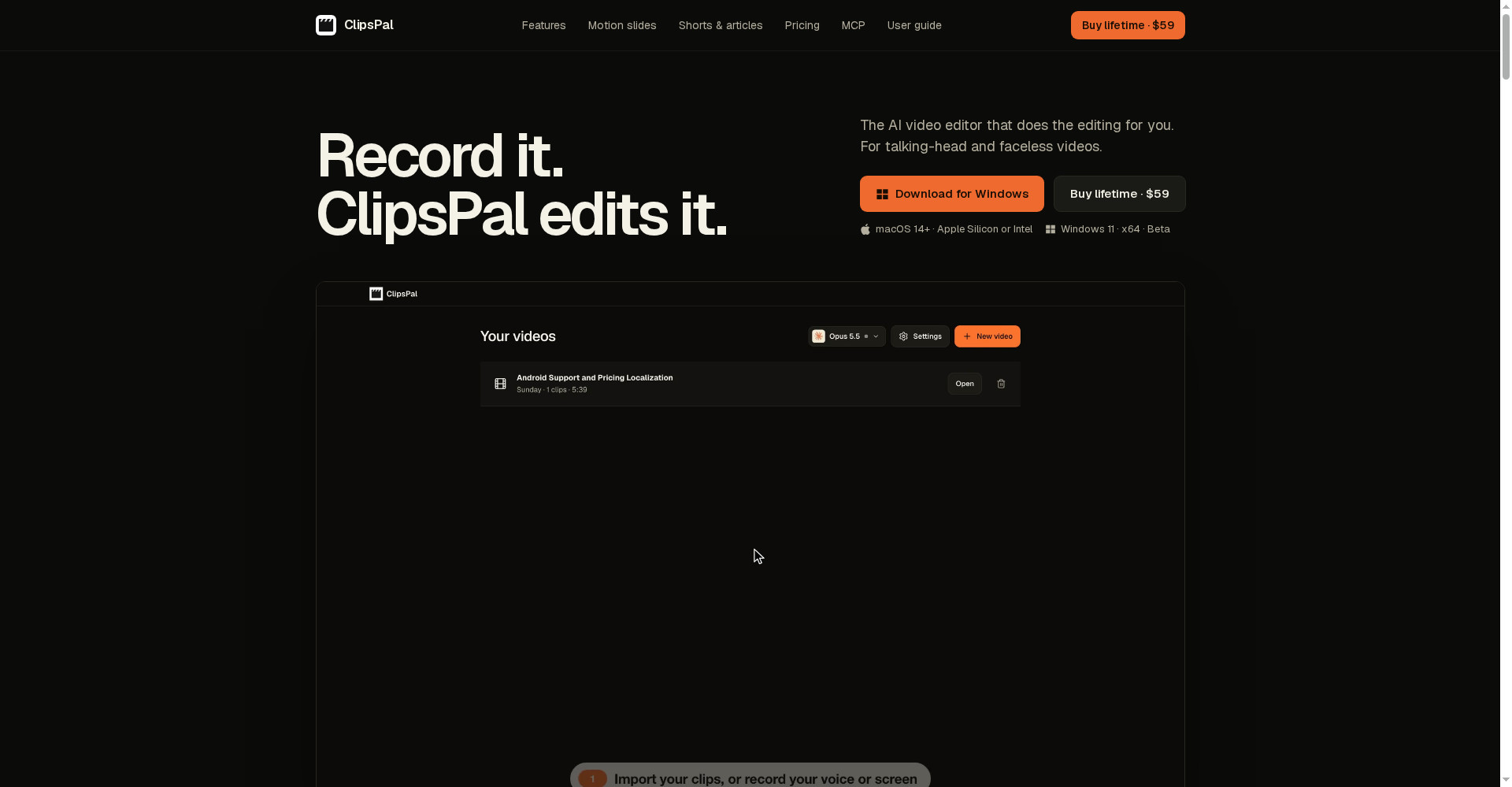
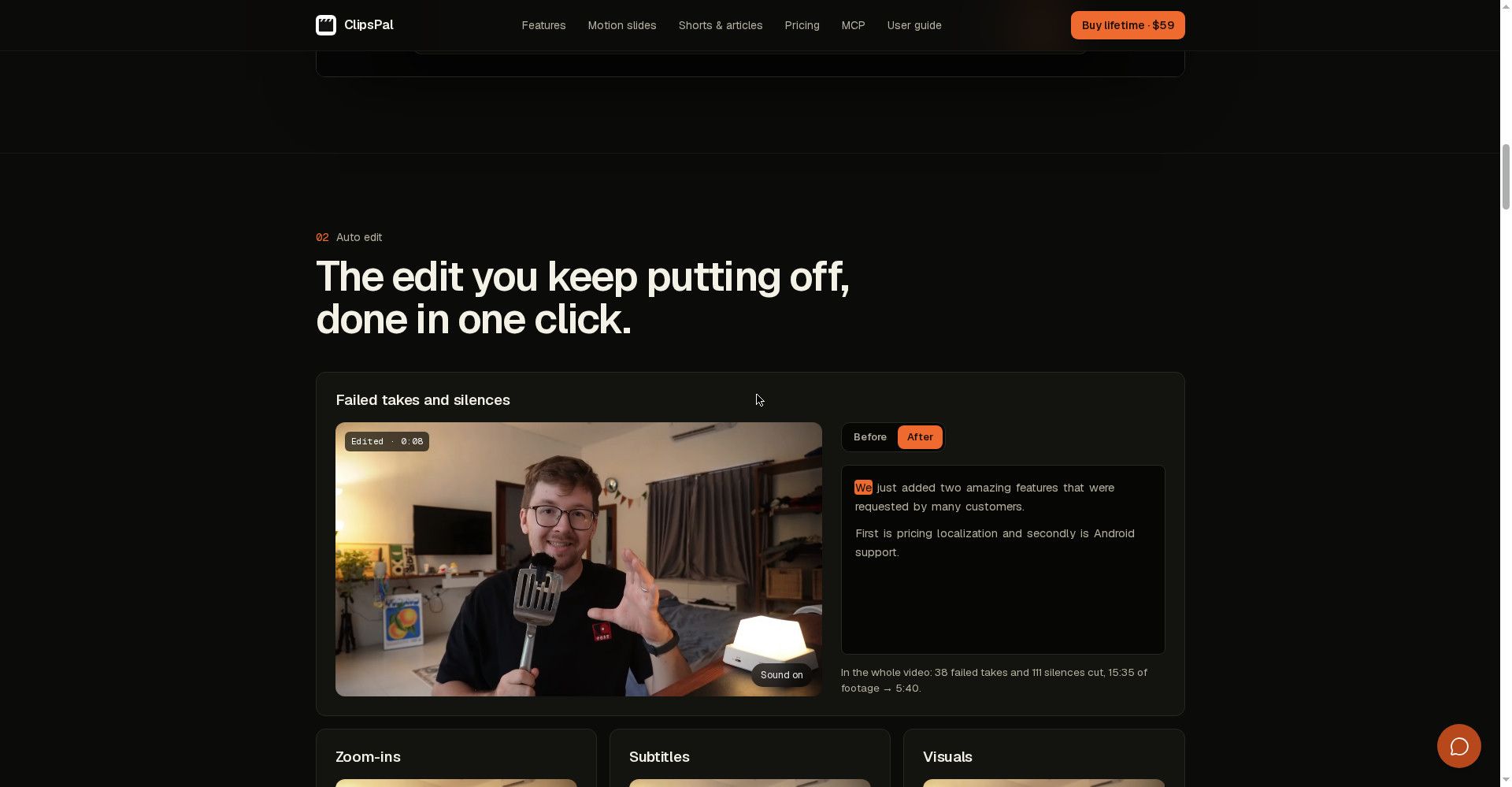
ClipsPal ek desktop AI video editor hai jo tumhari talking-head video ki sabse boring editing khud kar deta hai — failed takes aur silences kaatna, zoom-ins, subtitles, visuals aur sound lagana. Uski hi ek video me 38 failed takes aur 111 silences cut karke 15:35 ki footage 5:40 ki kar di. Usi video se 1–5 vertical shorts, YouTube chapters aur poora article bhi bana deta hai. Product Hunt par 8 November 2026 ko launch hua, aur keemat hai $59 ek baar — lifetime access, koi subscription nahi. Sabse badi baat: tumhari video kabhi tumhare computer se bahar nahi jati — transcription bhi local hoti hai. Lekin dhyaan rakho: koi free plan nahi hai, aur AI chalane ke liye tumhara apna paid AI plan (Claude Pro, ChatGPT waghera) chahiye — ya free local model. YouTubers, course creators aur founders jo roz camera ke saamne bolte hain aur editing par ghante barbaad karte hain, unke liye ye $59 me waqt bachane wala sauda ho sakta hai — agar tumhare paas pehle se koi AI plan hai; jinko pehle free me try karna hai ya sirf phone se edit karna hai, unke liye CapCut ya Descript ka free plan behtar rahega.
Ye tool kya hai?
Har YouTuber ki ek hi shikayat hoti hai: video record karna 20 minute ka kaam hai, edit karna 4 ghante ka. Failed take dobara bolo, chuppi kaato, zoom lagao, subtitles likho, phir usi video se shorts banao — ye sab mehnat video banane se zyada kha jati hai.
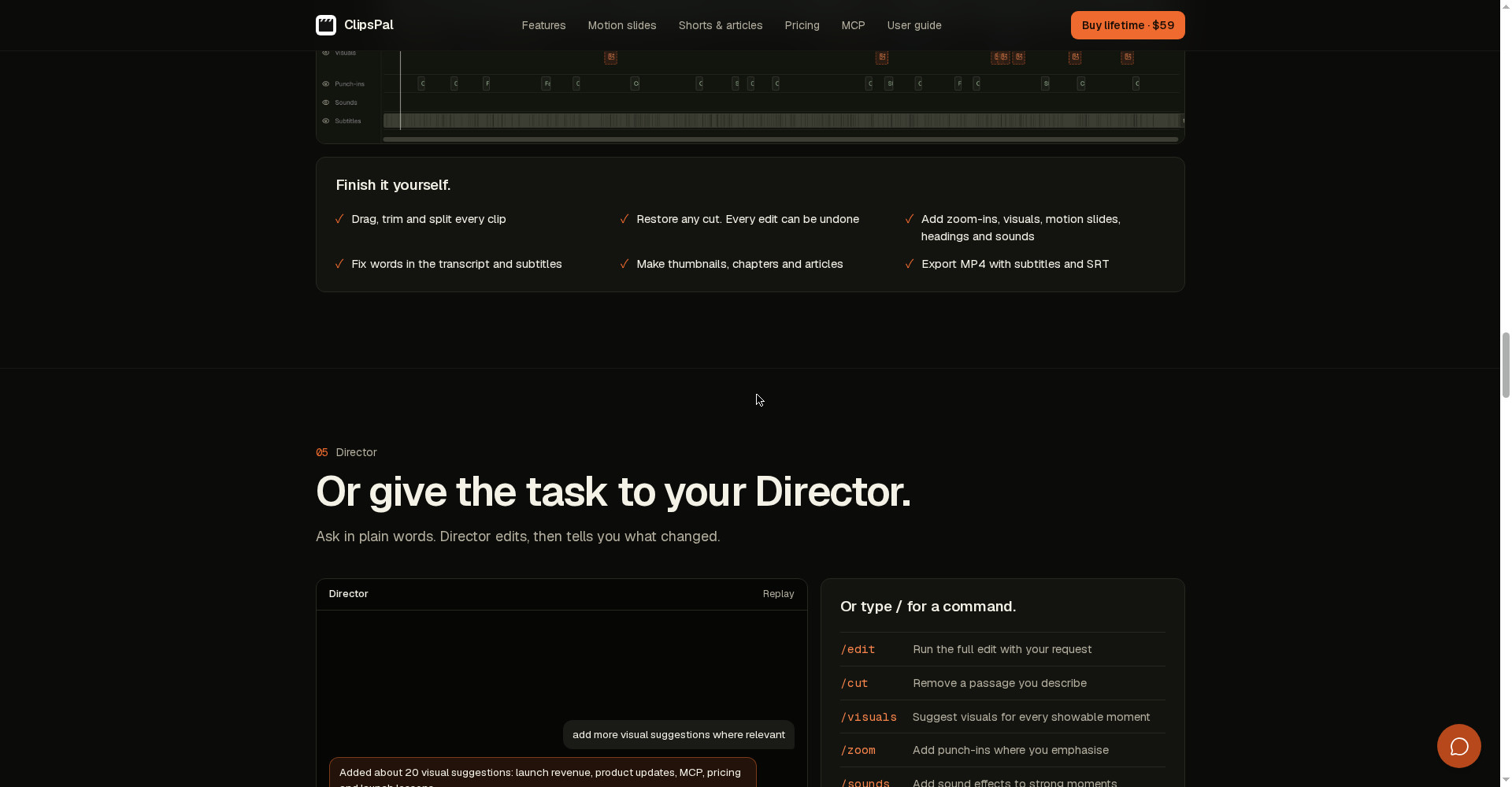
ClipsPal isi liye bana hai. Tum raw clips daalo — jitni baar retake liya ho, jitni chuppi ho — aur ye ek click me rough cut bana deta hai. Tumhare bolne ke hisaab se subtitles, emphasis par zoom-ins, dikhane layak jagah par visuals aur motion slides, aur strong moments par sound effects — sab AI laga deta hai. Phir tum chaaho to Director ko aam shabdon me bolo — “add more visual suggestions where relevant” — aur wo edit karke batata hai kya badla. Ya khud timeline par haath se finish karo: har cut undo ho sakta hai.
Aasaan bhasha me: ClipsPal tumhara editor hai, tum sirf record karo.
Khaas features (jo ise alag banate hain)
1. Auto edit — failed takes aur silences ek click me gayab
Ye ClipsPal ka hero feature hai. Tum 15 minute ki raw recording daalo jisme galtiyan, “umm”, lambi chuppi sab ho — ClipsPal khud pehchan kar kaat deta hai. Site par dikhaya gaya example: ek poori video me 38 failed takes aur 111 silences cut kiye, 15:35 ki footage 5:40 ki reh gayi. Matlab 10 minute ki bekaar footage ek click me gayab — aur har cut ko tum wapas bhi la sakte ho, kuch bhi permanent nahi hai.
2. Zoom-ins, subtitles, visuals aur motion slides
Sirf kaatna hi nahi — ClipsPal video ko dekhne layak bhi banata hai. Tum jahan zor dekar bolte ho, wahan zoom-ins (punch-ins) lagte hain. Subtitles 40 bhashaon me bante hain — Hindi bhi — aur transcript me galat shabd ko theek karo to subtitles bhi theek ho jate hain. Dikhane layak har moment ke liye visuals suggest karta hai, aur tumhare chune hue shabdon ke liye motion slides — animated slides jo AI tumhare bolne ke hisaab se design karta hai. Strong moments par sound effects bhi.
3. Director — aam shabdon me bolo, wo edit kare
Agar tumhe timeline se khelna pasand nahi, to Director hai. Aam shabdon me likho — jaise “add more visual suggestions where relevant” — aur Director edit karke batata hai kya badla. Ya / type karke command do: /edit poori edit chalata hai, /cut koi hissa hatata hai, /visuals har dikhane layak moment ke liye visual suggest karta hai, /zoom emphasis par punch-ins lagata hai, /sounds strong moments par sound lagata hai, /motion motion slides badalta hai, /fix subtitles ke galat shabd theek karta hai, aur /short 1–5 vertical shorts bana deta hai.
4. Ek video se shorts, chapters aur article
Ek long video record karo, ClipsPal usse 1–5 vertical shorts (TikTok/Reels/Shorts ke liye), YouTube chapters, thumbnails aur poora article bana deta hai. Site par example: “Wow Keywords” launch video (8:41) se 3 shorts bane — har ek ka apna title aur duration. Matlab ek recording se YouTube video + Shorts + blog post — teeno content ek hi baar me.
5. Privacy — footage tumhare computer se bahar nahi jata
Aaj ke AI editors me video cloud par upload hoti hai — ClipsPal me nahi. Video aur audio kabhi tumhare computer se bahar nahi jate, transcription bhi local hoti hai (Whisper model), aur tumhare chune hue AI ko sirf transcript jata hai. Agar tum free local model chuno, to kuch bhi bahar nahi jata — poora kaam tumhare computer par. Unrecorded ya sensitive baat-cheet wale videos ke liye ye badi baat hai.
6. MCP server — tumhara AI agent khud edit kare
ClipsPal ke saath ek MCP server aata hai — 23 tools — jisse tumhara AI agent (Claude Code, Codex, OpenCode, Cursor, Grok, Claude Desktop, Windsurf) tumhare videos ko khud padh, kaat, shorts bana, chapters likh aur export kar sakta hai. Example: “Write YouTube chapters for my latest video, then export it in 1440p with subtitles” — agent chapters likhta hai aur 1440p export kar deta hai. Ye unke liye hai jo apni editing ko bhi automate karna chahte hain.
7. Apne paid AI par chalta hai — koi doosra subscription nahi
ClipsPal ka model seedha hai: “No second subscription.” Ye tumhare pehle se paid AI par chalta hai — Claude Code (Claude Pro/Max), Codex (ChatGPT plan), OpenCode, Gemini, Cursor, Grok, ya free local model. Per-video billing nahi hai, credits nahi kat-te. Lekin imaandaar baat ye bhi hai: agar tumhare paas inme se koi paid plan nahi hai, to wo kharcha alag se jodna padega — $59 ke alawa.
Pricing — free me kitna milega?
- Free plan: Koi nahi — official site par free plan ya free trial clearly mentioned nahi hai. App download kar sakte ho, lekin editing tabhi shuru hoti hai jab license enter karo.
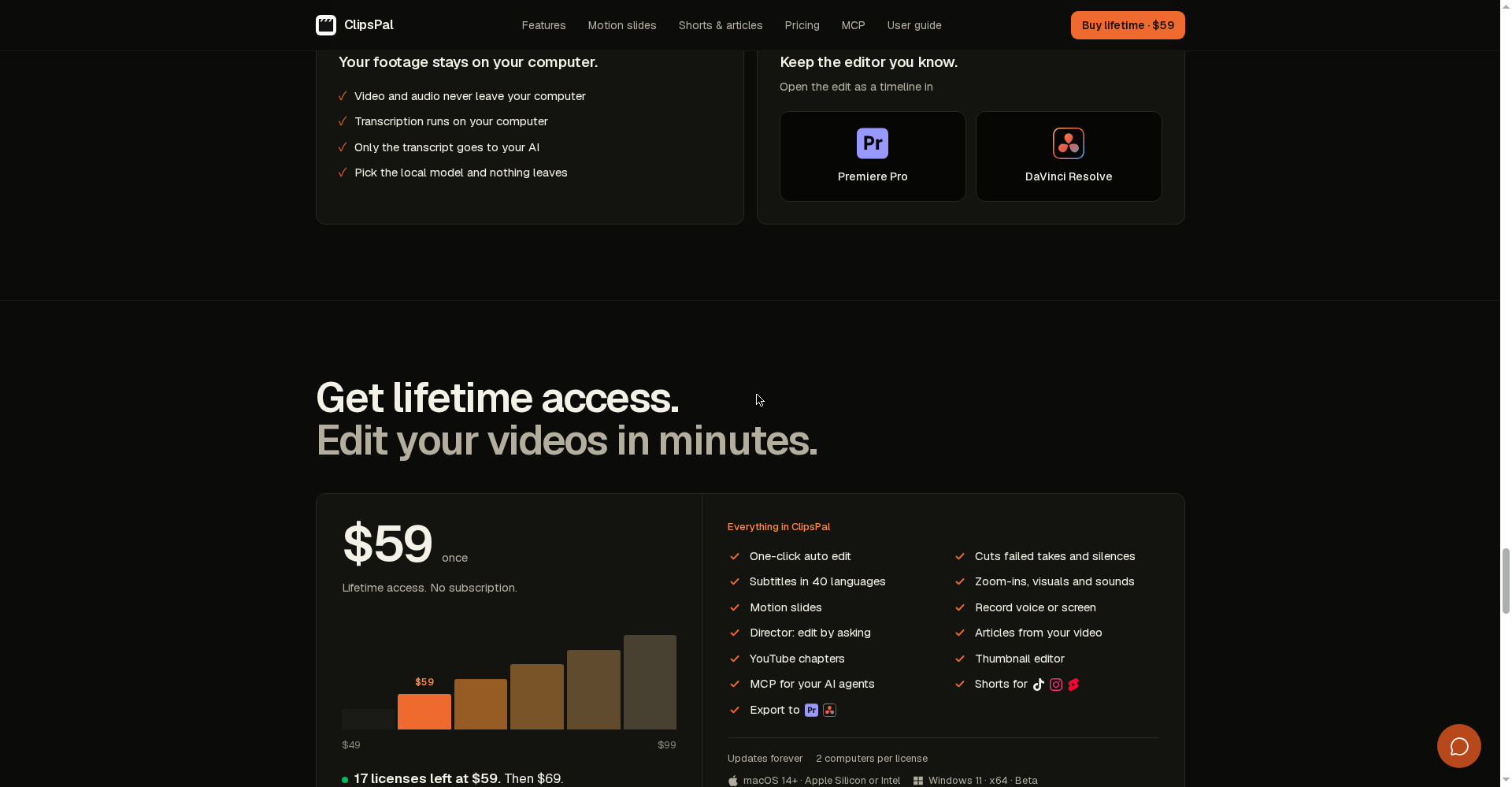
- Lifetime ($59 once): Poora app — one-click auto edit, failed takes/silences cut, zoom-ins, 40 bhashaon me subtitles, visuals, motion slides, sounds, Director, shorts, articles, YouTube chapters, thumbnails, MCP server, Premiere Pro/DaVinci Resolve export. Updates hamesha ke liye included, 1 license 2 computers par chalti hai.
- Keemat badhne wali hai: Site ke mutabik $59 par sirf 17 licenses bachi hain, phir $69 — aur phir har 20 license par $10 aur badhega. Pehle ye $49 par bhi mila tha.
Imaandaar baat: $59 ek baar Descript Creator ($24/month) ya CapCut Pro ($19.99/month) ke 2–3 mahine ke barabar hai — uske baad ClipsPal practically muft hai. Lekin us hisaab me AI plan ka kharcha bhi jodo: agar tumhare paas Claude Pro ya ChatGPT plan pehle se hai, to sauda bahut achha hai; agar nahi hai, to pehle wo $20/month ka kharcha bhi gino.
Platforms
- Mac: macOS 14 ya usse upar — Apple Silicon ya Intel, dono par; screen aur camera recording aur background removal Mac par milte hain
- Windows: Windows 11 (x64) — abhi beta me hai aur unsigned (SmartScreen warning aa sakta hai); import, edit, export, AI editing aur local voice input milta hai; screen/camera recording aur background removal nahi
- Bhasha: 40 spoken languages, Hindi bhi — subtitles aur transcription dono me
- Export: MP4 with subtitles + SRT; edit ko Premiere Pro ya DaVinci Resolve me timeline ki tarah khol sakte ho
Kaun use kare, kaun na kare?
- YouTubers / course creators: Roz camera ke saamne bolte ho aur editing par ghante jate hain — ClipsPal tumhara rough cut minutes me kar dega, aur shorts bhi.
- Founders / product log: Launch video, product walkthrough, founder update — ek recording se video + shorts + article, teeno.
- Freelancers: Client ke talking-head videos jaldi finish karo — $59 ek baar, client ke ek project se hi vasool.
- Privacy-conscious creators: Jinki video cloud par upload nahi honi chahiye — local transcription aur local model ka option.
- Na kare: Jinko pehle free me try karna hai (koi free plan nahi), jo sirf phone se edit karte hain (desktop app hai), ya jinki editing cinematic/multi-camera hai — ye tool talking-head aur faceless videos ke liye bana hai.
Comparison: Descript / CapCut / OpusClip
- Descript: Transcript se edit — text me sentence delete karo, video se hissa gayab. Free plan hai (60 media minutes/month, 720p, watermark), paid Hobbyist $16/month (annual) se. Podcast aur long talks ke liye sabse complete. Lekin subscription hai, aur video cloud par jati hai.
- CapCut: Free plan ke saath full manual timeline editor — phone aur desktop dono, auto captions, long-video-to-shorts tool. Pro $19.99/month. Jinko haath se edit karna pasand hai aur free me shuru karna hai, unke liye best. Lekin auto-edit ClipsPal jitna one-click nahi.
- OpusClip: Ek long video se kai viral shorts nikalne me specialist — free plan 60 credits/month, Starter $15/month, Pro $29/month. Sirf shorts chahiye to ye, poori editing chahiye to ClipsPal.
- ClipsPal: Ek click me poori editing + shorts + article, video local rehti hai, $59 ek baar. Lekin koi free plan nahi aur AI ke liye alag paid plan chahiye.
🔍 Log Ye Bhi Search Karte Hain
- clipspal ai video editor
- clipspal pricing
- clipspal free hai ya paid
- clipspal download kaise kare
- clipspal vs descript
- clipspal vs capcut
- clipspal review 2026
- clipspal alternatives
- clipspal for windows
- clipspal for mac
- clipspal lifetime deal
- ai video editor for talking head videos
- woven video review
- videco review
- openvids ai review
- reelbird screen recorder review
Final verdict
ClipsPal ek genuinely useful idea hai — talking-head editing ki sabse boring mehnat ek click me, video tumhare computer se bahar jaye bina, aur $59 ek baar me lifetime. Failed takes/silences ka auto-cut, Director ko aam shabdon me bolna, ek video se shorts + article, aur MCP se agent-driven editing — ye combination aaj kisi aur tool me is price par nahi milta. Isliye thoda kata: koi free plan nahi hai, AI ke liye alag paid plan chahiye, app sirf 2 din purana hai, aur Windows version abhi beta hai.
Humari rating: 4/5. Agar tum roz camera ke saamne bolte ho, tumhare paas Claude Pro ya ChatGPT plan pehle se hai, aur subscription se chutkara chahte ho — clipspal.com se aaj hi lo, $59 wala price badhne se pehle. Pehle ek chhoti video se test karo — dekho auto-cut tumhari bolne ki style par kaisa kaam karta hai — uske baad hi apni badi recordings daalo. Jinko pehle free me try karna hai, wo CapCut ya Descript ka free plan use karein.
Note: Ye first-look review official site (clipspal.com) aur uski Product Hunt launch post (8 November 2026) par based hai. Hum ise khud use karke hands-on update jald jodenge.