AI Tool
⚡ The 30-second verdict
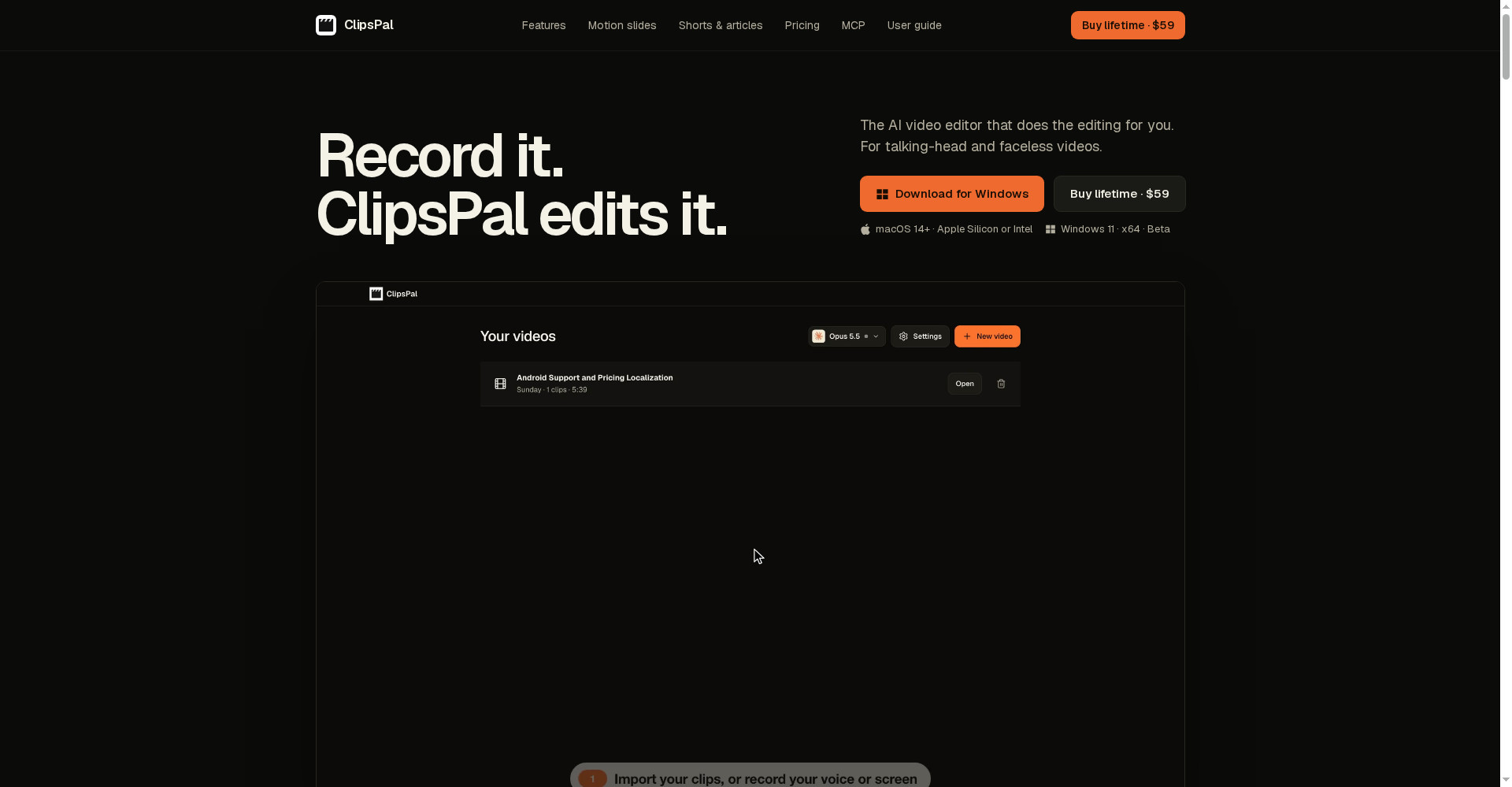
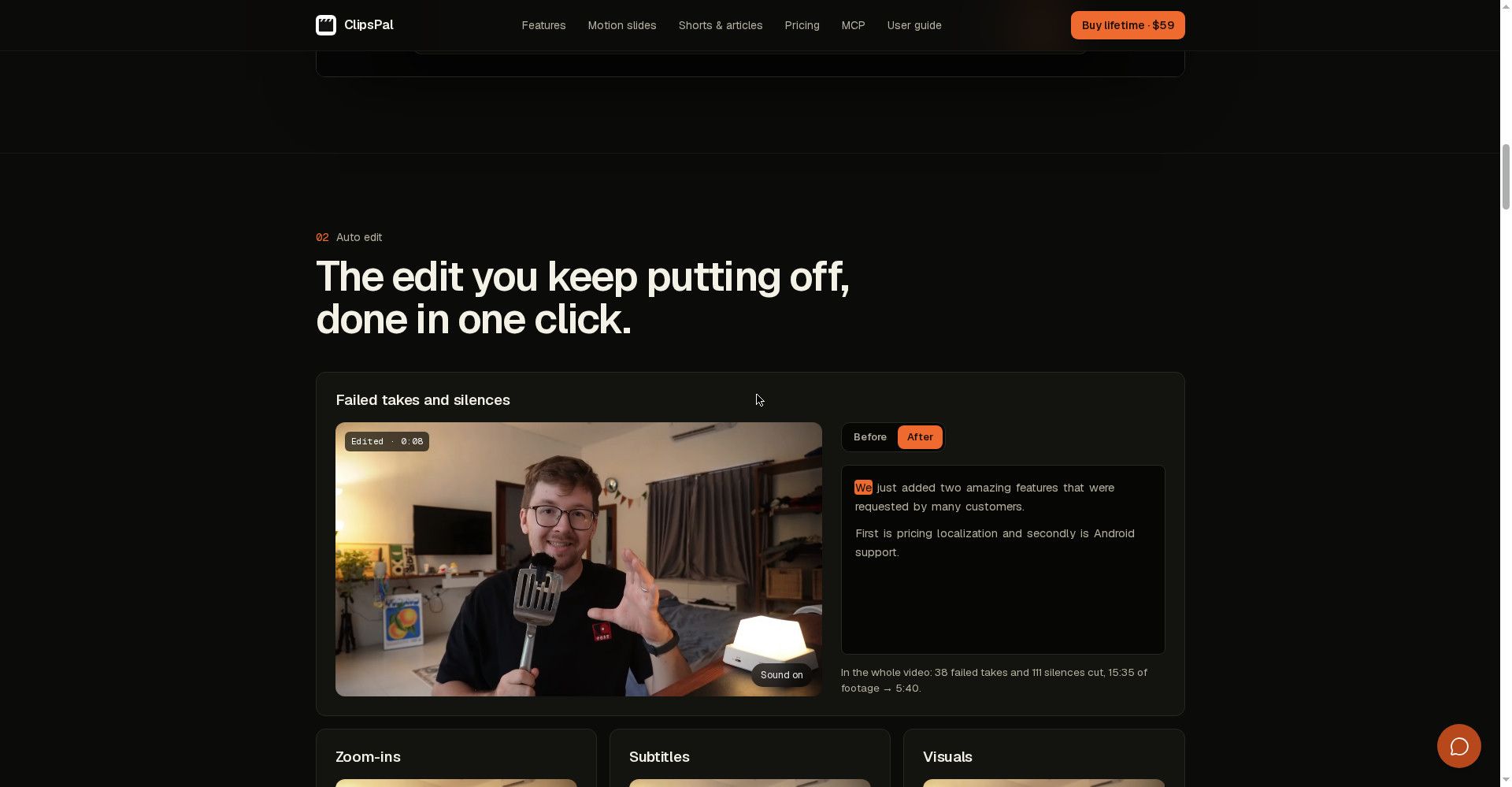
ClipsPal is a desktop AI video editor that does the most boring part of talking-head video editing by itself — cutting failed takes and silences, adding zoom-ins, subtitles, visuals and sound. In one of its own videos it cut 38 failed takes and 111 silences, turning 15:35 of footage into 5:40. The same video becomes 1–5 vertical shorts, YouTube chapters and a full article. It launched on Product Hunt on 8 November 2026, and costs $59 once — lifetime access, no subscription. Best of all: your footage never leaves your computer — even transcription runs locally. But note the catches: there is no free plan, and you need your own paid AI plan (Claude Pro, ChatGPT, etc.) to run it — or the free local model. For YouTubers, course creators and founders who talk to camera every day and lose hours to editing, this can be a $59 time-saver — if you already pay for an AI plan; if you want to try free first, or edit only from your phone, the free plans of CapCut or Descript are the better pick.
What is it?
Every YouTuber has the same complaint: recording takes 20 minutes, editing takes 4 hours. Re-record the failed take, cut the silence, add the zoom, write the subtitles, then cut shorts from the same video — the busywork eats more time than making the video.
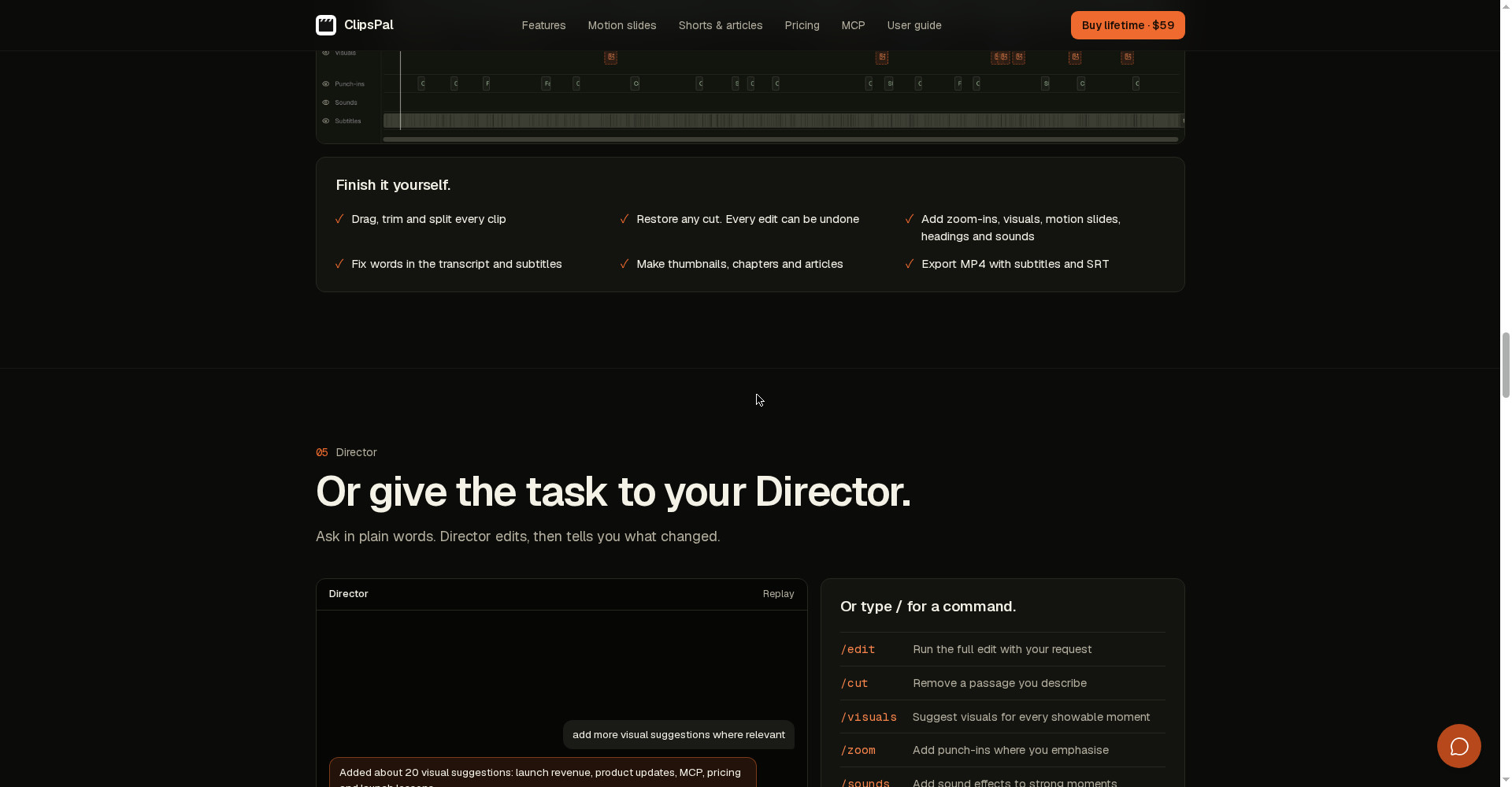
ClipsPal exists for exactly that. Drop in raw clips — every retake, every pause — and it builds a rough cut in one click. It adds subtitles based on what you said, zoom-ins where you emphasize a point, visuals where something can be shown, motion slides designed from your own words, and sound effects on strong moments. Then, if you want, tell Director in plain words — “add more visual suggestions where relevant” — and it edits and reports what changed. Or finish it by hand on the timeline: every cut can be undone.
In plain terms: ClipsPal is your editor — you just record.
Key features (what makes it different)
1. Auto edit — failed takes and silences gone in one click
This is ClipsPal’s hero feature. Feed it 15 minutes of raw recording — mistakes, “umms”, long pauses and all — and it finds and cuts them by itself. The example on the site: 38 failed takes and 111 silences cut from a single video, 15:35 of footage down to 5:40. That is 10 minutes of dead footage removed in one click — and you can restore any cut, nothing is permanent.
2. Zoom-ins, subtitles, visuals and motion slides
It does not just cut — it makes the video watchable. Zoom-ins (punch-ins) land where you emphasize something. Subtitles come in 40 languages — Hindi included — and fixing a wrong word in the transcript fixes the subtitle too. It suggests visuals for every showable moment, and builds motion slides — animated slides the AI designs for the words you select. Sound effects land on strong moments.
3. Director — ask in plain words, it edits
If you do not enjoy timelines, there is Director. Write in plain words — like “add more visual suggestions where relevant” — and Director edits, then tells you what changed. Or type / for a command: /edit runs the full edit with your request, /cut removes a passage you describe, /visuals suggests visuals for every showable moment, /zoom adds punch-ins where you emphasize, /sounds adds sound effects to strong moments, /motion changes motion slides, /fix corrects wrong words in subtitles, and /short makes 1–5 vertical shorts.
4. One video becomes shorts, chapters and an article
Record one long video and ClipsPal turns it into 1–5 vertical shorts (for TikTok, Reels and Shorts), YouTube chapters, thumbnails and a full article. The example on the site: a “Wow Keywords” launch video (8:41) became 3 shorts, each with its own title and length. One recording gives you a YouTube video, Shorts and a blog post — all three at once.
5. Privacy — your footage stays on your computer
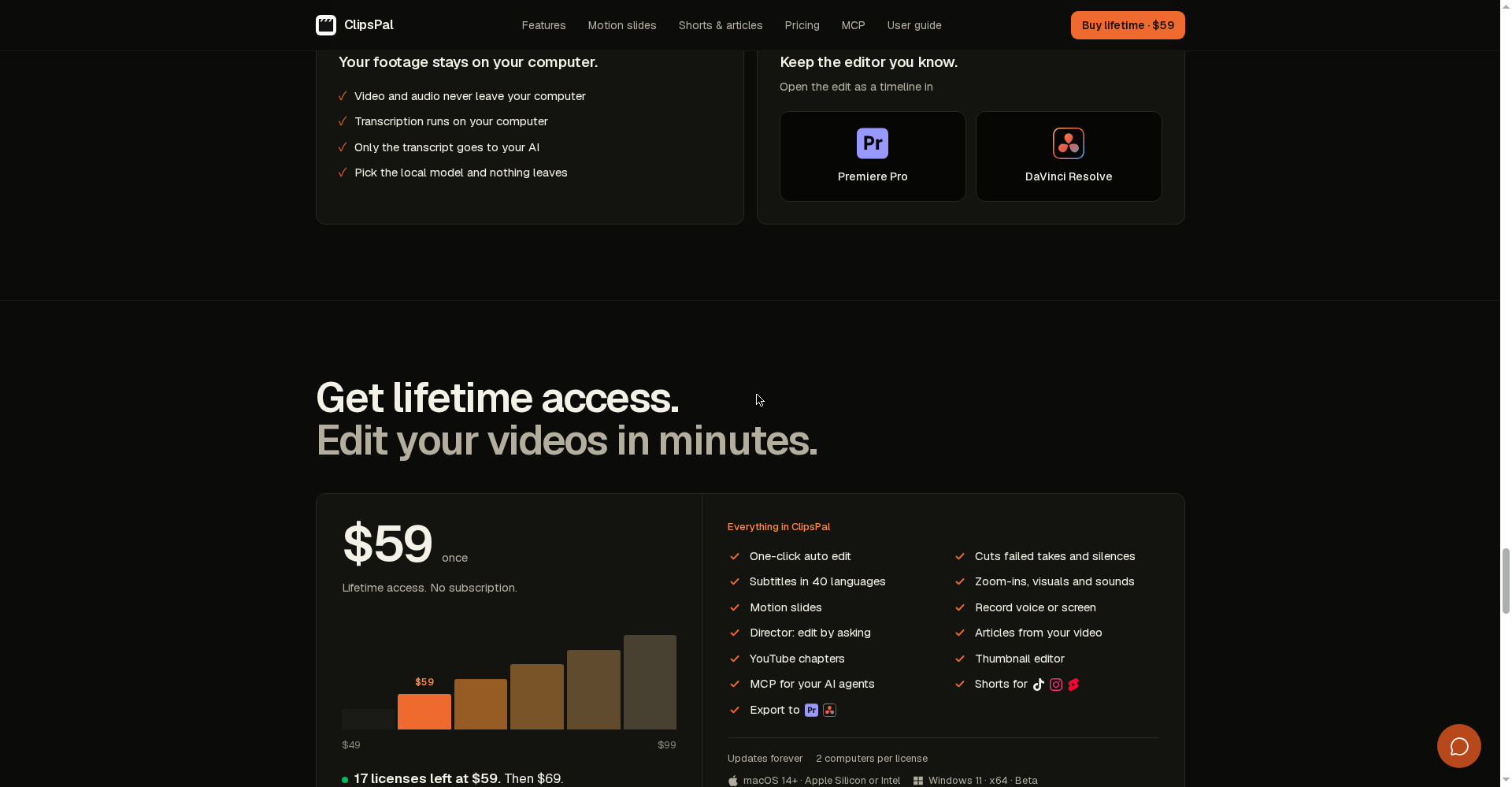
Most AI editors upload your video to the cloud — ClipsPal does not. Video and audio never leave your computer, transcription runs locally too (Whisper model), and only the transcript goes to the AI you picked. Choose the free local model and nothing leaves at all — everything runs on your machine. That matters a lot for unreleased or sensitive recordings.
6. MCP server — let your AI agent edit for you
ClipsPal ships with an MCP server — 23 tools — so your AI agent (Claude Code, Codex, OpenCode, Cursor, Grok, Claude Desktop, Windsurf) can read your videos, cut them, make shorts, write chapters and export, all by itself. Example: “Write YouTube chapters for my latest video, then export it in 1440p with subtitles” — the agent writes the chapters and exports the file. This is for people who want to automate their editing too.
7. Runs on the AI you already pay for — no second subscription
ClipsPal’s model is simple: “No second subscription.” It runs on the AI you already pay for — Claude Code (Claude Pro/Max), Codex (ChatGPT plan), OpenCode, Gemini, Cursor, Grok, or a free local model. No per-video billing, no credits. But the honest flip side: if you do not already have one of those paid plans, that cost adds up on top of the $59 — roughly $20/month for Claude Pro or a ChatGPT plan.
Pricing — what do you get for free?
- Free plan: None — no free plan or free trial is clearly mentioned on the official site. You can download the app, but editing only starts once you enter a license.
- Lifetime ($59 once): The whole app — one-click auto edit, failed-takes/silence cutting, zoom-ins, subtitles in 40 languages, visuals, motion slides, sounds, Director, shorts, articles, YouTube chapters, thumbnails, MCP server, Premiere Pro/DaVinci Resolve export. Updates forever included, one license works on 2 computers.
- The price is going up: According to the site, only 17 licenses remain at $59, then it becomes $69 — and after that it rises $10 every 20 licenses. It was $49 before.
The honest math: $59 once equals 2–3 months of Descript Creator ($24/month) or CapCut Pro ($19.99/month) — after that, ClipsPal is practically free. But add the AI plan to that math: if you already pay for Claude Pro or a ChatGPT plan, it is a great deal; if you do not, count that $20/month too.
Platforms
- Mac: macOS 14 or later — Apple Silicon or Intel; screen and camera recording and background removal are available on Mac
- Windows: Windows 11 (x64) — currently in beta and unsigned (SmartScreen may warn you); import, edit, export, AI editing and local voice input work; screen/camera recording and background removal do not
- Languages: 40 spoken languages, Hindi included — for both subtitles and transcription
- Export: MP4 with subtitles + SRT; open the edit as a timeline in Premiere Pro or DaVinci Resolve
Who should use it — and who should not
- YouTubers / course creators: You talk to camera every day and lose hours to editing — ClipsPal does your rough cut in minutes, plus the shorts.
- Founders / product people: Launch videos, product walkthroughs, founder updates — one recording becomes a video, shorts and an article.
- Freelancers: Finish client talking-head videos faster — $59 once pays for itself in a single client project.
- Privacy-conscious creators: Your footage should not go to the cloud — local transcription and the local-model option cover you.
- Skip it if: You want to try free first (there is no free plan), you edit only from your phone (this is a desktop app), or your editing is cinematic or multi-camera — this tool is built for talking-head and faceless videos.
Comparison: Descript / CapCut / OpusClip
- Descript: Edits by transcript — delete a sentence of text and that part disappears from the video. Free plan available (60 media minutes a month, 720p, watermarked), paid Hobbyist from $16/month (annual). The most complete option for podcasts and long talks. But it is a subscription, and your video goes to the cloud.
- CapCut: A full manual timeline editor with a free plan — phone and desktop, auto captions, long-video-to-shorts tool. Pro is $19.99/month. Best if you like editing by hand and want to start free. But its auto-edit is not as one-click as ClipsPal’s.
- OpusClip: A specialist at pulling many viral shorts out of one long video — free plan with 60 credits a month, Starter $15/month, Pro $29/month. If you only need shorts, this is it; if you need the full edit, ClipsPal.
- ClipsPal: One-click full edit + shorts + article, footage stays local, $59 once. But no free plan, and you need a separate paid AI plan.
🔍 People also search for
- clipspal ai video editor
- clipspal pricing
- clipspal free or paid
- clipspal download
- clipspal vs descript
- clipspal vs capcut
- clipspal review 2026
- clipspal alternatives
- clipspal for windows
- clipspal for mac
- clipspal lifetime deal
- ai video editor for talking head videos
- woven video review
- videco review
- openvids ai review
- reelbird screen recorder review
Final verdict
ClipsPal is a genuinely useful idea — the most boring part of talking-head editing in one click, without your footage ever leaving your computer, for $59 once, for life. Automatic failed-take and silence cutting, plain-word Director commands, shorts + article from one video, and agent-driven editing through MCP — that combination does not exist at this price anywhere else today. The cuts: no free plan, a separate paid AI plan is required, the app is only 2 days old, and the Windows version is still in beta.
Our rating: 4/5. If you talk to camera every day, already pay for Claude Pro or a ChatGPT plan, and want to escape subscriptions — get it from clipspal.com today, before the $59 price rises. Test it on one short video first — see how the auto-cut handles your speaking style — before you feed it your big recordings. If you want to try free first, use CapCut or Descript’s free plan.
Note: This is a first-look review based on the official site (clipspal.com) and its Product Hunt launch post (8 November 2026). We will add a hands-on update after using it ourselves.